00198051-01_IM_SetupCenter_8.0_EN.pdf - 第103页
Modify Modify Setup Center Installation Manual SIPLACE Setup Center 8.0 103 10 1 0 M o d if y Modify 10.1 1 0 . 1 M o d if y S e t u p C e n t e r Modify Setup Center It is possible to modify the installat ion by startin…
Settings
102 Installation Manual SIPLACE Setup Center 8.0
Modify
Modify Setup Center
Installation Manual SIPLACE Setup Center 8.0 103
10
10 Modify
Modify
10.1
10.1 Modify Setup Center
Modify Setup Center
It is possible to modify the installation by starting the Installer on a computer where the Setup Center is
installed. The Installer detects the installation automatically and offers the modify option.
Select the packages you want to remove or to add. Refer to the procedures described above for more
details.
10.2
10.2 Modify Forced Setup Center
Modify Forced Setup Center
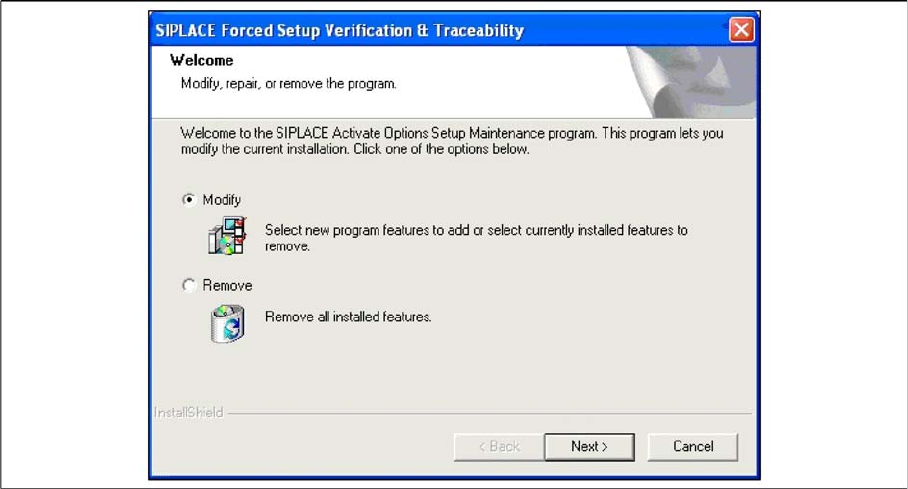
If the Setup at the software CD "SIPLACE Setup Center 6.0" is called up again, the following dialog ap
-
pears.
▪ You can change the current installation by selecting the checkbox Modify.
▪ The following masks appears:
– Setup verification system
– Configuration of the Splice detection (If not X-machine)
– Fill Level Control
– Activation of locked tracks
– Traceability
– Overview of the settings
– Finishing the installation
See above for more infomation.
Modify
Modify Forced Setup Center
104 Installation Manual SIPLACE Setup Center 8.0