00198051-01_IM_SetupCenter_8.0_EN.pdf - 第44页
Setup Center Application Installation Individual Setup Types and Next Steps 5.2.4 Setup Type - Custom 44 Installation Manual SIPLACE Setup Center 8.0 5.2.4 5 . 2 . 4 S e t u p T y p e - C u s t o m Setup Type - Custom St…
Setup Center Application Installation
5.2.3 Setup Type – SIPLACE Setup Center Server Individual Setup Types and Next Steps
Installation Manual SIPLACE Setup Center 8.0 43
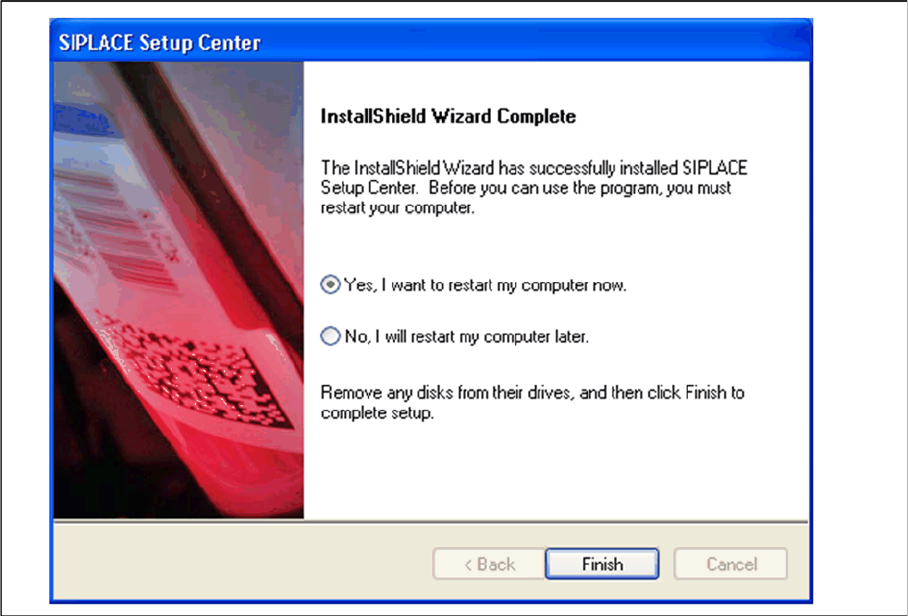
Step 7
► The "Setup Complete" window confirms that the installation has been completed successfully.
► Click Finish.
Setup Center Application Installation
Individual Setup Types and Next Steps 5.2.4 Setup Type - Custom
44 Installation Manual SIPLACE Setup Center 8.0
5.2.4
5.2.4 Setup Type - Custom
Setup Type - Custom
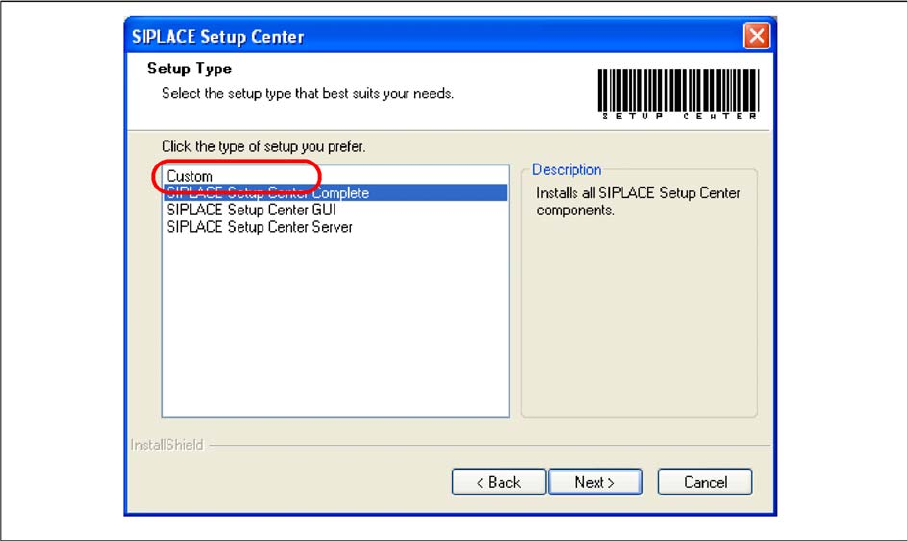
Step 1
► Run through the steps in chapter "General Settings".
► Select the Custom setup type.
► Click Next.
Setup Center Application Installation
5.2.4 Setup Type - Custom Individual Setup Types and Next Steps
Installation Manual SIPLACE Setup Center 8.0 45
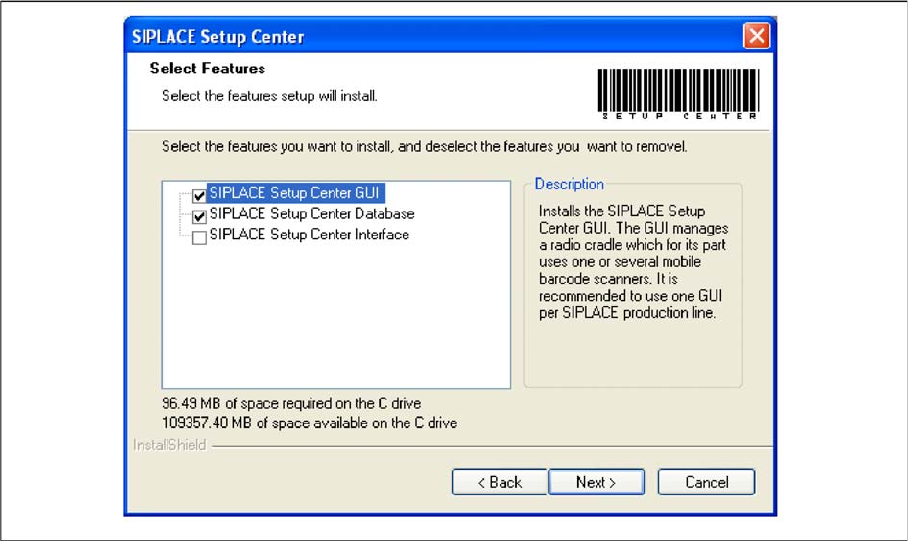
Step 2
► Choose the checkbox in the Select features dialog box.
► The Description field displays detailed information to the selected feature.
► Select the features you want to install, and deselect the features you want to removel.
► Click Next and perform the respective Steps from the following dialog boxes.