00198051-01_IM_SetupCenter_8.0_EN.pdf - 第73页
Barcode-Scanner Installation 6.3.3 Mobile Scanner Prerequisites Setup Motorola Scanner Installation Manual SIPLACE Setup Center 8.0 73 ► After completion of the data t ransfer to the device click on OK to close the windo…
Barcode-Scanner Installation
Motorola Scanner 6.3.3 Mobile Scanner Prerequisites Setup
72 Installation Manual SIPLACE Setup Center 8.0
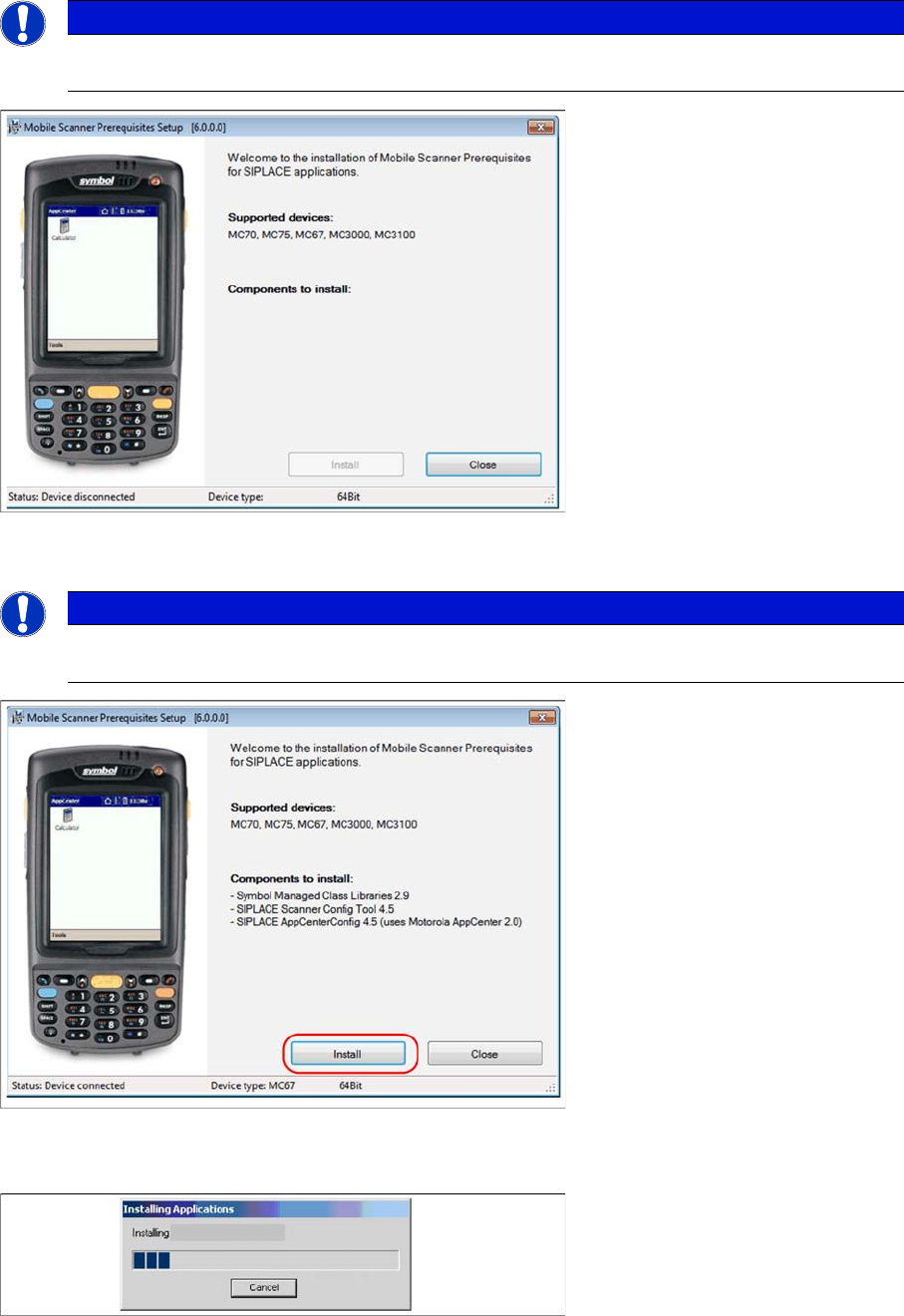
Steps on Setup Center computer
Place the scanner in its cradle if this has not already been done. The installation program automatically
detects the scanner type (Device type) and lists the necessary software packages for the installation.
► Click on Install to start the installation of the software packages.
► Please put the scanner into cradle, and press Continue to start the installation of Symbol AppCenter.
The transfer of the components to the scanner is beginning.
NOTICE
Once the ActiveSync is installed on the Setup Center computer rerun the “Mobile Scanner Pre
-
requisites Setup” from the support Media DVD. The following dialog appears.
NOTICE
The installation program checks if the firmware version of the scanner complies with the mini
-
mum requirement. If this is not the case, update your scanner firmware first.
Barcode-Scanner Installation
6.3.3 Mobile Scanner Prerequisites Setup Motorola Scanner
Installation Manual SIPLACE Setup Center 8.0 73
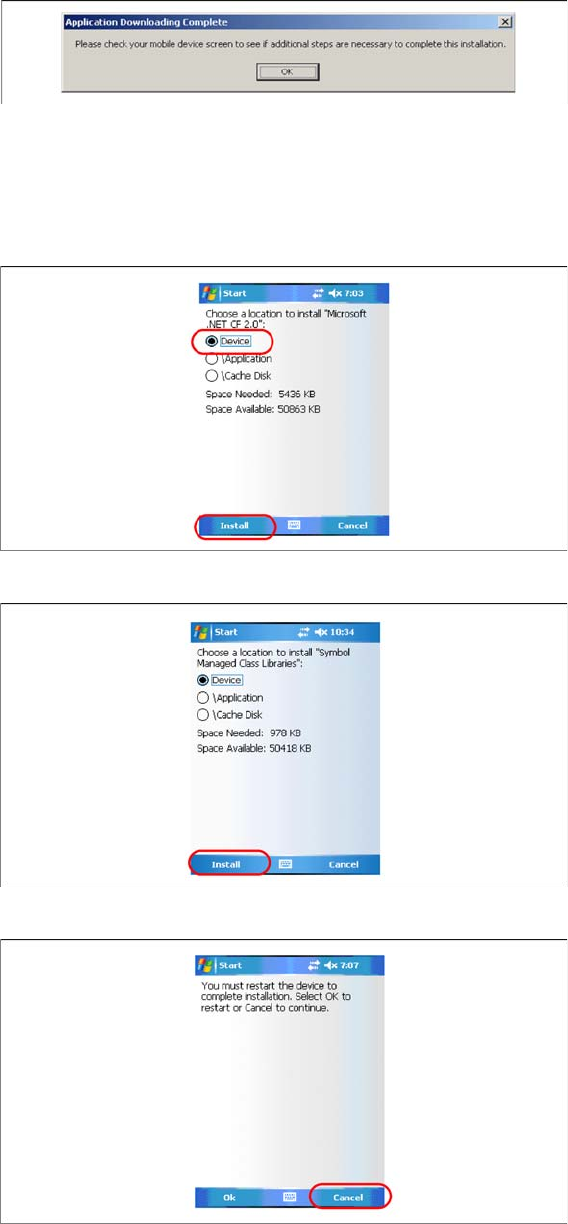
► After completion of the data transfer to the device click on OK to close the window.
Steps on Mobile Scanner Screen
The following steps must be carried out on the scanner to complete the installation. If all components
were successfully transferred to the scanner the installation of the components will start automatically.
► Press Install to continue with Microsoft Compact Framework 2.0 installation.
► Press Install to continue with Symbol Managed Class Libraries installation.
► The installation of Symbol AppCenter has finished. Press Cancel to continue with Setup Center Mo
-
bileScanner installation.
See also
6.3.4 Setup Center Client Installation [ ➙ 74]
Barcode-Scanner Installation
Motorola Scanner 6.3.4 Setup Center Client Installation
74 Installation Manual SIPLACE Setup Center 8.0
6.3.4
6.3.4 Setup Center Client Installation
Setup Center Client Installation
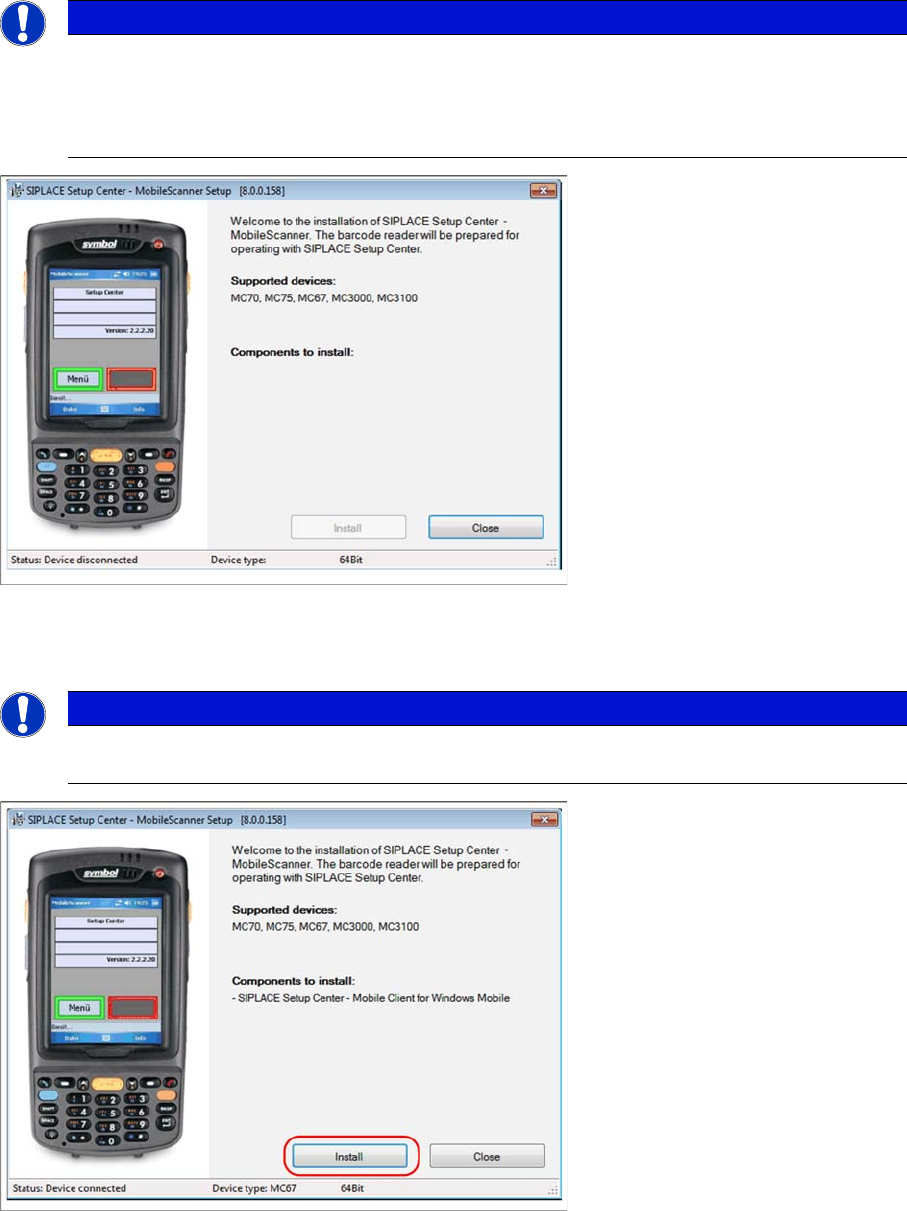
The installation for Setup Center – MobileScanner is located in the directory "\MobileScanner\" of the
CD. Execute the file "TransferToPDA.exe" to start the installation.
► Place the scanner in its cradle if this has not already been done. The installation program automat
-
ically detects the scanner type (Device type) and lists the necessary software packages for the in
-
stallation.
► Click on Install to start the installation of the software packages.
► Select "Continue" to proceed with the installation.
NOTICE
In case of an upgrade installation exit the Setup Center Client before you start with the instal
-
lation procedure.
► Exit Setup Center Client with "File → Exit".
► Confirm any upcoming message which refers to an upgrade installation with "Yes" or "OK".
NOTICE
The installation program checks if the firmware version of the scanner complies with the mini
-
mum requirement. If this is not the case, update your scanner firmware first.