00198051-01_IM_SetupCenter_8.0_EN.pdf - 第35页
Setup Center Application Installation 5.2.2 Setup Type – SIPLACE Setup Center GUI Individual Setup Typ es and Next Steps Installation Manual SIPLACE Setup Center 8.0 35 Step 4 ► The " Installation Complete " wi…
Setup Center Application Installation
Individual Setup Types and Next Steps 5.2.2 Setup Type – SIPLACE Setup Center GUI
34 Installation Manual SIPLACE Setup Center 8.0
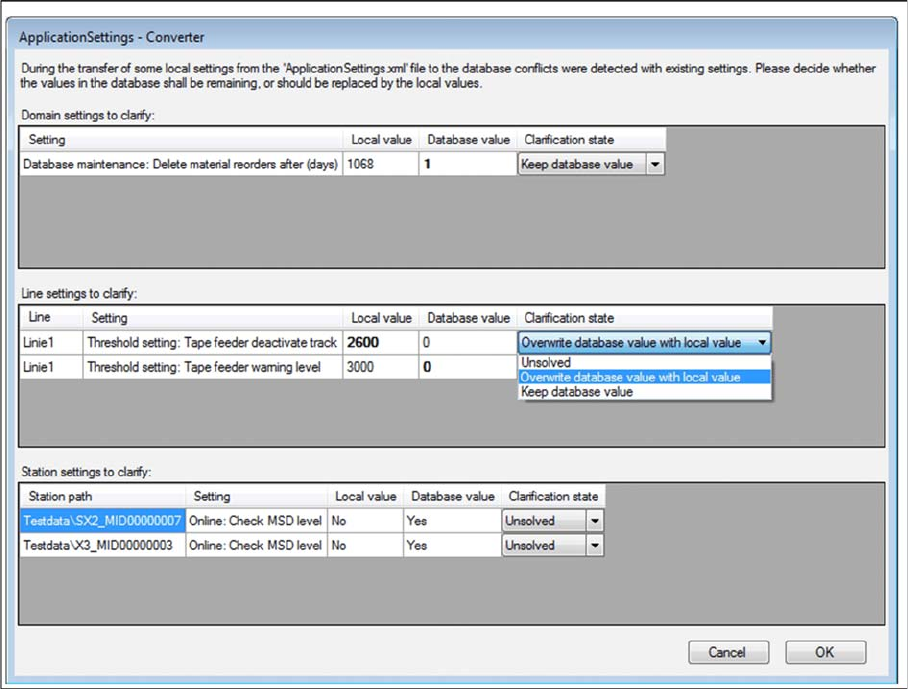
Step 3 (Only when conflicts occur)
During the installation,settings are converted, some of which have been transferred from the local Appli
-
cationSettings.xml file to the database. This can lead to conflicts with existing settings. If conflicts were
detected, the Application Settings - Converter dialog appears.
► Decide whether the values in the database shall remaining (Keep database value), or should be re
-
placed by the local values (Overwrite database value with local value).
► All settings must be solved to get the next step.
Setup Center Application Installation
5.2.2 Setup Type – SIPLACE Setup Center GUI Individual Setup Types and Next Steps
Installation Manual SIPLACE Setup Center 8.0 35
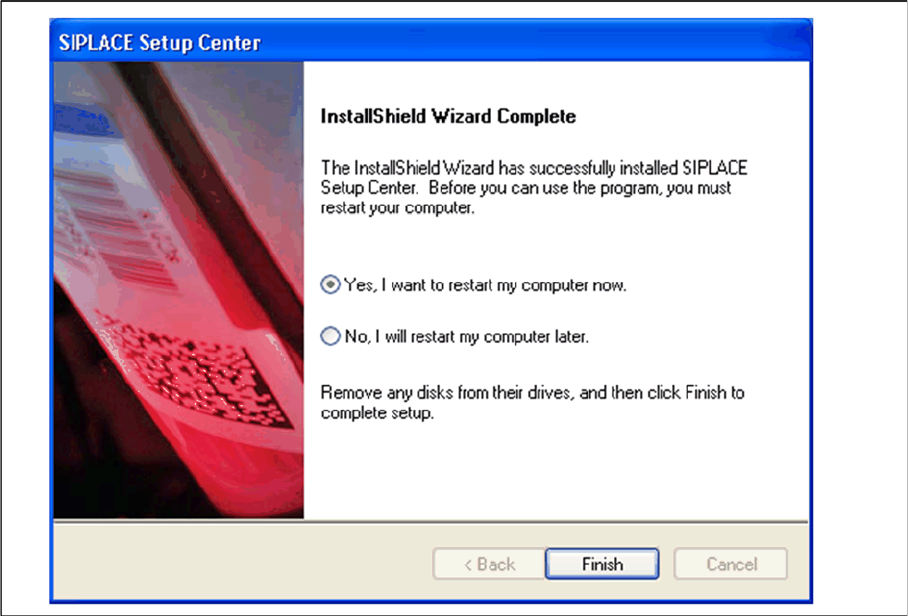
Step 4
► The "Installation Complete" window appears if the installation has been completed successfully.
► Click Finish.
Setup Center Application Installation
Individual Setup Types and Next Steps 5.2.3 Setup Type – SIPLACE Setup Center Server
36 Installation Manual SIPLACE Setup Center 8.0
5.2.3
5.2.3 Setup Type – SIPLACE Setup Center Server
Setup Type – SIPLACE Setup Center Server
This setup type contains the database components of the SIPLACE Setup Center. Setup detects if SQL
Server has already been installed. Select this type to install the SIPLACE Setup Center database to a
SQL Server.
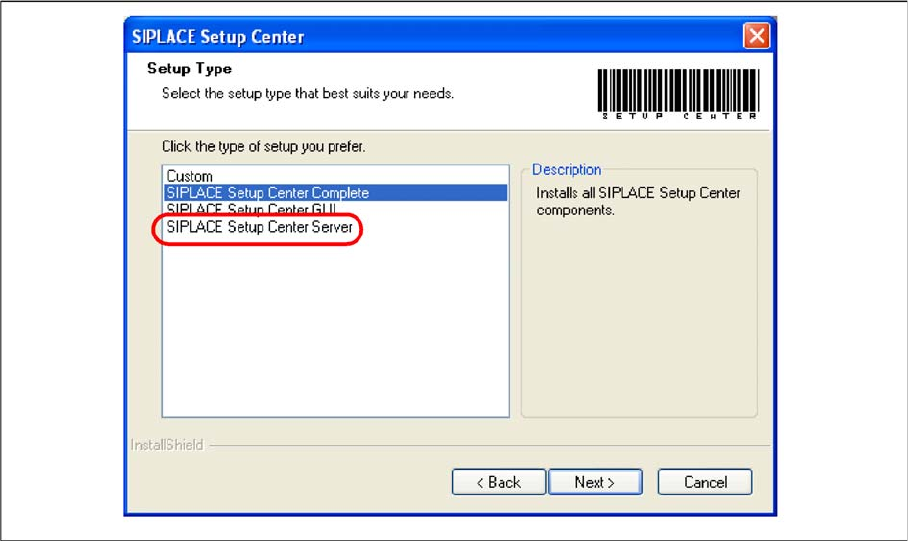
Step 1
► Run through the steps in chapter "General Settings".
► Select the SIPLACE Setup Center Database setup type.
► Click Next.