00198051-01_IM_SetupCenter_8.0_EN.pdf - 第92页
Docking Station Installation Data Connection with PC-CAN Card 7.3.3 Installing the CAN Bus dr iver and API 92 Installation Manual SIPLACE Setup Center 8.0 Step 7 ► The “Systemcheck” window displa ys the status of all che…
Docking Station Installation
7.3.3 Installing the CAN Bus driver and API Data Connection with PC-CAN Card
Installation Manual SIPLACE Setup Center 8.0 91
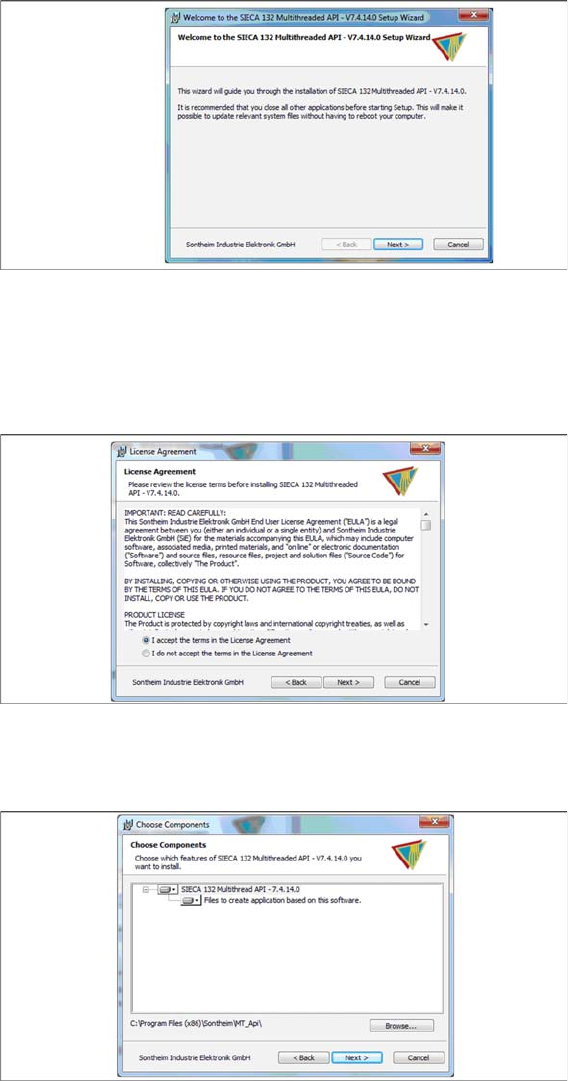
Step 4
► Click Next.
Step 5
► Read the license agreement relating to use of this software and select I accept the terms in the Li
-
cense Agreement to accept the license agreement.
► Click Next.
Step 6
► Click Next.
Docking Station Installation
Data Connection with PC-CAN Card 7.3.3 Installing the CAN Bus driver and API
92 Installation Manual SIPLACE Setup Center 8.0
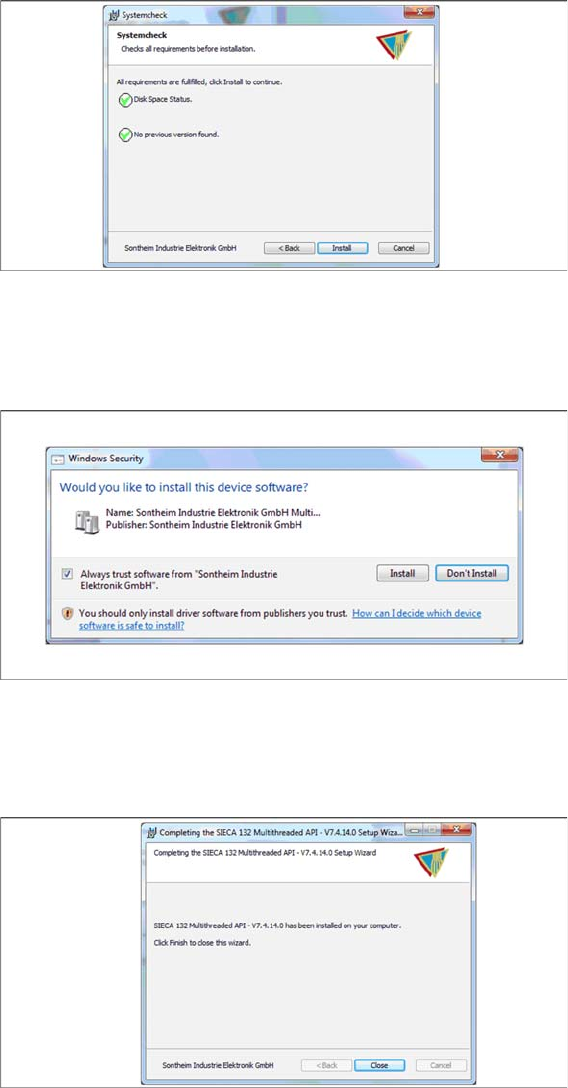
Step 7
► The “Systemcheck” window displays the status of all checks they have carried out.
► Click Install.
Step 8
► Select Always trust software from “Sontheim Industrie Elektronik GmbH”.
► Click Install.
Step 9
The "Installation Complete" window appears if the installation has been completed successfully.
► Click Close.
Docking Station Installation
7.3.3 Installing the CAN Bus driver and API Data Connection with PC-CAN Card
Installation Manual SIPLACE Setup Center 8.0 93
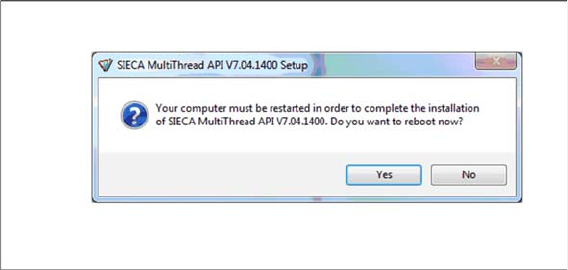
Step 10
If a restart of the PC is required, the following window appears.
► Click Yes.