00198051-01_IM_SetupCenter_8.0_EN.pdf - 第91页
Docking Station Installation 7.3.3 Installing the CAN Bus driver and API Data Connection with PC-CAN Card Installation Manual SIPLACE Setup Center 8.0 91 Step 4 ► Click Next . Step 5 ► Read the license agreement relat in…
Docking Station Installation
Data Connection with PC-CAN Card 7.3.3 Installing the CAN Bus driver and API
90 Installation Manual SIPLACE Setup Center 8.0
7.3.3
7.3.3 Installing the CAN Bus driver and API
Installing the CAN Bus driver and API
► Open the folder \3rdparty installer\Sontheim\CAN-Bus Driver\7.4.14.0 and select the application Set
-
up.exe on the Setup Center installation CD.
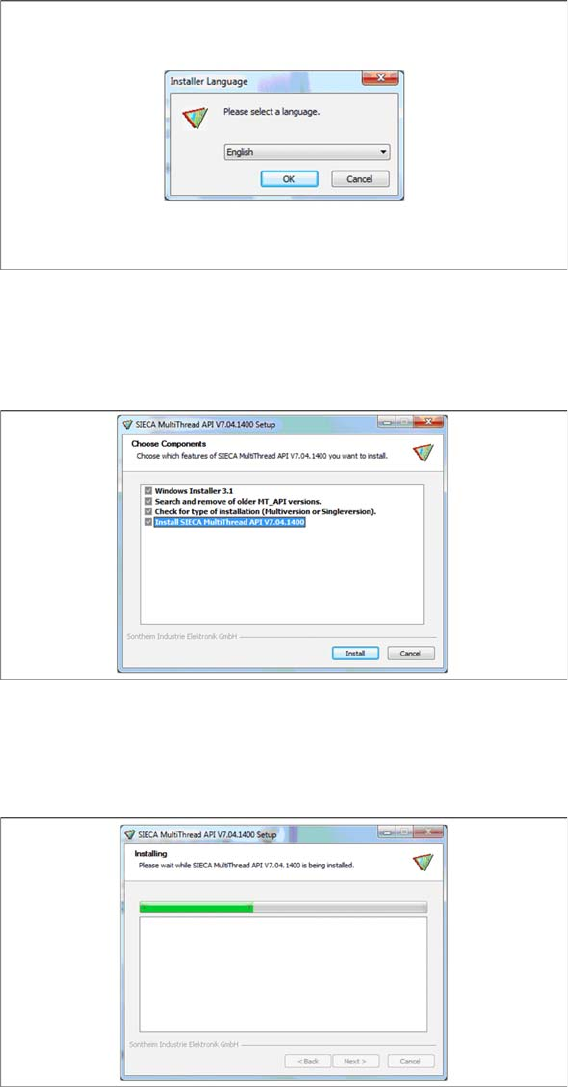
Step 1
► Select the language you want.
► Click OK.
Step 2
► Actually there is nothing to select / de-select, all listed features are mandatory.
► Click Install.
Step 3
The installation package will be extracted.
Docking Station Installation
7.3.3 Installing the CAN Bus driver and API Data Connection with PC-CAN Card
Installation Manual SIPLACE Setup Center 8.0 91
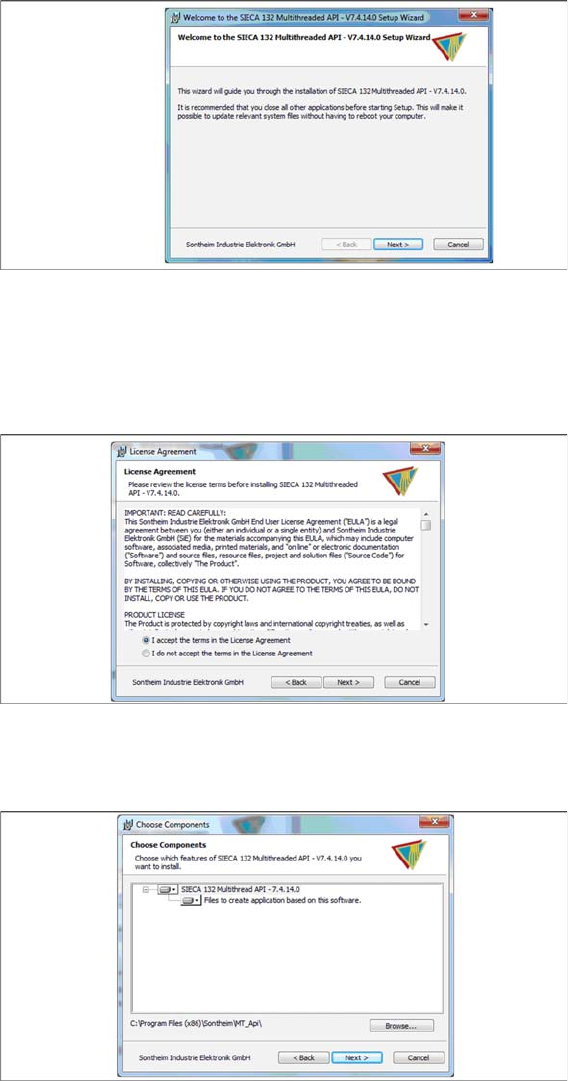
Step 4
► Click Next.
Step 5
► Read the license agreement relating to use of this software and select I accept the terms in the Li
-
cense Agreement to accept the license agreement.
► Click Next.
Step 6
► Click Next.
Docking Station Installation
Data Connection with PC-CAN Card 7.3.3 Installing the CAN Bus driver and API
92 Installation Manual SIPLACE Setup Center 8.0
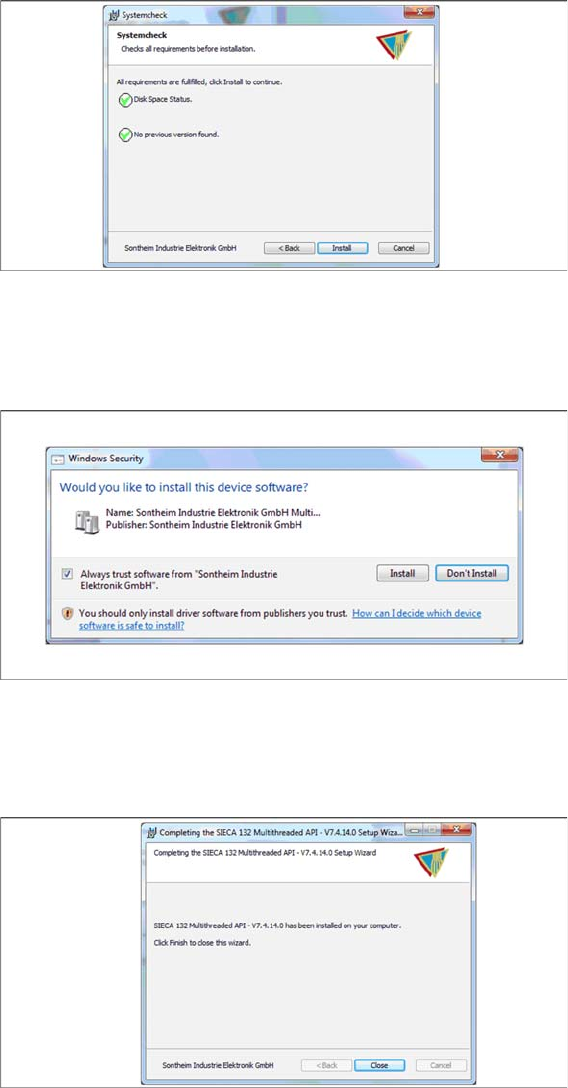
Step 7
► The “Systemcheck” window displays the status of all checks they have carried out.
► Click Install.
Step 8
► Select Always trust software from “Sontheim Industrie Elektronik GmbH”.
► Click Install.
Step 9
The "Installation Complete" window appears if the installation has been completed successfully.
► Click Close.