00193463-01.pdf - 第67页
User Manual SIPLACE S-25 HM 2 Operational Safety Software Vers ion SR.503.xx 04/2002 US Edition 2.1 Safety instruc tions 67 Laser ra diation 2 The radiat ion from the las er diod e (infrar ed or IR light) o f the PC B ba…
2 Operational Safety User Manual SIPLACE S-25 HM
2.1 Safety instructions Software Version SR.503.xx 04/2002 US Edition
66
2.1.7 Safety instructions for the PCB barcode reader (option)
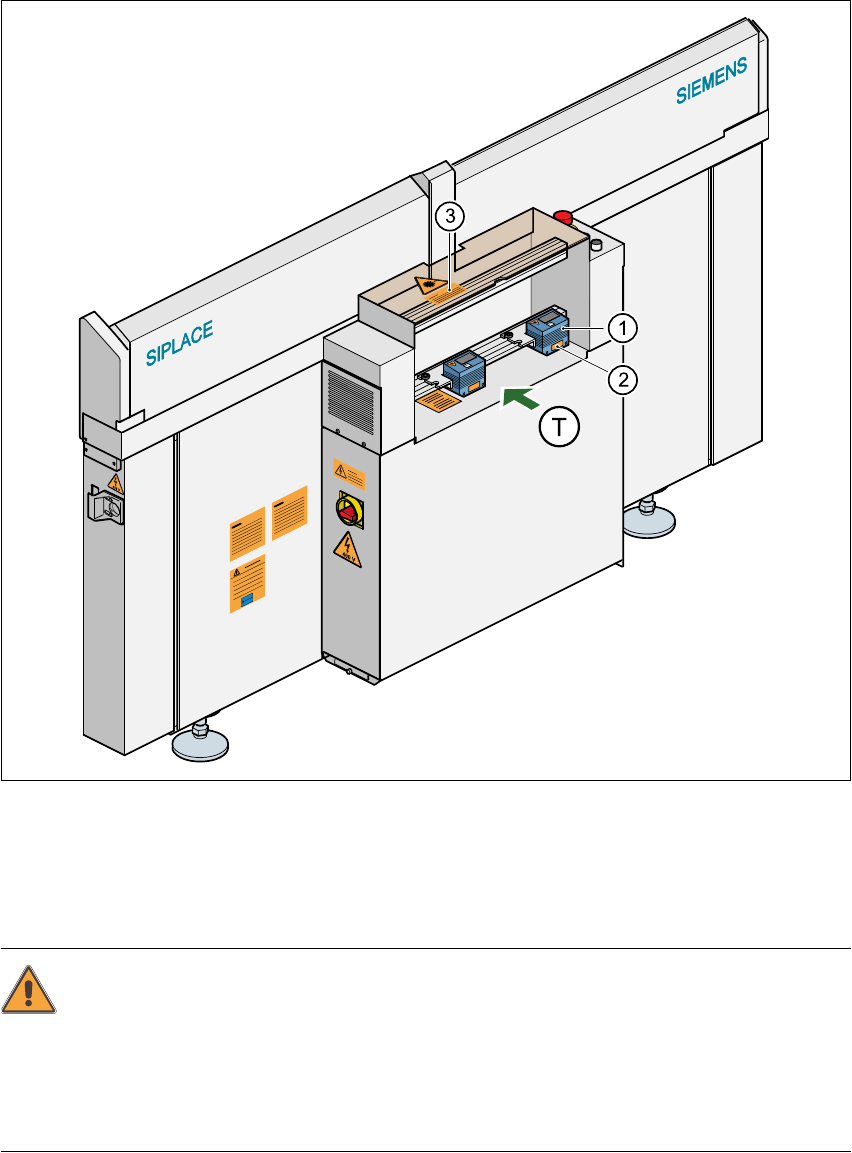
Fig. 2.1 - 5 PCB barcode reader (bottom)
(1) PCB barcode reader (bottom)
(2) ‘Laser radiation…’ label (see Fig. 2.1 - 6)
(3) ‘Caution …’ label (see Fig. 2.1 - 7)
CAUTION 2
The scanning beam of the barcode reader has a radiant power of less than 1 mW. The barcode
reader thus conforms to laser class 2 and, according to EN 60825-1, requires no special safety
devices or protective measures. NEVER look into the laser beam. There is also a safety circuit
that switches off the laser diode if the polygon wheel is stationary or rotating too slowly. 2
2
User Manual SIPLACE S-25 HM 2 Operational Safety
Software Version SR.503.xx 04/2002 US Edition 2.1 Safety instructions
67
Laser radiation 2
The radiation from the laser diode (infrared or IR
light) of the PCB barcode reader is harmful to the
human eye, 2
Æso you should never look into the laser beam.
ÆNever direct the PCB barcode reader into other
people’s eyes,
ÆWhen installing the barcode reader, make sure
that the laser beam cannot be reflected during
use.
If you open the housing during use, the scanning cy-
cle will continue and the laser diode will continue to
switch on. 2
The laser beam output at the barcode template win-
dow does not exceed 1.0 mW. The PCB barcode
reader thus conforms to protection class 2. 2
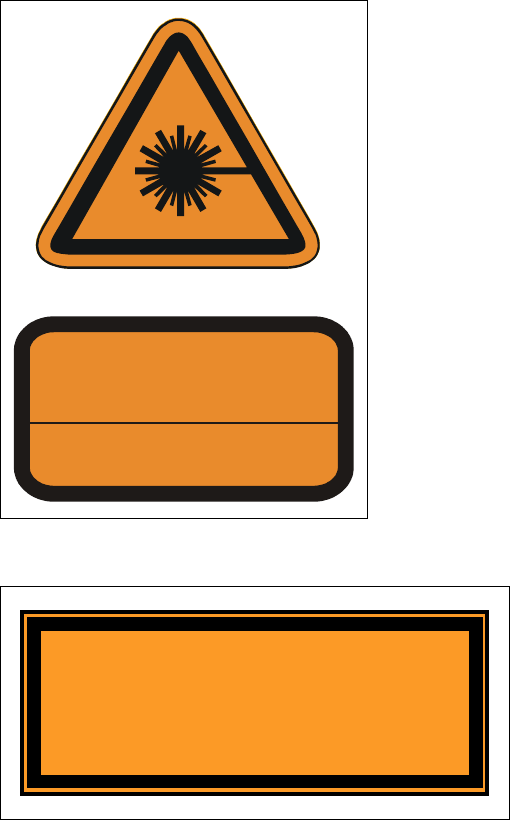
Fig. 2.1 - 6 ‘Laser radiation’ label
2
2
2
2
2
2
Fig. 2.1 - 7 ‘Caution …’ label
2
LASER RADIATION
DO NOT LOOK INTO BEAM
CLASS 2 LASER PRODUCT
EN 60825 1991
Max. output radiation: 1.0 mW
Emitted wave length: 670 nm
Caution
Laser radiation when the cover is opened
and the safety interlock is bypassed
Do not look into the beam
2 Operational Safety User Manual SIPLACE S-25 HM
2.1 Safety instructions Software Version SR.503.xx 04/2002 US Edition
68
2.1.8 Safety instructions for coupling and uncoupling the mobile changeover
table
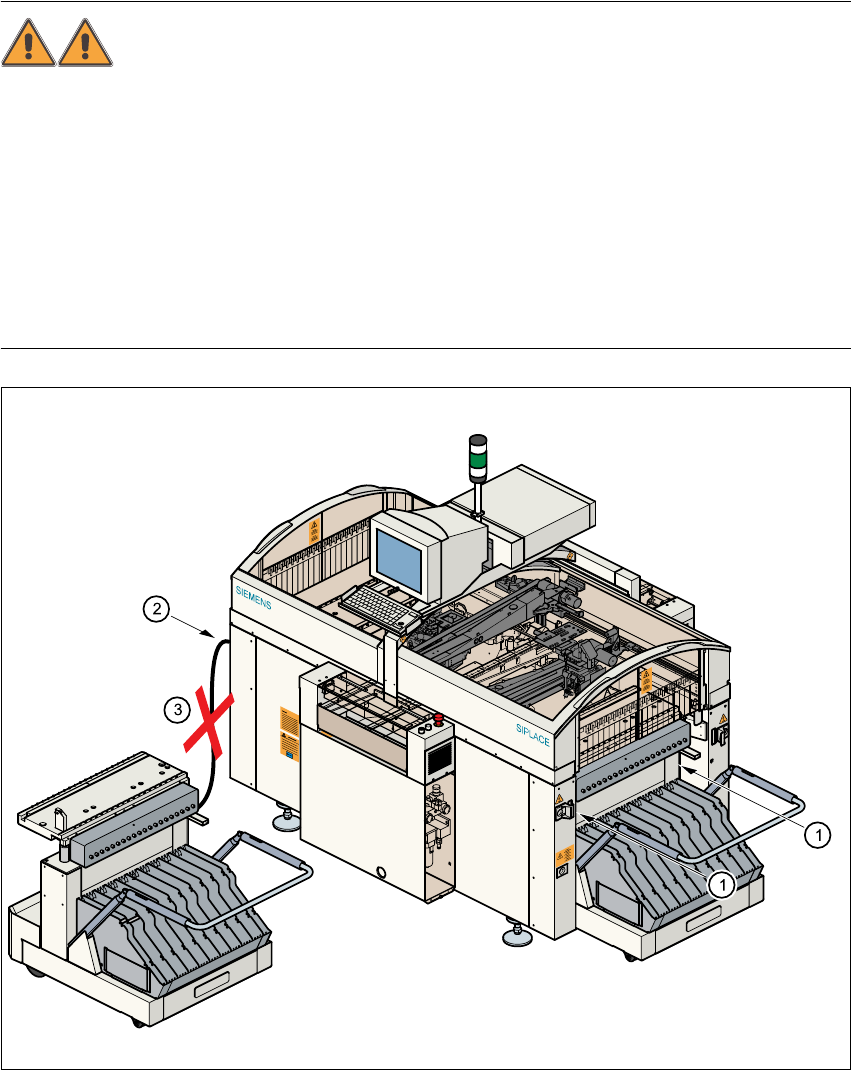
WARNING 2
Æ Never reach into the gaps between the component changeover table and the placement sys-
tem frame while the machine is running (item 1).
Æ Always check that the component table is docked on the placement system before connecting
or disconnecting the power cable for the component changeover table at the socket on the
placement system (item 2).
Æ NEVER connect the connecting cable for the component table to the socket on the placement
system and then operate the component table outside the machine via the compressed air
control unit (item 3).
Fig. 2.1 - 8 Safety instructions for coupling and uncoupling the mobile changeover table