JANETS使用说明书(新款).pdf - 第84页
JaNets 使用说明书 2 安装 2- 50 (2) 点击「 Window s Firewa ll 」。 图 2-5- 29 System an d Securit y 画面 (3) 显 示出 Windows Firew all 画面。点击画面左 侧的 「 T urn Windows F irewall on or off 」。 图 2-5- 30 Wind ows Firewall 画面 (4) 将 Windows Fir ewal…
JaNets 使用说明书 2 安装
2-49
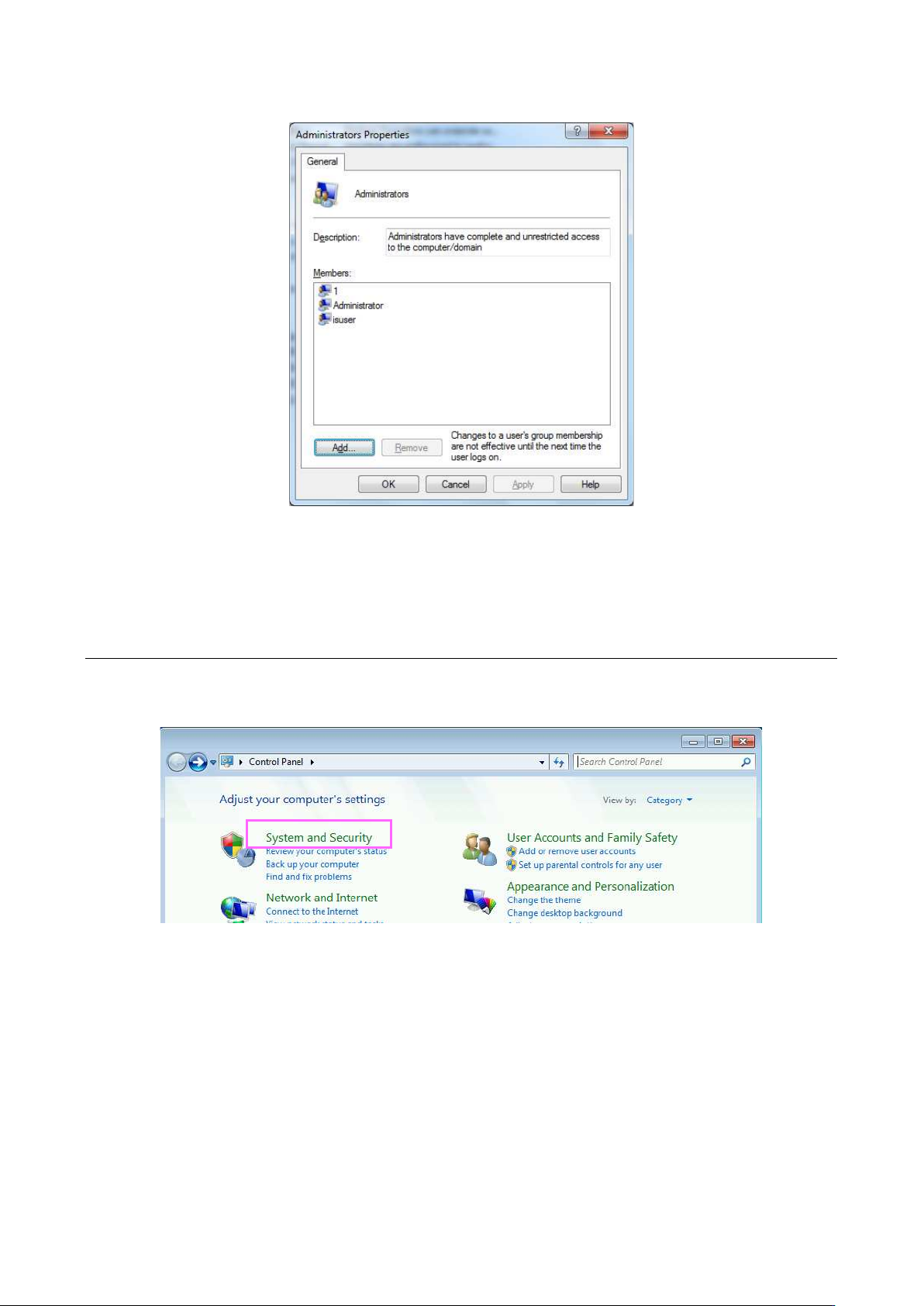
(6) 显示出「Administrators」组的属性画面。显示组所属的用户名称,请点击「Add」追加「isuser」。
图 2-5-27 Administrators 组的属性
以上,用户账号的制作即完成。
2-5-4-2
切断防火墙
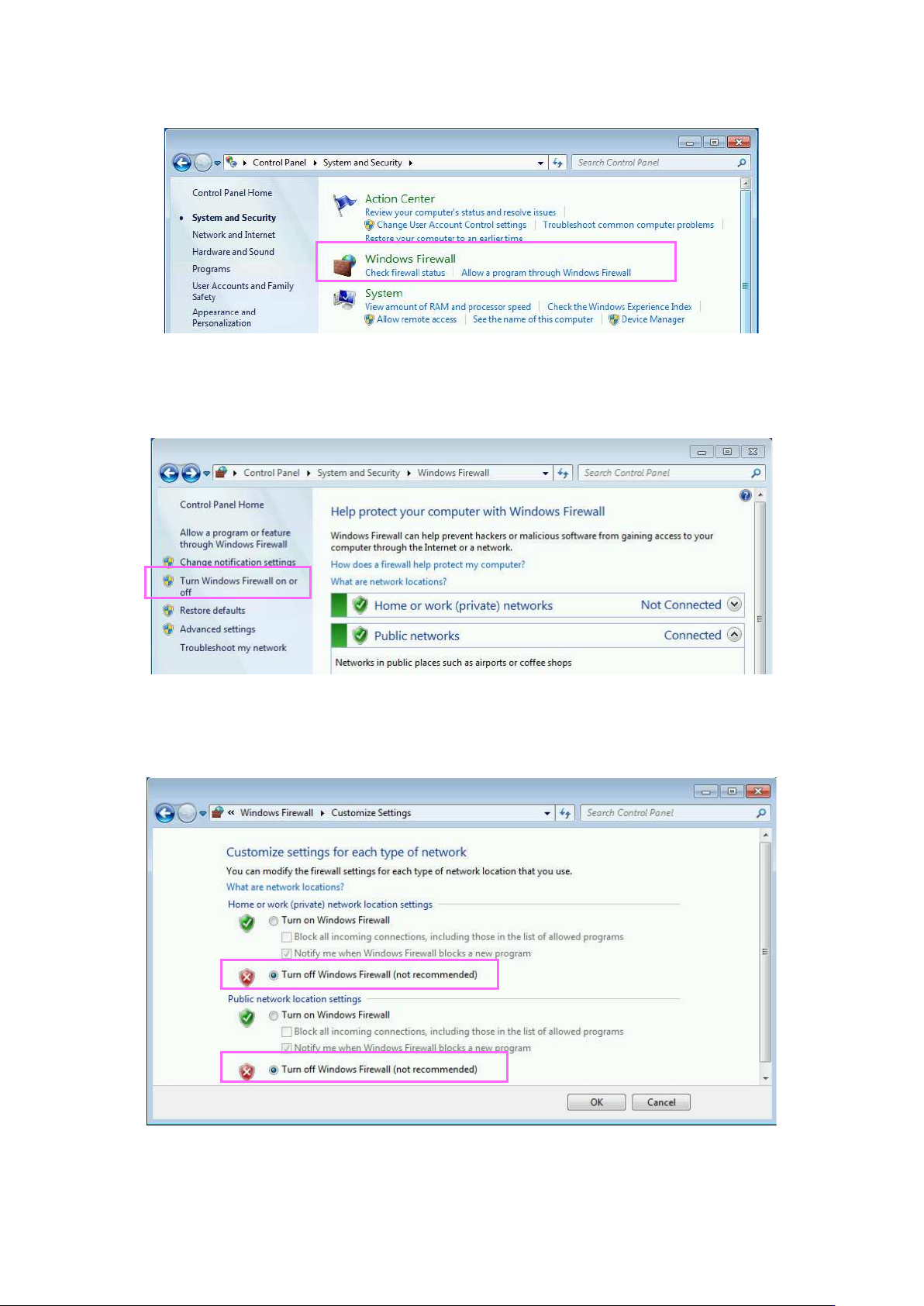
(1) 点击装置主体的 Windows 开始菜单中的「Control Panel」。显示出控制面板后,请点击「System
and Security」。
图 2-5-28 Control Panel 画面
JaNets 使用说明书 2 安装
2-50
(2) 点击「Windows Firewall」。
图 2-5-29 System and Security 画面
(3) 显示出 Windows Firewall 画面。点击画面左侧的「Turn Windows Firewall on or off」。
图 2-5-30 Windows Firewall 画面
(4) 将 Windows Firewal 设为无效后,请点击「OK」。
以上,即切断了防火墙。
JaNets 使用说明书 2 安装
2-51
2-5-4-3 设置共用文件夹
对装置侧的文件夹,进行共用发送与接收文件的设置。
(1) 请右击装置主体的 C 盘中名为「Interface」的文件夹。显示出菜单后,请点击「Properties」。
RP-1 C:\Interface
RV-1, RV-2, RV-2-3D C:\ProgramData\Sony\SI-V1000\Interface
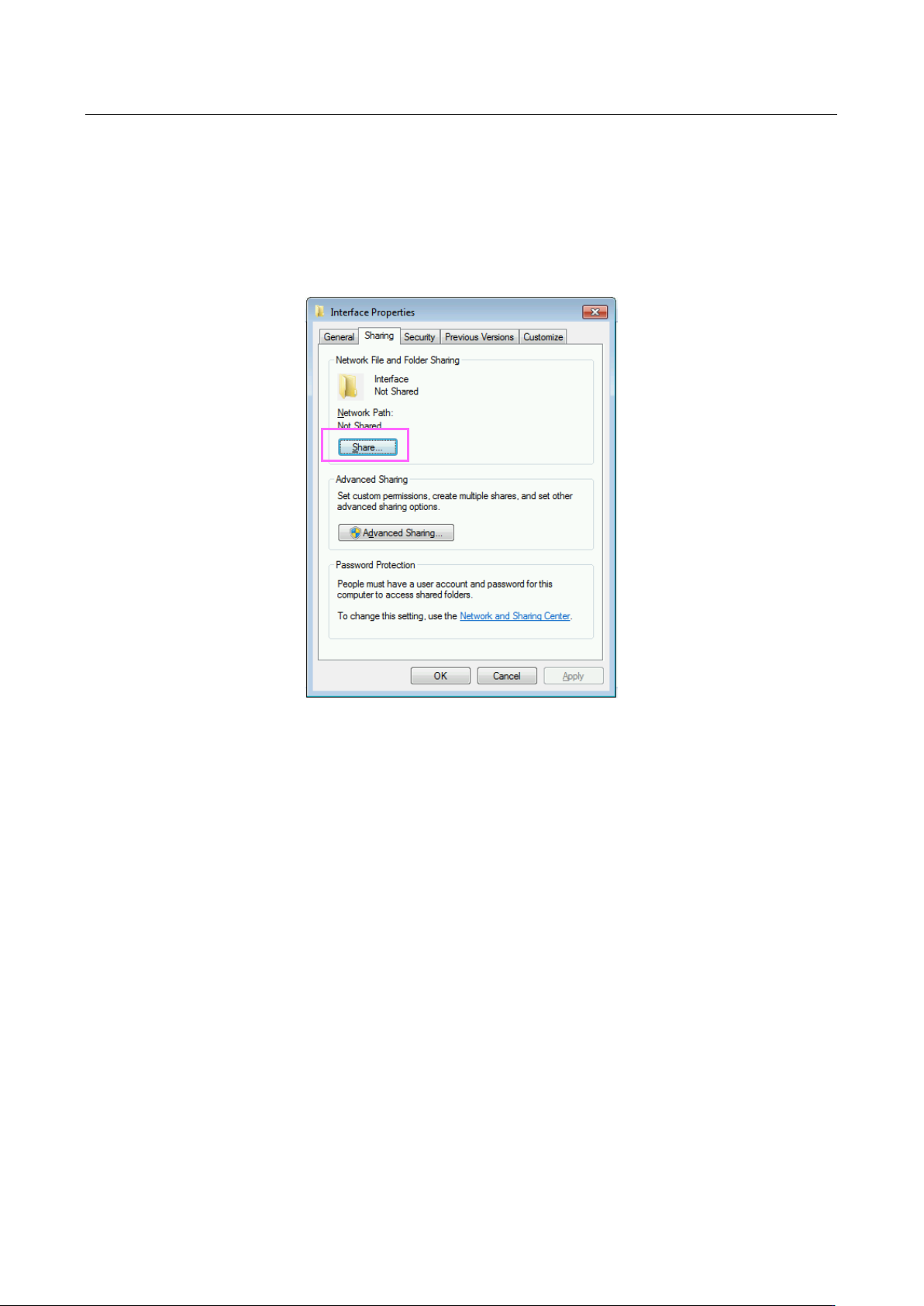
(2) 请点击「Sharing」页中的「Share…」。
图 2-5-31 Interface 文件夹的属性