Cognex_Scanner_HS-60_HF_X-_D_S_F -05.pdf - 第39页
2 Assembly instructions Special design Cognex Scanner SIPL ACE HS-60 / HF-serie s / X-series / D-series / S / F 06/2008 Edition 41 o Fix the interface cable with ca ble clip and cable tie. 2 Cognex scanner upper cable Co…
2 Assembly instructions Special design Cognex Scanner SIPLACE HS-60 / HF-series / X-series / D-series / S / F
06/2008 Edition
40
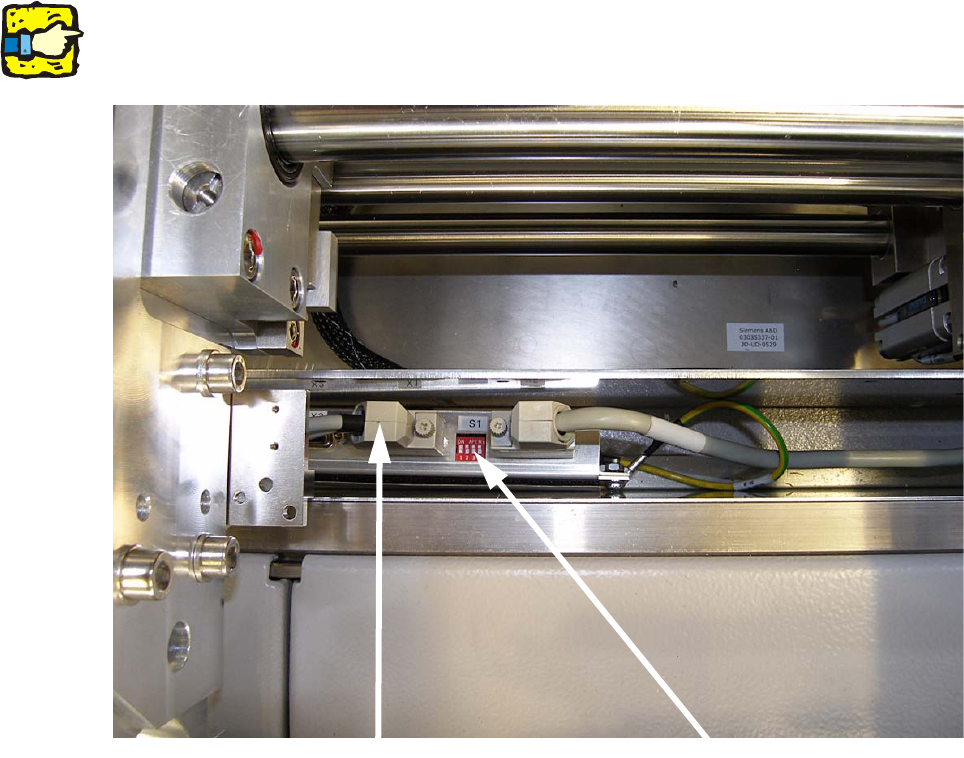
o Connect the interface cable with the barcode manifold X1 to X4.
o Switch the switch S1 number 1 to 4 (depending on the number of the connected scanners) to
OFF.
2
The unconnected ports has to stay ON. 2
2
2
2
2
2
2
2
2
2
2
Interface cable
Switch S1
2 Assembly instructions Special design Cognex Scanner SIPLACE HS-60 / HF-series / X-series / D-series / S / F
06/2008 Edition
41
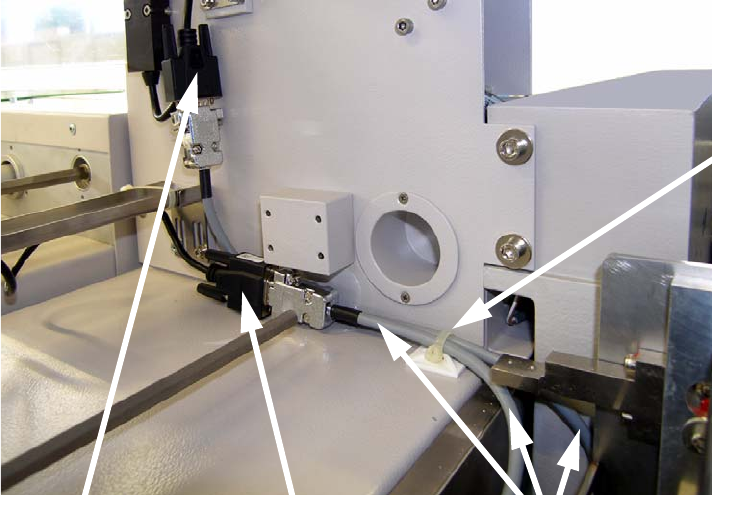
o Fix the interface cable with cable clip and cable tie.
2
Cognex scanner
upper cable
Cognex scanner
lower cable
Cable clip
and
cable tie
Interface cables for
Dataman 100
2 Assembly instructions Special design Cognex Scanner SIPLACE HS-60 / HF-series / X-series / D-series / S / F
06/2008 Edition
42
2.8 Setup of the Cognex scanner
o Shut down the machine and switch it off at the main switch.
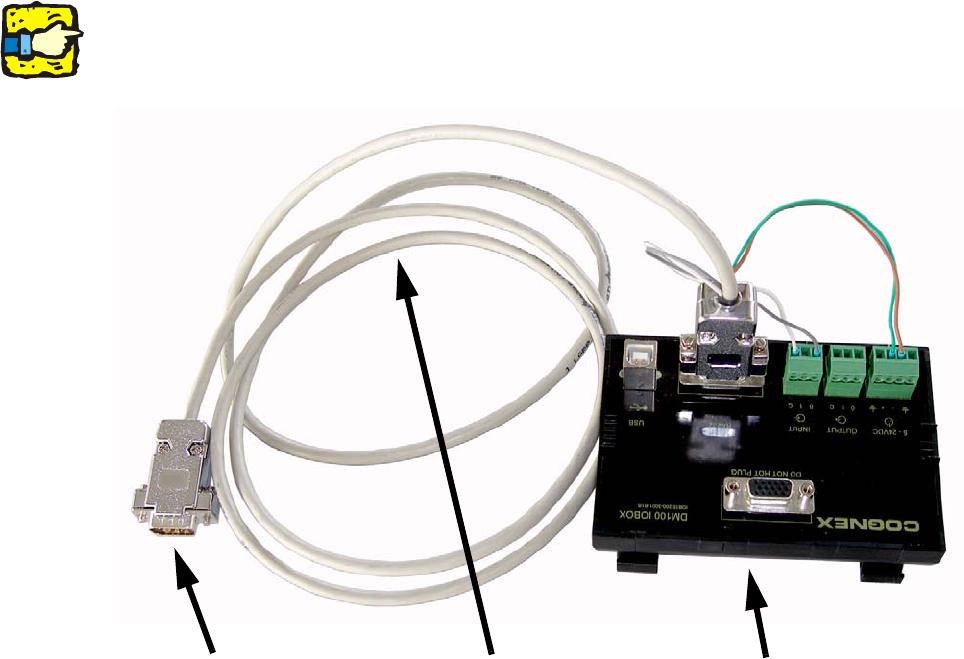
o Disconnect the interface cable from the relevant scanner.
2
If the adapter cable is connected directly to the interface cable, the scanner can be damaged. 2
2
2
2
Adapter cable for
Dataman I/O-box
Dataman I/O-Box
Connection to
barcode manifold