Cognex_Scanner_HS-60_HF_X-_D_S_F -05.pdf - 第49页
2 Assembly instructions Special design Cognex Scanner SIPL ACE HS-60 / HF-serie s / X-series / D-series / S / F 06/2008 Edition 51 o In the view “Symbology Settings” the algor it hm can be changed between “ ID Max” and “…
2 Assembly instructions Special design Cognex Scanner SIPLACE HS-60 / HF-series / X-series / D-series / S / F
06/2008 Edition
50
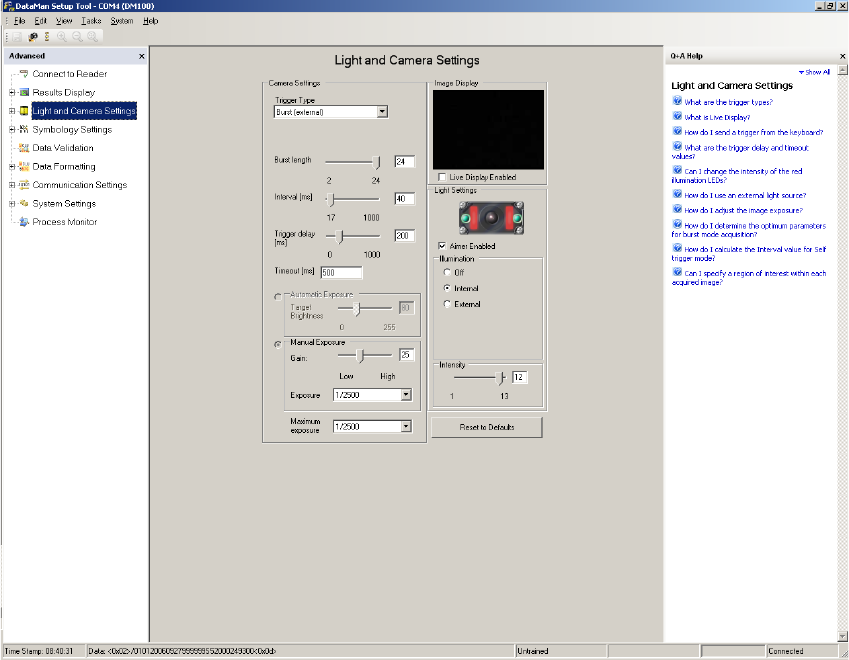
o In the view “Light and Camera Settings” you can make the general necessary settings like trig-
ger delay, exposure time and intensity.
o Via the field “Trigger Delay” the delay time of the trigger of the machine can be set up. That
means that the start of the record will be delayed by this time.
o The “Trigger-Type” has to be set to “Burst (external)”.
o The “Burst length” is the maximum amount of pictures, which are taken.
o The “Intervall” is the time between the single pictures.
o The “Maximum exposure” is the maximum exposure time. It always should be higher than 1/
2000s, to make sure that the pictures are sharp.
2
2
2 Assembly instructions Special design Cognex Scanner SIPLACE HS-60 / HF-series / X-series / D-series / S / F
06/2008 Edition
51
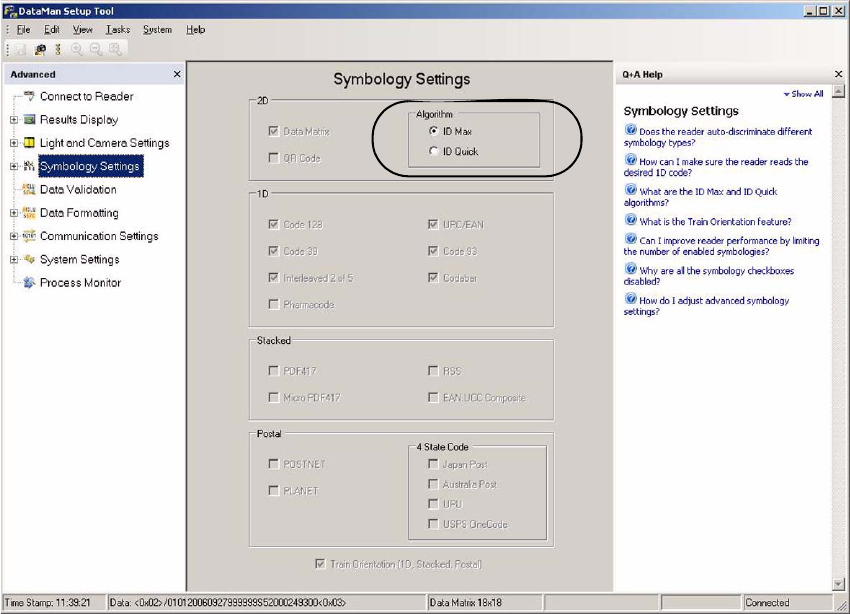
o In the view “Symbology Settings” the algorithm can be changed between “ID Max” and “ID
Quick”.
2
2
2
2
2
2
2 Assembly instructions Special design Cognex Scanner SIPLACE HS-60 / HF-series / X-series / D-series / S / F
06/2008 Edition
52
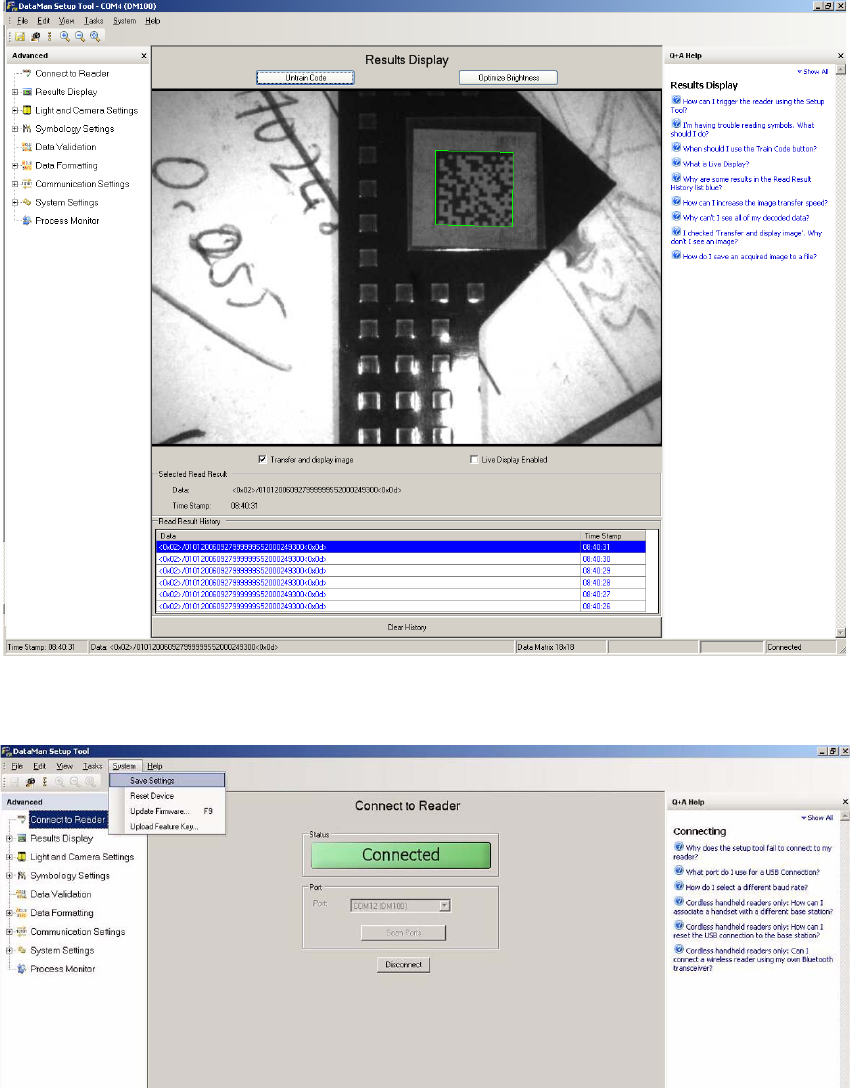
o Now the settings can be checked in the view “Result Display” by clicking the “Trigger” symbol
on the top left. The scanner takes up to 22 pictures and shows them above and below.
2
o Save the settings permanently to the scanner under “System” => “Save Settings”.
2
2
o For further information please see the help function, which can be displayed on the right side.