Cognex_Scanner_HS-60_HF_X-_D_S_F -05.pdf - 第42页
2 Assembly instructions Special design Cognex Scanner SI PLACE HS-60 / HF-series / X-ser ies / D-series / S / F 06/2008 Edition 44 o Connect the end of the adap ter cable coming from the Dataman I/O-Box with the relevant…
2 Assembly instructions Special design Cognex Scanner SIPLACE HS-60 / HF-series / X-series / D-series / S / F
06/2008 Edition
43
2
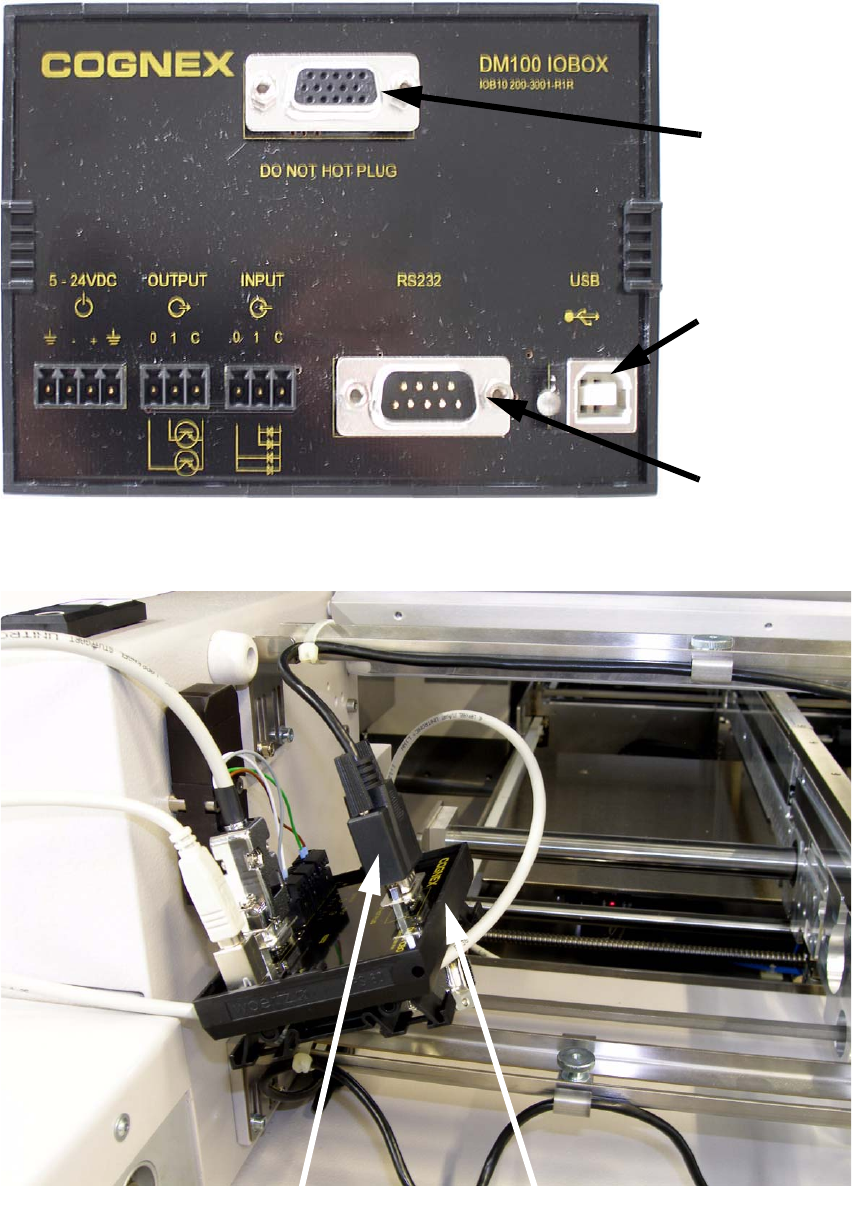
o Take the Dataman I/O-Box and connect the scanner to it.
2
Scanner
connection
Adapter cable
connection
USB
connection
Cable from scanner
Dataman I/O Box
2 Assembly instructions Special design Cognex Scanner SIPLACE HS-60 / HF-series / X-series / D-series / S / F
06/2008 Edition
44
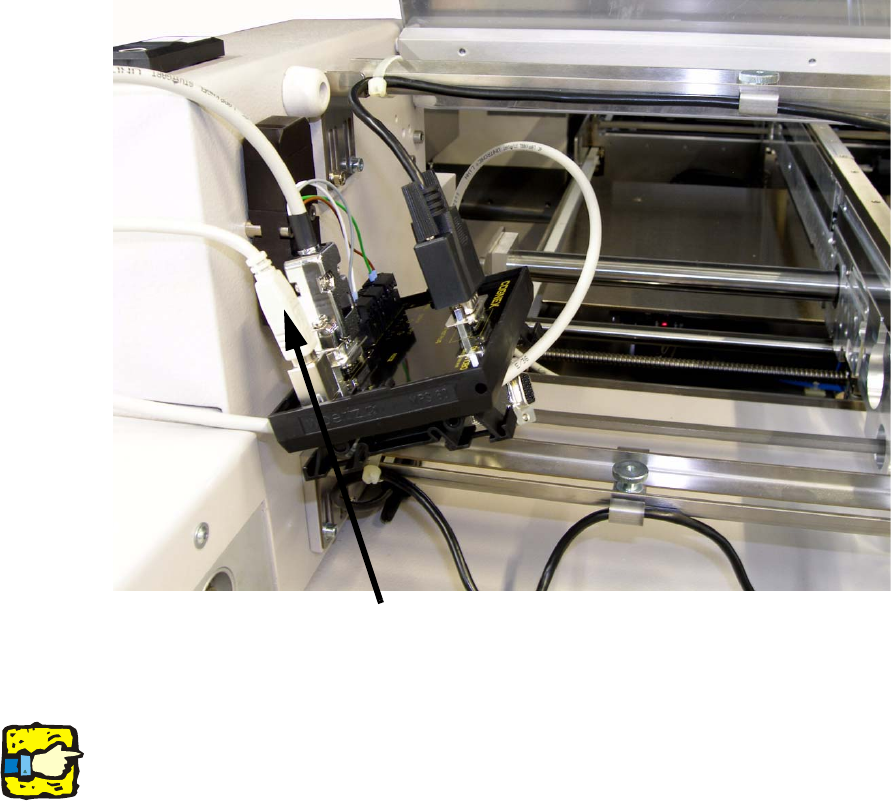
o Connect the end of the adapter cable coming from the Dataman I/O-Box with the relevant con-
nection on the barcode manifold.
2
o Connect the USB cable to the Dataman I/O-Box.
2
2
2
If the scanner is operated by the I/O box and connected with the software, on the station computer
will appear an error message caused by a run time error of the RS232 interface. Please discon-
nect the scanner from your computer after completion of the settings. 2
2
o Switch on the machine.
o Connect the second end of the USB cable with a computer on which the program for the scan-
ner software is installed. The program “DataMan 3.x Software” can be installed from the CD or
downloaded at http://www.cognex.com. Please follow the instructions.
2
2
USB cable
2 Assembly instructions Special design Cognex Scanner SIPLACE HS-60 / HF-series / X-series / D-series / S / F
06/2008 Edition
45
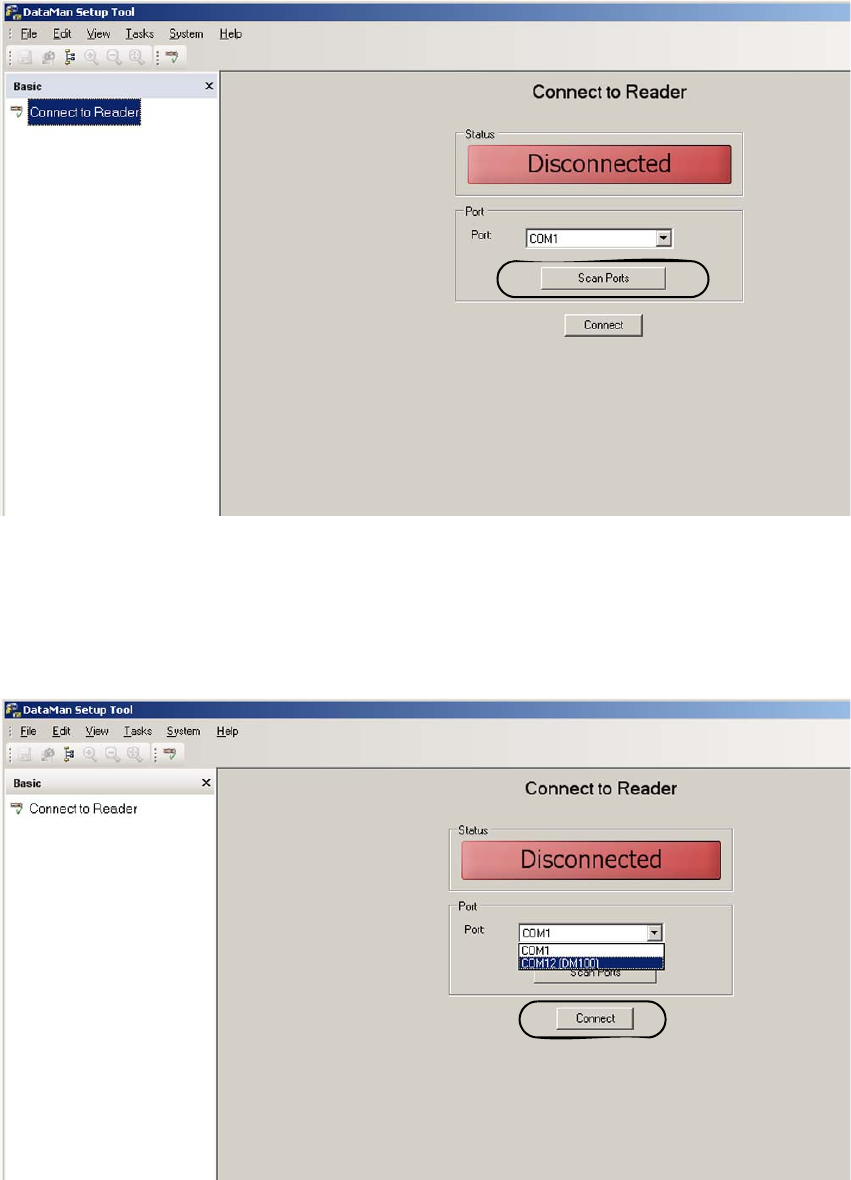
o Open the program. The following menu will appear:
2
2
o Click to “ScanPorts” and choose by the pulldown menu the COM connection where DM100
stands behind it and then click “Connect”.
The software connects to the scanner.
2