00198218-01_IM_TX1320M2_en.pdf - 第37页
Installing Primergy T X1320 M2 - Win dows Server 2012 R2 05/2016 Edition 37 Figure 4-21: Network Sharing Ce nter – clicking change adapter set tings ► Click on Change adapte r settings on the left side. Figure 4-22: Netw…
Installing Primergy TX1320 M2 - Windows Server 2012 R2 05/2016 Edition
36
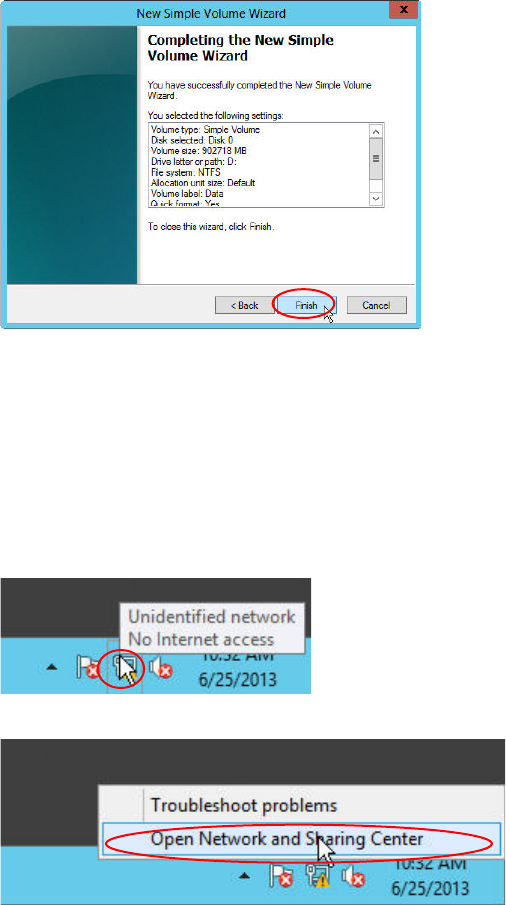
Figure 4-18: New Simple Volume Wizard – Completed
► Click the Finish button to complete the task. Formatting may take a couple of seconds.
4.4 Removing Default Gateway
As mentioned before, you have to remove the dummy default gateway that was entered during the
Installation Manager guided setup.
Figure 4-19: Network Icon
Figure 4-20: Opening Network Settings
► Right-click on the Network Icon in the lower right corner and select Open Network and Sharing
Center.
The Network and Sharing Center opens.
Installing Primergy TX1320 M2 - Windows Server 2012 R2 05/2016 Edition
37
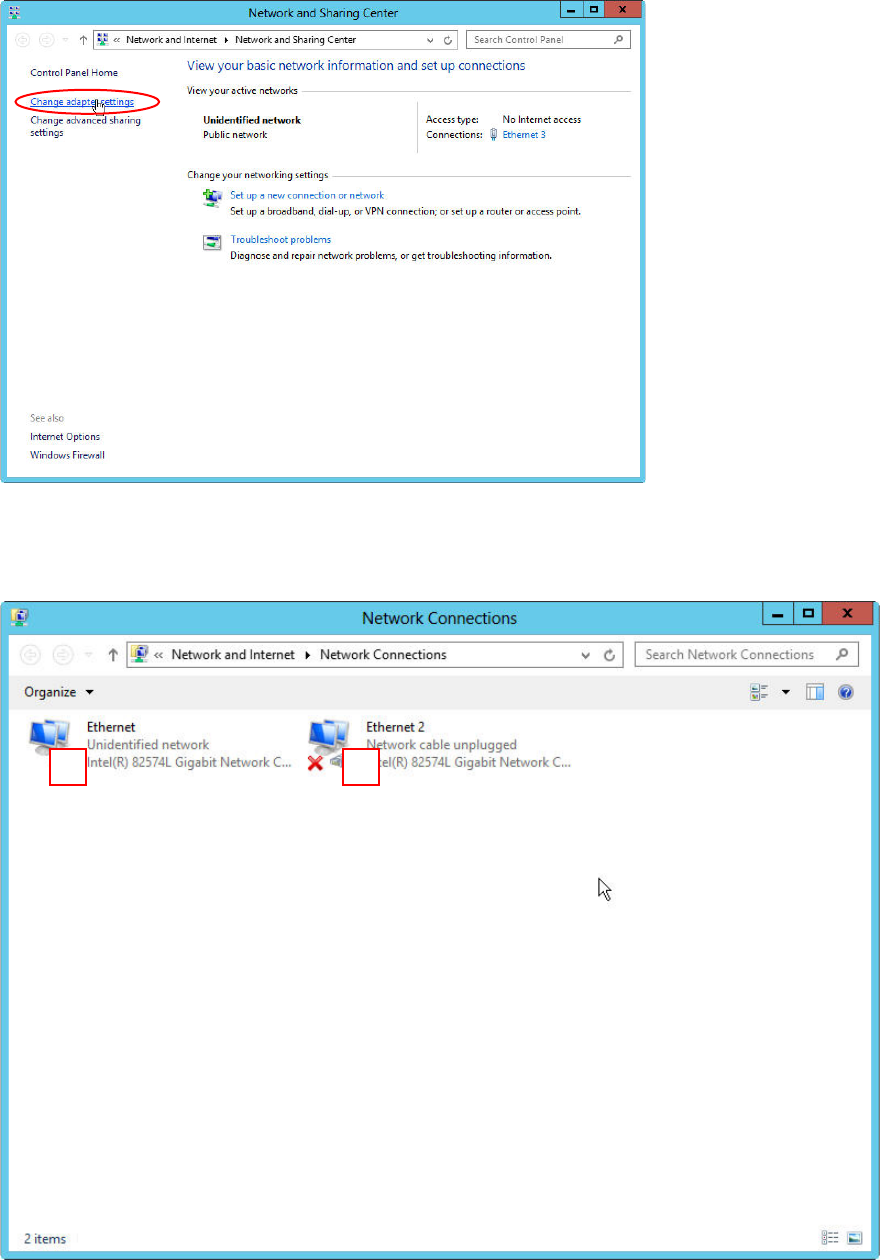
Figure 4-21: Network Sharing Center – clicking change adapter settings
► Click on Change adapter settings on the left side.
Figure 4-22: Network Adapters – SIPLACE LAN adapter connected
You see two network adapters displayed. If you followed this documentation, only the adapter with
the connection to the SIPLACE LAN should be connected (in this picture #1).
The other adapter is disconnected – it has a red “X” in the symbol (in this picture #2).
1
2
Installing Primergy TX1320 M2 - Windows Server 2012 R2 05/2016 Edition
38
NOTICE
Network Card identification
This procedure only works if you have disconnected all other network cables except the
SIPLACE connection, as mentioned in the first chapter.
Now, we need to remove the default gateway from the configuration of the SIPLACE LAN network
adapter.
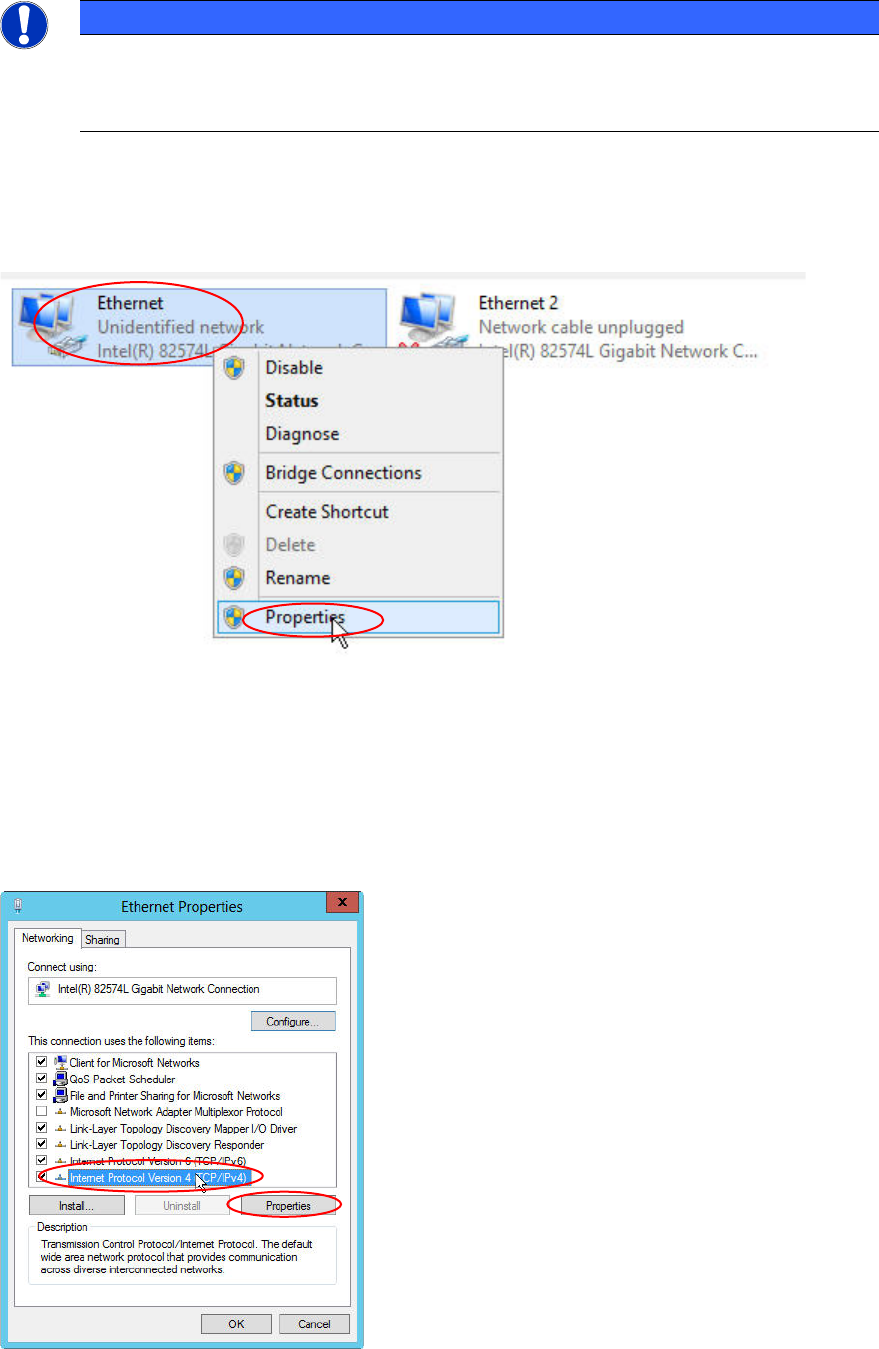
Figure 4-23: Selecting Properties of the connected SIPLACE LAN adapter
► Right-click on the connected SIPLACE LAN network adapter (the other adapter has the state
“Network cable unplugged”)
► Select Properties.
Figure 4-24: Ethernet Properties
► Click the Internet Protocol Version 4 (TCP/IPv4) text (not the checkbox!) and select Properties.