00198218-01_IM_TX1320M2_en.pdf - 第40页
Installing Primergy T X1320 M2 - Win dows Server 2012 R2 05/2016 Edition 40 4.5 Further Prep aration Steps Before applying the S upport Media, you must check a couple of set tings. These further prepa ration steps are de…
Installing Primergy TX1320 M2 - Windows Server 2012 R2 05/2016 Edition
39
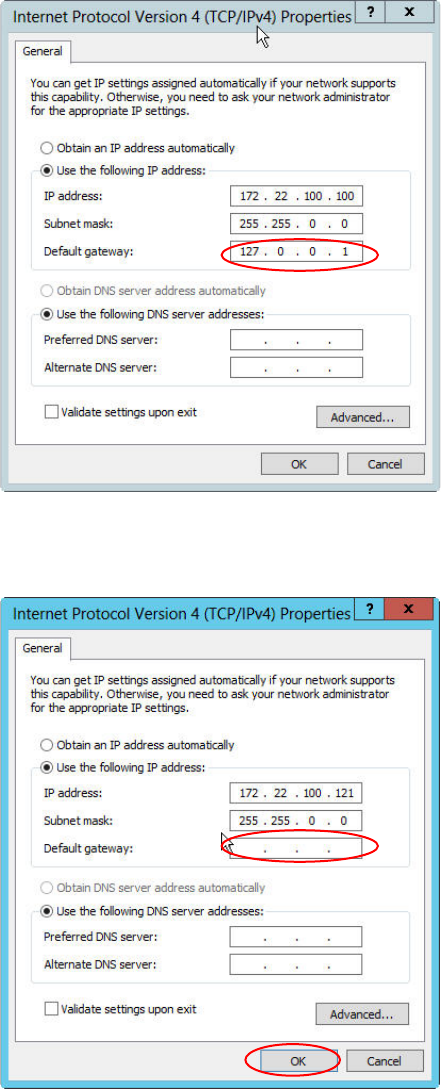
Figure 4-25: IP Configuration of the SIPLACE LAN adapter before removing the default gateway
► Remove the default gateway entry from the IP configuration, as shown in the following picture.
Figure 4-26: IP Configuration of the SIPLACE LAN adapter after removing the default gateway
► Click the OK to close the window and apply the setting.
Installing Primergy TX1320 M2 - Windows Server 2012 R2 05/2016 Edition
40
4.5 Further Preparation Steps
Before applying the Support Media, you must check a couple of settings.
These further preparation steps are described in the document "Required Steps before using
Support Media".