00197815-04_JC_PM_WF2_SX12_EN.pdf - 第68页
www.asm-smt.com
20 WF2 SX1/2 Appendix: TH head exchange 6.25 min 5 / 5
CAUTION! Refer to safety instructions in user manual before commencing Maintenance
Machine Status OFF Transport Empty
NOTICE! ESD guidelines are to be followed Tool:
T87, K01
Wear Part: Consumables:
www.asm-smt.com
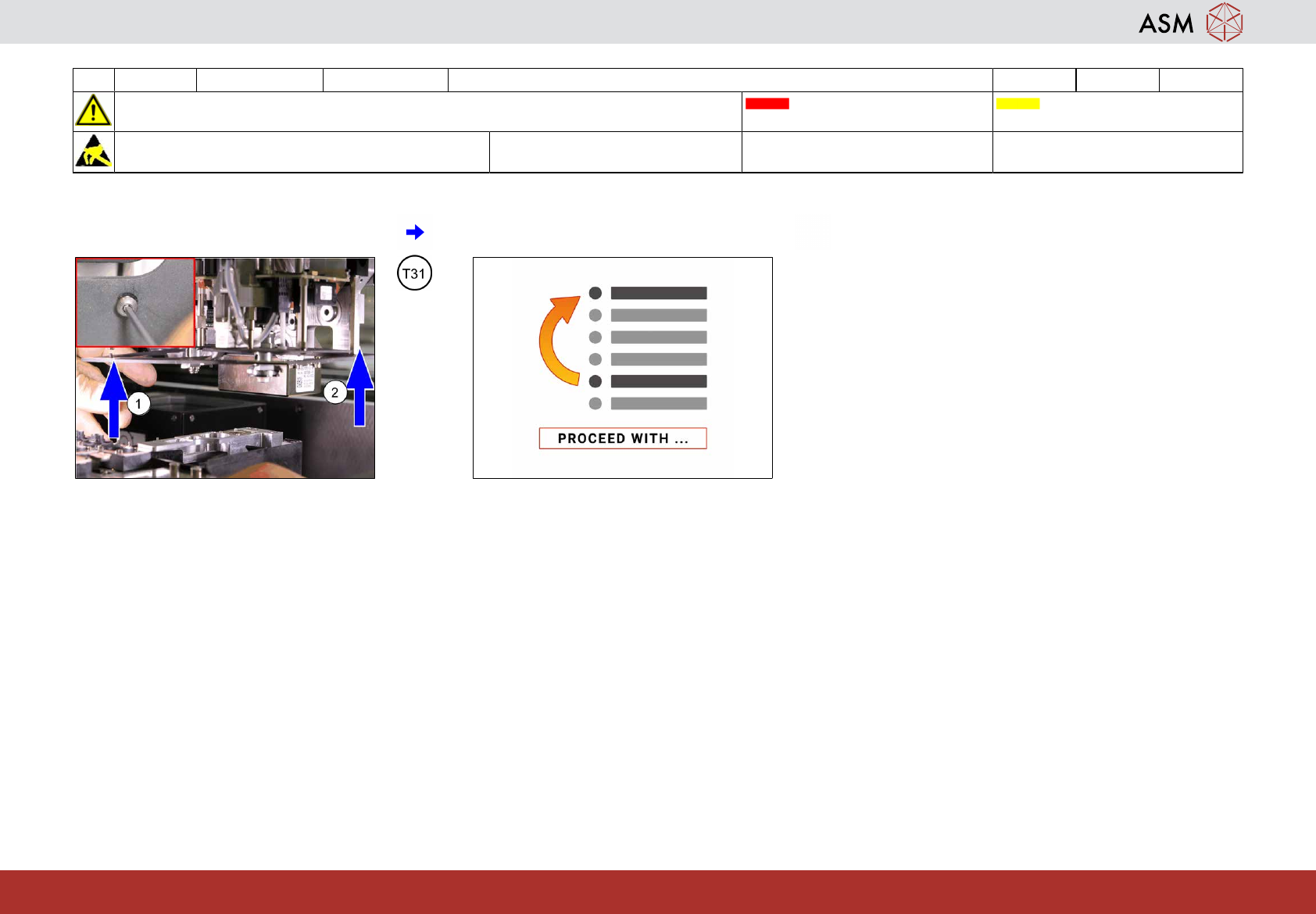
25 Mount the camera visual shield. 26 Proceed with task “Clean the Z-Axis of the
remaining C&P20x”.

www.asm-smt.com
21 WF2 SX1/2 Appendix: Calibrate the maintained C&P head 4.5 min 1 / 5
CAUTION! Refer to safety instructions in user manual before commencing Maintenance
Machine Status ON Transport Empty
NOTICE! ESD guidelines are to be followed Tool:
T2, K01
Wear Part: Consumables:
C3
www.asm-smt.com
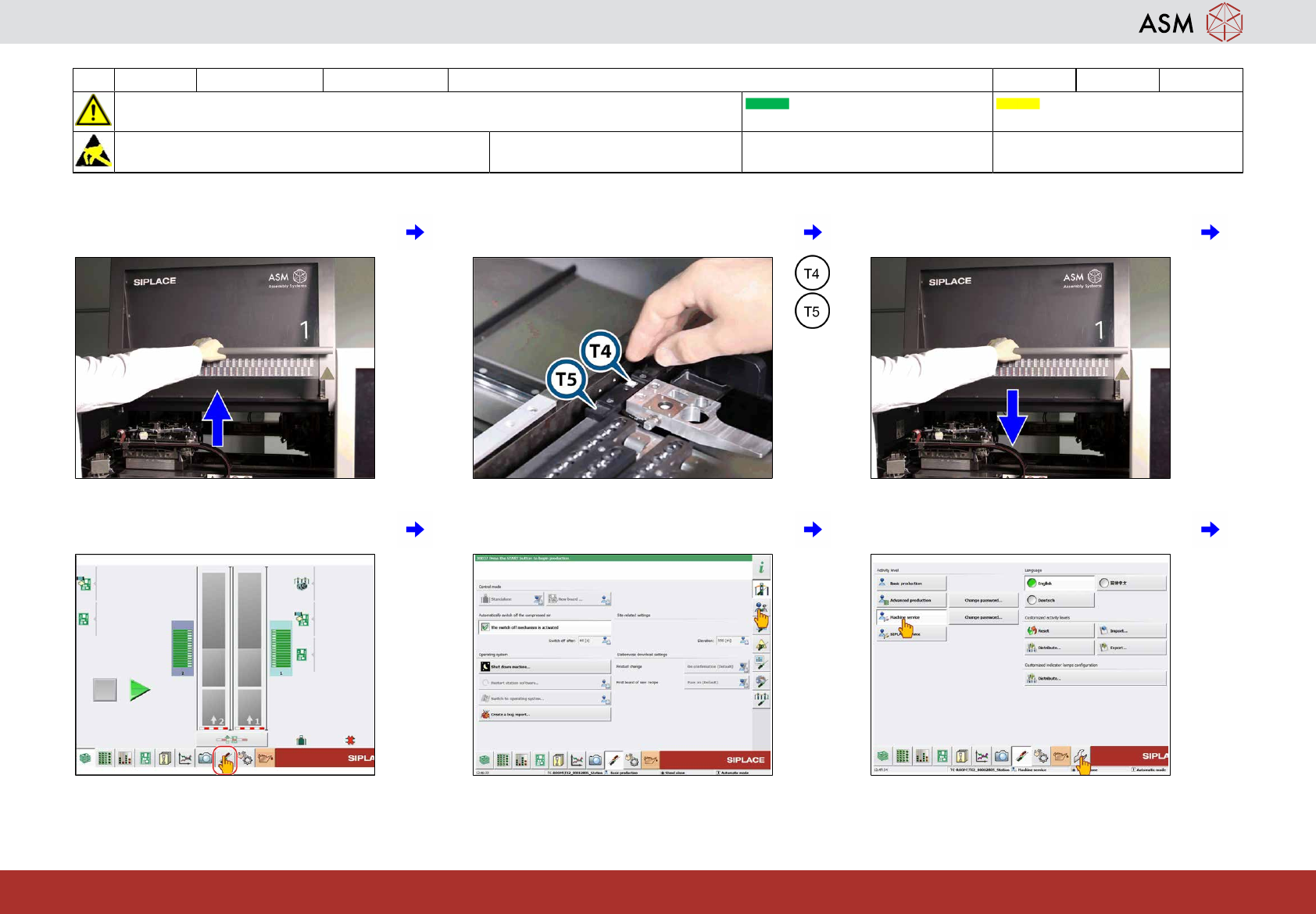
1 Open the cover. 2 Insert the calibration tool for C&P20x (T4)
or CPP (T5).
3 Close all covers.
4 Click on "Settings and options". 5 Click on "User settings". 6 Click on "Machine service" and "Cali-
bration".