00197815-04_JC_PM_WF2_SX12_EN.pdf - 第77页
22 WF2 SX 1/2 - Appendix: Calibrate the TwinHead 8 min 3 / 9 C A U T I O N ! R e f e r t o s a f e t y i n s t r u c t i o n s i n u s e r m a n u a l b e f o r e c o m m e n c i n g M a i n t e n a n c e Machine Statu…
22 WF2 SX 1/2 - Appendix: Calibrate the TwinHead 8 min 2 / 9
CAUTION! Refer to safety instructions in user manual before commencing Maintenance
Machine Status ON Conveyor Empty
NOTICE! ESD guidelines are to be followed Tool:
K01
Wear Part: Consumables:
www.asm-smt.com
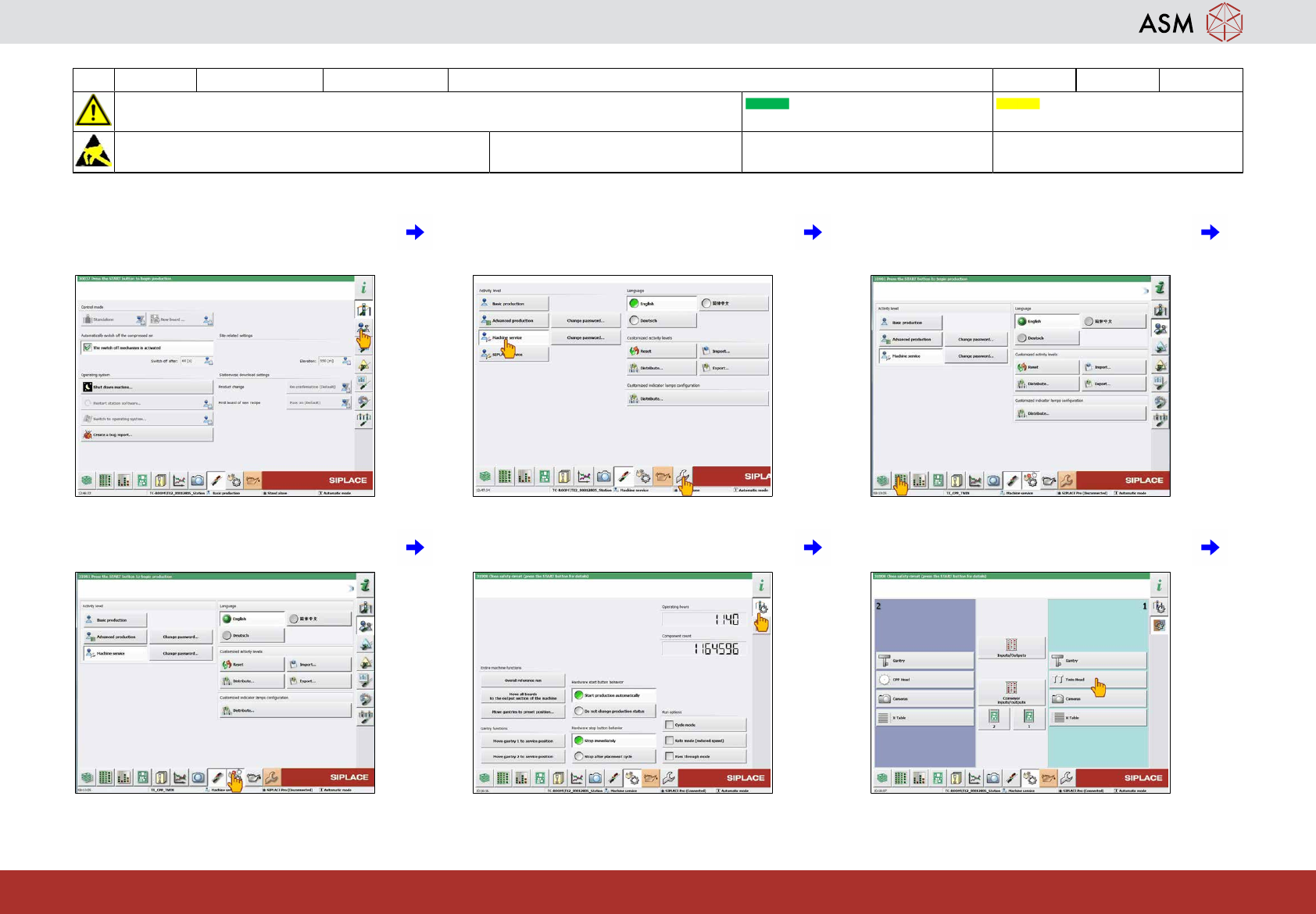
7 Click on "User settings". 8 Click on "Machine service" and "Cali-
bration".
9 If you mount the same head click on "Dis-
play, check and setup feeders" and con-
tinue with step 21.
10 If you mount a new head click on "Check
sensors and options".
11 Click on "Check sensors specific compon-
ents".
12 Select the "Twin head" returned to the
machine.
22 WF2 SX 1/2 - Appendix: Calibrate the TwinHead 8 min 3 / 9
CAUTION! Refer to safety instructions in user manual before commencing Maintenance
Machine Status ON Conveyor Empty
NOTICE! ESD guidelines are to be followed Tool:
K01
Wear Part: Consumables:
www.asm-smt.com
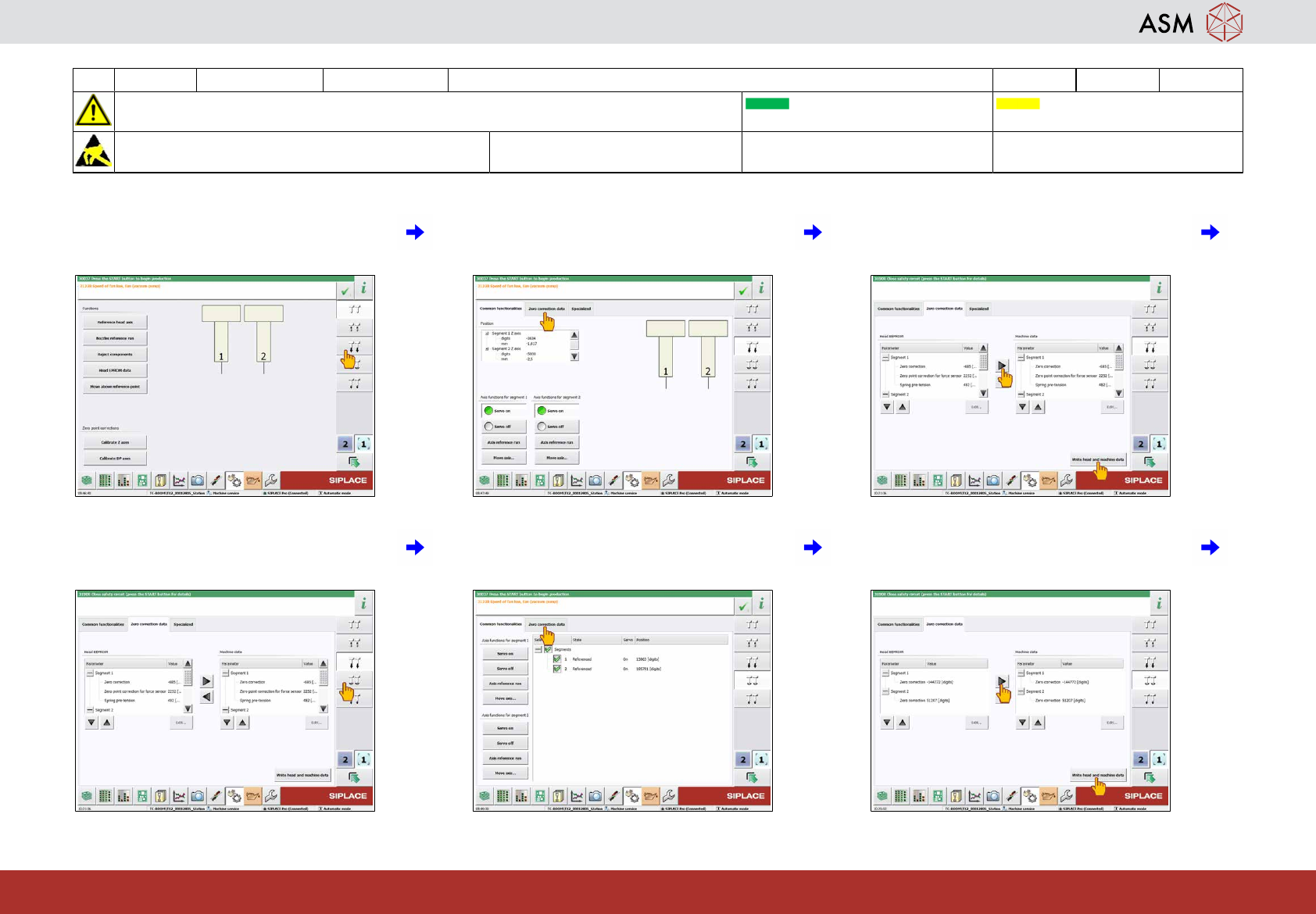
13 Click on "Check positions and functions of
Z-Axis".
14 Click on "Zero correction data". 15 Take over the data by click on the arrow to
the right and "Write head and machine
data".
16 Click on "Check positions and functions of
DP-Axis".
17 Click on "Zero correction data". 18 Take over the data by click on the arrow to
the right and "Write head and machine
data".
22 WF2 SX 1/2 - Appendix: Calibrate the TwinHead 8 min 4 / 9
CAUTION! Refer to safety instructions in user manual before commencing Maintenance
Machine Status ON Conveyor Empty
NOTICE! ESD guidelines are to be followed Tool:
K01
Wear Part: Consumables:
www.asm-smt.com
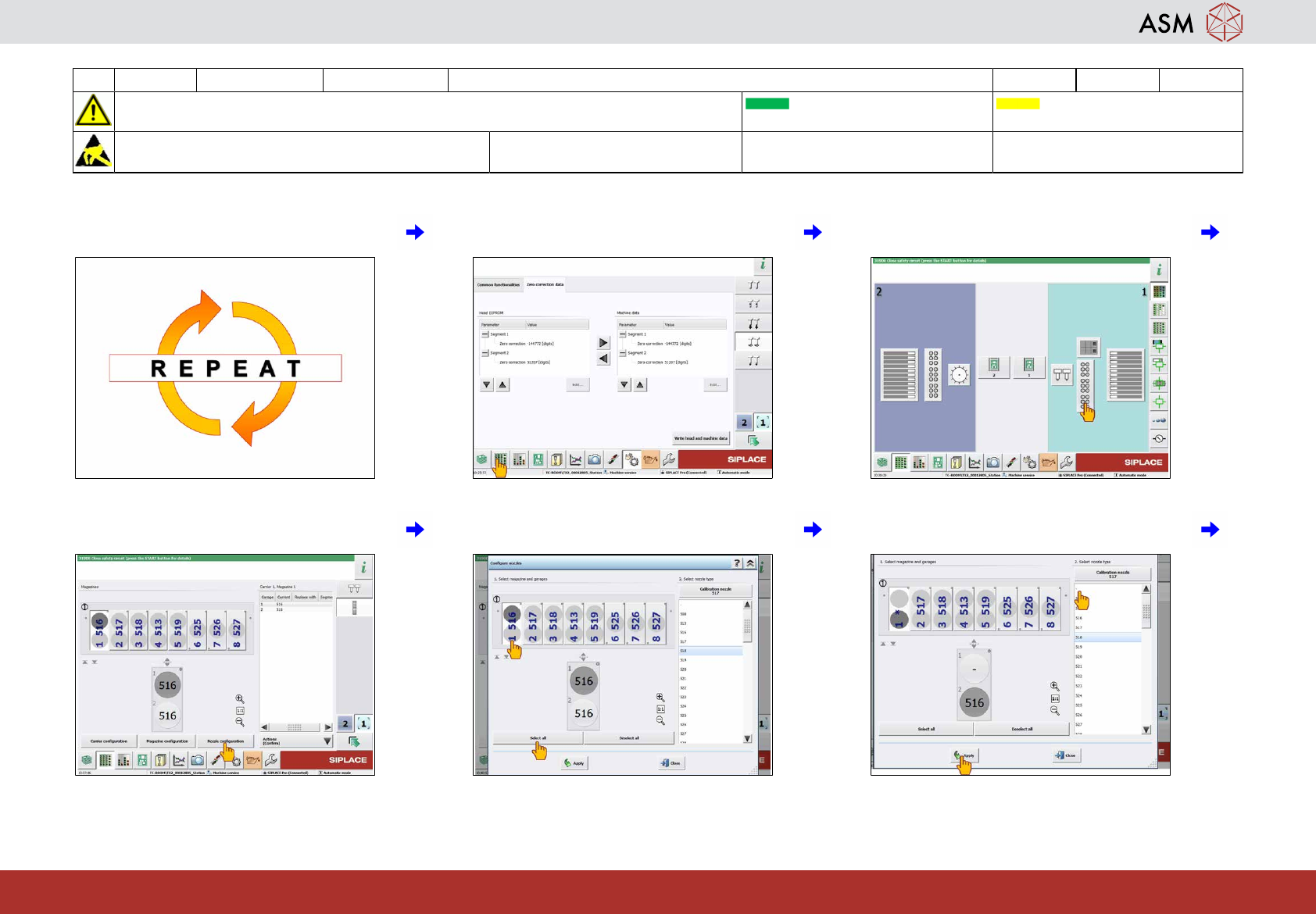
19 Repeat these steps for the second Twin-
Head if required.
20 Click on "Display, check and setup feed-
ers".
21 Click on the nozzle changer of the head to
be calibrated.
22 Click on "Nozzle configuration". 23 Click on magazine 1 and "Select all". 24 Select nozzle type "-" and click on "Apply"
to configure no nozzle in magazine.