00193872_Install_WinXP_manual.pdf - 第15页
Installation Manual for Windows XP (manual setup) Edition 04/2006 Fig. 2-18: Windows XP: High Speed Connection → Enter the IP address as well as the network mask . → As a default you should sp ecify the Default gateway t…
Installation Manual for Windows XP (manual setup) Edition 04/2006
→ Click the button Next.
In the next dialog you can configure your network.
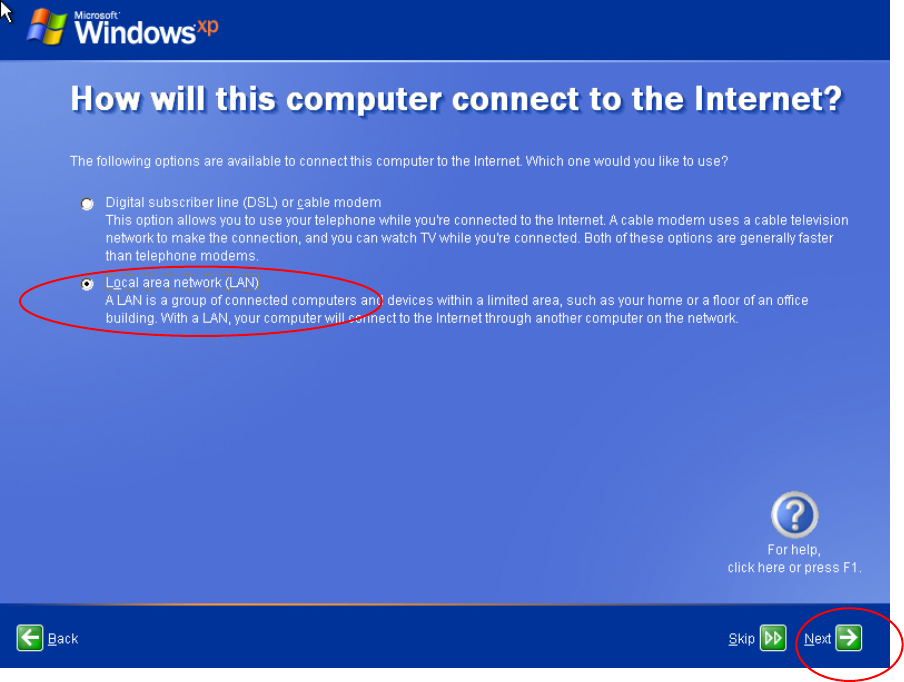
Fig. 2-17: Windows XP: Internet connection
→ Select the “Local area network (LAN)” option radio button.
→ Click the button Next.
In the next dialog you have to specify the IP Configuration.
14 / 37
Installation Manual for Windows XP (manual setup) Edition 04/2006
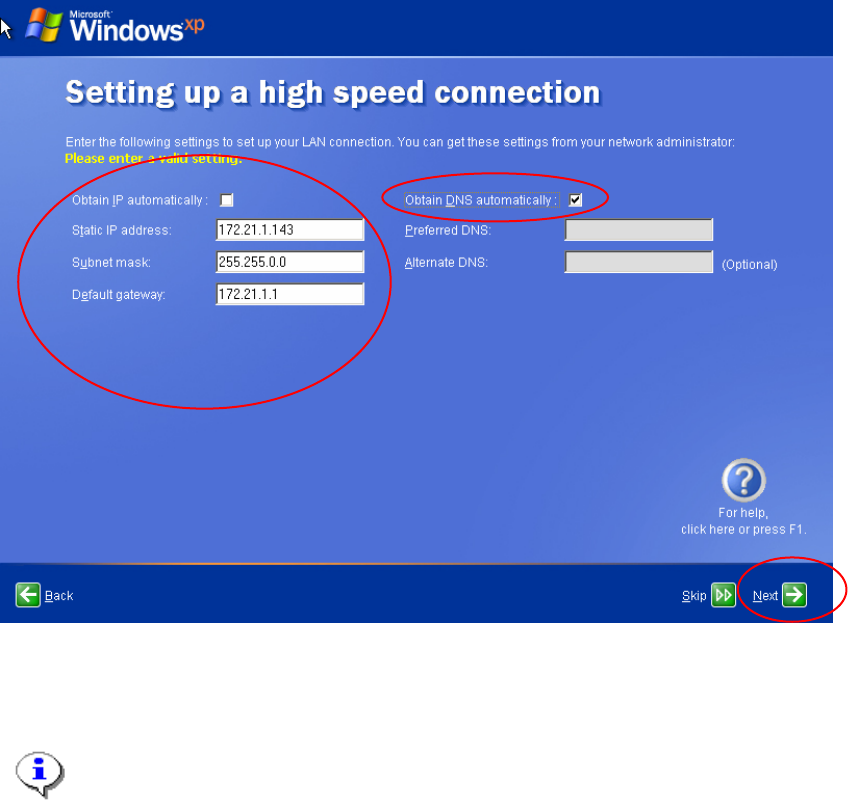
Fig. 2-18: Windows XP: High Speed Connection
→ Enter the IP address as well as the network mask.
→ As a default you should specify the Default gateway to a fixed address like 172.21.1.1.
Note:
This configuration is for an island configuration. The customer might have other
configuration parameter here for you to enter.
→ Select "Obtain DNS automatically"
→ Click the button Next.
The next dialog asks for an online registration.
15 / 37
Installation Manual for Windows XP (manual setup) Edition 04/2006
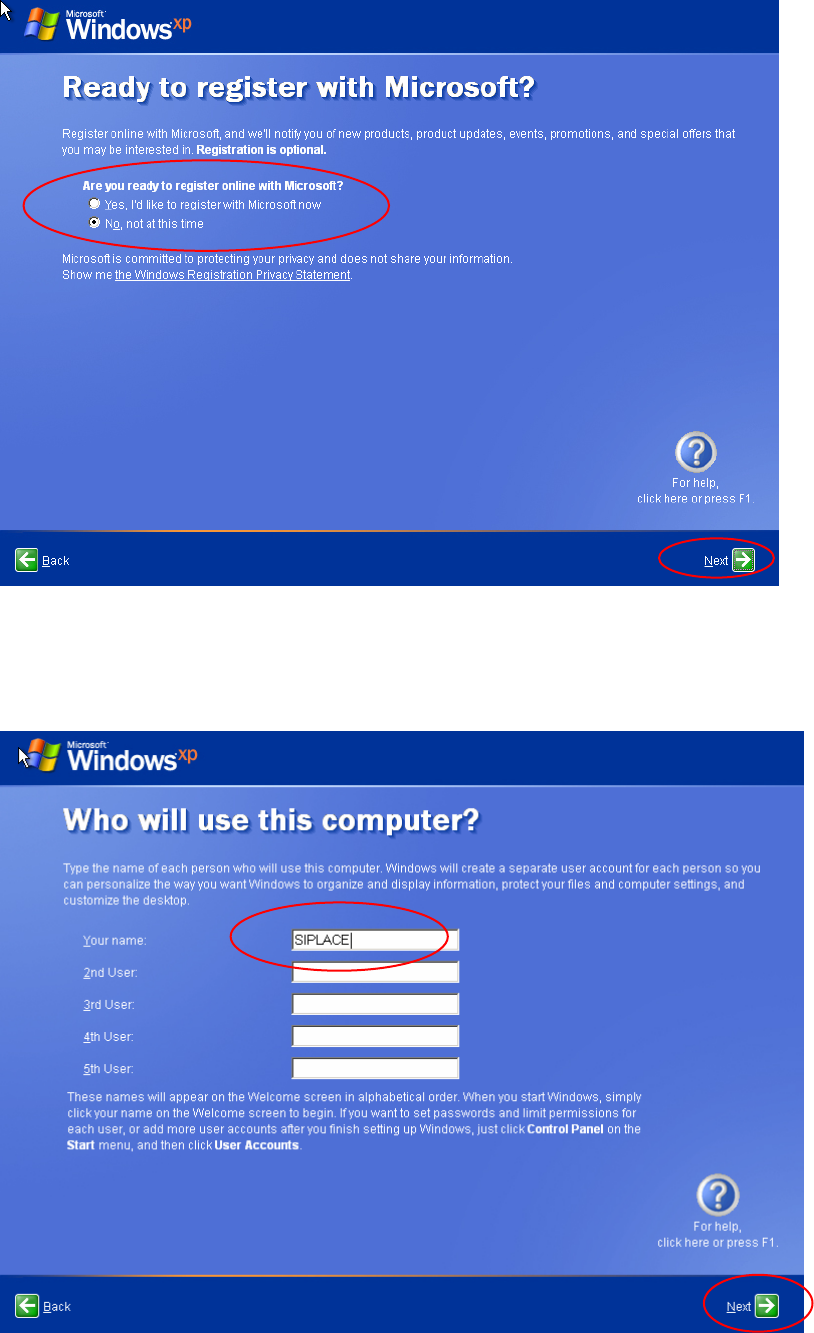
Fig. 2-19: Windows XP: Registration
→ Select the "No, not at this time" radio button.
→ Click the button Next.
You can specify additional users in the next dialog.
Fig. 2-20: Windows XP: Registration
→ The "SIPLACE" user will be added this time.
16 / 37