00193872_Install_WinXP_manual.pdf - 第26页
Installation Manual for Windows XP (manual setup) Edition 04/2006 2.3 Customize Hardware configuration Depending on the hardwar e you are using, it might be necessary to manually inst all the drivers of your manufacturer…
Installation Manual for Windows XP (manual setup) Edition 04/2006
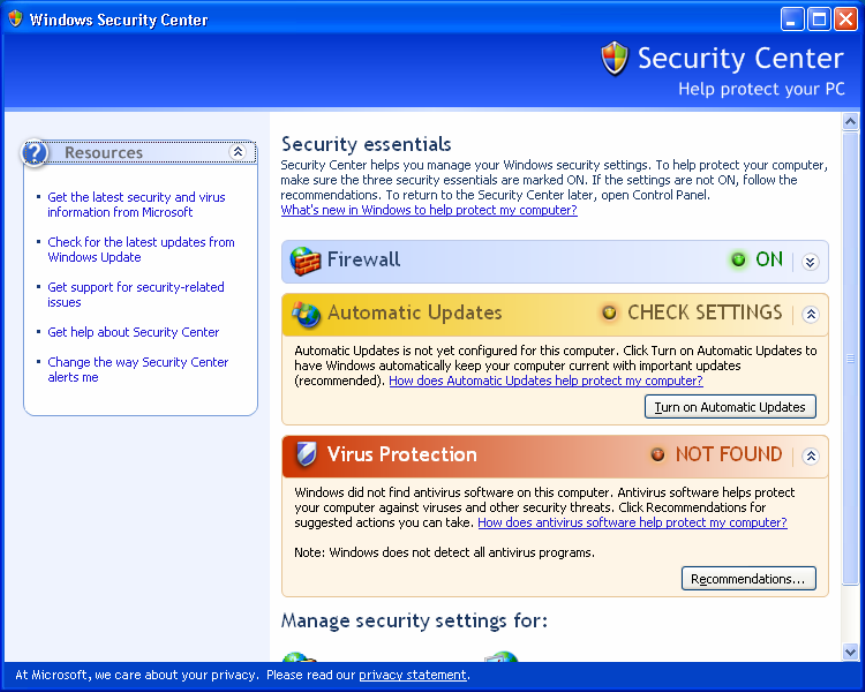
Fig. 2-27: Windows XP SP 2Security center
→ This screen is just for your information. Determine whether a virus scanner was found and then
close the “Security center“ via the cross.
→ In the event that the customer’s administrator wants a virus scanner, it will be necessary to ensure
that it is compatible with Service Pack 2 before it is installed.
→ If only the service pack 2 was retrofitted on the SIPLACE Pro computer at the customer’s facility,
i.e., the SIPLACE applications are already installed, conduct the settings now on the basis of the
document "Integration to the customer domain.", order number 00193761-xx
→ If the service pack 2 was installed in direct connection with Windows XP, continue the work with the
following sections and, after installing the SIPLACE applications, make the settings based on
the above-named document.
25 / 37
Installation Manual for Windows XP (manual setup) Edition 04/2006
2.3 Customize Hardware configuration
Depending on the hardware you are using, it might be necessary to manually install the drivers of your
manufacturer. This happens when the hardware is newer than the Windows version you are using.
Note:
You can use this as a guideline to install commonly missing drivers. This guideline might not
cover all procedures. Please consult the documentation for the hardware manufacture.
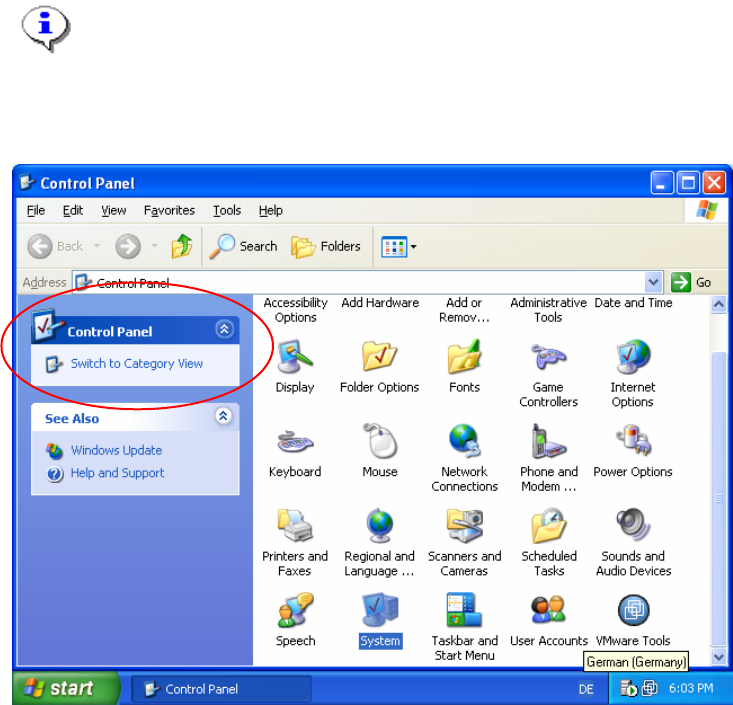
→ Open the Control Panel by activating Start->Control Panel.
→ Switch to Classic View if necessary.
Fig. 2-28: Control Panel
26 / 37
Installation Manual for Windows XP (manual setup) Edition 04/2006
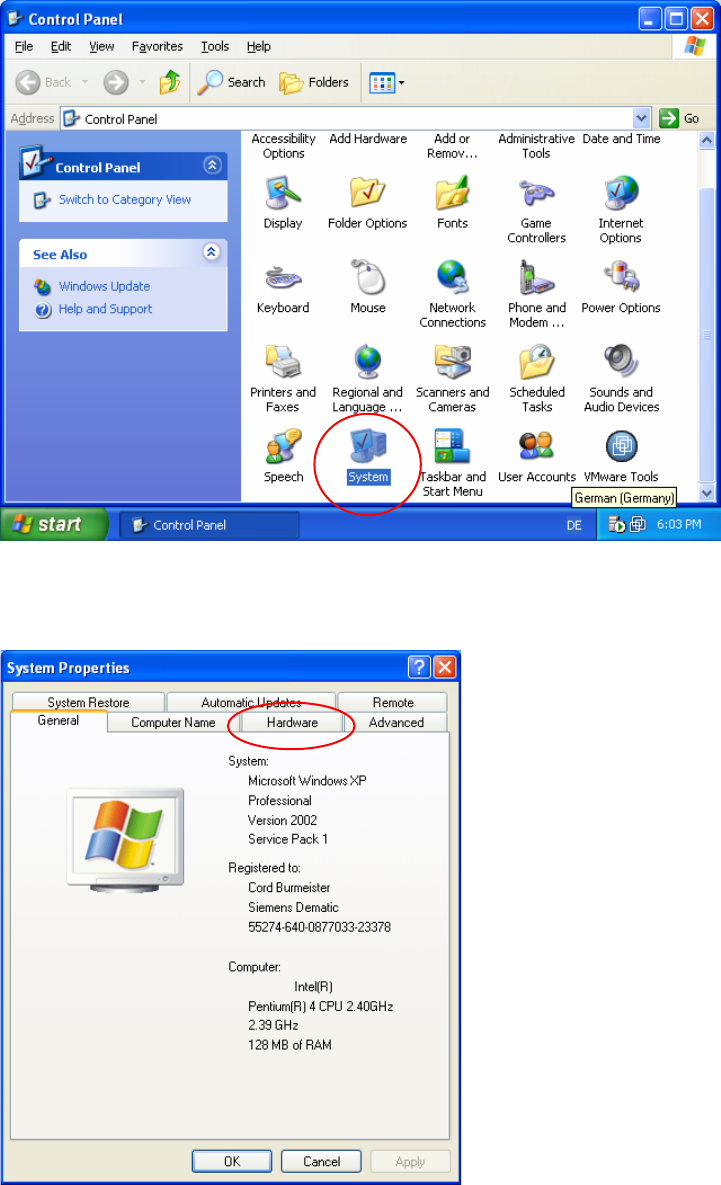
Fig. 2-29: Control Panel-System
→ Start the system configuration
27 / 37
Fig. 2-30: System configuration
→ Switch to Hardware configuration by selecting the “Hardware” tab