00193872_Install_WinXP_manual.pdf - 第17页
Installation Manual for Windows XP (manual setup) Edition 04/2006 → Click the button Ne xt . This is the finish installation dialog Fig. 2-21: Windows XP: Finished → Click the button Finish . Windows is finishing the ins…
Installation Manual for Windows XP (manual setup) Edition 04/2006
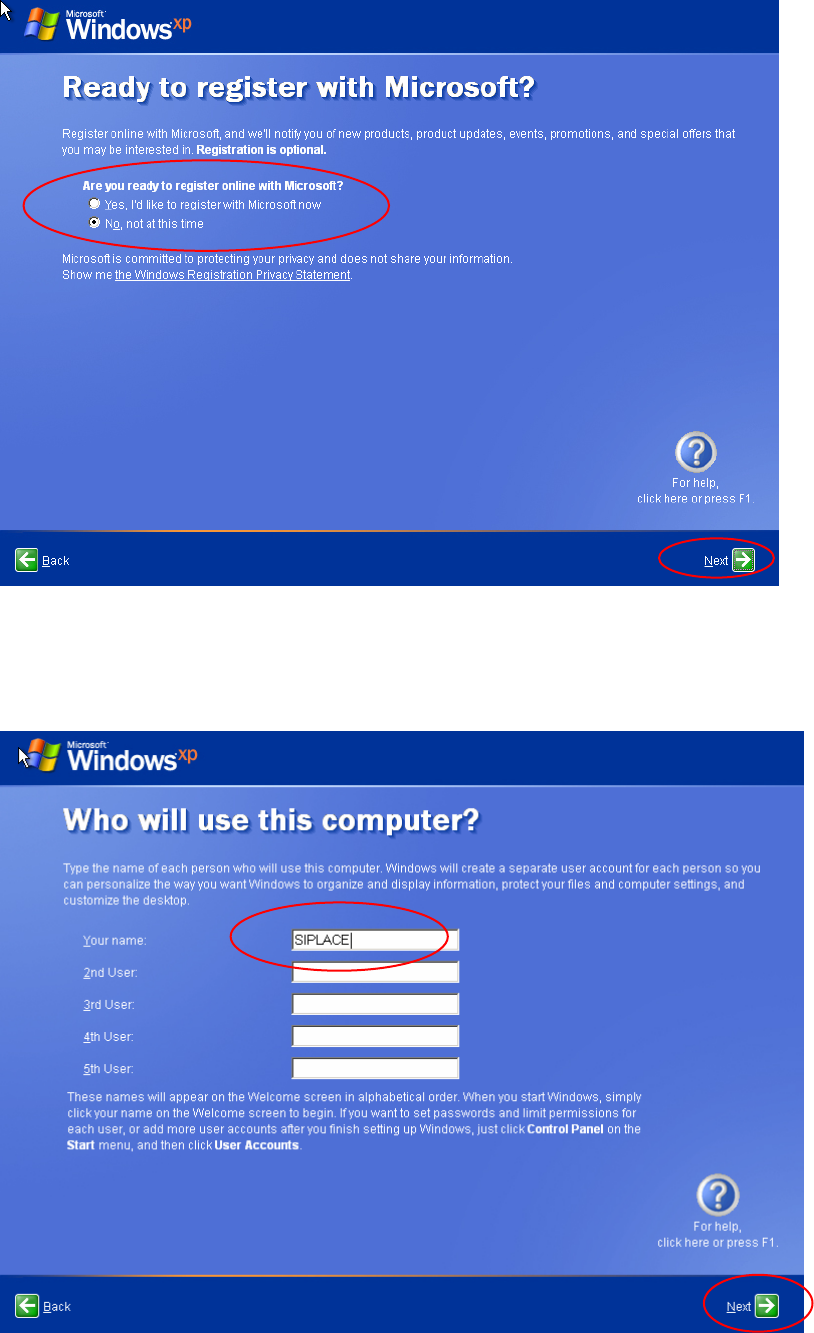
Fig. 2-19: Windows XP: Registration
→ Select the "No, not at this time" radio button.
→ Click the button Next.
You can specify additional users in the next dialog.
Fig. 2-20: Windows XP: Registration
→ The "SIPLACE" user will be added this time.
16 / 37
Installation Manual for Windows XP (manual setup) Edition 04/2006
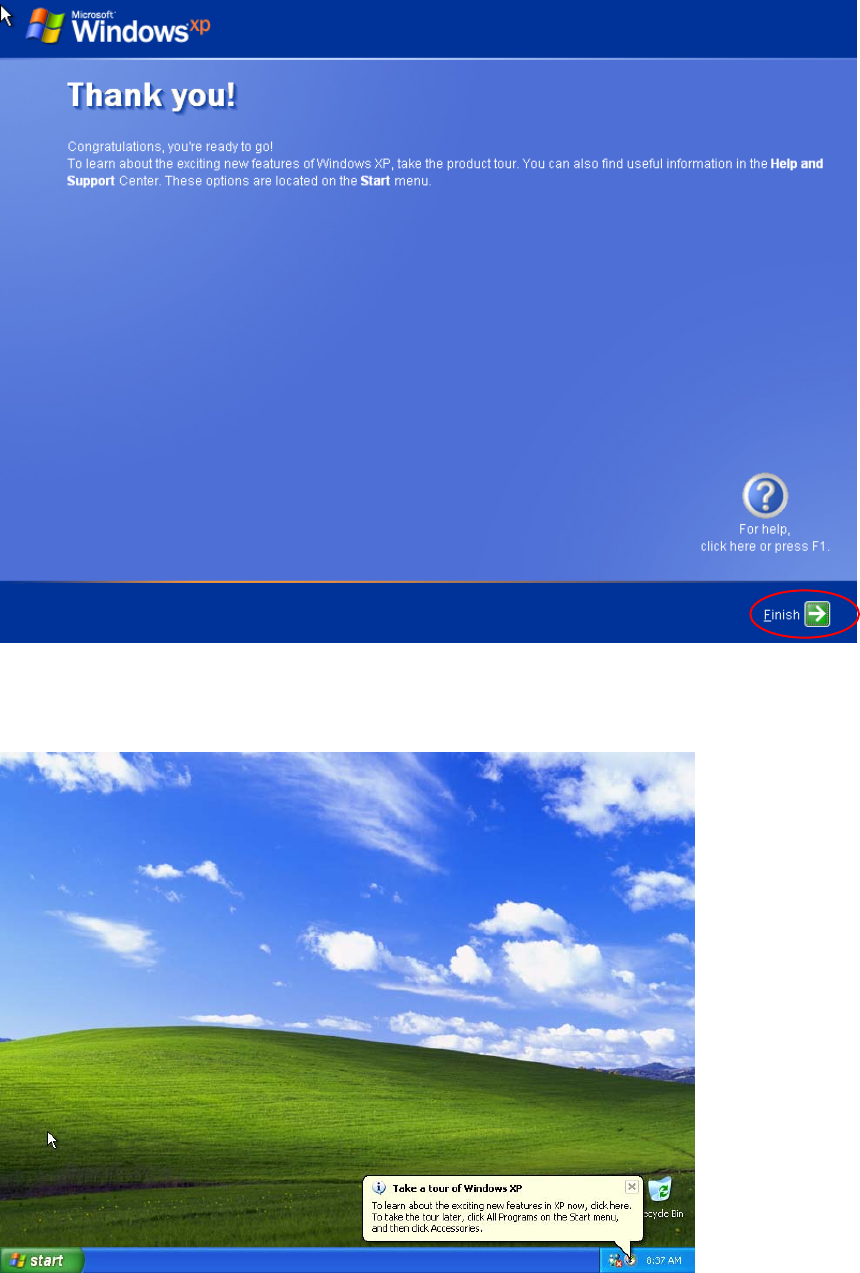
→ Click the button Next.
This is the finish installation dialog
Fig. 2-21: Windows XP: Finished
→ Click the button Finish.
Windows is finishing the installation.
17 / 37

Installation Manual for Windows XP (manual setup) Edition 04/2006
2.2 Installation of Service Pack 2
2.2.1 Information regarding Service Pack 2
Service Pack 2 (SP 2) for Windows XP Professional contains numerous error corrections and new
security functions that enable better protection of your computer in the customer network. In addition,
Service Pack 2 contains Service Pack 1 and all the improvements of the preceding versions.
2.2.2 Scope of this Section
Using this manual you can conduct the manual installation of Windows XP Professional Service
Pack 2 on the SIPLACE computers in a domain, either immediately after installing Windows XP or
subsequently when the SIPLACE applications are already installed.
If the subsequent installation of Service Pack 2 is conducted by the Siemens SMD service engineer,
it is beneficial to clarify the requirements named below prior to the installation with the customer.
Note:
The complete installation sequence for Service Pack 2 comprises the installation of
Service Pack 2 described here and the settings that are then to be made. To this
end, you will also need the document: "Integration to the customer domain", order
number 00193761-xx.
18 / 37