00193872_Install_WinXP_manual.pdf - 第9页
Installation Manual for Windows XP (manual setup) Edition 04/2006 Fig. 2-6: Windows XP: Personalize Your Software → Please enter the Name and the Organizatio n . → Click the button Ne xt >. The dialog "Your Produ…
Installation Manual for Windows XP (manual setup) Edition 04/2006
→ Please wait while the computer reboots.
Warning:
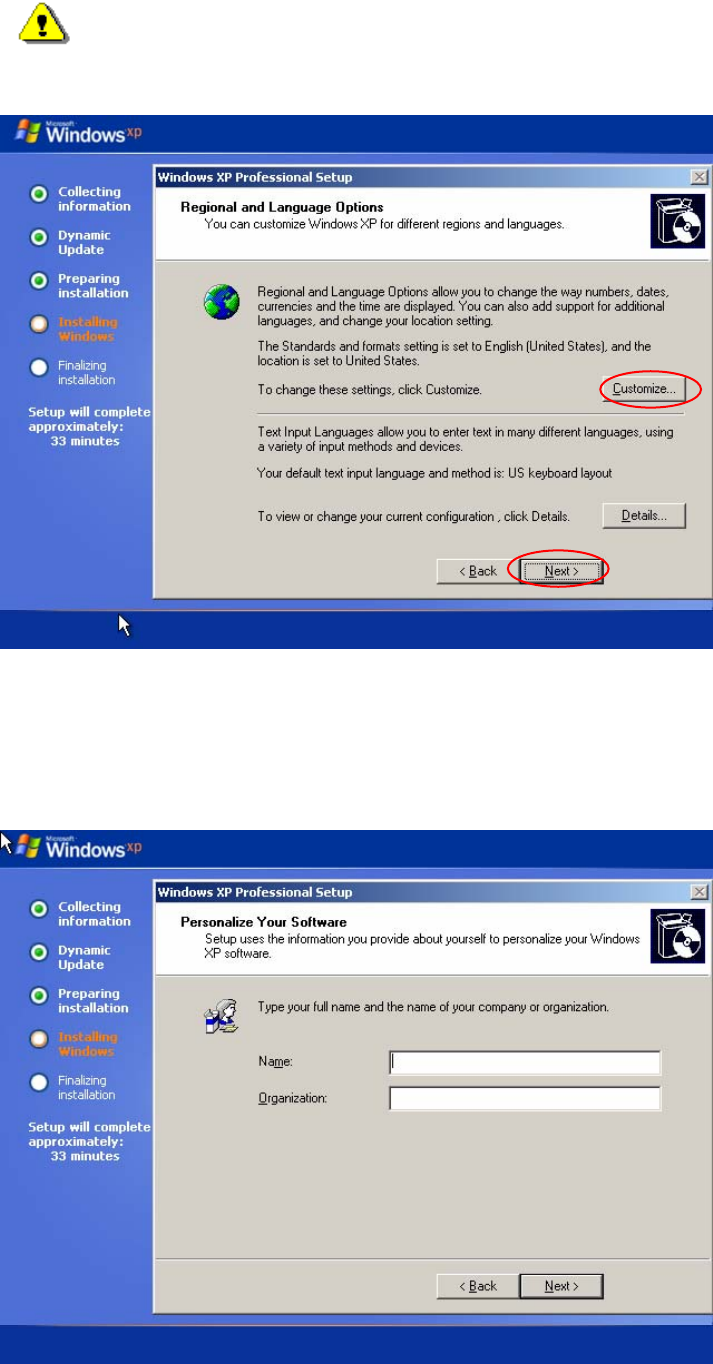
Do not press a key when the message "Press any key to reboot from CD" appears during
the startup phase of the computer.
The installation of Windows XP will continue:
Fig. 2-5: Windows XP: Regional and Language Options
→ If you wish to change the regional settings, please click the button Customize...
→ Make the changes.
→ Click the button Next>.
The following dialog appears:
8 / 37
Installation Manual for Windows XP (manual setup) Edition 04/2006
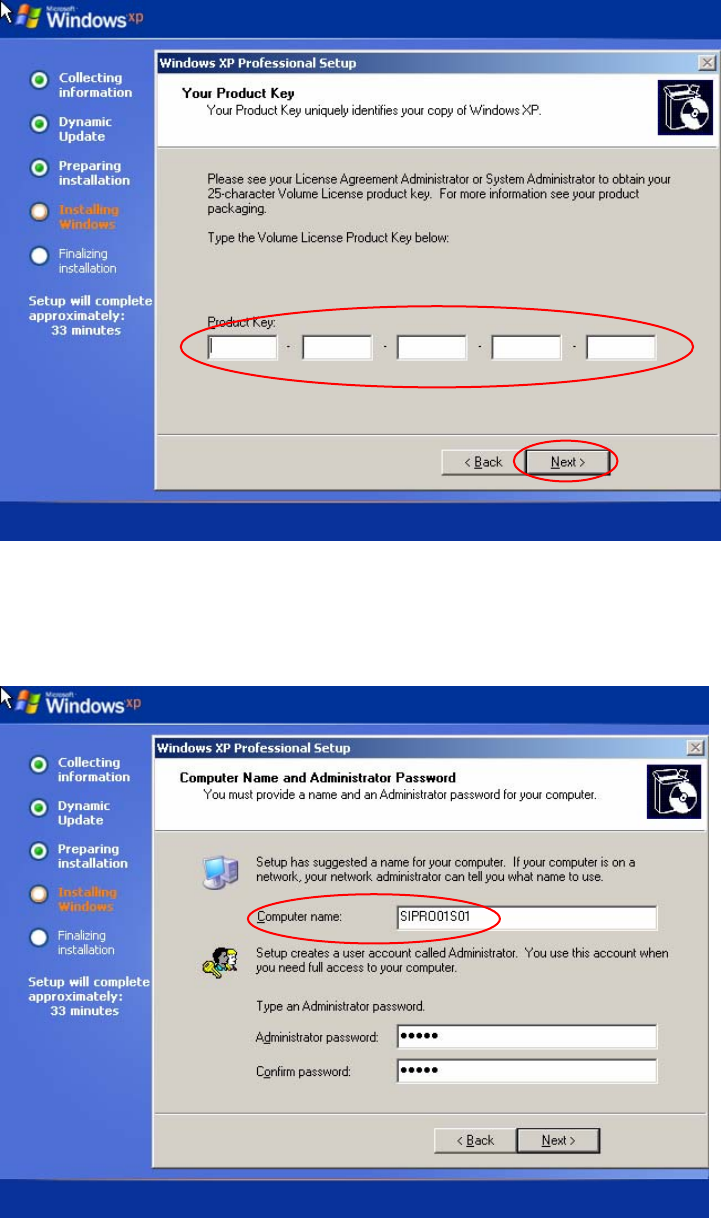
Fig. 2-6: Windows XP: Personalize Your Software
→ Please enter the Name and the Organization.
→ Click the button Next>.
The dialog "Your Product Key" appears.
Fig. 2-7: Windows XP: Product Key
→ Enter the software key.
→ Click the button Next>.
The following dialog appears:
9 / 37
Installation Manual for Windows XP (manual setup) Edition 04/2006
10 / 37
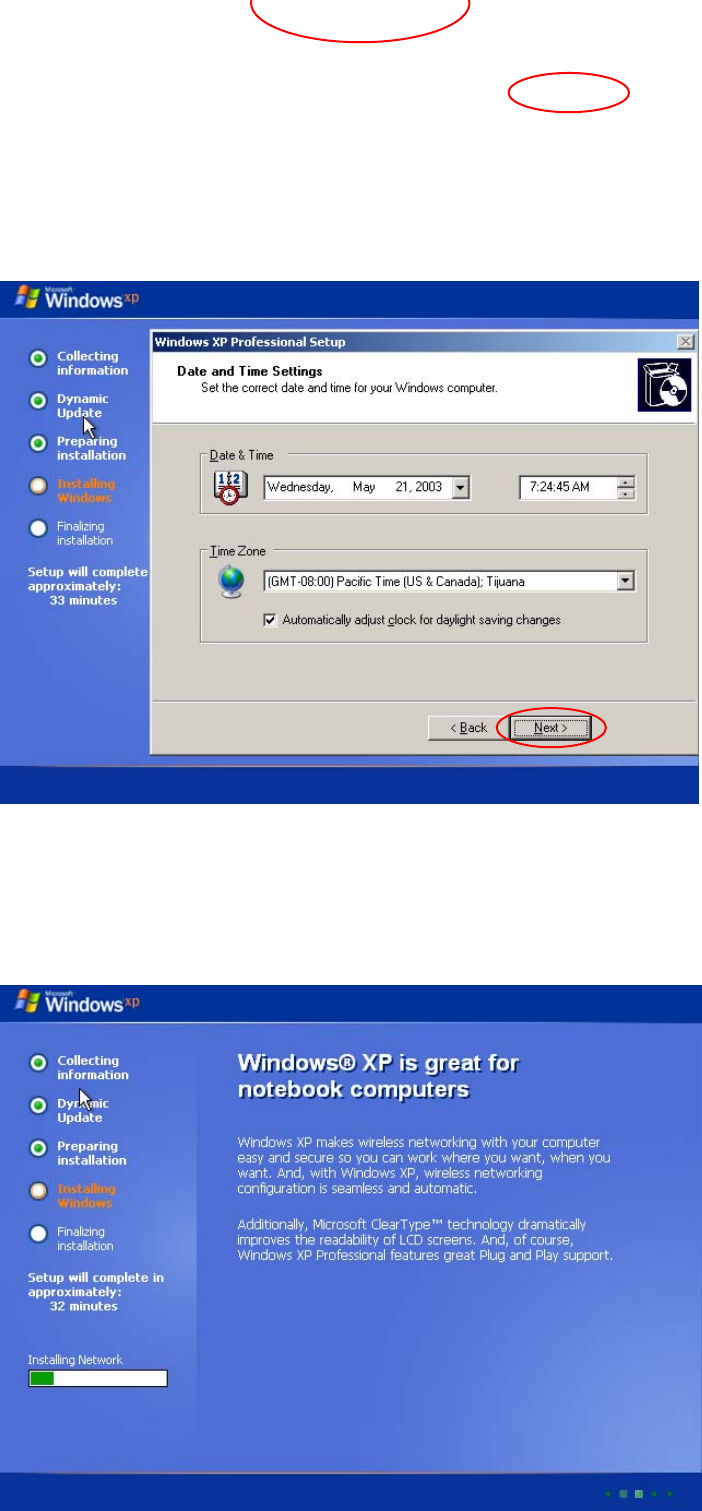
Fig. 2-8: Windows XP: Computer Name and Password
→ Enter the Computer name and the Administrator password.
→ Click the button Next>.
Fig. 2-9: Windows XP: Computer Name and Password
→ Check the Date & Time and the Time Zone.
→ If necessary change the settings.
→ Click the button Next>.
The following dialog appears:
Fig. 2-10: Windows XP: Wait
→ Wait until installation has copied necessary files and the following dialog appears.