00193872_Install_WinXP_manual.pdf - 第22页
Installation Manual for Windows XP (manual setup) Edition 04/2006 Fig. 2-23: License agreement → To accept the license agreement, activa te the radio button I Agree and press Next>. The following dialog appea rs: Fig.…
Installation Manual for Windows XP (manual setup) Edition 04/2006
2.2.6 Installation process for Service Pack 2
→ Log yourself in as the administrator.
→ Download "Service Pack 2 for IT Professionals and Developers" or insert a preparatory CD with the
download.
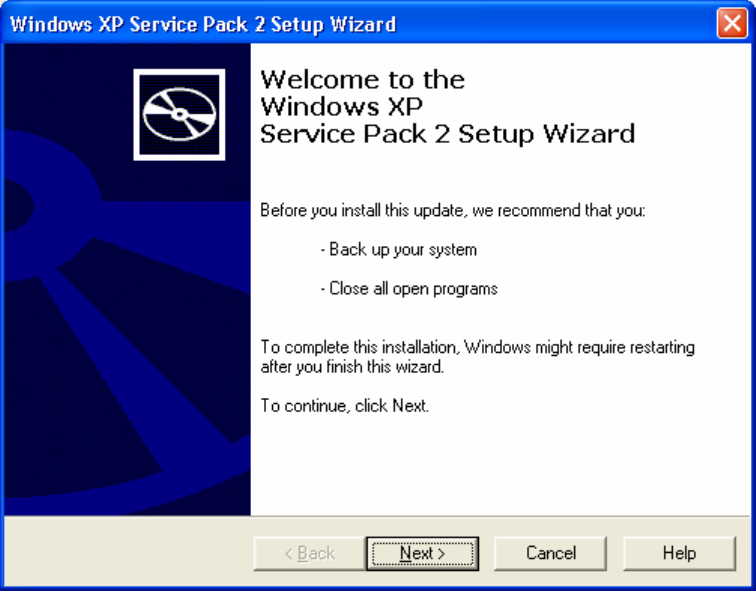
The “Welcome“ screen will appear.
Fig. 2-22: “Welcome” screen
→ Press the Next> button. The following dialog appears:
21 / 37
Installation Manual for Windows XP (manual setup) Edition 04/2006
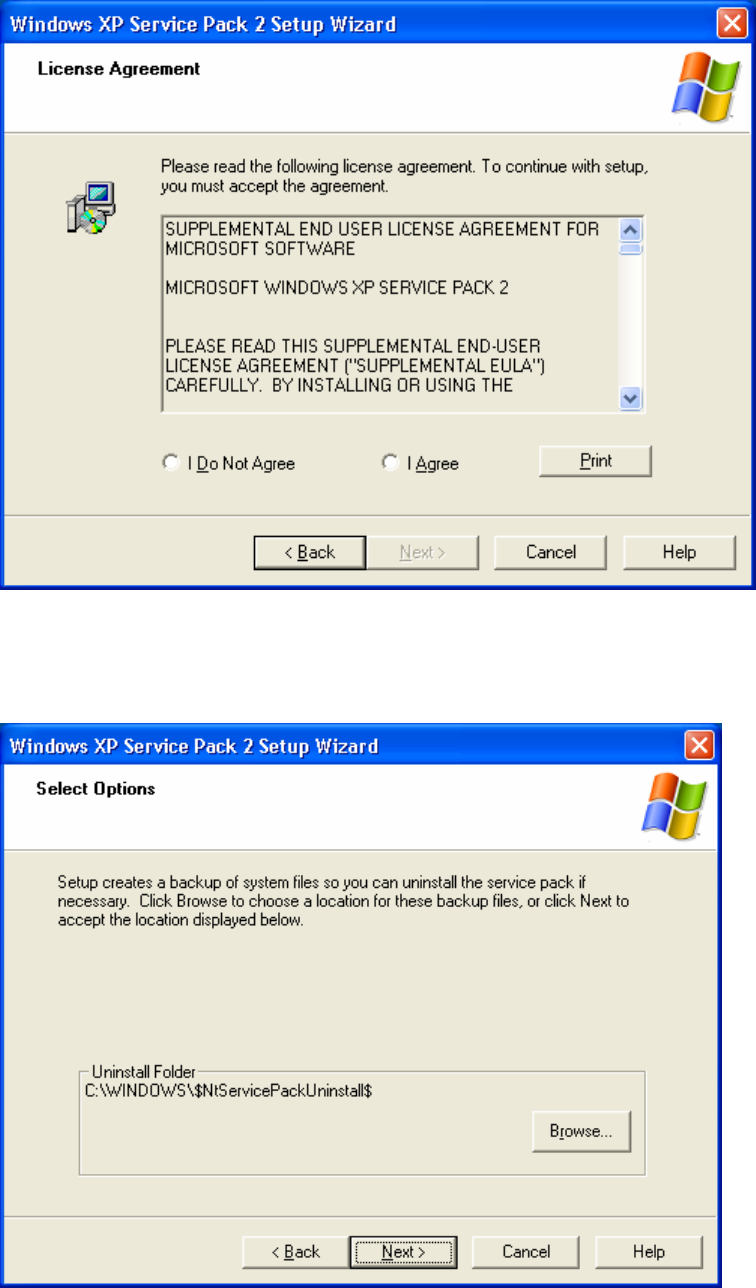
Fig. 2-23: License agreement
→ To accept the license agreement, activate the radio button I Agree and press Next>.
The following dialog appears:
Fig. 2-24: Creating a directory for backup of system files for uninstallation
→ Press the Browse button to select the path for the backup of system files.
22 / 37
Installation Manual for Windows XP (manual setup) Edition 04/2006
→ Confirm the selection by pressing the Next> button.
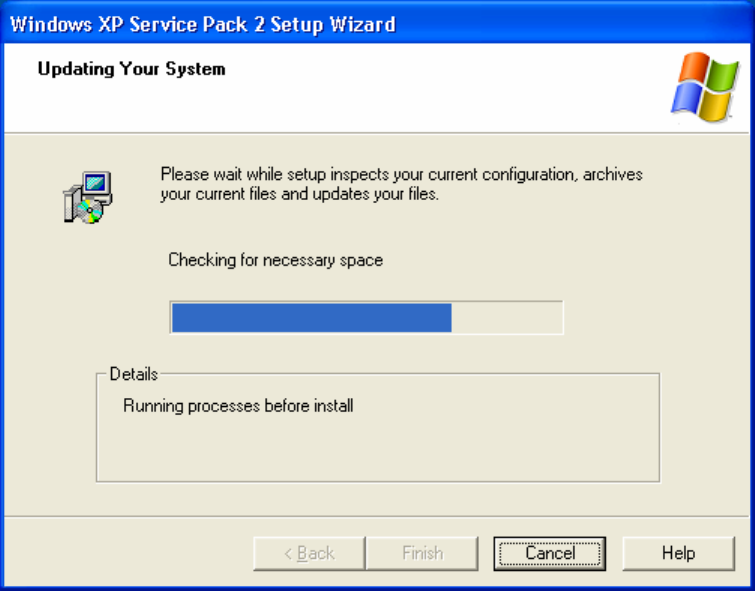
The available space is checked on the dialog then follows:
Fig. 2-25: Automatic test of the available space on the hard disk
→ 1 GB of space is needed for unpacking the temporary files.
If the available space is not sufficient, a message appears.
→ Otherwise the dialogs of the automatic installation appear (the following one, for example) in this
case no more activities are necessary on your part.
This automatic installation process takes approximately 45 minutes (according to test installation).
→ After the installation, the following dialog for the finish of the setup appears:
23 / 37