00193872_Install_WinXP_manual.pdf - 第18页
Installation Manual for Windows XP (manual setup) Edition 04/2006 2.2 Inst allation of Service Pack 2 2.2.1 Information regarding Service Pack 2 Service Pack 2 (SP 2) for Windows XP Professio nal contains num erous error…
Installation Manual for Windows XP (manual setup) Edition 04/2006
→ Click the button Next.
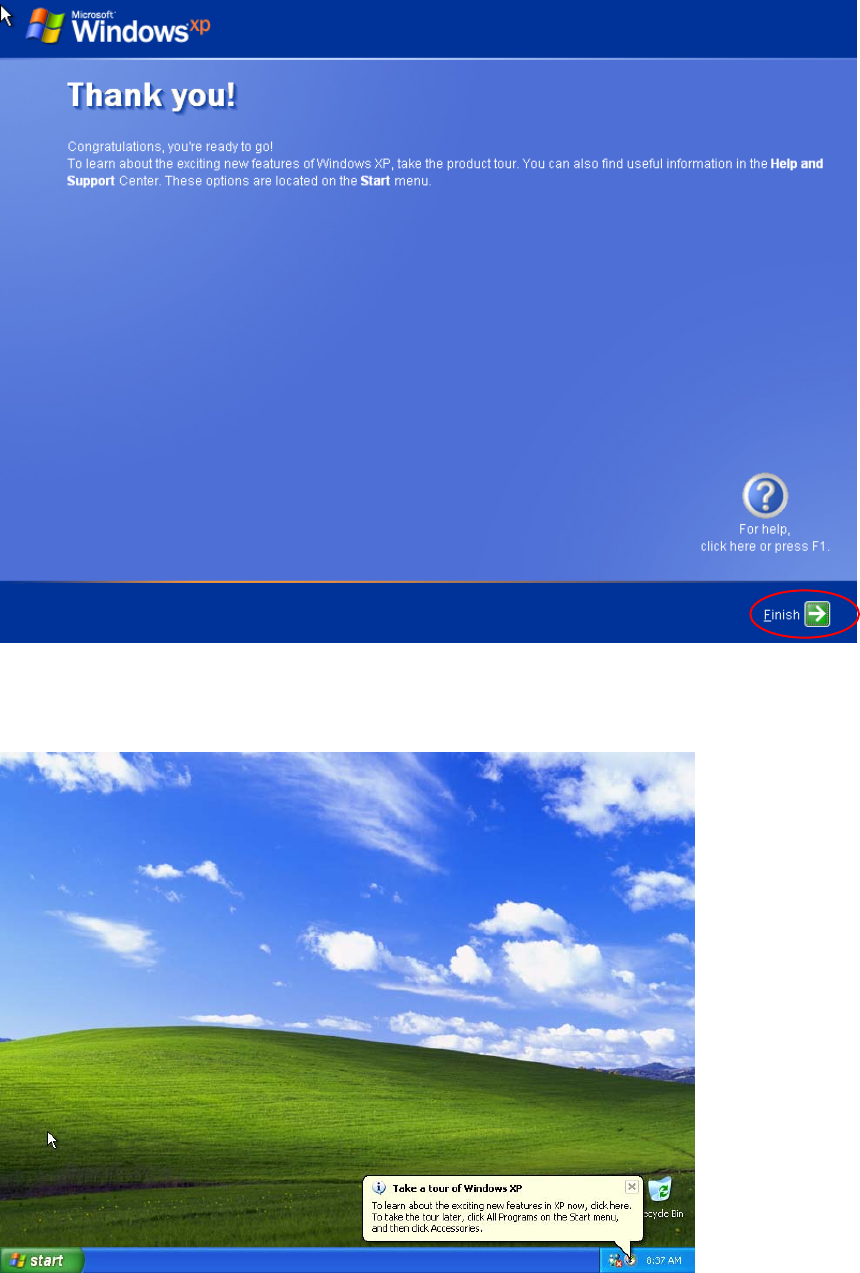
This is the finish installation dialog
Fig. 2-21: Windows XP: Finished
→ Click the button Finish.
Windows is finishing the installation.
17 / 37

Installation Manual for Windows XP (manual setup) Edition 04/2006
2.2 Installation of Service Pack 2
2.2.1 Information regarding Service Pack 2
Service Pack 2 (SP 2) for Windows XP Professional contains numerous error corrections and new
security functions that enable better protection of your computer in the customer network. In addition,
Service Pack 2 contains Service Pack 1 and all the improvements of the preceding versions.
2.2.2 Scope of this Section
Using this manual you can conduct the manual installation of Windows XP Professional Service
Pack 2 on the SIPLACE computers in a domain, either immediately after installing Windows XP or
subsequently when the SIPLACE applications are already installed.
If the subsequent installation of Service Pack 2 is conducted by the Siemens SMD service engineer,
it is beneficial to clarify the requirements named below prior to the installation with the customer.
Note:
The complete installation sequence for Service Pack 2 comprises the installation of
Service Pack 2 described here and the settings that are then to be made. To this
end, you will also need the document: "Integration to the customer domain", order
number 00193761-xx.
18 / 37

Installation Manual for Windows XP (manual setup) Edition 04/2006
2.2.3 Requirements for the installation
The following aspects are to be ensured prior to the subsequent installation of Service Pack 2 and/or
must be clarified in advance.
• If Siemens SMD Service installs Service Pack 2, this must be coordinated with the customer’s
administrator, who is responsible for the SIPLACE Pro computer and the customer network. You
require administrative rights for the integration and the specifications of the administrator for the
subsequent configuration.
• You need the original Microsoft download version Windows XP Professional Service Pack 2
for IT Professionals and Developers on SIPLACE Pro computer in the domain.
Warning:
If Service Pack 2 has to be installed on a SIPLACE computer in a workgroup, please
use the Update CD from the retrofit kit
Update (unattended) WIN XP SP2, Item no.: 00376942-0x.
The installation routine on this CD is adapted for the SIPLACE software systems in the
workgroup.
• No SW / HW products that are not compatible with Service Pack 2 are to be installed on the
computer. For pertinent information, go to Microsoft
http://support.microsoft.com/default.aspx?kbid=884130
and consult relevant manufacturer information.
• 1 GB of space must be available on the hard disk.
19 / 37