00193872_Install_WinXP_manual.pdf - 第35页
Installation Manual for Windows XP (manual setup) Edition 04/2006 The program will generate a new installation ID. This w ill be displayed in step 3. Fig. 2-41: Windows XP: Activate Windows by phone → Now you hav e to ca…
Installation Manual for Windows XP (manual setup) Edition 04/2006
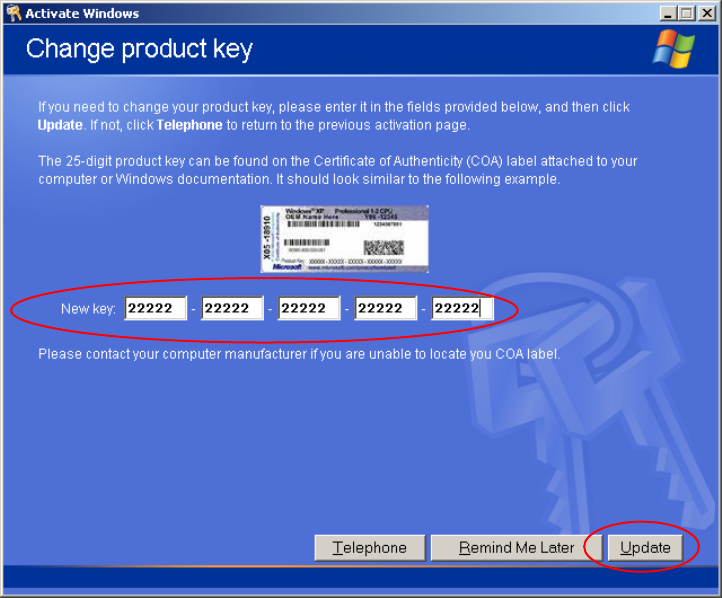
→ Select the „Change Product Key“ Button
→ Now you should read the product key.
You can find the 25 digit product key on your COA (Certificate of Authority) Sticker.
You should find the sticker on your computer.
Fig. 2-40: Windows XP: Activate Windows by phone
→ Enter the product key into the 5 text fields in the dialog.
→ Select the button Update.
34 / 37
Installation Manual for Windows XP (manual setup) Edition 04/2006
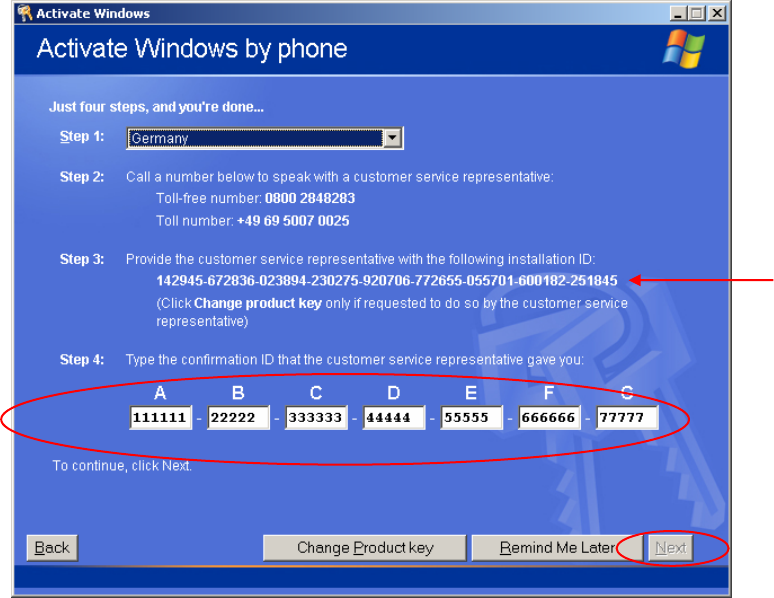
The program will generate a new installation ID. This will be displayed in step 3.
Fig. 2-41: Windows XP: Activate Windows by phone
→ Now you have to call Microsoft and give the operator the installation ID.
→ Enter the Confirmation ID into the text field under step 4.
When you have entered all necessary information and the program could validate the information, the
NEXT button will be enabled.
→ Select the button Next.
35 / 37
Installation Manual for Windows XP (manual setup) Edition 04/2006
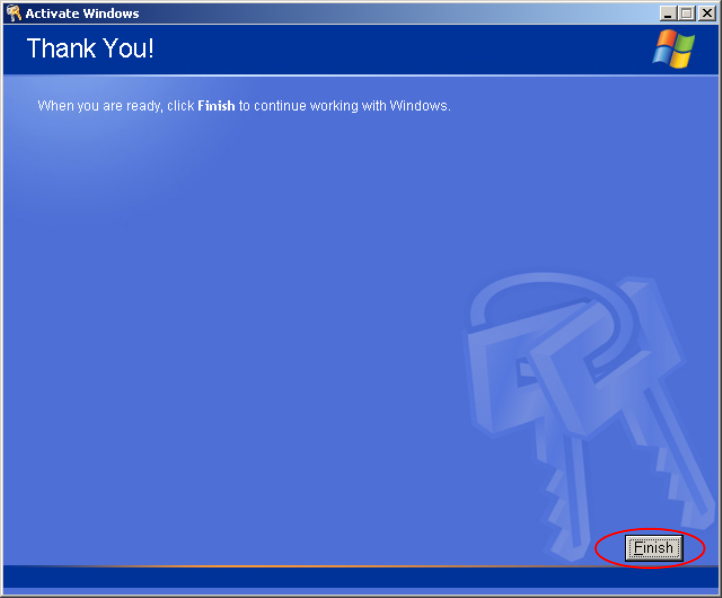
After a successful activation the following dialog appears.
Fig. 2-42: Windows XP: Activate Windows by phone
→ Select the button Finish
36 / 37