00193872_Install_WinXP_manual.pdf - 第29页
Installation Manual for Windows XP (manual setup) Edition 04/2006 Fig. 2-32: Device Manager Here you can see and find hardwa re devices, which have no app ropriate driver software. Note: Windows will mark unknown har dwa…
Installation Manual for Windows XP (manual setup) Edition 04/2006
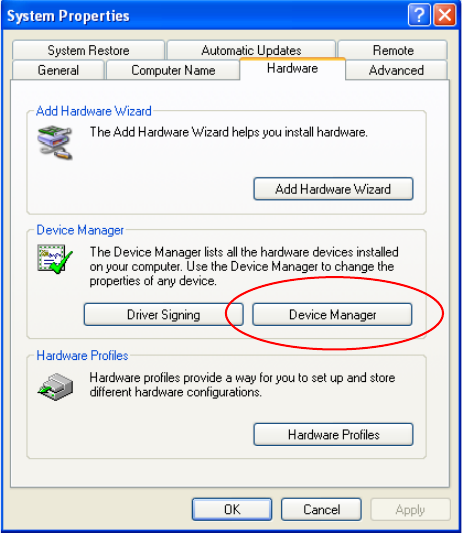
Fig. 2-31: Starting Device Manager
→ Start the Device Manager.
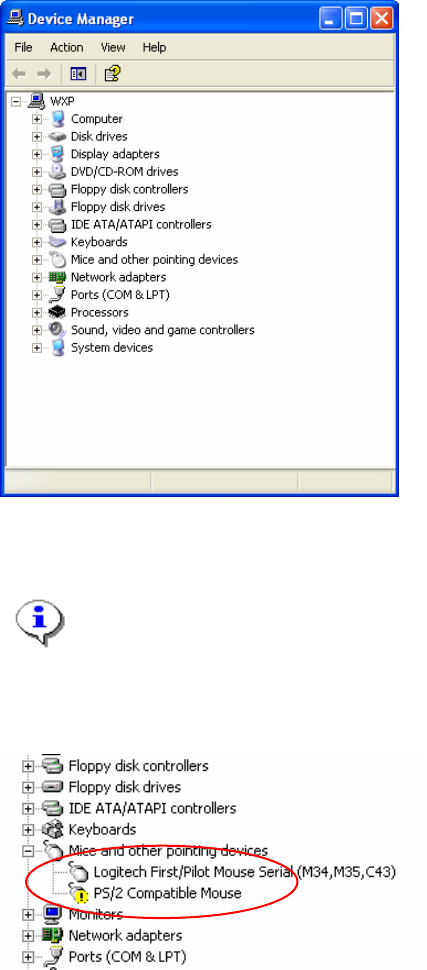
You see the device manager dialog
28 / 37
Installation Manual for Windows XP (manual setup) Edition 04/2006
Fig. 2-32: Device Manager
Here you can see and find hardware devices, which have no appropriate driver software.
Note:
Windows will mark unknown hardware devices with a question mark icon. This means
Windows has detected a configuration error.
The following screenshot shows such a situation.
→ If you find such a device, double-click on it.
29 / 37
Installation Manual for Windows XP (manual setup) Edition 04/2006
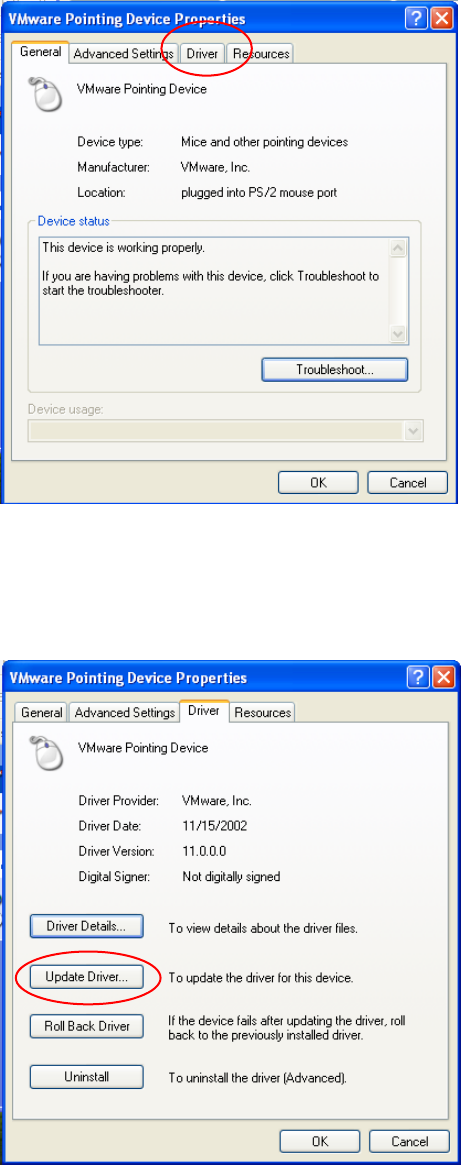
The following dialog shows the device properties:
Fig. 2-33: Device Properties
→ Select the “Driver” tab.
30 / 37
In the next dialog, you can change software configuration
Fig. 2-34: Driver settings
→ Select Update Driver…