00193872_Install_WinXP_manual.pdf - 第33页
Installation Manual for Windows XP (manual setup) Edition 04/2006 → Select the radio button “Y es, I want to telephone a customer service representative to activate Windows”. → Select the button Nex t> . In the next d…
Installation Manual for Windows XP (manual setup) Edition 04/2006
2.4 Activating Windows XP Professional License
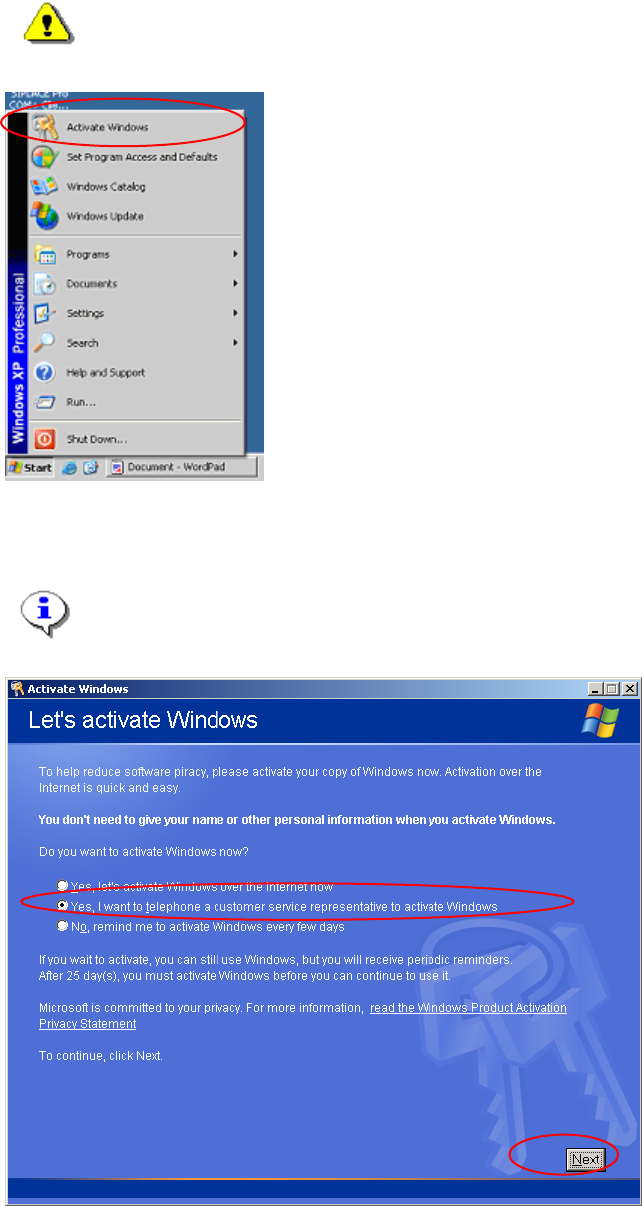
You must activate your Windows XP license within 30 days after installation of Windows.
Warning:
If you do not activate your installation in 30 days, the installation will be deactivated. All
your data will be lost.
→ Start the program to activate your Windows installation by selecting „Start->Activate Windows“.
The dialog asks for your method for activation.
Note:
You can perform your activation over the internet. We do not describe it here, because
most of the installation will be performed without any connection to the internet.
Fig. 2-37: Windows XP: Activate Windows
32 / 37
Installation Manual for Windows XP (manual setup) Edition 04/2006
→ Select the radio button “Yes, I want to telephone a customer service representative to activate
Windows”.
→ Select the button Next>.
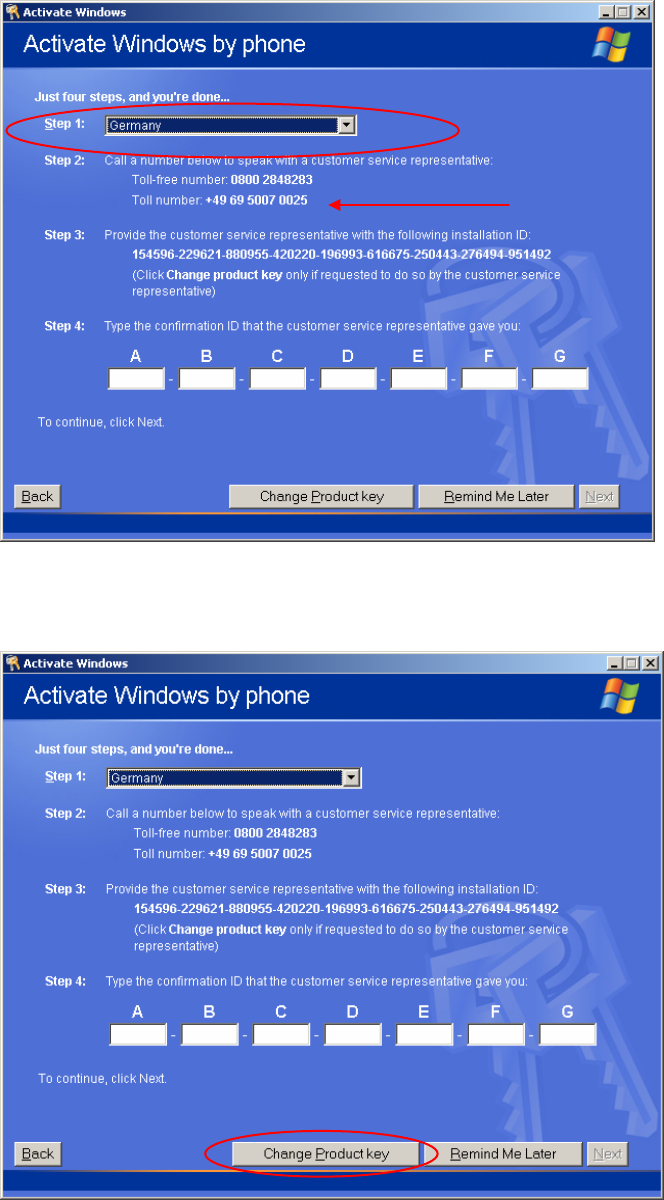
In the next dialog, you have to perform 4 steps to activate Windows XP.
Fig. 2-38: Windows XP: Activate Windows by phone
→ First select the country you are calling from.
You will get the telephone numbers you can call to activate your Windows installation.
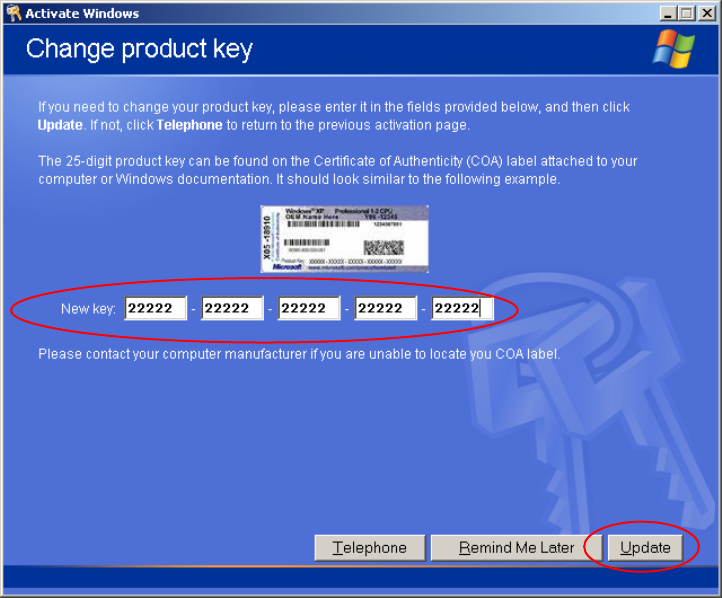
Fig. 2-39: Windows XP: Change the product key
33 / 37
Installation Manual for Windows XP (manual setup) Edition 04/2006
→ Select the „Change Product Key“ Button
→ Now you should read the product key.
You can find the 25 digit product key on your COA (Certificate of Authority) Sticker.
You should find the sticker on your computer.
Fig. 2-40: Windows XP: Activate Windows by phone
→ Enter the product key into the 5 text fields in the dialog.
→ Select the button Update.
34 / 37