00193872_Install_WinXP_manual.pdf - 第32页
Installation Manual for Windows XP (manual setup) Edition 04/2006 2.4 Activating W indows XP Professional License You must activate your Windows XP license within 30 days after installation of Wi ndows. Warning: If you d…
Installation Manual for Windows XP (manual setup) Edition 04/2006
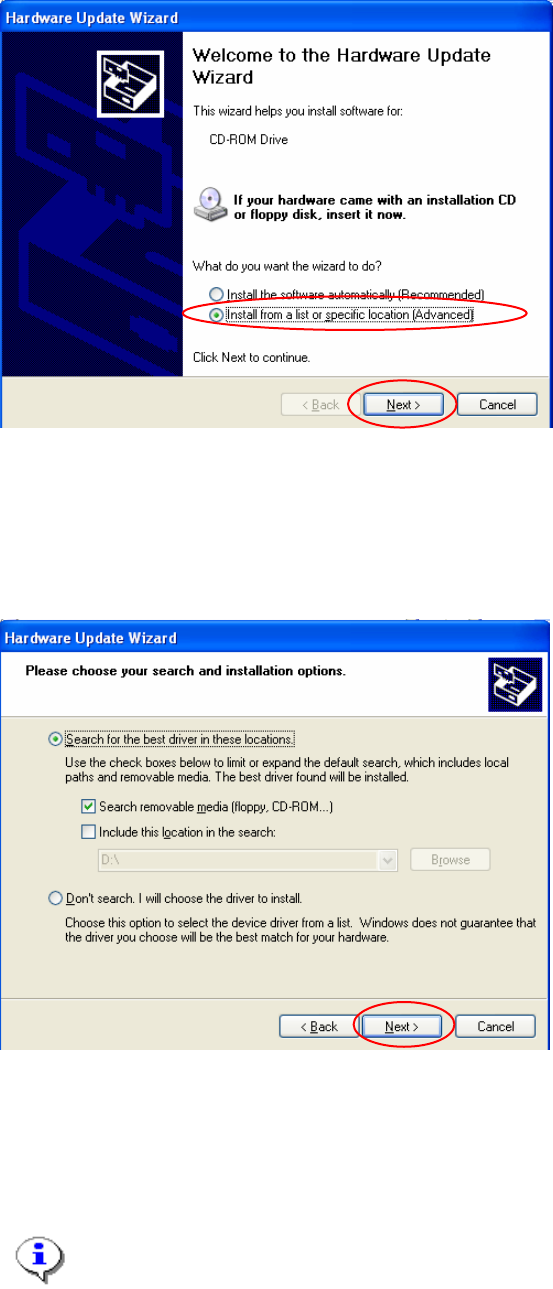
A wizard is started to help you through the process of installing a new driver software.
Fig. 2-35: Hardware update wizard
→ Select the option “Install from a list or specific location”.
→ Select the button Next>.
In the next dialog, you can define where new software should be searched for. Now you should use a
floppy or CD from you hardware vendor.
31 / 37
Fig. 2-36: Specify location for driver software
→ Insert floppy or CD with driver software
→ Select the button Next>.
→ Accept changes in the last dialog and finish procedure.
Note:
You will be informed if Windows could find new driver software or if it will use the previous
software versions.
Installation Manual for Windows XP (manual setup) Edition 04/2006
2.4 Activating Windows XP Professional License
You must activate your Windows XP license within 30 days after installation of Windows.
Warning:
If you do not activate your installation in 30 days, the installation will be deactivated. All
your data will be lost.
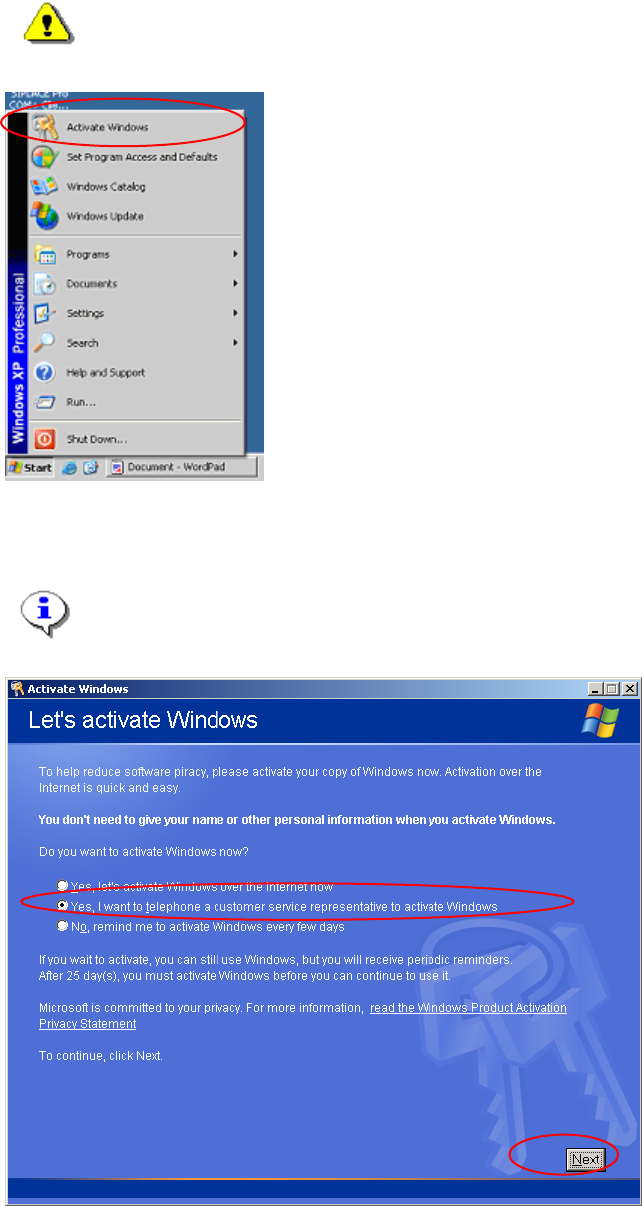
→ Start the program to activate your Windows installation by selecting „Start->Activate Windows“.
The dialog asks for your method for activation.
Note:
You can perform your activation over the internet. We do not describe it here, because
most of the installation will be performed without any connection to the internet.
Fig. 2-37: Windows XP: Activate Windows
32 / 37
Installation Manual for Windows XP (manual setup) Edition 04/2006
→ Select the radio button “Yes, I want to telephone a customer service representative to activate
Windows”.
→ Select the button Next>.
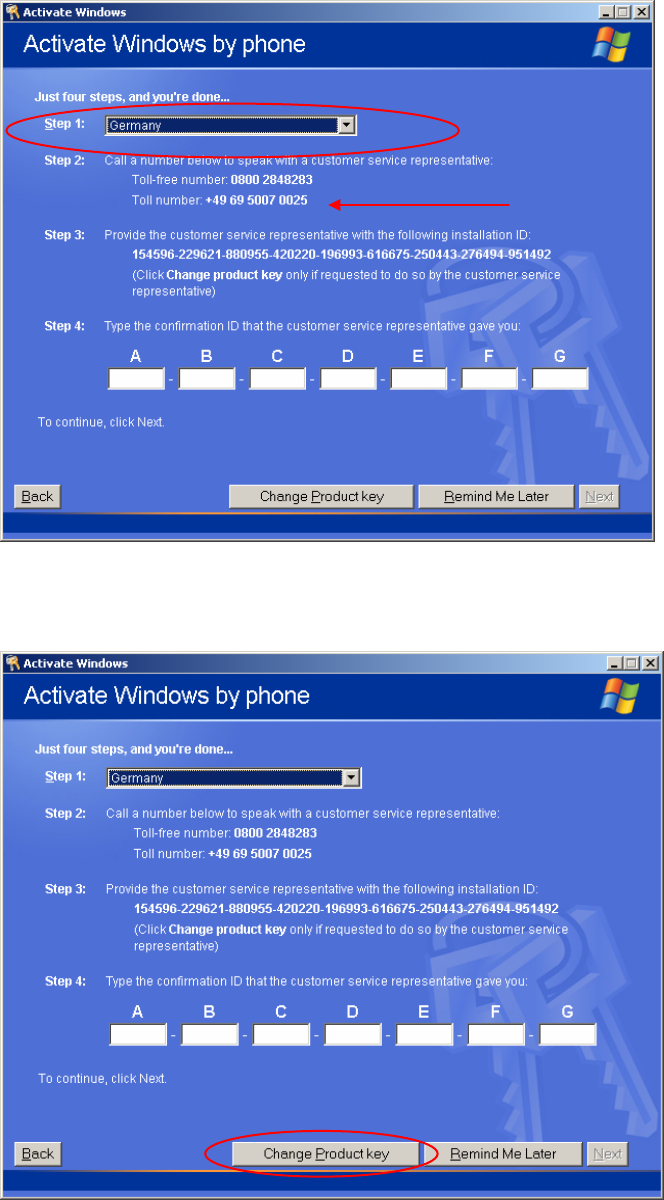
In the next dialog, you have to perform 4 steps to activate Windows XP.
Fig. 2-38: Windows XP: Activate Windows by phone
→ First select the country you are calling from.
You will get the telephone numbers you can call to activate your Windows installation.
Fig. 2-39: Windows XP: Change the product key
33 / 37