YG100R_Mainte_E.pdf - 第60页
3-22 3 Periodic maintenance items 2 . 5 C l e a n i n g t h e c a m e r a l e n s a n d l i g h t i n g u n i t Th e c a m e r a l e n s a n d l i g h t i n g u n i t m ay b e c o m e d i r t y d u e t o d u s t a n d d …
3-21
3
Periodic maintenance items
n
Cleaning the air filter
1
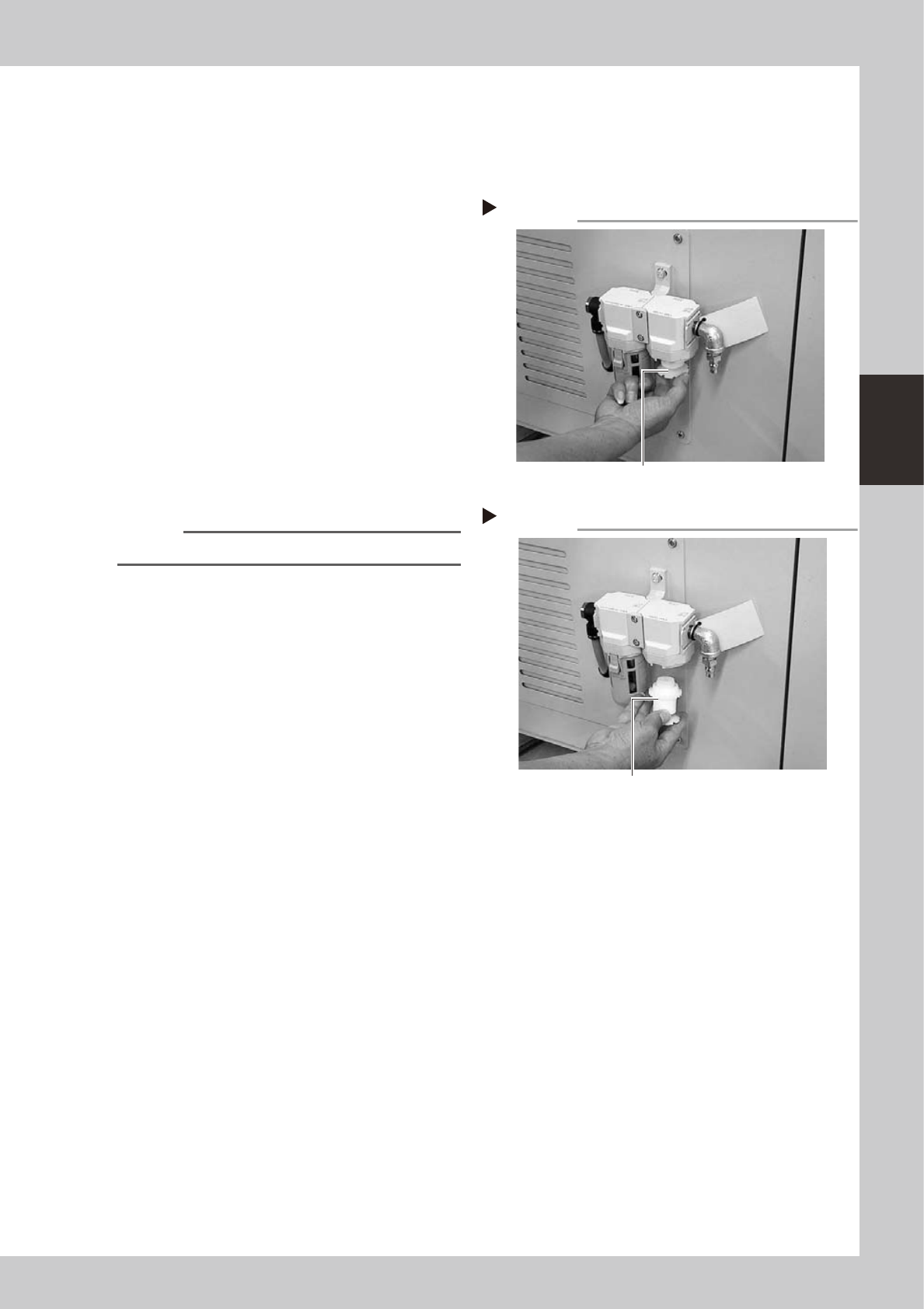
Remove the filter cup.
See the previous procedure in "Cleaning the
filter cup".
2
Remove the air filter.
Rotate the white disk clockwise as viewed
from the top and take out the air filter.
53323-F9-10
3
Clean the air filter.
Use an air blow gun to blow away dust and
impurities trapped by the air filter. If the filter
is excessively dirty and cannot be cleaned,
replace it with a new filter.
4
Reattach the air filter.
Screw the white disk back in to attach the
air filter to the original position.
53324-F9-10
5
Reattach the filter cup.
n
NOTE
When cleaning the mist filter, use the same procedure.
Removing the air filter
Step 2
Rotate the white disk clockwise
to loosen and remove it.
Reattaching the air filter
Step 4
Air filter
3-22
3
Periodic maintenance items
2.5 Cleaning the camera lens and lighting unit
The camera lens and lighting unit may become dirty due to dust and dirt. We recommend periodic cleaning as
explained below. To ensure safety, make sure that the machine power switch is off or the emergency button is
pressed before starting work.
c
CAUTION
Do not apply strong force or shock to the camera unit and lighting unit during cleaning. Optical axis adjustment might
become unreliable.
n
Multi-view camera
The multi-view camera lens and lighting unit are enclosed inside the transparent cover. It is unlikely that you need to
clean these parts. If the transparent cover is dirty, clean it as explained in section 5, "Cleaning the camera transparent
cover" in Chapter 2.
n
Side-view camera
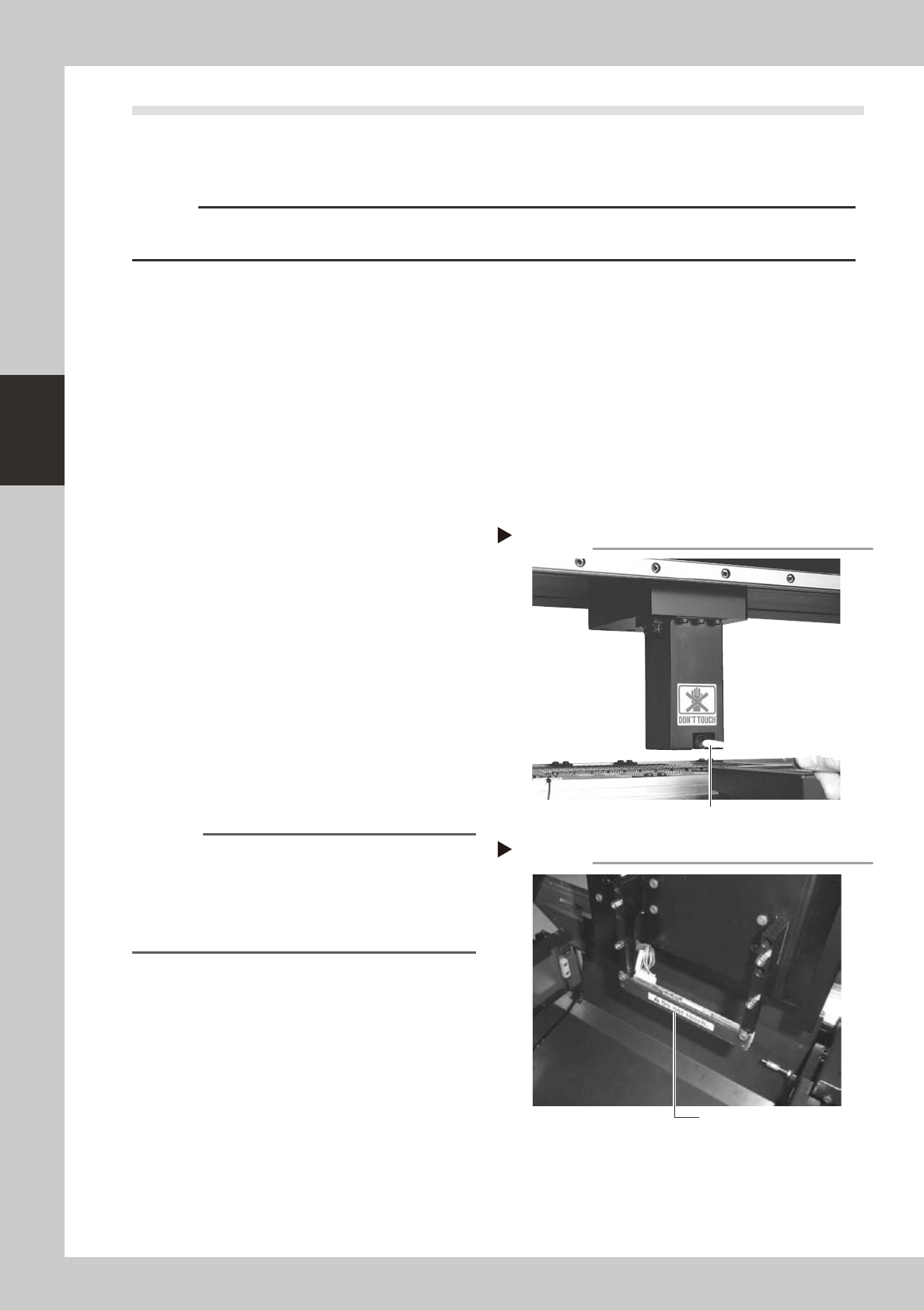
When your machine is equipped with a side-view camera (option), clean the side-view camera lens and light diffuser
plate.
1
Remove dust on the lens with the
blower brush.
2
Wipe the lens with a cotton swab.
Apply a few drops of lens cleaner to a
cotton swab (supplied with machine) and
wipe the surface of the lens.
53384-F9-00
3
Wipe the light diffuser plate with a
cotton swab.
The side-view camera diffuser plate is
attached to the lighting unit bracket on the
front of the head assembly, facing the
side-view camera (facing inward). Apply a
few drops of lens cleaner to a cotton swab
(supplied with machine) and wipe the light
diffuser plate.
53385-F9-00
Reference
The side-view camera checks whether a component is
being picked up correctly at the nozzle tip by viewing it
from the side. Dirt or solder adhering to the nozzle tip
may cause recognition errors. When cleaning the
nozzles, refer to the earlier sections (1.1 and 1.2) in this
chapter.
Wiping the lens
Step 2
Cotton swab moistened with lens cleaner applied
Wiping the light diffuser plate
Step 3
Light diffuser plate (inner side)
3-23
3
Periodic maintenance items
n
Fiducial mark recognition camera
The fiducial mark recognition camera (moving camera) is mounted on the left of the head assembly. Clean this
camera and lighting unit as explained below.
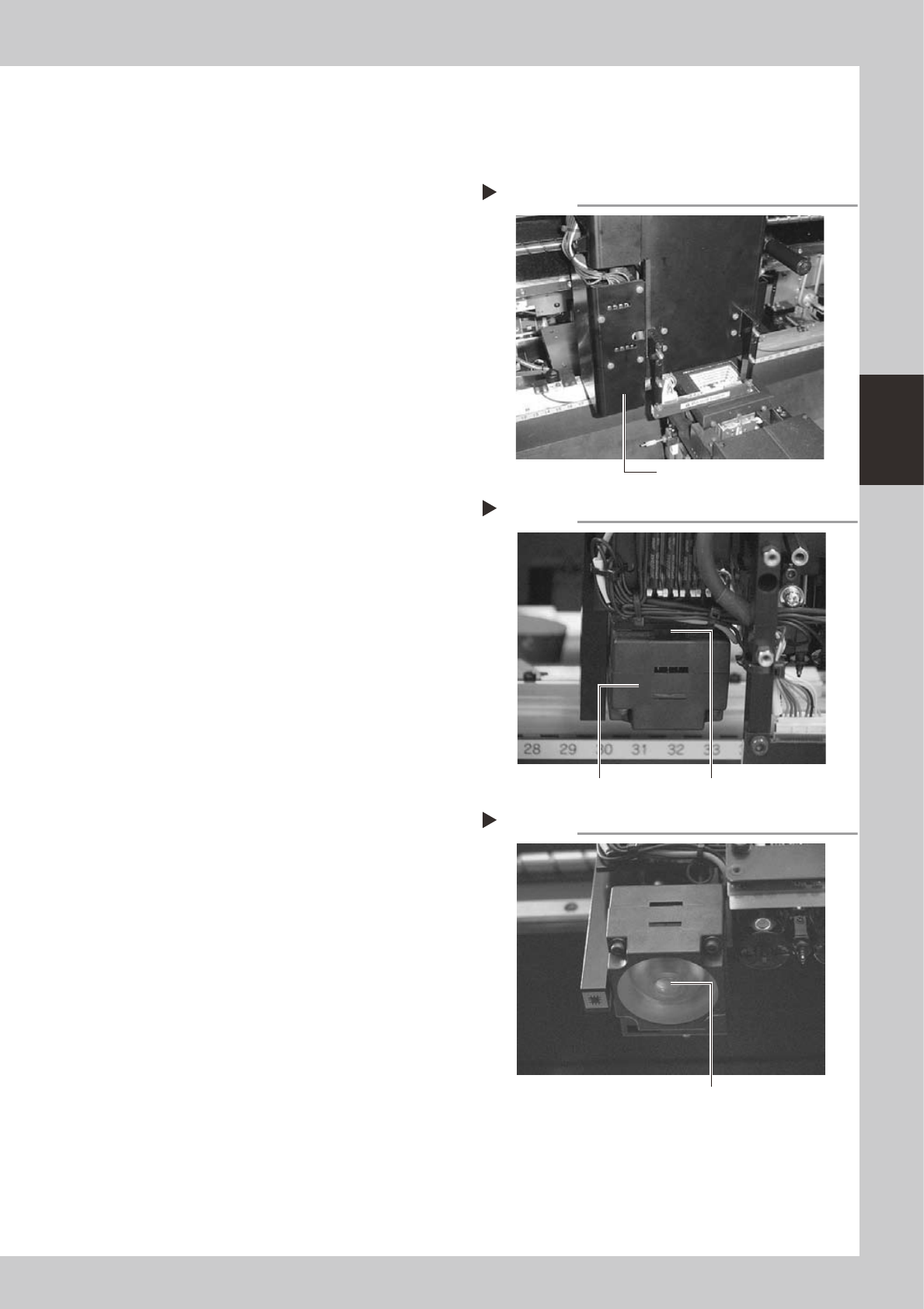
1
Remove the camera cover.
Loosen and remove the screws securing the
cover for the fiducial mark recognition
camera and remove the cover.
53386-F9-00
2
Remove dust on the half mirror
with the blower brush.
The half mirror used for coaxial illumination is
located on top of the lighting unit.
53387-F9-00
3
Wipe the half mirror with a cotton
swab.
Apply a few drops of lens cleaner to a
cotton swab (supplied with machine) and
wipe the surface of the half mirror.
4
Wipe the light diffuser plate.
Apply a few drops of lens cleaner to a
lint-free cloth or paper wiper, and wipe the
light diffuser plate on the underside of the
lighting unit.
53388-F9-00
5
Reattach the camera cover.
Removing the camera cover
Step 1
Remove this cover.
Cleaning the half mirror
Step 2&3
Half mirror
Lighting unit
Cleaning the light diffuser plate
Step 4
Light diffuser plate