YG100R_Mainte_E.pdf - 第62页
3-24 3 Periodic maintenance items n Co p l a n a r i t y c h e c k e r c a m e r a W h e n y o u r m a c h i n e i s e q u i p p e d w i t h a n o p t i o n a l c o p l a n a r i t y c h e ck e r c a m e r a , c h e c k …
3-23
3
Periodic maintenance items
n
Fiducial mark recognition camera
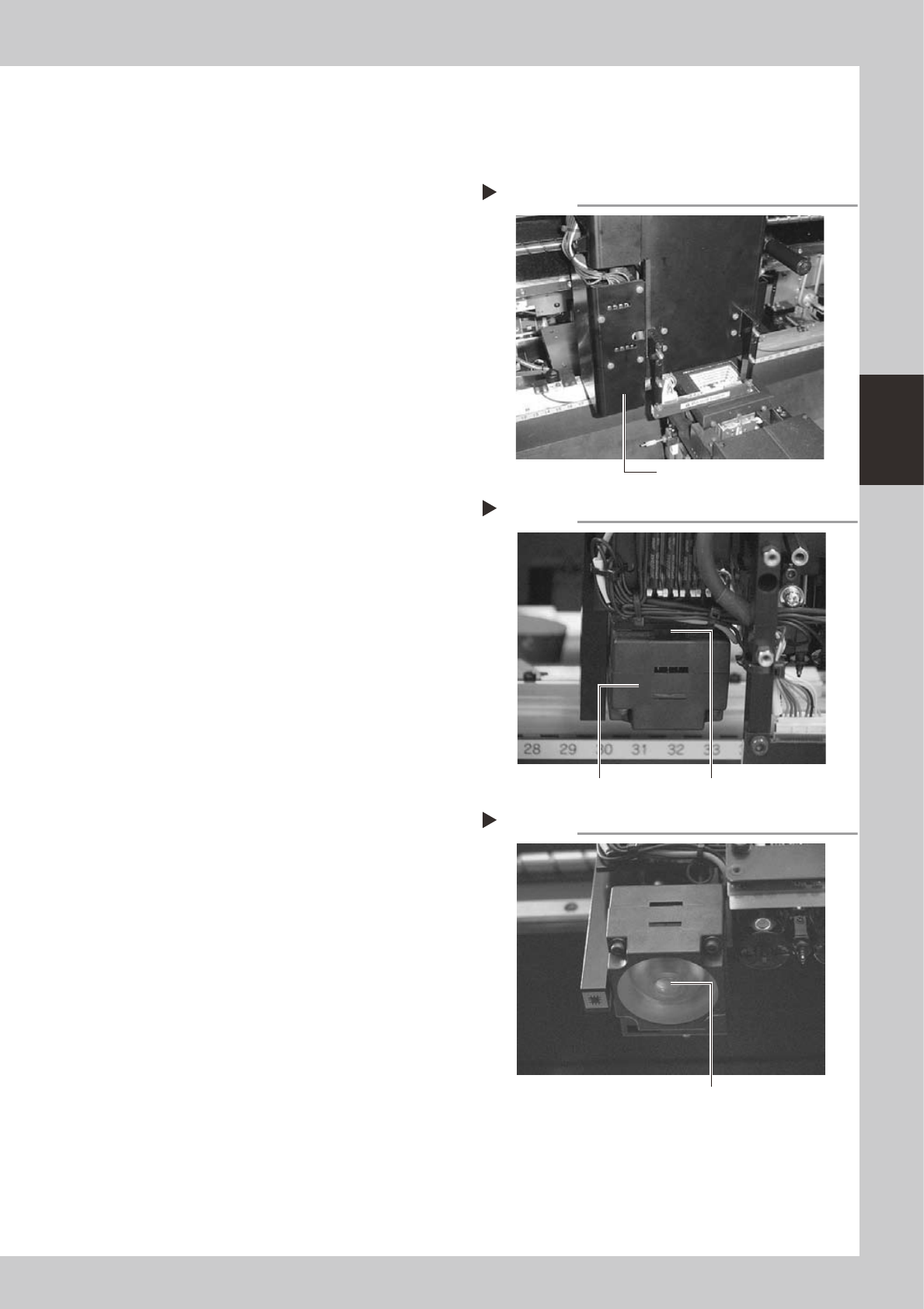
The fiducial mark recognition camera (moving camera) is mounted on the left of the head assembly. Clean this
camera and lighting unit as explained below.
1
Remove the camera cover.
Loosen and remove the screws securing the
cover for the fiducial mark recognition
camera and remove the cover.
53386-F9-00
2
Remove dust on the half mirror
with the blower brush.
The half mirror used for coaxial illumination is
located on top of the lighting unit.
53387-F9-00
3
Wipe the half mirror with a cotton
swab.
Apply a few drops of lens cleaner to a
cotton swab (supplied with machine) and
wipe the surface of the half mirror.
4
Wipe the light diffuser plate.
Apply a few drops of lens cleaner to a
lint-free cloth or paper wiper, and wipe the
light diffuser plate on the underside of the
lighting unit.
53388-F9-00
5
Reattach the camera cover.
Removing the camera cover
Step 1
Remove this cover.
Cleaning the half mirror
Step 2&3
Half mirror
Lighting unit
Cleaning the light diffuser plate
Step 4
Light diffuser plate
3-24
3
Periodic maintenance items
n
Coplanarity checker camera
When your machine is equipped with an optional coplanarity checker camera, check and clean the light
diffuser plate, half mirror and lens as explained below.
1
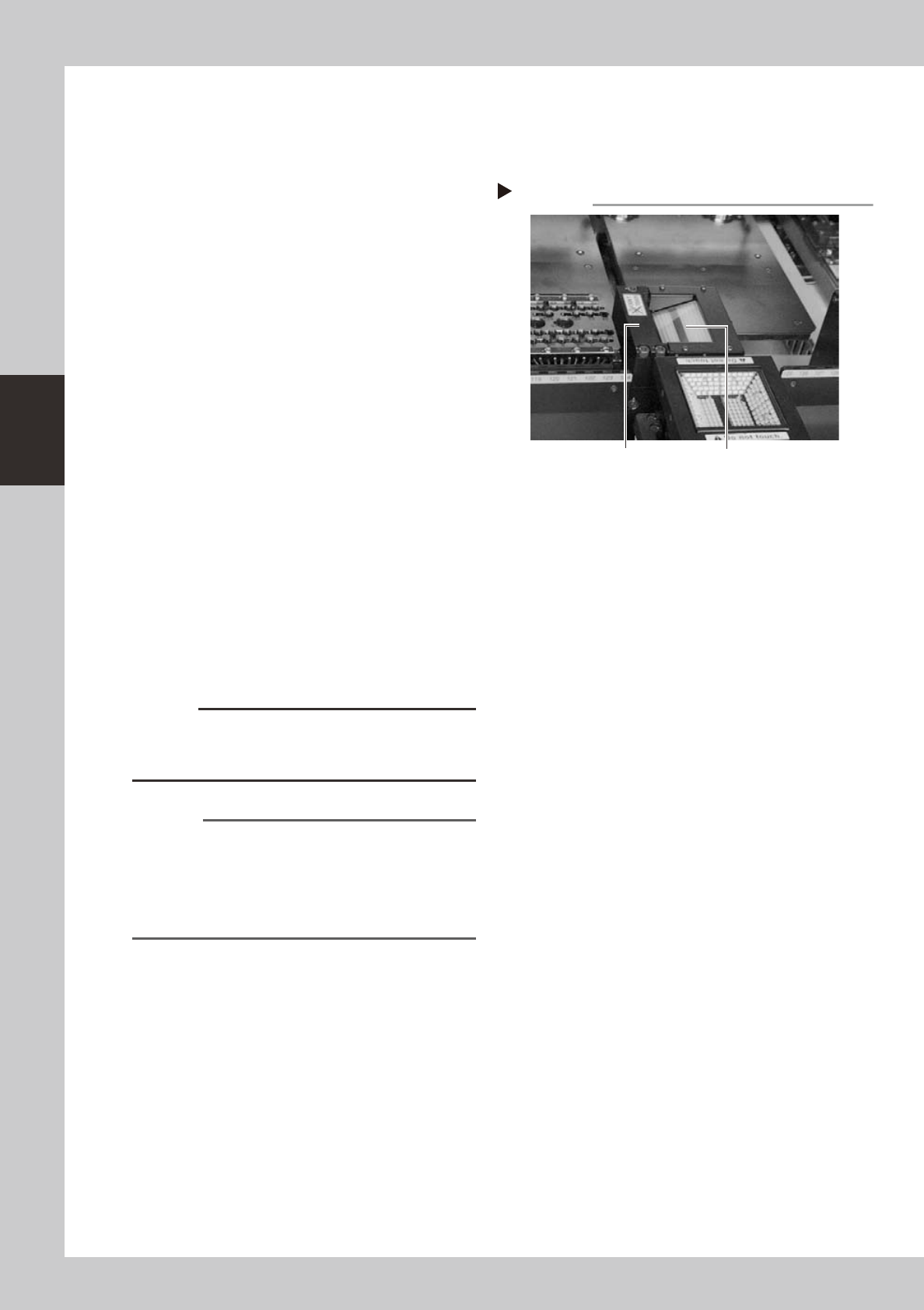
Check the camera for dust or
debris.
1. Check to see if dust or debris gets on the
light diffuser plate on top of the camera
unit.
2. When you look obliquely into the camera
unit, you will see a half mirror and lens
reflected on the half mirror. Check to see
if there is any dust or debris on these
parts.
53389-F9-00
2
Remove any dust or debris from
each part.
1. First, remove any dust from the light
diffuser plate with the blower brush.
If there are large debris particles on the
light diffuser plate, use tweezers to
remove them.
2. Next, remove any dust on the half mirror
and lens with the blower brush.
If there are large debris particles on the
lens, remove them with tweezers by
inserting them through the opening
located on the rear side of the camera
unit.
c
CAUTION
The light diffuser plate is a very thin sheet. Be careful not
to apply force or scratch the surface with hard objects
such as tweezers.
Reference
Depending on the machine specifications, there might
be no space allowing access to the lens from the rear
side of the camera unit. This makes it difficult to clean
the lens without disassembling the units around the
camera unit. In such cases, contact our local sales
office or sales representative for assistance.
3
Wipe the half mirror and lens.
Apply a few drops of lens cleaner to a
cotton swab (supplied with machine) and
wipe the half mirror and lens.
Checking for dust or debris
Step 1
Half mirror and lens (inner side) Light diffuser plate

3-25
3
Periodic maintenance items
2.6 Inspecting ball screws and linear guides of each axis
Inspect the ball screws and the linear guides on the X, Y and W axes. Check the following points.
Checkpoints
1. Any foreign matter adhering to the ball screws and linear guides?
Check if any fallen chips have adhered to the X and Y axis ball screws and/or X, Y and W axis linear guides.
2. Do the ball screws and linear guides have the correct amount of grease?
Check if grease has flowed off or splattered in the air failing to adhere. Also check if grease has discolored or hardened.
3. Any abnormal sounds from the ball screws?
Press the emergency stop button. Then check for any abnormal sounds while pressing the head assembly or conveyor
table by hand along the X-axis or Y-axis back and forth.
Countermeasures
1. Ball screws and linear guides may be damaged when chips and other material bite into them. If chips are adhering,
wipe them off along with the grease or remove with tweezers, etc.
2. Apply grease while referring section 2.2, "Cleaning and greasing the X, Y and W axes" explained in this chapter.
3. Consult your YAMAHA sales office or representative when abnormal sounds occur even after trying the
countermeasures in the above steps 1 and 2.