PC200_Manual_REV_G-1.pdf - 第12页
PC200 PVA Revis ion G (201 9) 12 of 56 5. P ull the static mixer straigh t down , o ff the PC200 valve manifold so ther e is a small space between the static mix er and the manifold . 6. Use the p urge fu nction on the m…
PC200
PVA
Revision G (2019)
11 of 56
Install the Static Mixer
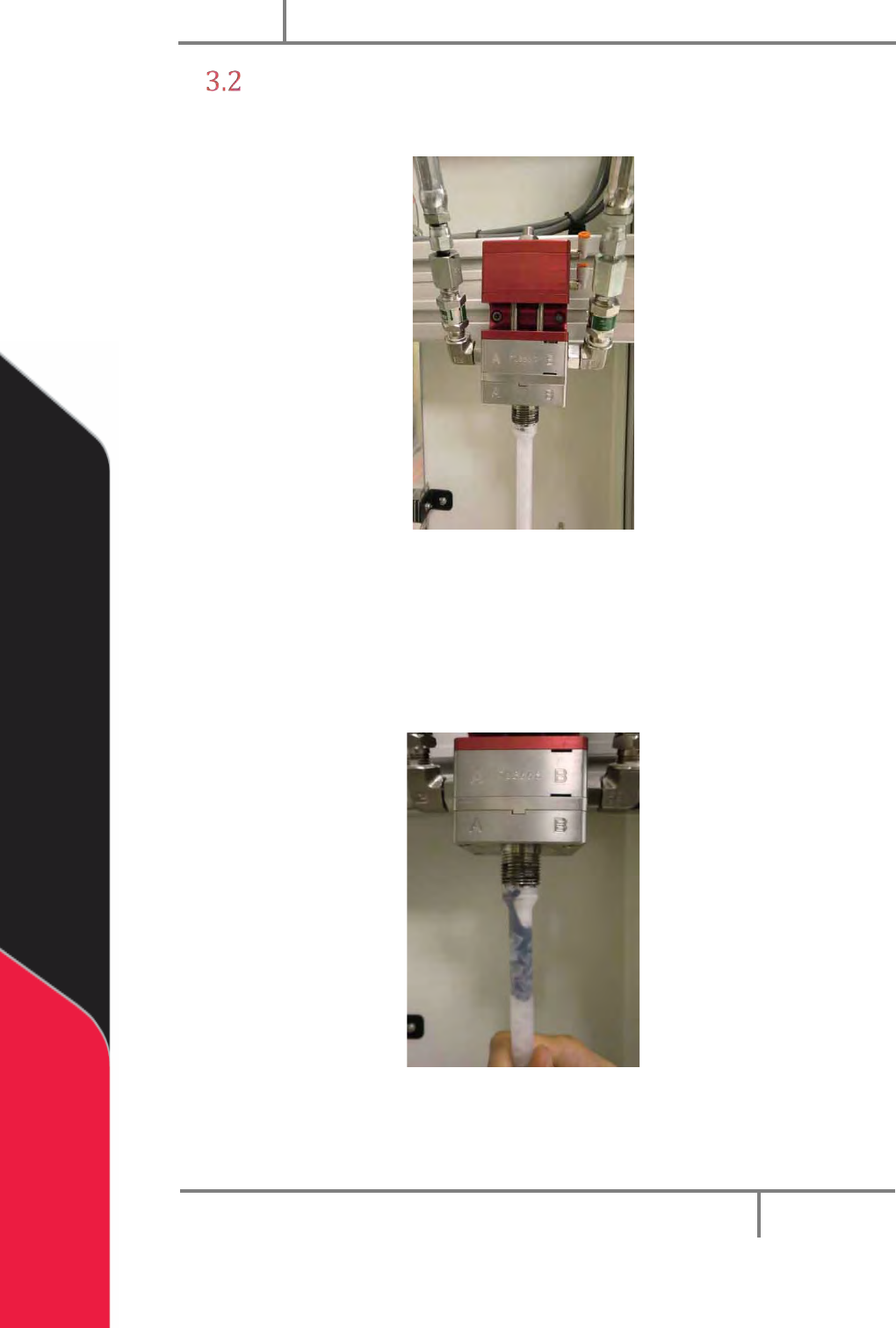
1. Put the static mixer on the PC200 valve manifold as shown.
Figure 3: Static Mixer
2. Hold the static mixer on the PC200 manifold with your hand.
3. Use the purge function (in Manual mode) on the machine controller to
purge material through the static mixer.
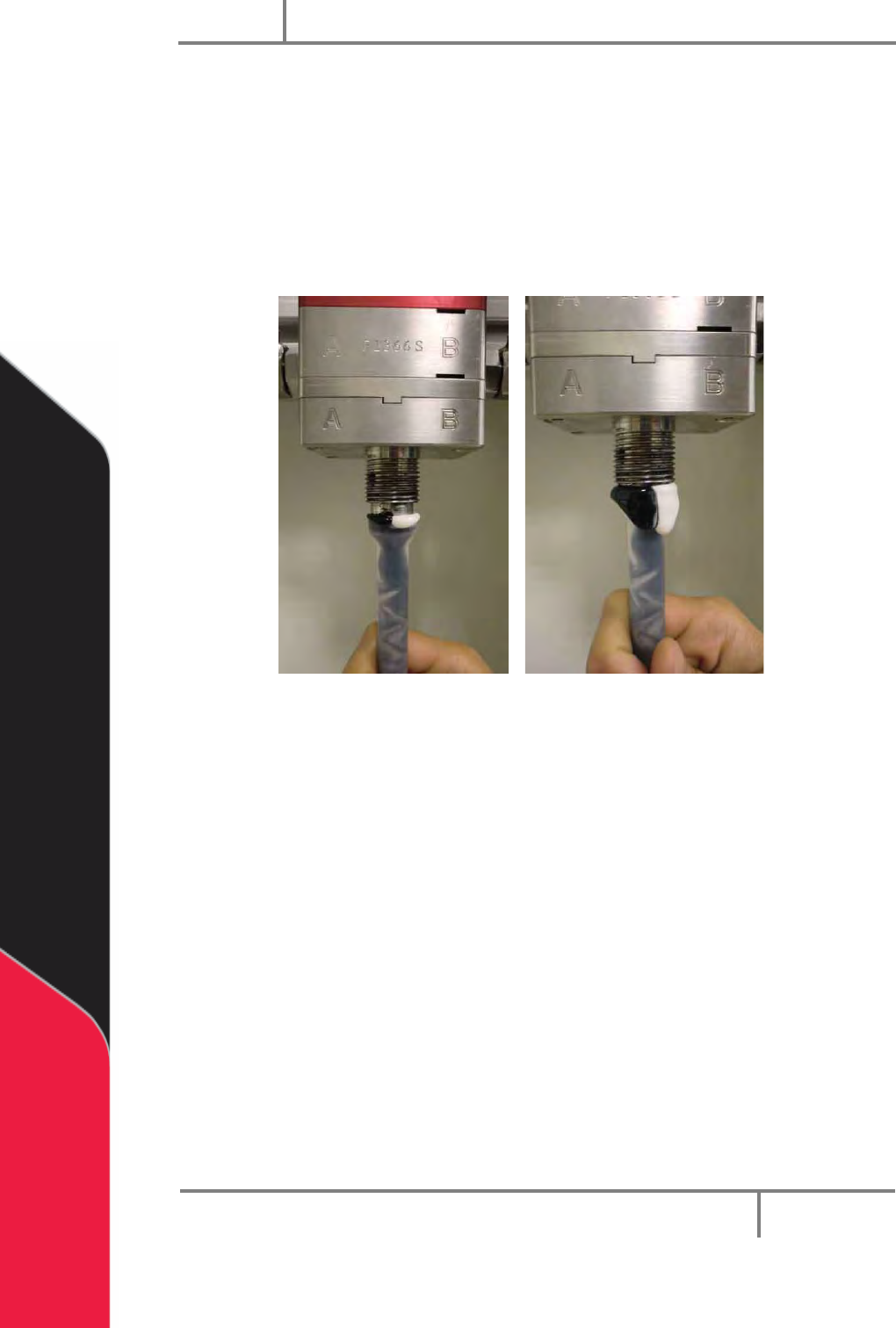
4. Continue to purge until the static mixer is fully filled with material.
Figure 4: Fill the Static Mixer
Now the trapped air must be released from the top of the static mixer.
PC200
PVA
Revision G (2019)
12 of 56
5. Pull the static mixer straight down, off the PC200 valve manifold so there is
a small space between the static mixer and the manifold.
6. Use the purge function on the machine controller to purge material until it
overflows from the top of the static mixer. Let all air release from the top of
the static mixer.
7. Push the static mixer firmly back onto the PC200 manifold.
8. Clean the material completely off of the static mixer and PC200 valve.
Figure 5: Purge the Static Mixer
9. Put the static mixer retaining nut on and use a wrench to tighten.
10. Install the desired needle on the end of the static mixer.
11. Use the purge function on the machine controller to purge material through
the static mixer. Purge the volume of the entire static mixer to fill it with
fresh material.
12. Push and release the purge button. Examine the static mixer for drips after
the material has dispensed.
13. If it continues to drip, do steps 3-13 again. Drips from the tip of the static
mixer are caused by air that is trapped inside.
14. If the static mixer does not drip, the valve is ready to dispense.
PC200
PVA
Revision G (2019)
13 of 56
Shutdown
To keep the PC200 valve in good condition do these steps at the end of each day:
1. Remove the static mixer.
2. Purge fresh material through the valve until both material streams are
completely clean and have no cross-contamination.
3. Clean all material off of the manifold nozzle.
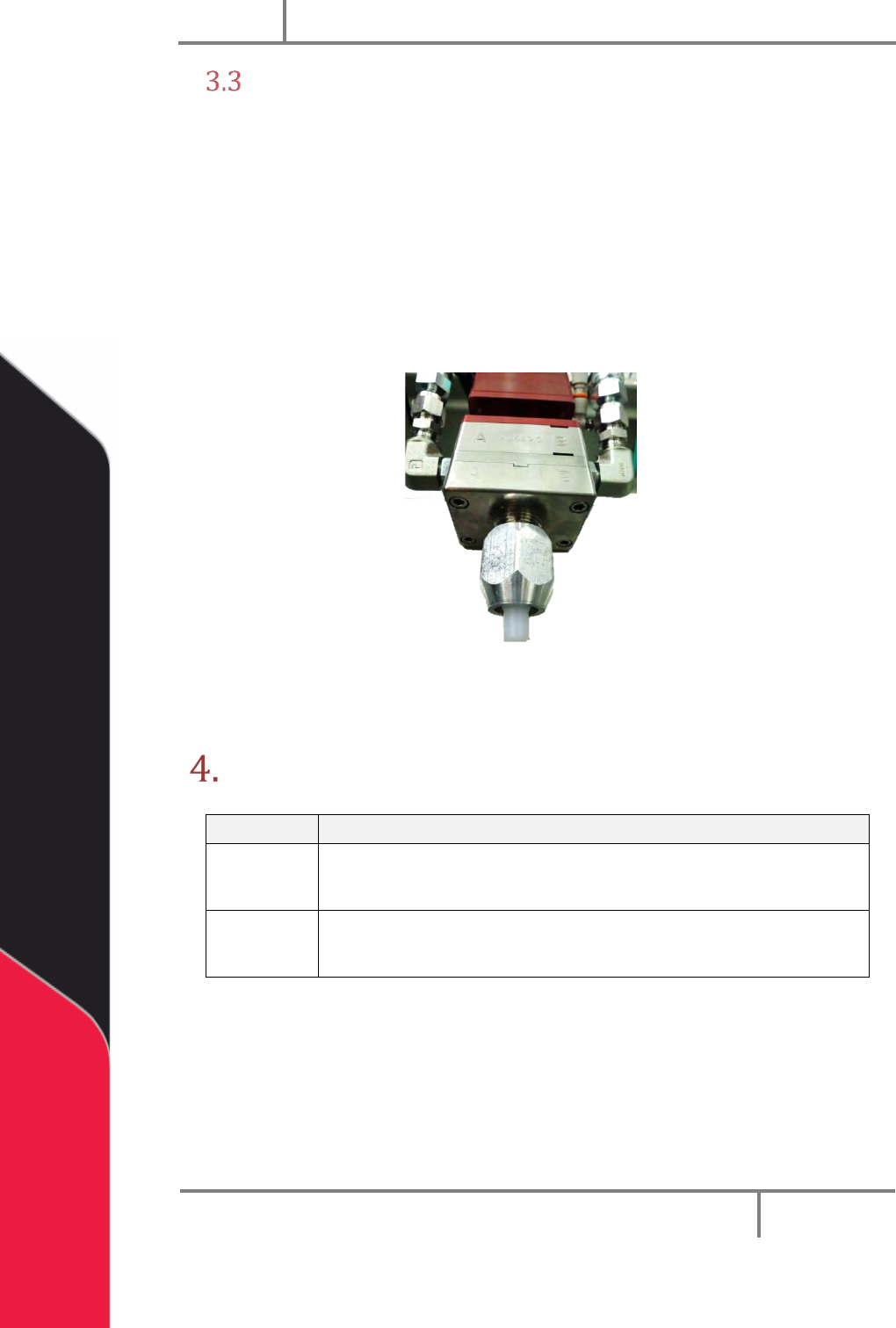
4. Put a night cap (PVA part number 214-3832) on the manifold nozzle.
5. Release the pressure in the system, refer to the workcell manual.
Figure 6: PC200 Night Cap
NOTE: Refer to Sections 6 and 7 for part reference numbers.
Maintenance
Interval
Action
Daily
• Examine the material outlets for contamination and cured
material.
Weekly
• Examine component A and B material containers or cartridges
for signs of cured or dried material.
Before you do maintenance on this valve, make sure you have a spare parts kit. If any
parts have wear or damage, replace them with new parts from the kit.