PC200_Manual_REV_G-1.pdf - 第19页
PC200 PVA Revis ion G (201 9) 19 of 56 WARNING: Do n ot let th e tap go through the sleeve bearing and into the separation block. 22. Continue to turn the t ap clockwi se and push in unt il the sleev e bearing st arts to…
PC200
PVA
Revision G (2019)
18 of 56
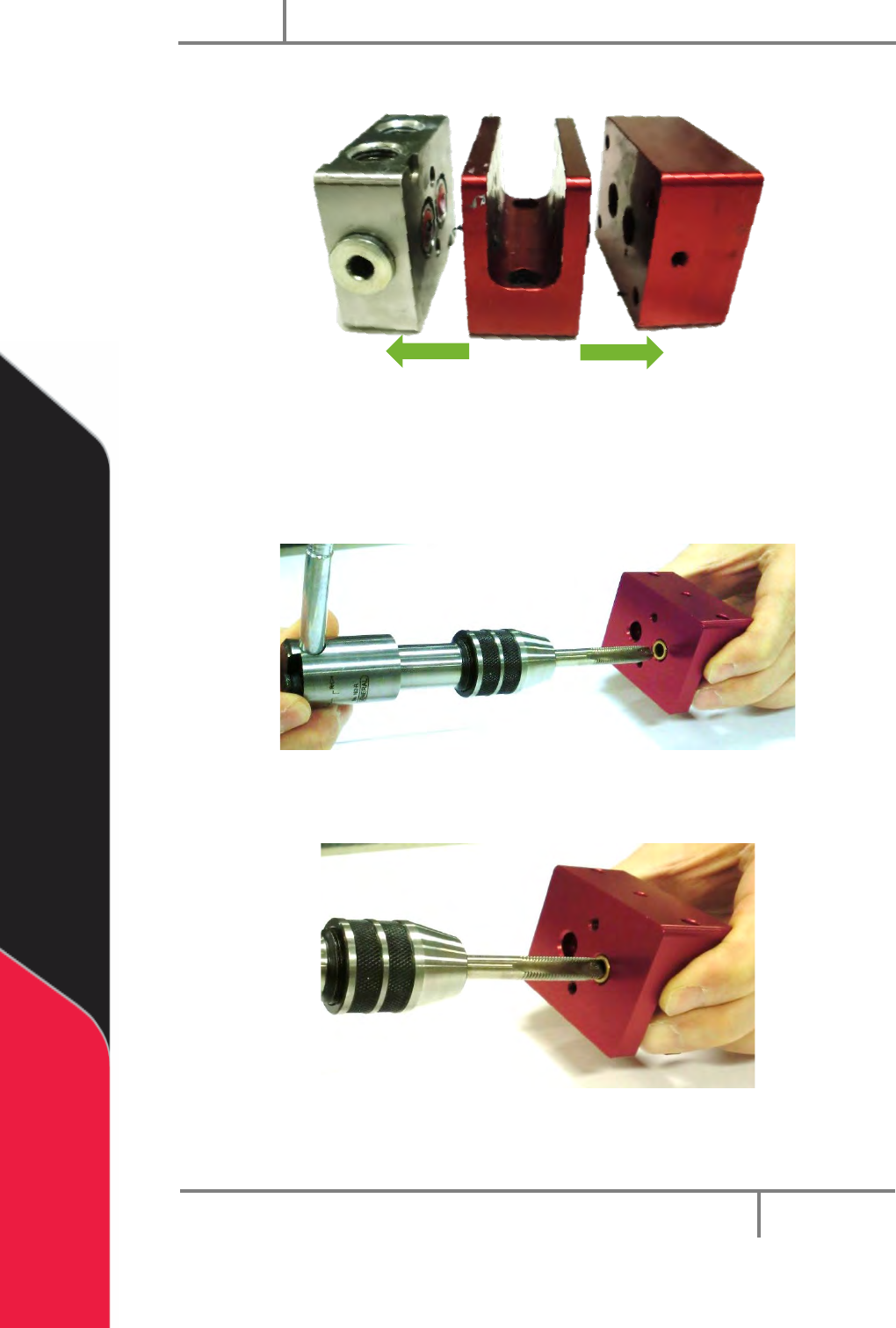
18. Pull the air cylinder, separation block, and fluid section apart.
Figure 18: Disconnect Valve Sections
19. Examine the sleeve bearings in the separation block for damage or wear. If
there is any sign of wear replace them.
20. To remove the sleeve bearings, install a correctly sized tap into the sleeve
bearing in the bottom of the separation block.
Figure 19: Install the Tap into the Sleeve Bearing
21. Push the tap in and turn it clockwise to engage the tap in the sleeve bearing.
Figure 20: Engage the Tap into the Sleeve Bearing
PC200
PVA
Revision G (2019)
19 of 56
WARNING: Do not let the tap go through the sleeve bearing and into the
separation block.
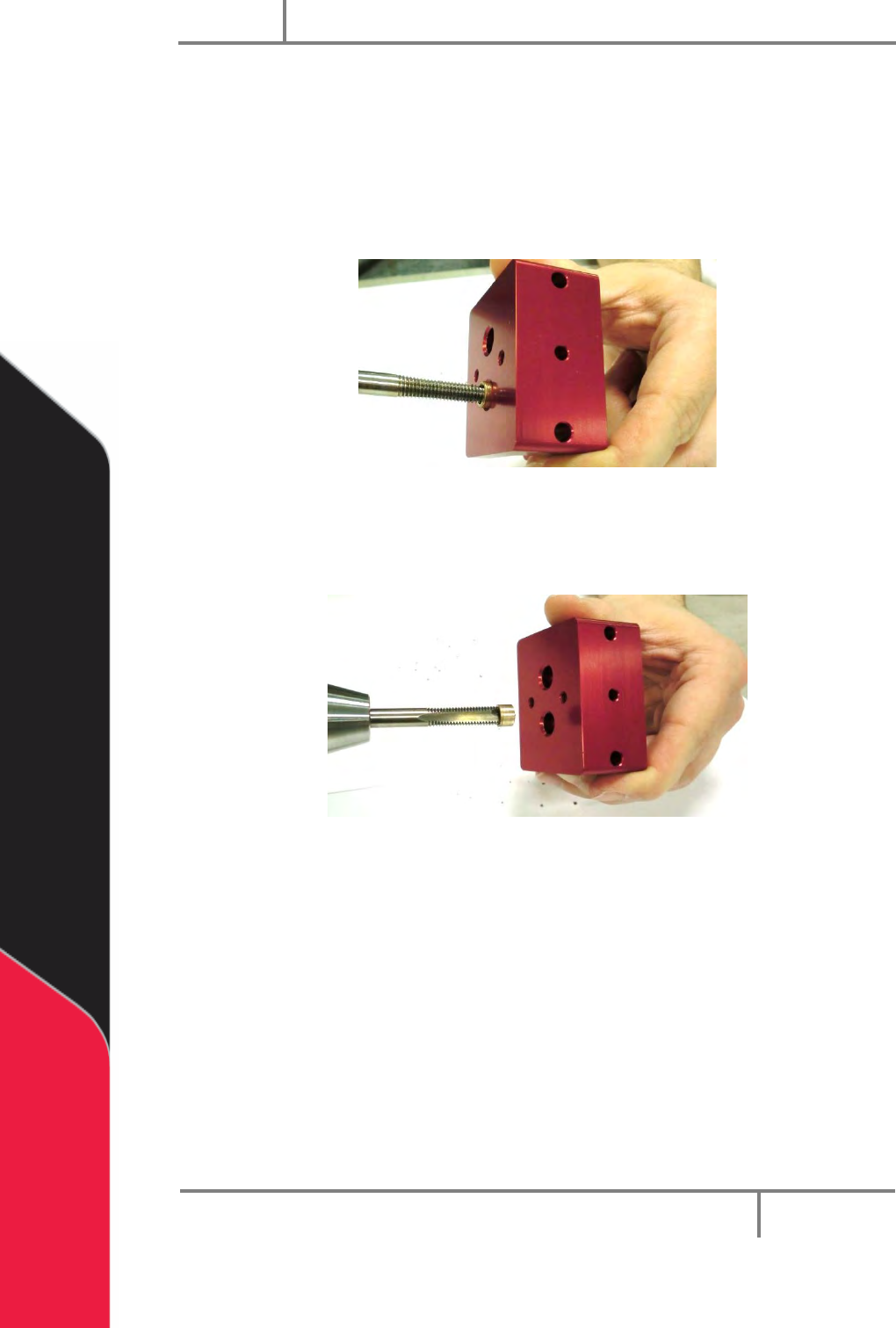
22. Continue to turn the tap clockwise and push in until the sleeve bearing starts to
spin when you turn the tap.
23. Continue to turn the tap clockwise and pull out as you turn. The sleeve bearing
will start to pull out of the separation block.
Figure 21: Turn the Tap and Pull Out
24. Pull the sleeve bearing out of the separation block. Do the procedure again for
the other sleeve bearing.
Figure 22: Remove the Sleeve Bearing
25. Clean any pieces of the sleeve bearings from the separation block.
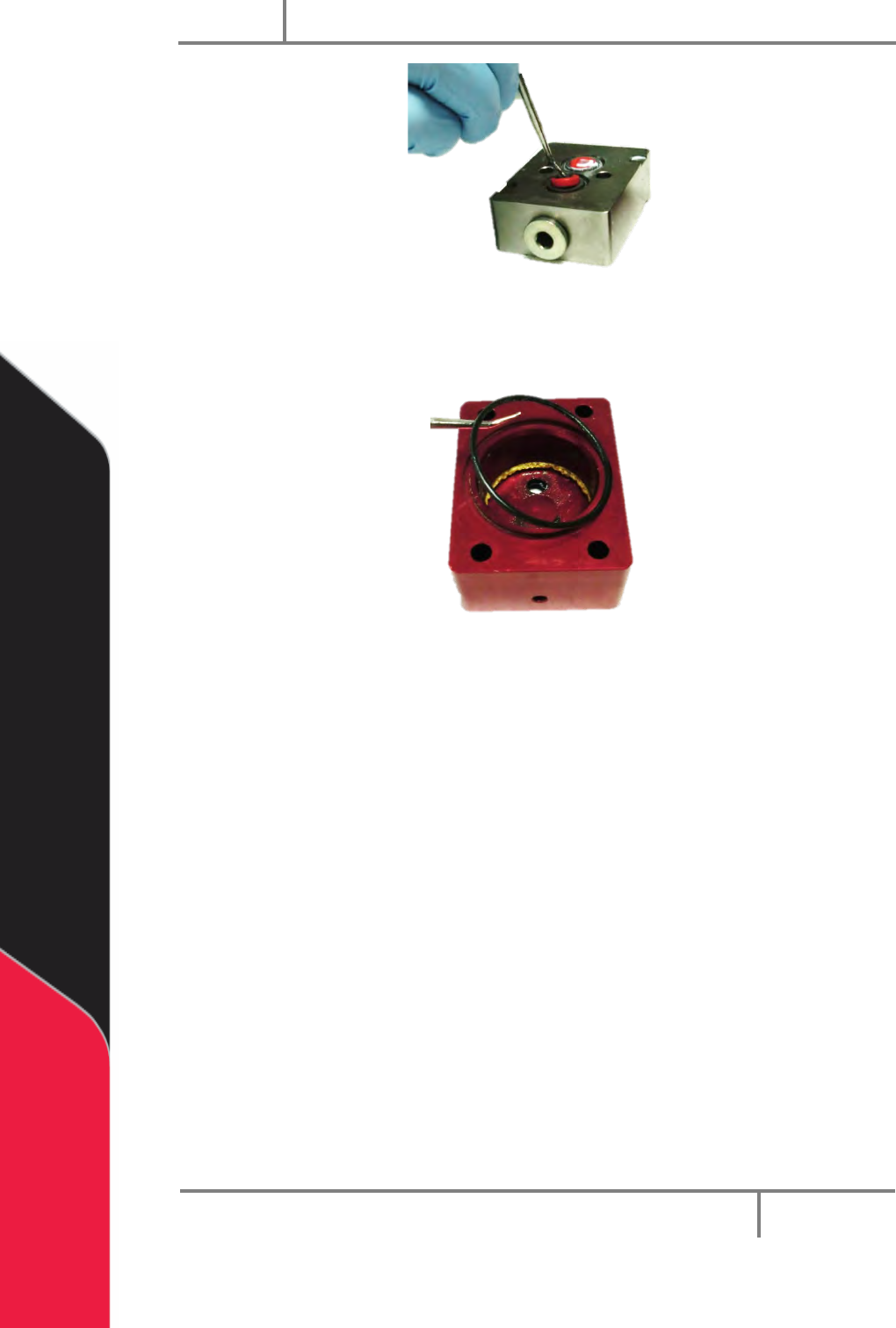
26. Use the hook and pick set to remove the lips seals and the O-rings from the
fluid section.
PC200
PVA
Revision G (2019)
20 of 56
Figure 23: Remove Lip Seals From Fluid Section
27. Clean the lip seals.
28. Use the hook and pick set to remove the O-ring in the air cylinder.
Figure 24: Air Cylinder O-ring
29. Examine and clean the O-ring.