265ProFlow.pdf - 第56页
TECHNIC AL RE FERENCE REPLACEM ENT PROCED URES 1.52 ProFlow Manual Chapter Issue 8 Dec 02 3. Locate and fit the ProFlow tr ansfer head unit to the press ure mechanism by means of the two l ocating dowels. Slide the unit …
TECHNICAL REFERENCE
REPLACEMENT PROCEDURES
Chapter Issue 8 Dec 02 ProFlow Manual 1.51
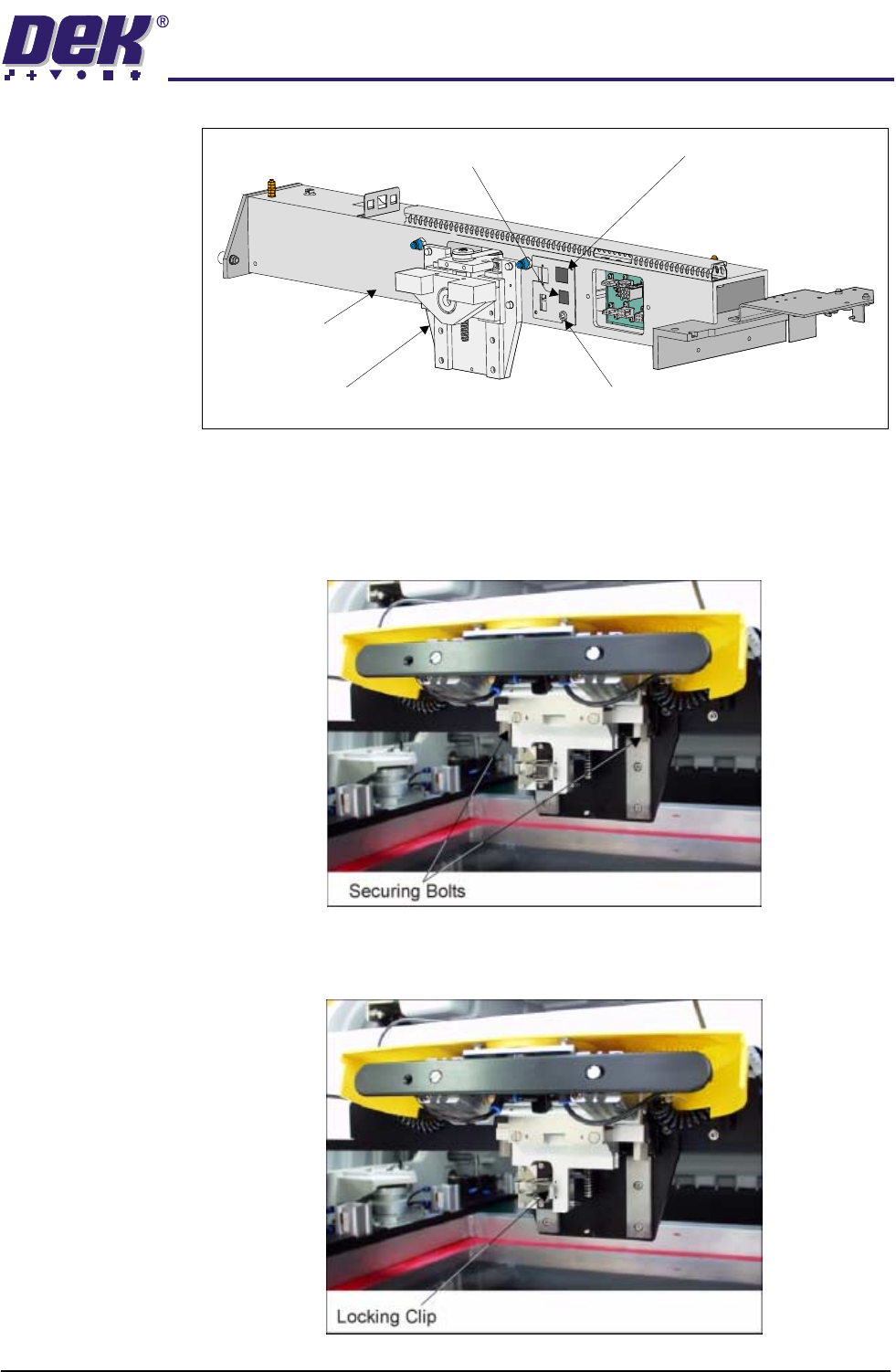
ProFlow Unit 1. Fit the pressure mechanism part of the ProFlow unit to the ProFlow print-
head mechanism bearing block by means of the two securing bolts. Tighten
using a 5mm Allen key.
NOTE
Unit shown in unlatched position to identify bolts.
2. Ensure that the locking clip on the pressure mechanism is pressed over to
the right and clicks into place, as shown in the figure below. This ensures
that the locking clip is in the correct position to secure the transfer head.
Print Carriage
ProFlow (Printhead) Mechanism
9SK08 (Home Sensor)
ProFlow Fitted Socket
9SK17 (ProFlow Motor)
TECHNICAL REFERENCE
REPLACEMENT PROCEDURES
1.52 ProFlow Manual Chapter Issue 8 Dec 02
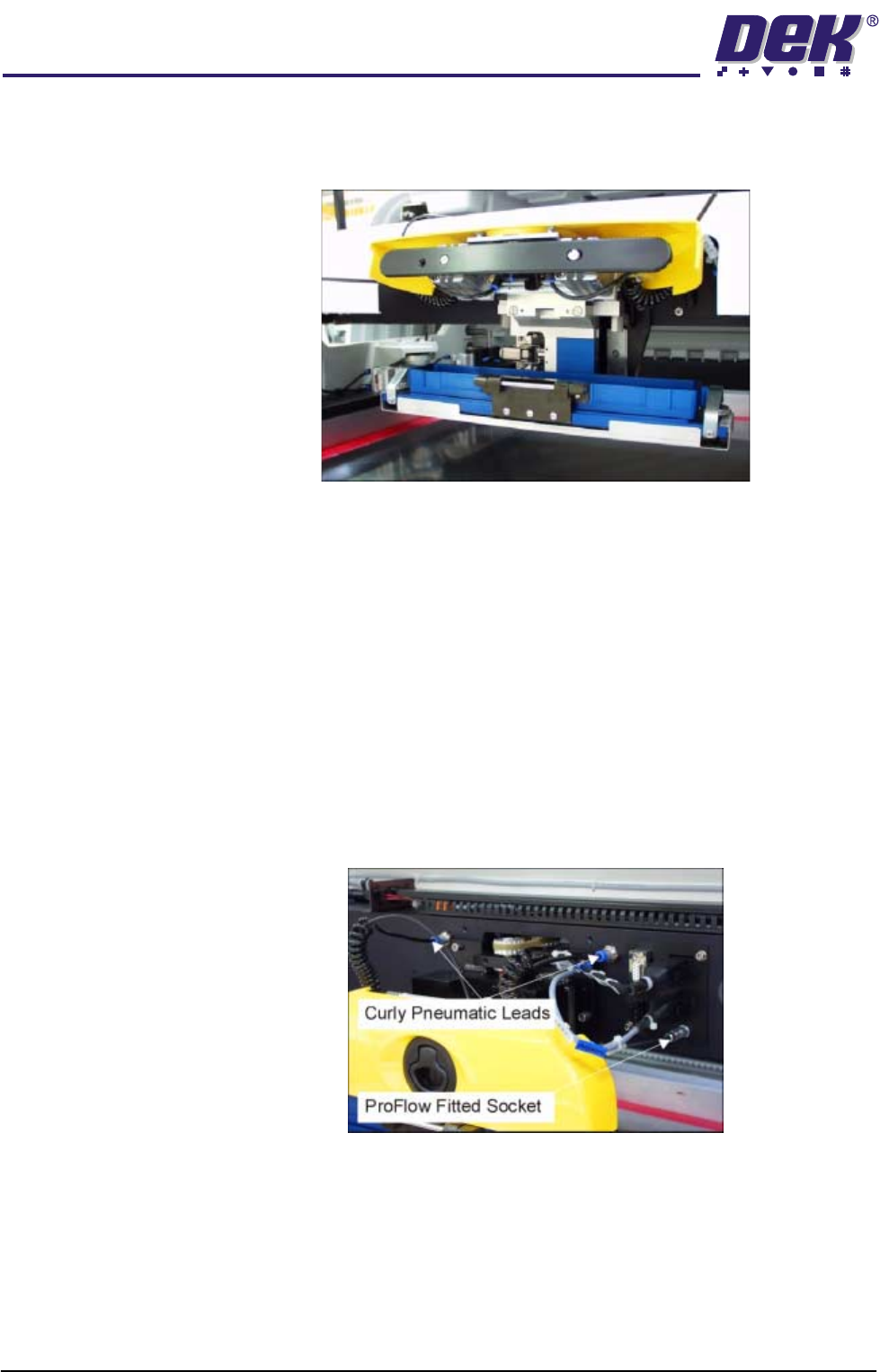
3. Locate and fit the ProFlow transfer head unit to the pressure mechanism by
means of the two locating dowels. Slide the unit onto the pressure mecha-
nism. Once the unit is slid fully home, it is secured by closing the locking clip.
4. Lift the light shroud for access (if fitted) and plug the electrical connection
ProFlow Fitted from the ProFlow unit into the socket sited on the right hand
side of the ProFlow on the print carriage, (figure below refers).
CAUTION
ELECTRICAL CONNECTION.
This electrical connection informs the
machine of ProFlow fitment and must always be connected whilst the
ProFlow unit is fitted otherwise damage may occur if machine is run.
Connect the curly pneumatic leads from the pressure mechanism to each
respective left and right pneumatic connector sited either side of the ProFlow
printhead mechanism (figure below refers).
NOTE
If the squeegee paste dispenser option is fitted to the print carriage, before
using ProFlow, ensure that the paste dispenser regulator gauge reads '0'
pressure.
5. Connect the pneumatics and switch the machine to ON. To ensure that the
machine recognizes the ProFlow module, the following indications on the
machine MMI are evident:
a. During the boot up sequence the operator is prompted to fit the ‘ProFlow
cover’.
b. The soft key that previously indicated ‘Paste Load’ now indicates
‘Knead Paste’.

TECHNICAL REFERENCE
REPLACEMENT PROCEDURES
Chapter Issue 8 Dec 02 ProFlow Manual 1.53
c. In Diagnostics the ProFlow menu page can be accessed.
6. Carry out the ProFlow Contact Position Setup in the Calibrations section
later in this chapter.
7. Select Setup on the MMI. Select Load Data and load the product file to be
printed.
NOTE
For an existing product, the product file has already been written. If the
product is new, either edit an existing or default file. (The Machine Program-
ming Chapter of the User Manual refers.)
8. If the loaded file is the correct file for the product this completes Squeegees
to ProFlow Replacement. If the loaded file has to be edited, proceed with
Step 9.
9. Select Edit Data on the MMI and adjust the following ProFlow parameters
as appropriate:
• Transfer Head Size
• Stencil Protection
• System Pressure
• Idle Paste Pressure
• Knead Paste Pressure
• Knead Off-image
• Knead Before Print
• Clean After Knead
• Knead After Replenish
If Advanced ProFlow is set to enabled, adjust the following ProFlow param-
eters as appropriate:
• FWD Start Speed
• FWD End Speed
• RWD Start Speed
• RWD End Speed
• FWD Start Pressure
• FWD End Pressure
• RWD Start Pressure
• RWD End Pressure
If Advanced ProFlow is set to disabled, adjust the following ProFlow param-
eters as appropriate:
• Front Print Speed
• Rear Print Speed
• Print Paste Pressure