00195397-01_Installation Manual Setup Center 2.3.pdf - 第22页
Installation Hardware Installation Symbol MC70 2D barcode scanner 22 Installation Manual SIPLACE Setup Center 2.3 Rest art of the System Pls. start Setup Center - MobileScanner Installatio n after the restart from CD, as…
Installation
Symbol MC70 2D barcode scanner Hardware Installation
Installation Manual SIPLACE Setup Center 2.3
21
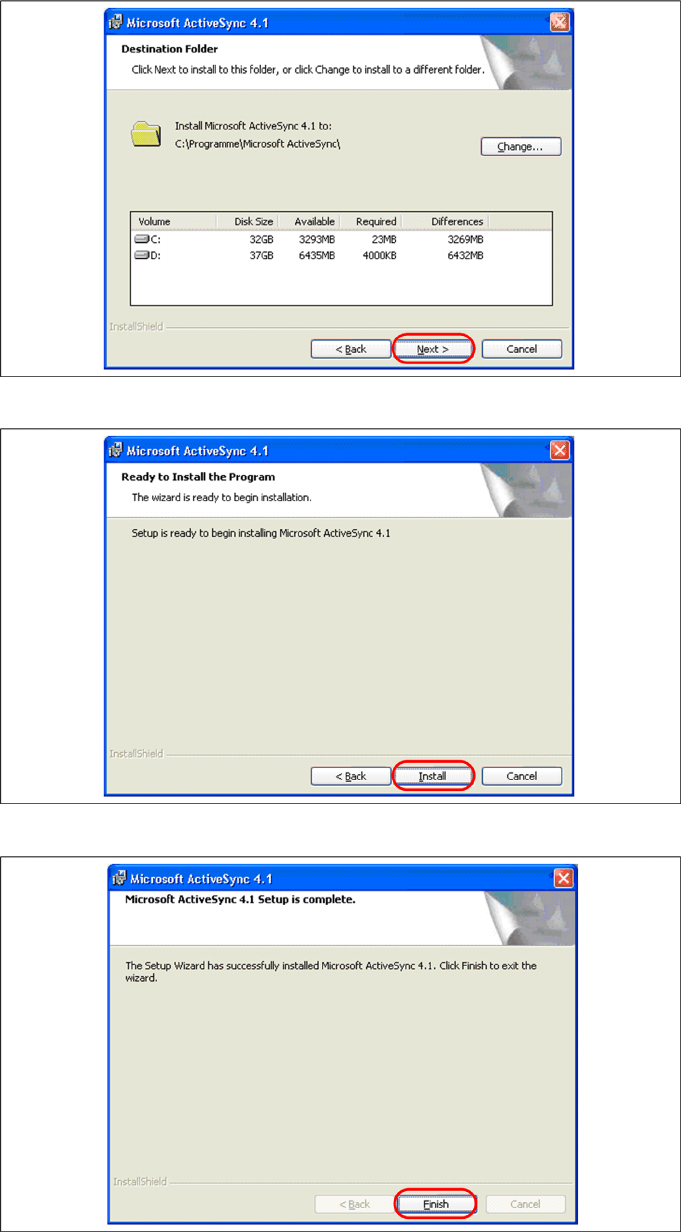
X Select the path for copying the installation files and select "Next".
X Select "Install" to start with the installation of Microsoft ActiveSync.
X Click on "Finish" to terminate the Microsoft ActiveSync Installation. In case that a restart is necessary
select "Yes".
Installation
Hardware Installation Symbol MC70 2D barcode scanner
22 Installation Manual SIPLACE Setup Center 2.3
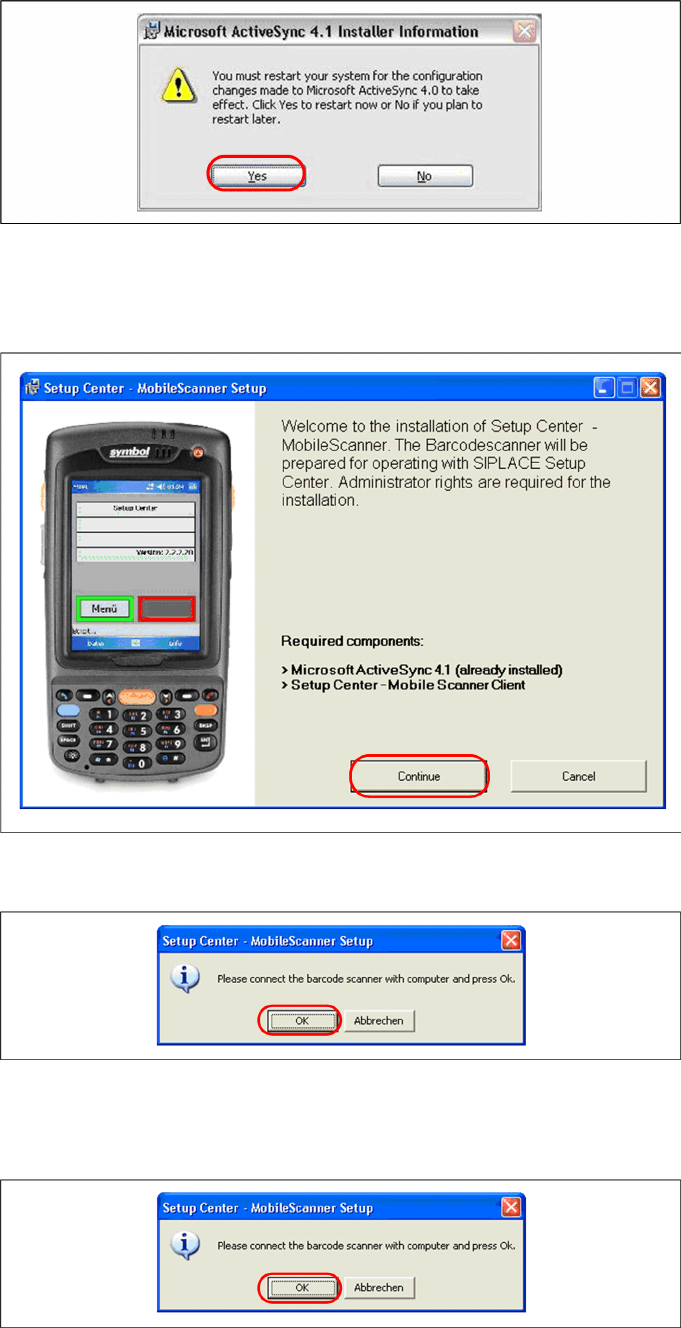
Restart of the System
Pls. start Setup Center - MobileScanner Installation after the restart from CD, as described in chapter
"Setup Center Client Installation".
X Put the scanner into the basic station. Select "OK" to start the transfer of the software components
to the scanner.
X Put the scanner on the basic station. Select "OK" start the transfer of the software components to
the scanner.
No restart required
After completion of the Microsoft ActiveSync installation, you will be prompted to connect the barcode
scanner with the system. Put the scanner on the basic station. Select "OK" start the transfer of the
software components to the scanner.
Installation
Symbol MC70 2D barcode scanner Hardware Installation
Installation Manual SIPLACE Setup Center 2.3
23
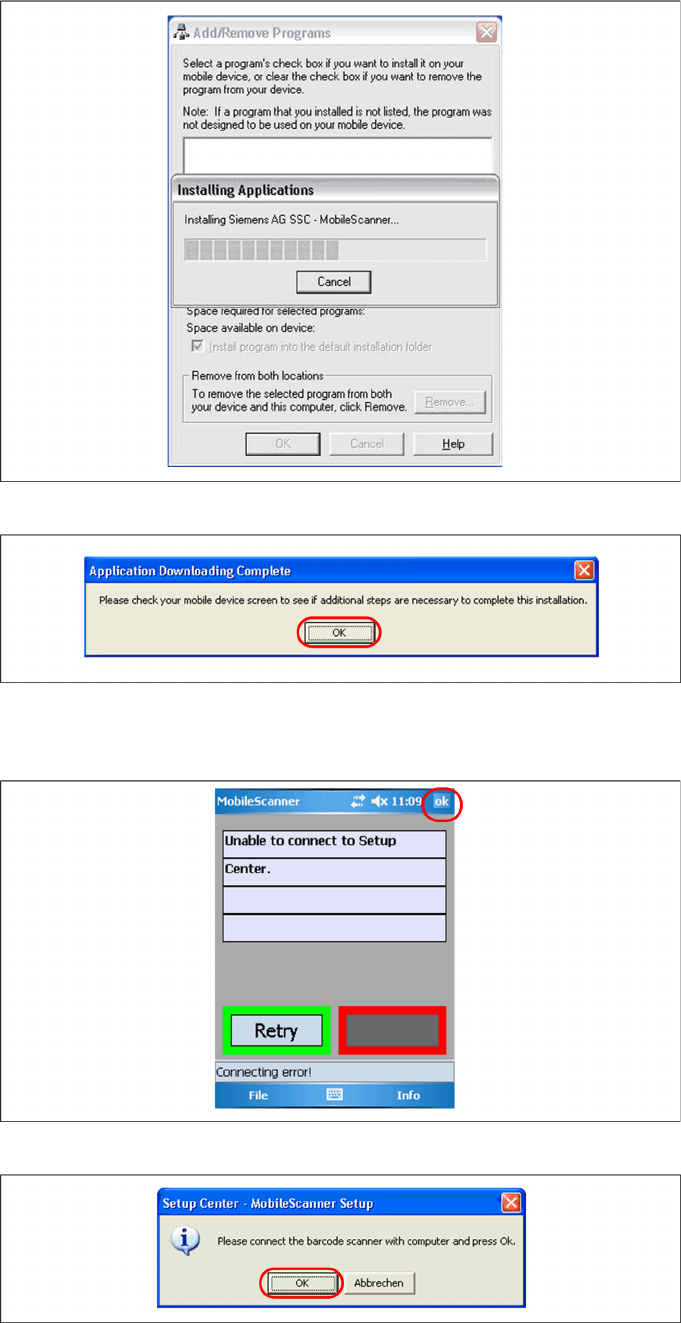
Step 2: Transferring Software Components to the Scanner
Initial Installation
The transfer of the components to the scanner is beginning.
X After completion of the data transfer to the device click on "OK" to close the window.
Upgrade
X Make sure that the scanner is placed in the basic station and connected to ActiveSync.
X Exit Setup Center Client by confirming with "OK".