00195397-01_Installation Manual Setup Center 2.3.pdf - 第55页
Installation Setup Center Software Installation Installation Manual SIPLACE Setup Center 2.3 55 X Choose Select another SQL Server , you return to the previous dialo g. X Click Next to create a new database. Step 4 X Ent…
Installation
Software Installation Setup Center
54 Installation Manual SIPLACE Setup Center 2.3
X Click Next.
Step 2
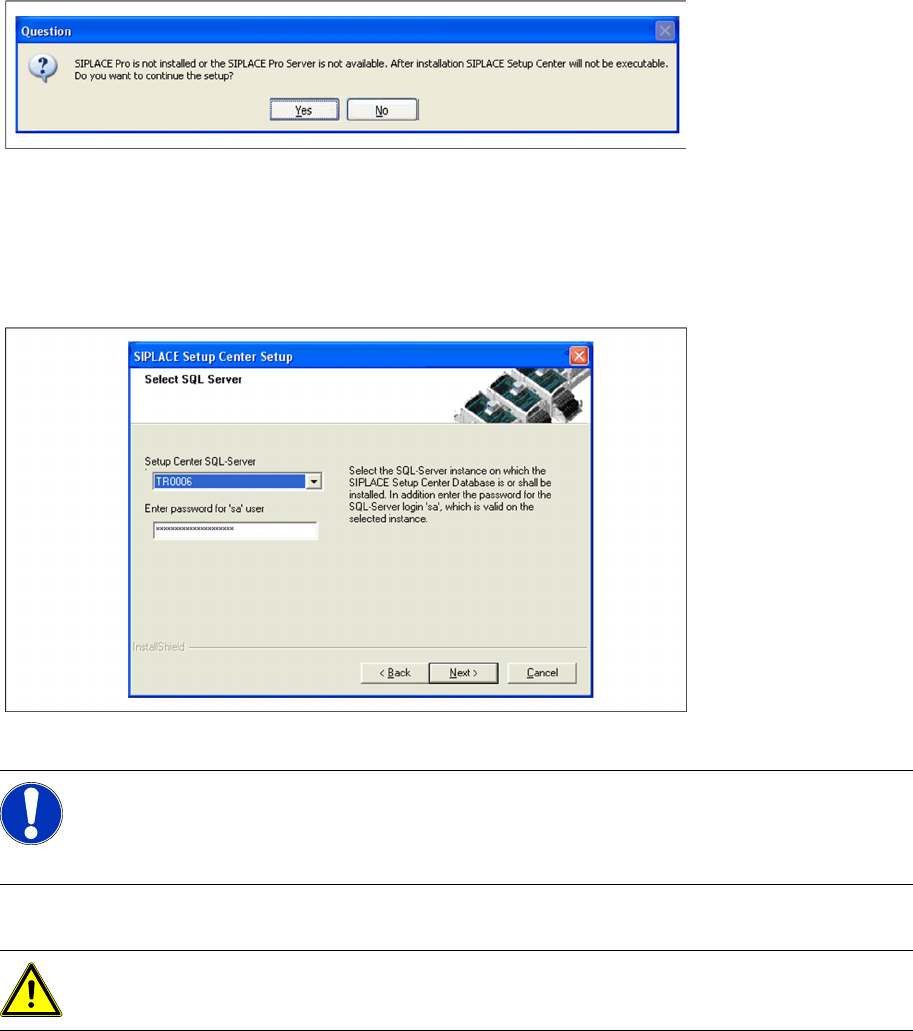
The installation detects the existing SPI version and installs the according SIPLACE Setup Center files.
In case no SPI is detected, a warning message is displayed.
X Make sure that SIPLACE Pro is already installed or the SIPLACE Pro Server is available.
X Click Yes to continue the setup.
Step 3
X Enter the information required to be connected with the SQL Server and database in the Select SQL-
Server dialog box.
X Enter the Passwordfor the SQL Server user "sa", i.e. the SQL server system administrator.
X Choose your SQL Server Instance from the pull-down menu.
X Click Next.
Step 3a
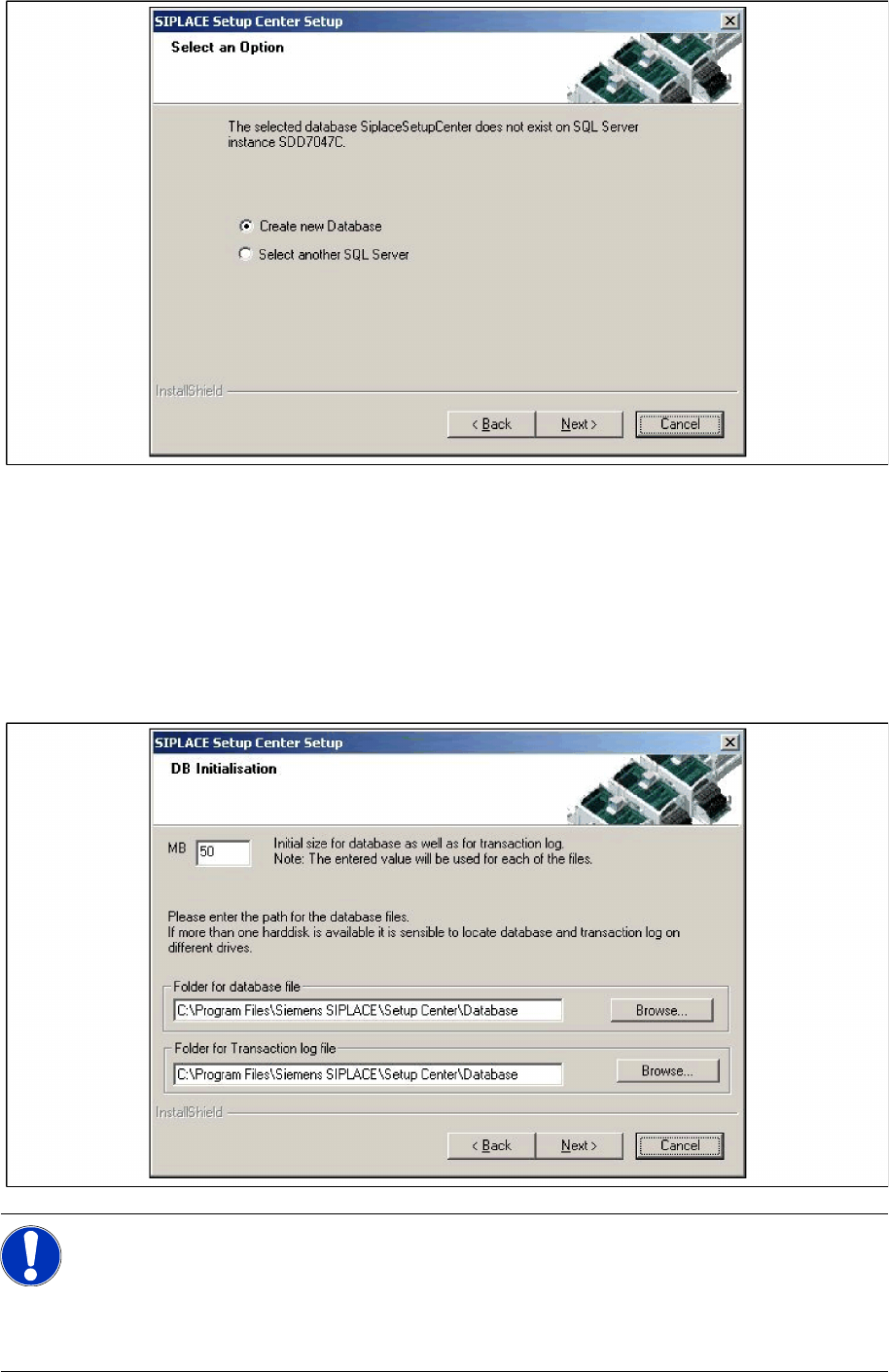
X The following dialog appears, in case neither database with the name "SiplaceSetupCenter" nor the
correct version exists:
NOTE:
This password is empty if MSDE has been freshly installed. In this case, erase the displayed
default password. Subsequently, a window will open, prompting you to change this password.
You may accept the Siemens Service default password or choose one of your own.
ATTENTION:
Only the SQL Server Instances on the local computer are selectable
Installation
Setup Center Software Installation
Installation Manual SIPLACE Setup Center 2.3
55
X Choose Select another SQL Server, you return to the previous dialog.
X Click Next to create a new database.
Step 4
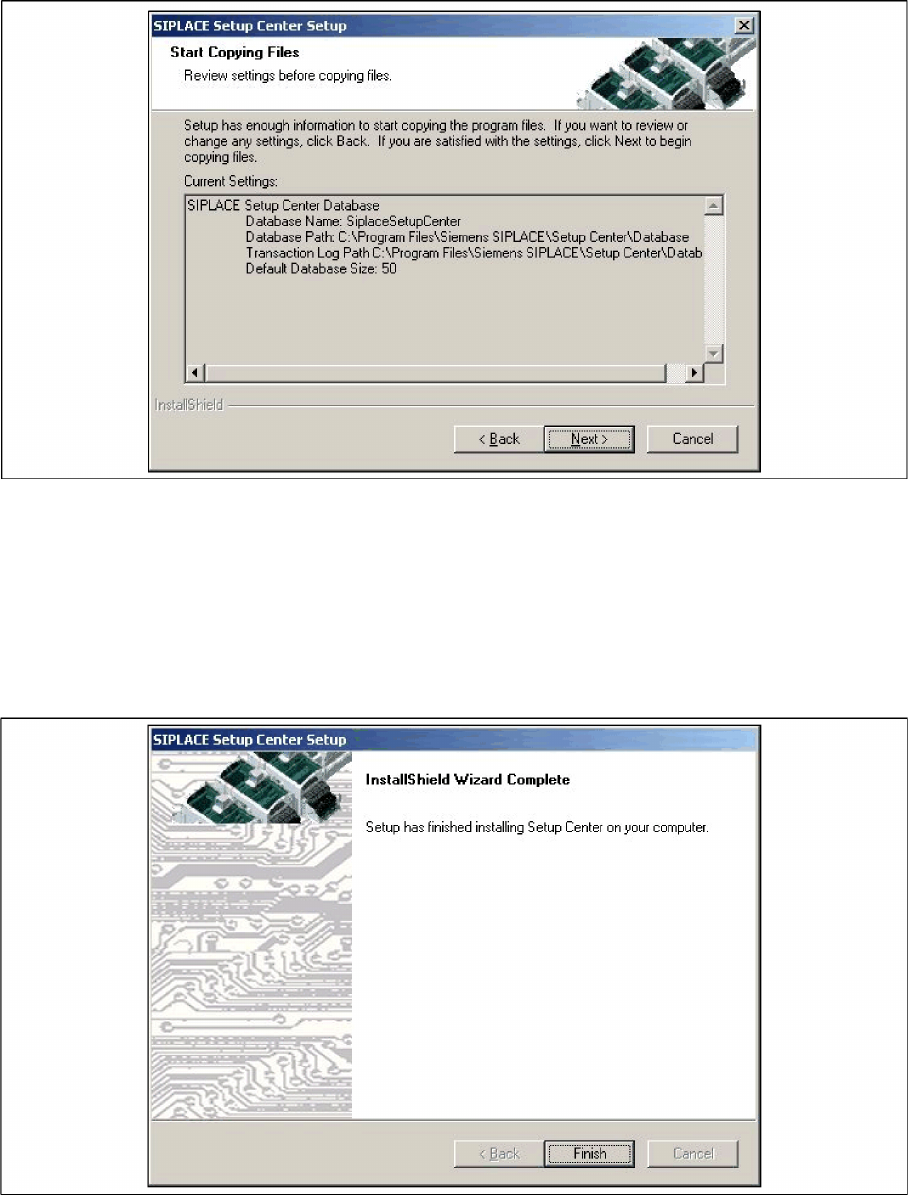
X Enter the information required to be connected with the SQL Server and database in the DB
Initialization dialog box.
X The figure you enter in the MB text box defines the size of the SIPLACE Setup Center database files
(default: 50) which are to be created during the installation.
X Confirm the default value or enter the size you want in the MB text box.
NOTE:
The specified size is only an initial value. The database will grow automatically as required.
However, only the database administrator is capable of freeing up unused disk space. In the
database files edit field, enter the directory in which the
SIPLACESetupCenter.mdf
file is to
be created. In the transaction log file edit field, enter the name of the directory in which the
SIPLACESetupCenter.mlf
database file is to be created.
Installation
Software Installation Setup Center
56 Installation Manual SIPLACE Setup Center 2.3
Step 5
X The Start Copying Files dialog box gives you a chance to check the information again, which you
have entered during the previous steps.
X Click Next if you accept all the information entered.
X If you want to change any settings, click the Back button until you get back to the dialog box in
question.
X There, enter your changes and click Next to continue as usual.
Step 6
X The installation routine starts.
X The "Setup Complete" window appears if the installation has been completed successfully.
X Click Finish.
5.3.1.3 Forced Setup Verification
The Activation-CD contains the activation of the forced setup verification and the component level
indicator.