00195397-01_Installation Manual Setup Center 2.3.pdf - 第28页
Installation Hardware Installation Symbol MC70 2D barcode scanner 28 Installation Manual SIPLACE Setup Center 2.3 X Select "Install" to inst all Setup Center Client. X Confirm the update of the Sy mbol Librarie…
Installation
Symbol MC70 2D barcode scanner Hardware Installation
Installation Manual SIPLACE Setup Center 2.3
27
Upgrade
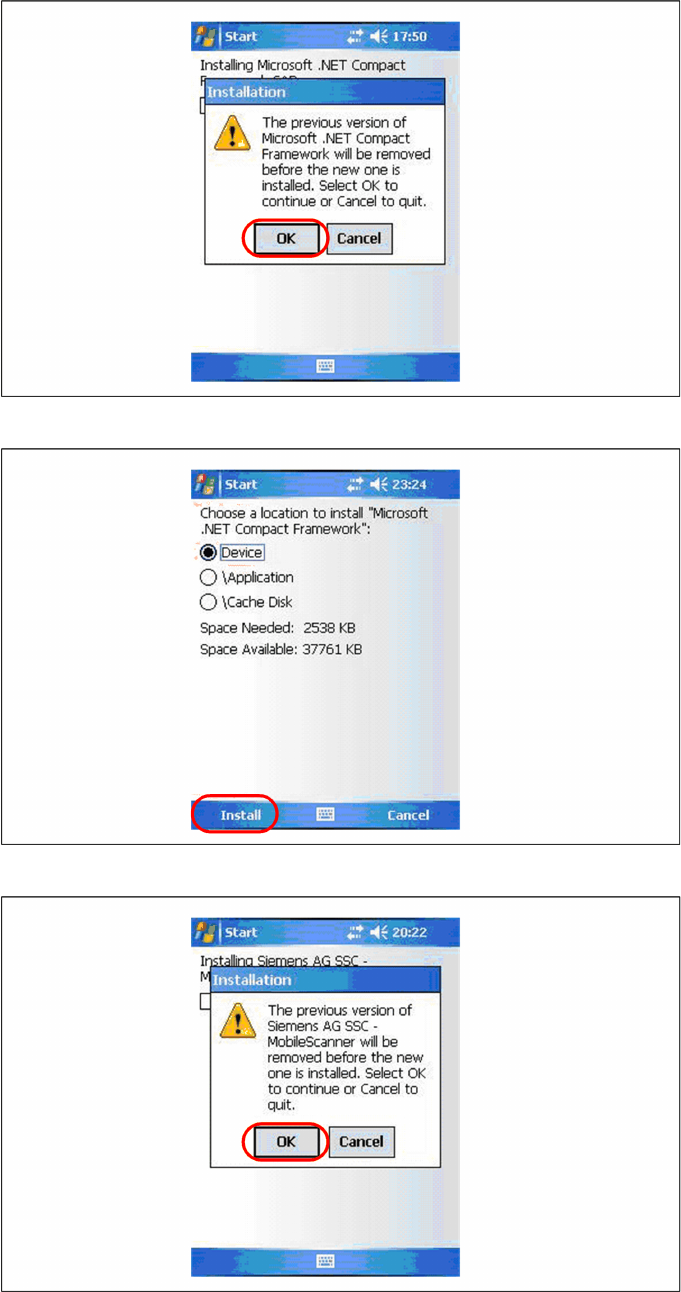
The following steps must be carried out on the scanner to complete the installation. If all components
were successfully transferred to the scanner the installation of the components will start automatically.
X Confirm the update of Microsoft Compact Framework with "OK".
X Select "Install" to install the Setup Center Client.
X Confirm the update of Setup Center Client with "OK".
Installation
Hardware Installation Symbol MC70 2D barcode scanner
28 Installation Manual SIPLACE Setup Center 2.3
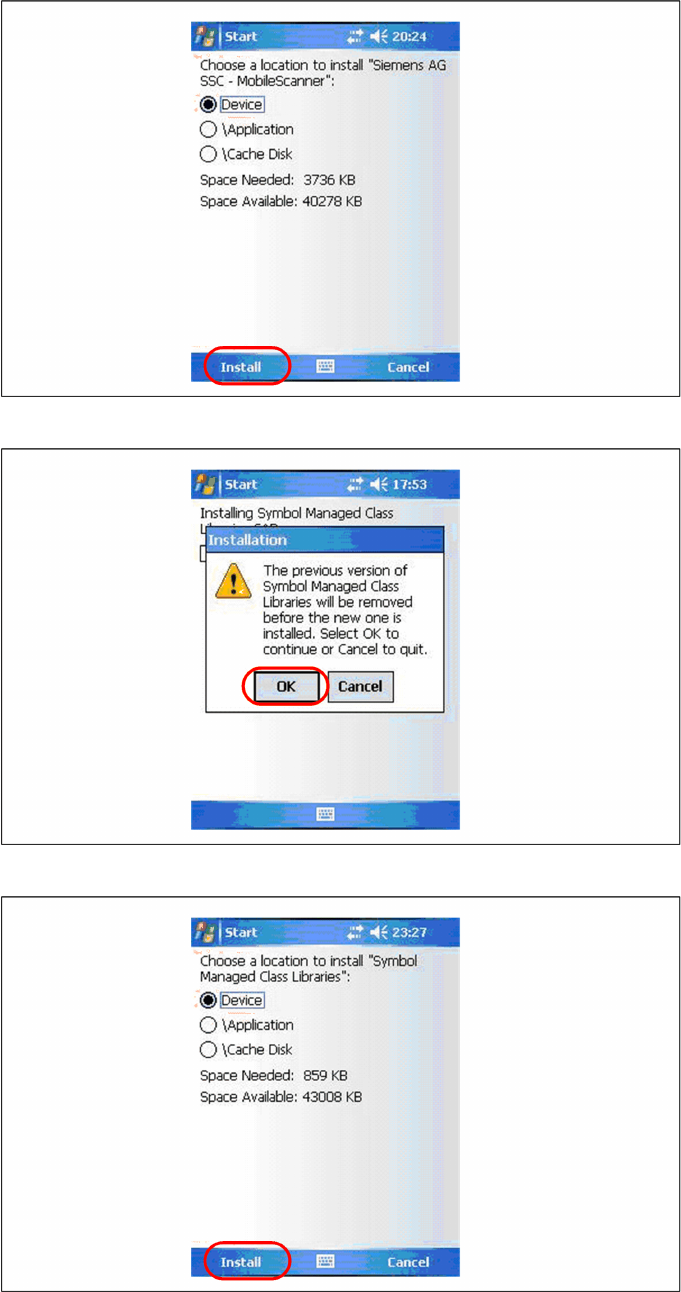
X Select "Install" to install Setup Center Client.
X Confirm the update of the Symbol Libraries with "OK".
X Select "Install" to install the Symbol Libraries.
Installation
Optional: Docking Station Hardware Installation
Installation Manual SIPLACE Setup Center 2.3
29
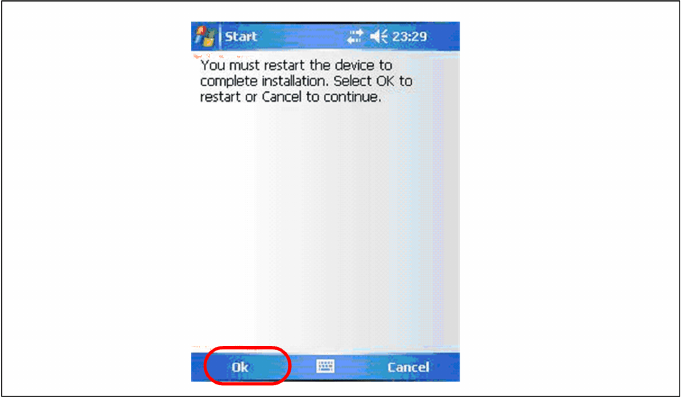
After the installation of the components a restart is necessary. Select "OK" to restart the device. The
installation is now completed. After the restart the Setup Center Client starts automatically. Now you can
start with the configuration of Setup Center and Client Software.
5.2.4 Optional: Docking Station
To obtain more details about using the docking station for X-Series tables, please refer to the current
version of the operating manual.
5.2.4.1 Installing the CAN Card in the PC
The data connection between the Setup Center PC, on which the Setup Center software is to be
installed, and the docking station is realized via a CAN Bus. This requires installation of a CAN card in
the SC PC on which the SC software is to be installed. This CAN card is included in the delivery of
docking station (optional).
X Open the SC PC housing according to the manufacturer's instructions.
X Select a free PCI slot in your SC PC for installing the CAN card.
X Plug the CAN card into the selected PCI slot.
X Close the SC PC housing according to the manufacturer's instructions.
X The drivers for the CAN card are contained on the SC software installation CD. These need to be
installed separately. For a detailed description, please see Section "Optional: Installing CAN
Drivers".