00195397-01_Installation Manual Setup Center 2.3.pdf - 第46页
Installation Software Installation Setup Center 46 Installation Manual SIPLACE Setup Center 2.3 Step 4 X Enter your User Name and Company Name in the Customer Infor mation dialog box. Both boxes must be filled in before …
Installation
Setup Center Software Installation
Installation Manual SIPLACE Setup Center 2.3
45
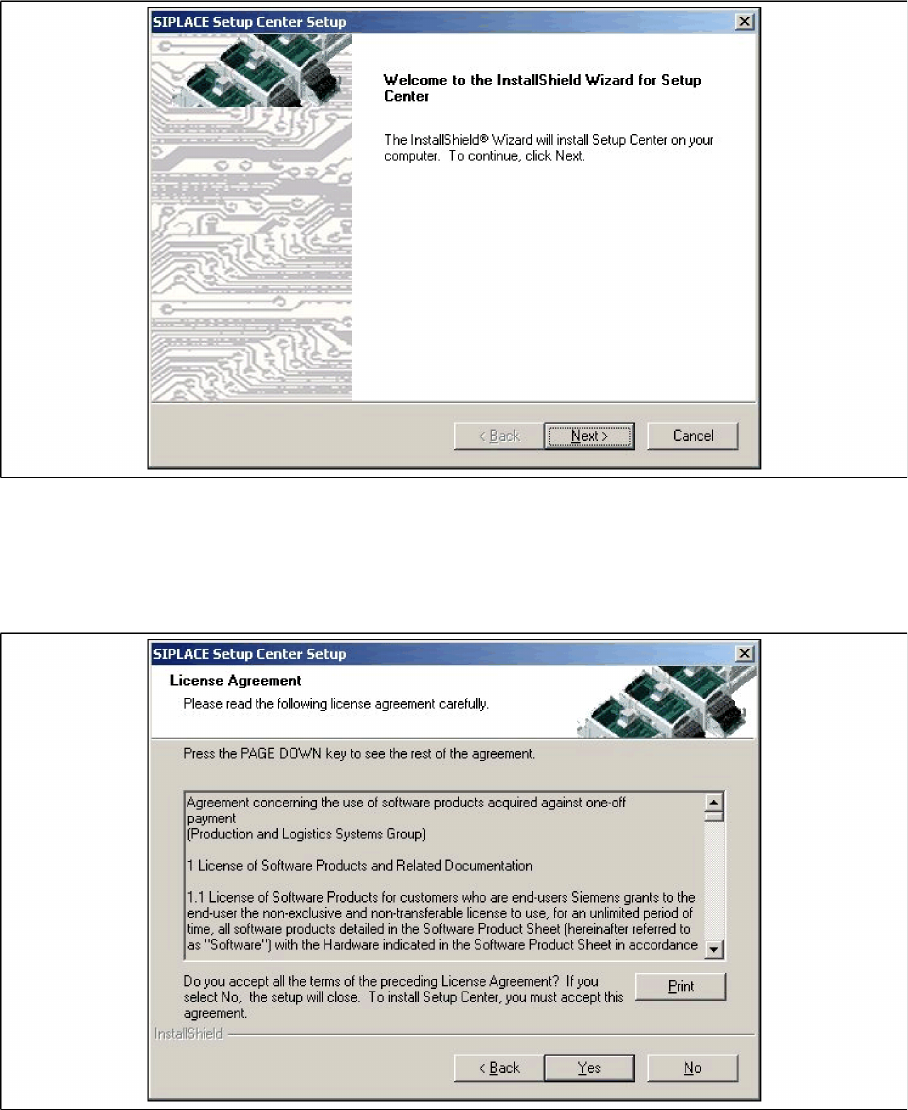
Step 2
X The InstallShield Wizard will guide you through the program setup process.
5-18: InstallShield Wizard box for SIPLACE Setup Center
X Click Next.
Step 3
X Read the license agreement of Siemens AG relating to use of this software.
5-19: "Software License Agreement" dialog box
X The installation routine continues if you click the Yes button to accept the license agreement.
X Click No to cancel the installation.
X Click Print to print the License Agreement on the default printer of the PC.
Installation
Software Installation Setup Center
46 Installation Manual SIPLACE Setup Center 2.3
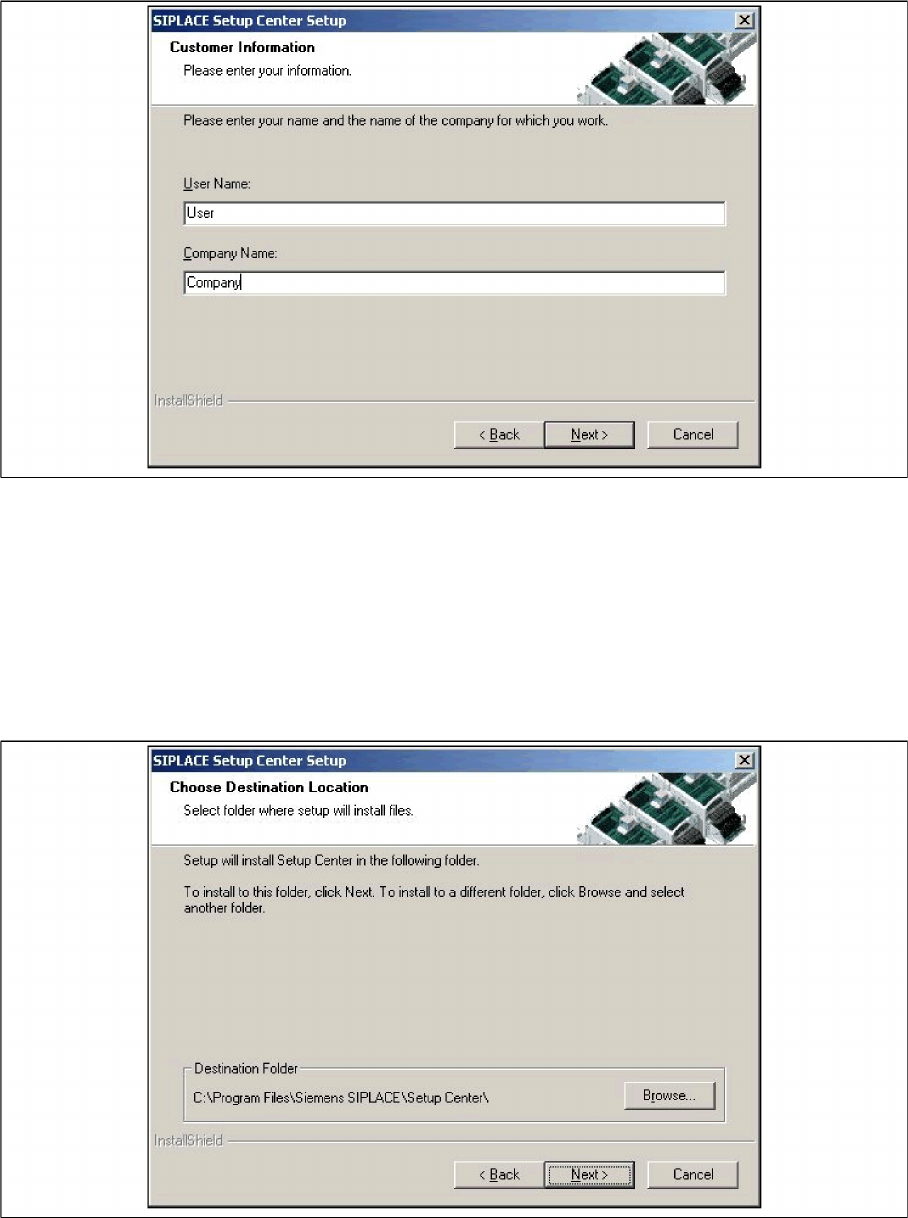
Step 4
X Enter your User Name and Company Name in the Customer Information dialog box. Both boxes
must be filled in before the installation process can be continued.
5-20: "Customer Information" dialog box
X Click Next.
Step 5
X The Choose Destination Location dialog box prompts you to enter the name of the folder in which
SIPLACE Setup Center should be installed. The system suggests a default destination folder for you.
X However, you can click the Browse button to open a dialog box in which you can enter or select the
path you want to use. If the folder you specify does not exist, it is created after having accepted a
confirmation dialog.
5-21: "Choose Destination Location" dialog box
X Click Next.
Installation
Setup Center Software Installation
Installation Manual SIPLACE Setup Center 2.3
47
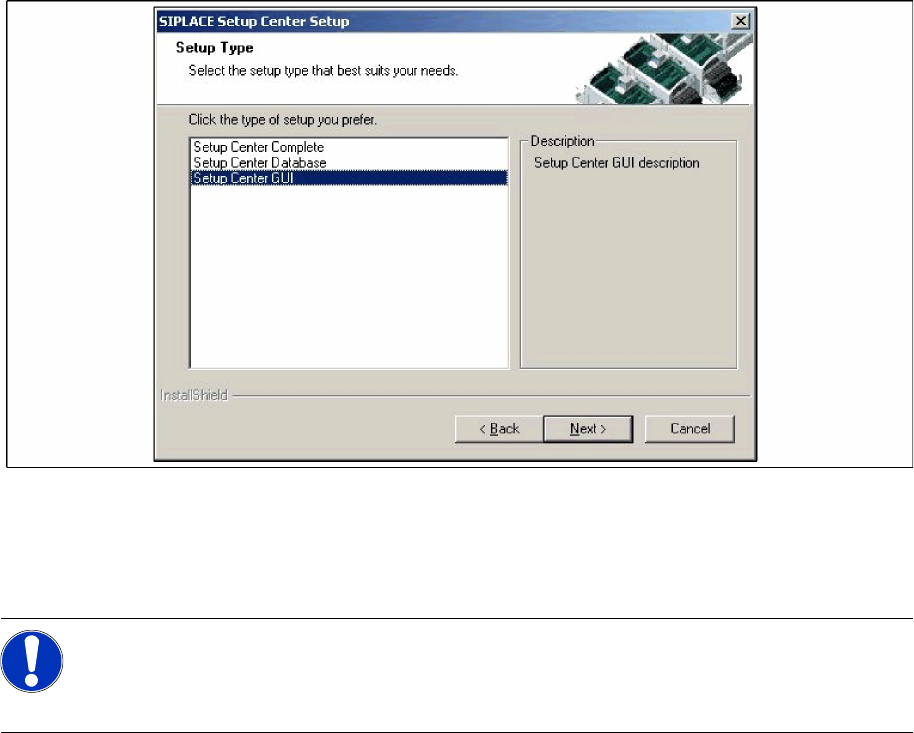
Step 6
X The Setup Type dialog box displays the SIPLACE Setup Center components you could choose for
installation.
5-22: "Setup Type" dialog box
X Select the setup type you want to install in the Setup Type dialog box.
X Click Next.
X If you select a type, a short description of the setup type in question appears in the Description box.
5.3.1.2 Individual setup types and next steps
Setup Type – GUI
This setup type will install the GUI application of SIPLACE Setup Center. It is used to setup up a client
system while the database is located on a remote system.
Step 1
X Run through the steps in chapter "General Settings".
NOTE:
After choosing a setup type which includes a database installation, the setup program
immediately checks if SQL server or MSDE (Microsoft Data Desktop Engine) is installed on the
computer.