00195397-01_Installation Manual Setup Center 2.3.pdf - 第25页
Installation Symbol MC70 2D barcode scanner Hardware Installation Installation Manual SIPLACE Setup Center 2.3 25 X Confirm the upgrade of the Symb ol Libraries with "Yes". The transfer of the componen ts to th…
Installation
Hardware Installation Symbol MC70 2D barcode scanner
24 Installation Manual SIPLACE Setup Center 2.3
After completion of the Microsoft ActiveSync installation, you will be prompted to connect the barcode
scanner with the system. Put the scanner on the basic station. Select "OK" start the transfer of the
software components to the scanner.
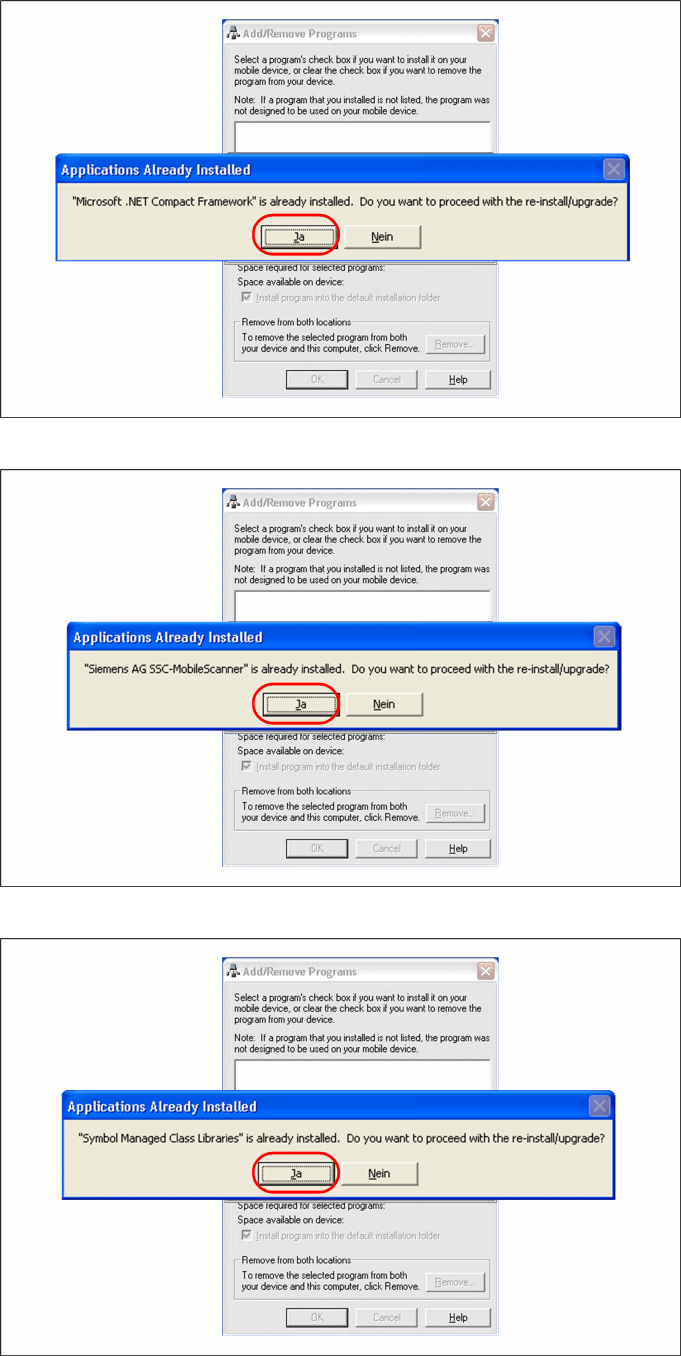
X Confirm the upgrade of Microsoft Compact Framework with "Yes".
X Confirm the upgrade of Microsoft Compact Framework with "Yes"
Installation
Symbol MC70 2D barcode scanner Hardware Installation
Installation Manual SIPLACE Setup Center 2.3
25
X Confirm the upgrade of the Symbol Libraries with "Yes".
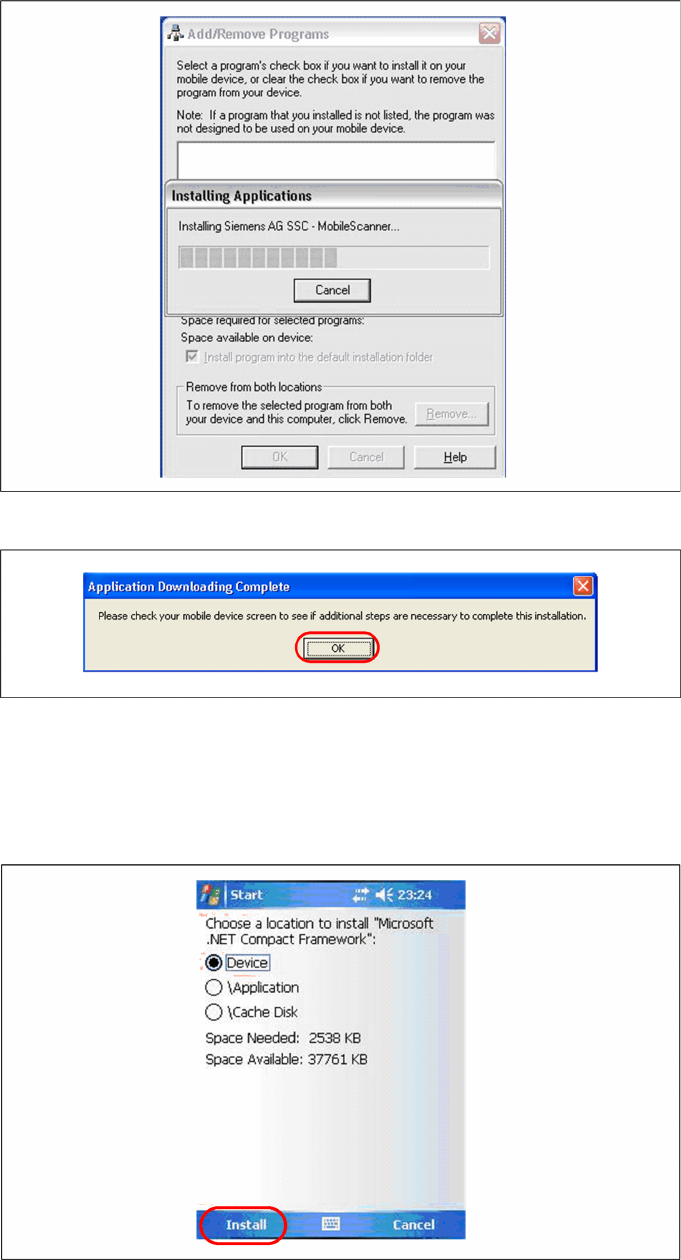
The transfer of the components to the scanner is beginning.
After completion of the data transfer to the device click on "OK" to close the window.
Step 3: Install MC70 Setup Center Client
Initial Installation
The following steps must be carried out on the scanner to complete the installation. If all components
were successfully transferred to the scanner the installation of the components will start automatically.
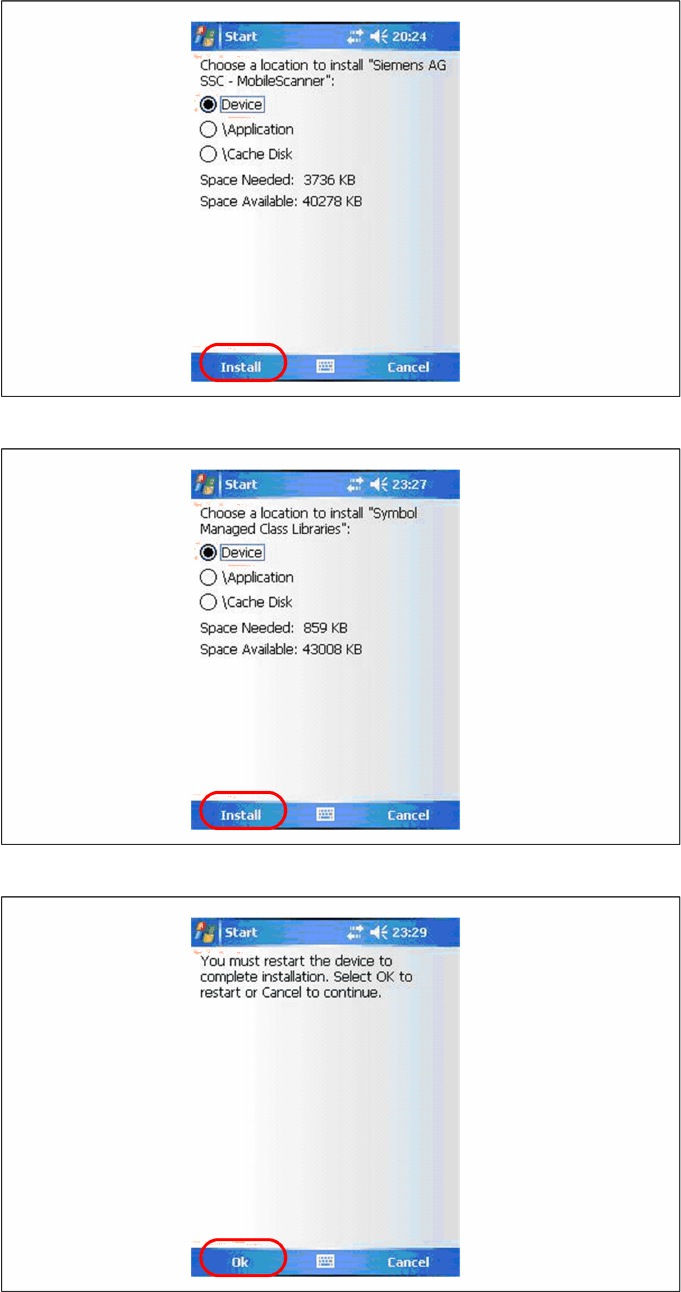
X Select "Install" to install the Microsoft Compact Framework.
Installation
Hardware Installation Symbol MC70 2D barcode scanner
26 Installation Manual SIPLACE Setup Center 2.3
X Select "Install" to install Setup Center Client.
X Select "Install" to install the Symbol Libraries.
After the installation of the components a restart is necessary. Select "OK" to restart the device. The
installation is now completed. After the restart the Setup Center Client starts automatically. Now you can
start with the configuration of Setup Center and Client Software.