CX200-4(Maint).pdf - 第108页
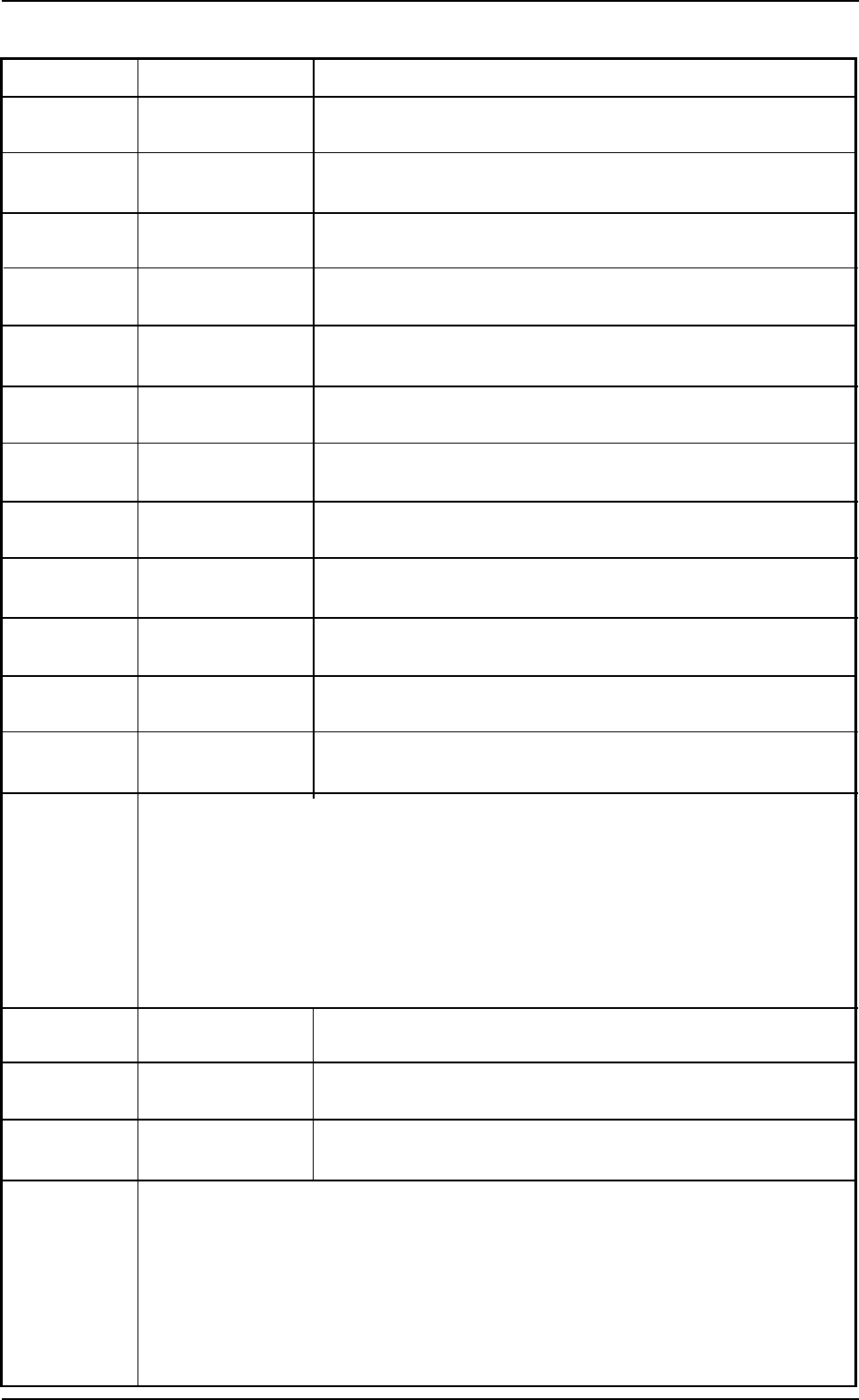
Check Code Display Section A Display Section B 801804 T each Head Bypass Unselected Nozzle Drop. 801805 T each Head Bypass Dummy Nozzle. 801806 T each Head Bypass Manual Bypass. 801807 T each Head Bypass Alarm Error . (C…
Check Code Display Section A Display Section B
801701 Teach Nozzle Nozzle Down Error.(L)
Bypass
801702 Teach Nozzle Nozzle Down Error.(H)
Bypass
801703 Teach Nozzle Recognition Teach Error.
Bypass
801704 Teach Nozzle Teach Error Data.
Bypass
801705 Teach Nozzle Lighting Check.
Bypass
801706 Teach Nozzle Nozzle Level.
Bypass
801707 Teach Nozzle Nozzle Drop
Bypass
801708 Teach Nozzle Dummy Nozzle.
Bypass
801709 Teach Nozzle Manual Bypass.
Bypass
80170a Teach Nozzle Nozzle Change Error.(Cam lock action)
Bypass
80170b Teach Nozzle Nozzle Change Error.(Cam Free action)
Bypass
80170c Teach Nozzle Cam Origin Error.
Bypass
(Contents) The nozzle to be taught was bypassed.
(Description) Follow the described instructions to reset the machine to its normal con-
dition.
When the machine cannot be set to its normal condition, consult our
service personnel for the remedy.
801801 Teach Head Bypass Communication Error.
801802 Teach Head Bypass Head Origin.
801803 Teach Head Bypass Overtime Head Origin Return.
01 10-003 2-18 AFO01ETRP
(Contents) The nozzle to be taught was bypassed.
(Description) Follow the described instructions to reset the machine to its normal con-
dition.
When the machine cannot be set to its normal condition, consult our
service personnel for the remedy.
1.3 Machine lnformation
Check Code Display Section A Display Section B
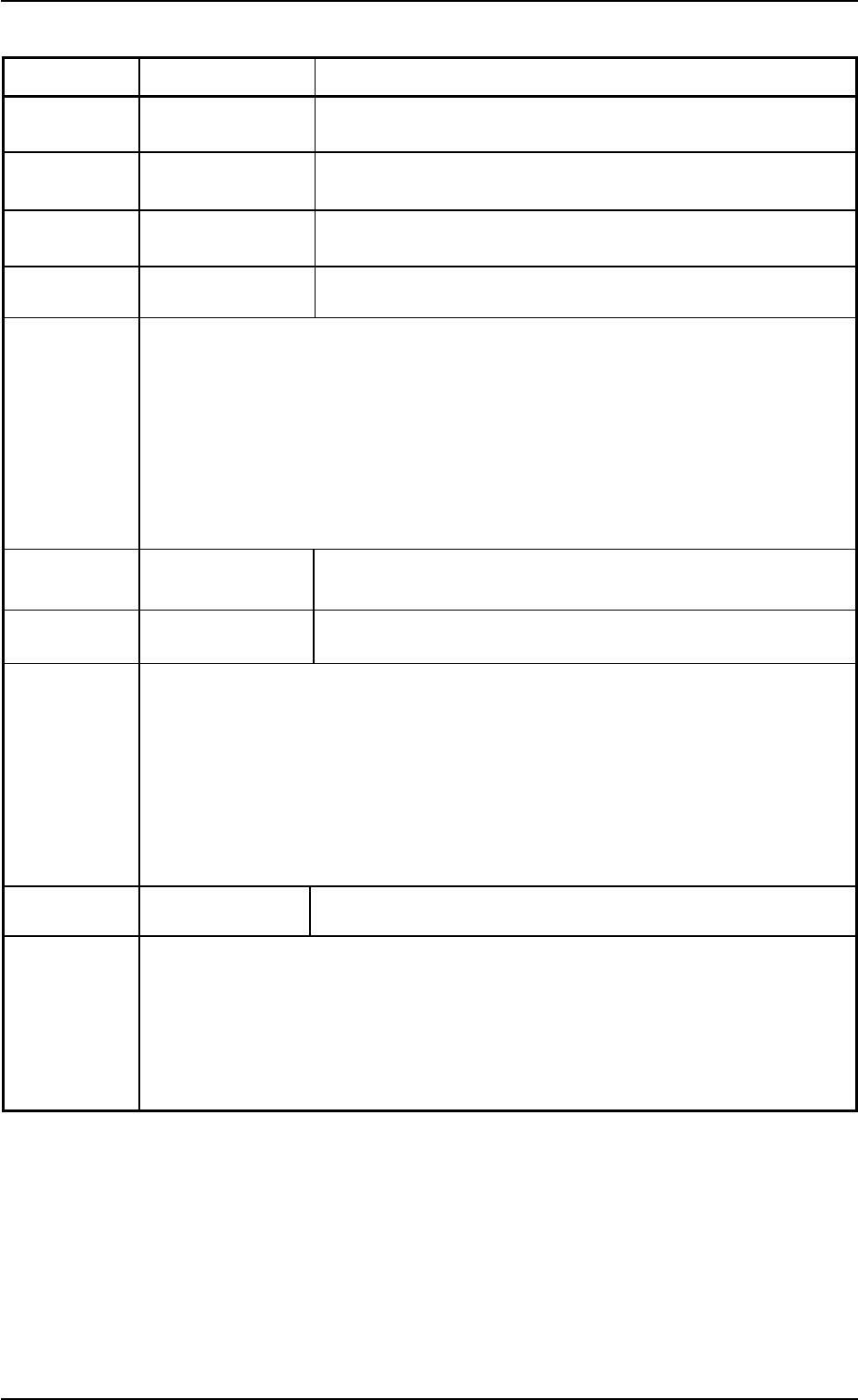
801804 Teach Head Bypass Unselected Nozzle Drop.
801805 Teach Head Bypass Dummy Nozzle.
801806 Teach Head Bypass Manual Bypass.
801807 Teach Head Bypass Alarm Error.
(Contents) The nozzle to be taught was bypassed.
(Description) Follow the described instructions to reset the machine to its normal con-
dition.
When the machine cannot be set to its normal condition, consult our
service personnel for the remedy.
801901 Nozzle Adjustment Nozzle UP&Down Action is not Available.
801902 Nozzle Adjustment Communication error.
(Contents) Self-Diagnostics Error Message
(Description) Follow the described instructions to reset the machine to its normal con-
dition.
When the machine cannot be set to its normal condition, consult our
service personnel for the remedy.
801a01 Warning Operation Product started by RUN MODE "PASS"Operation.
(Contents) Self-Diagnostics Error Message
(Description) Confirm the displayed contents.
01 10-003 2-19 AFO01ETRP
1.3 Machine lnformation
1.4 “ERROR” Windows
• Window Layout
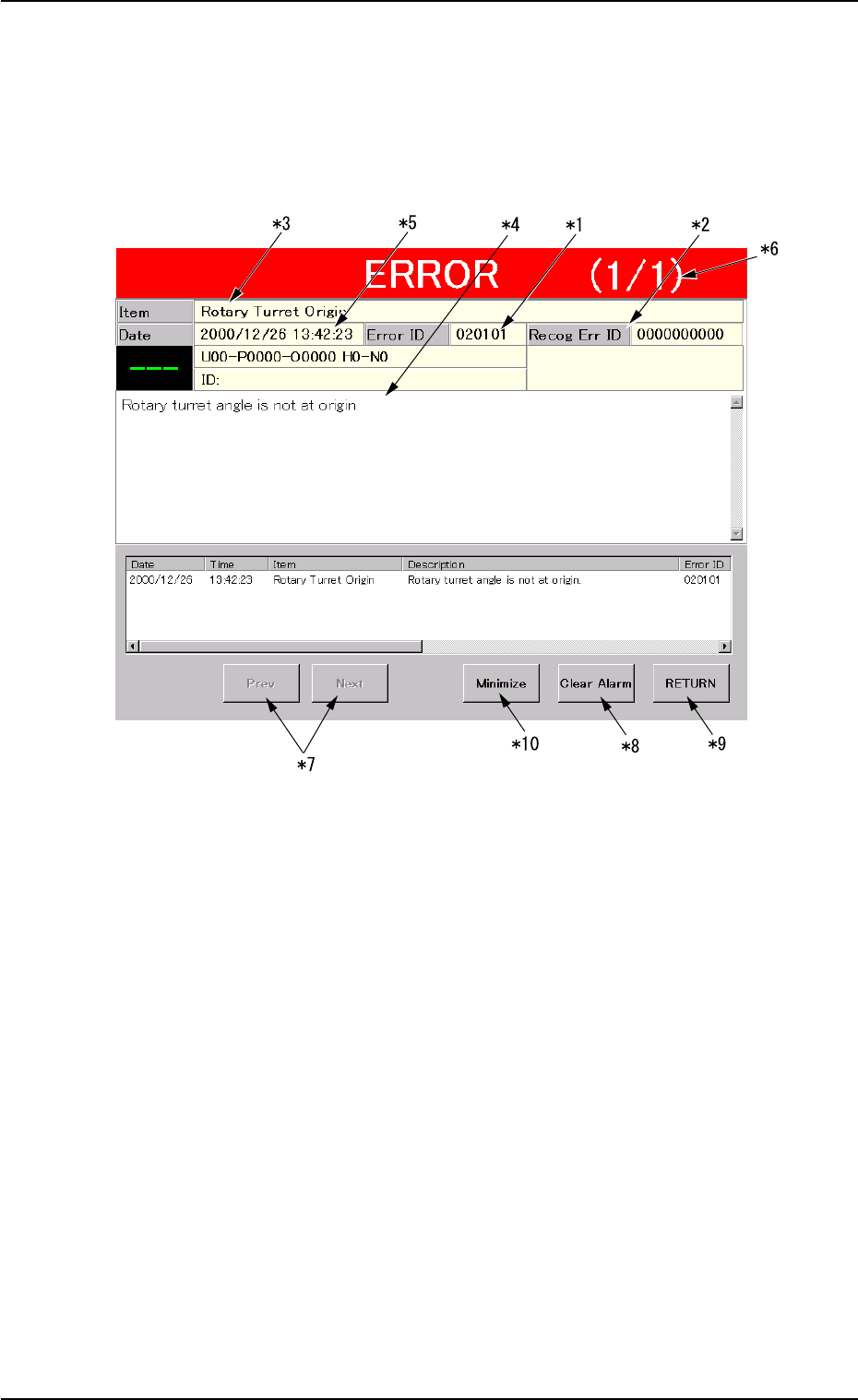
When the machine detects an error, the following “ERROR” window
opens.
Fig. 4B3 Example of “ERROR” Window
• Window Composition
*1 Error ID
Displayed is a string of alphanumeric characters (6 characters)
that identifies an error.
When an error has occurred, use the error ID as an index and refer
to “3. Troubleshooting after Error Window” for details.
*2 Recog Err ID
Displayed is a string of numeric characters (10 characters) that
identifies an error.
When an error has occurred, use the error ID as an index and refer
to “4. Troubleshooting on Recognition System” for details.
*3 Item
Displayed is a name of the classified element that caused an error.
1.4 “ERROR” Windows
01 10-003 2-20 AFO01ETRP