SC_450 PreciseCoat Conformal Coating Jet_Rev_04.pdf - 第19页
SC-450 PreciseCoat C onformal C oating J et Installation an d Configuration © 2024 Nordson Corporation 13 3.7 SC-450 EasyCoat Configuration To configure EasyCoa t for the SC-450: 1. Configure the EasyCoat soft ware for t…
SC-450 PreciseCoat Conformal Coating Jet Installation and Configuration
12 © 2024 Nordson Corporation
3.6 Installing the Fluid Needle
The correct fluid needle to the application being used must be completed first, see 4.5.1 Fine Tuned
Settings.
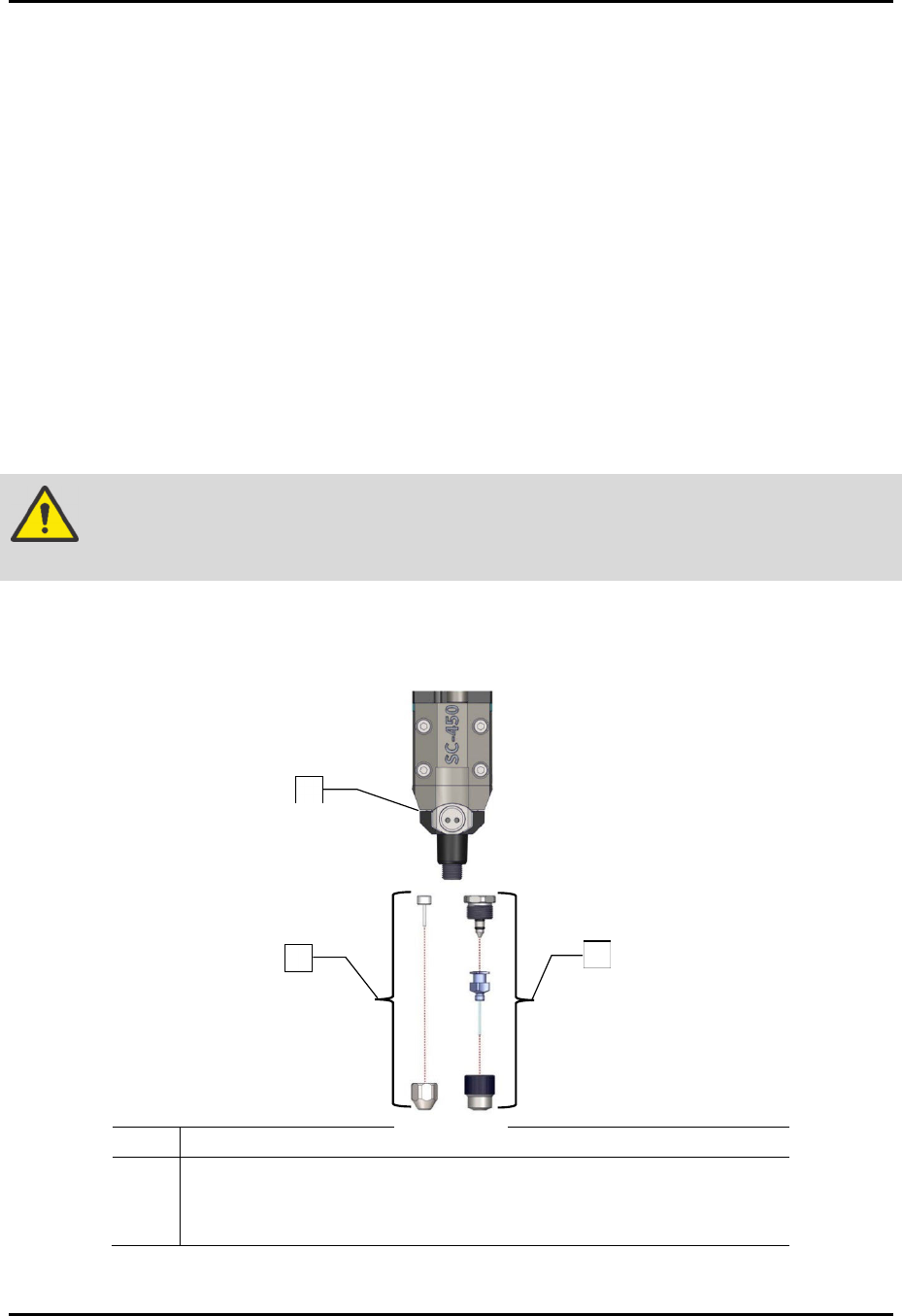
To install the fluid needle (Figure 3-6):
1. If required, perform a service shutdown. Refer to the applicable coating system Installation,
Operations, and Maintenance Manual.
2. Open the front hood of the coating system.
3. Manually move the dispense head to the front of the coating system.
4. Install the configured needle assembly.
5. If required, remove the old needle assembly and separate from the fluid body assembly.
6. Insert the fluid needle into the needle nut.
7. Tighten the needle nut onto the fluid body assembly by hand.
WARNING!
The needle nut must be tightened to prevent leakage. Do not use a wrench or
pliers to tighten as damage may occur.
8. Close the front hood of the coating system.
9. Setup the SC-450, see 3.7 SC-450 EasyCoat Configuration.
Item Description
1 Assy, Fluid Body, SS (Item 16)
2 DL Needle Kit (Item 21)
3 Iwashita Needle Kit (Item 22)
Figure 3-5 Installing the Fluid Needle (all configurations shown)
2
1
3
SC-450 PreciseCoat Conformal Coating Jet Installation and Configuration
© 2024 Nordson Corporation 13
3.7 SC-450 EasyCoat Configuration
To configure EasyCoat for the SC-450:
1. Configure the EasyCoat software for the SC-450. Refer to the EasyCoat User Guide or
EasyCoat Help for software configuration.
2. Position the SC-450 at the purge cup by running the appropriate macro or moving the
SC-450 to the front of the machine.
3. Click on Edit > Edit Mode from the EasyCoat Operator Screen to open the Edit Screen.
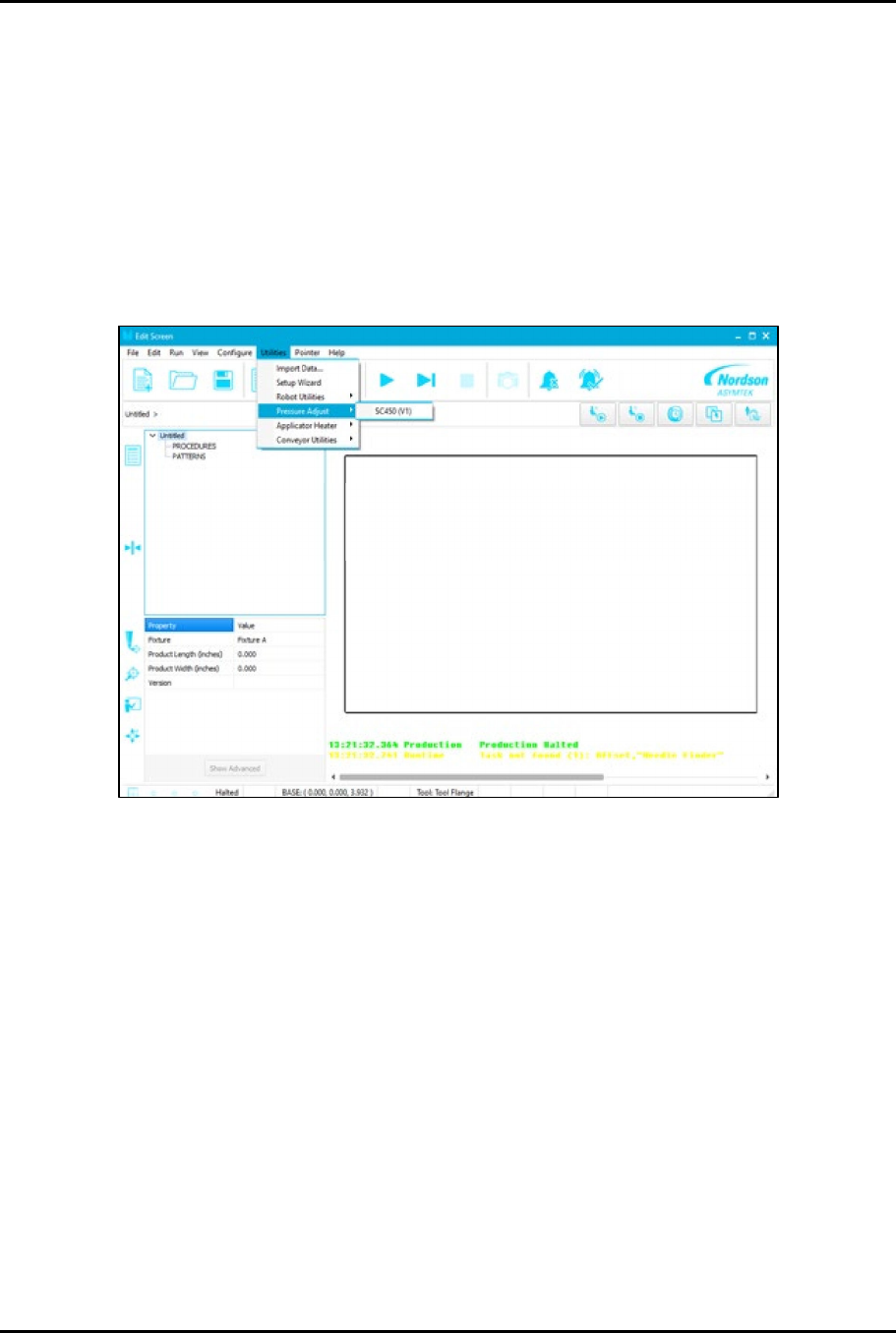
4. From the EasyCoat Edit Screen, select Utilities > Pressure Adjust > SC450 (Figure 3-7).
Figure 3-6 Utilities - Pressure Adjust
SC-450 PreciseCoat Conformal Coating Jet Installation and Configuration
14 © 2024 Nordson Corporation
5. Select the SC-450 tool.
> The Pressure Outputs window opens.
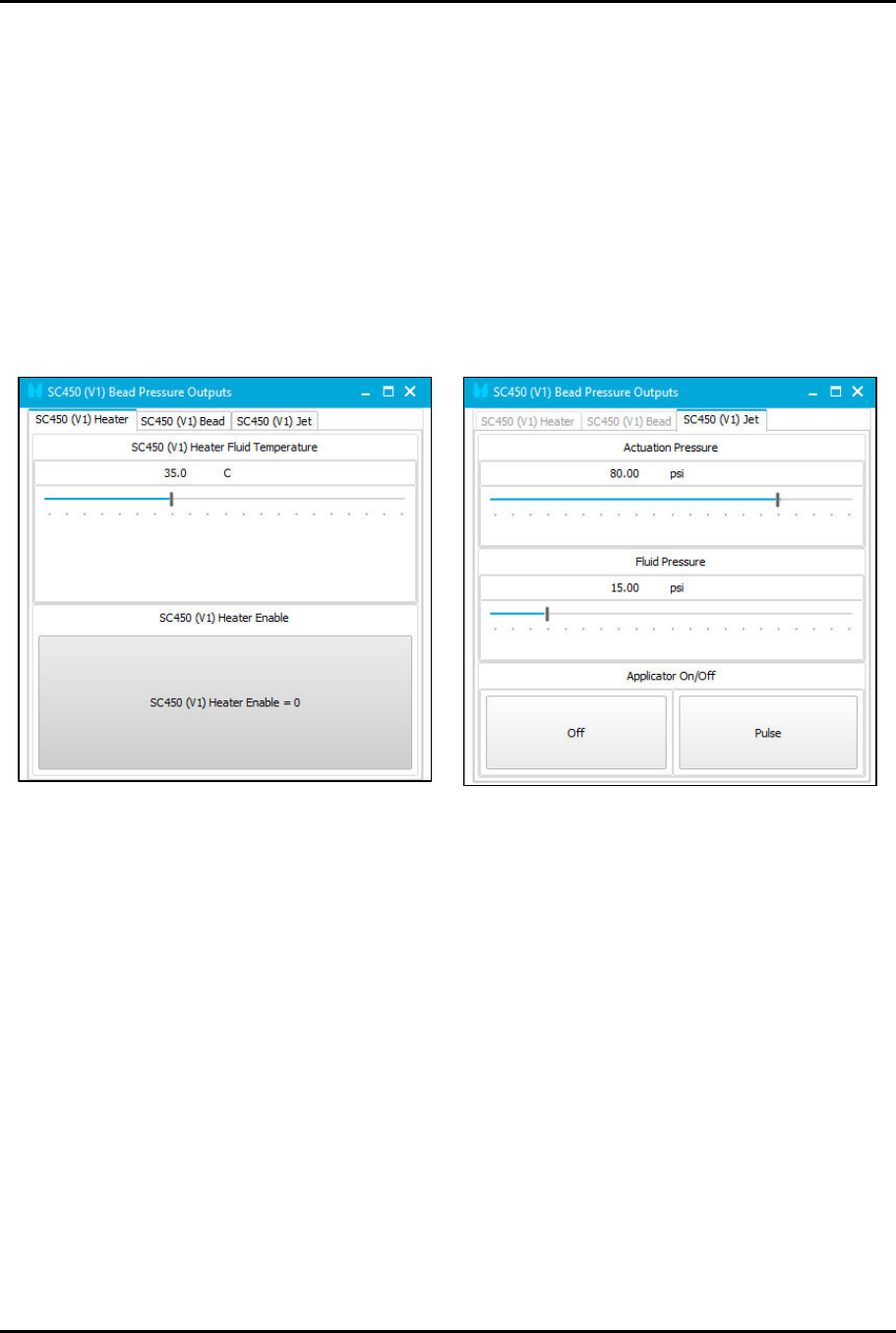
6. Slide the pressure bars to achieve the suggested starting pressures (Figure 3-8):
a. Set Heater Fluid Temperature to 35 °C.
b. Choose one of the two (2) operating modes SC450 Bead or SC450 Jet.
1) Set Actuation Pressure to 551 kPa (80 psi).
2) Set Fluid Pressure to 103 kPa (15 psi).
c. Set stroke to 25 clicks open.
7. Perform a priming routine. Refer to the applicable coating system Installation, Operations,
and Maintenance Manual.
Figure 3-7 Pressure Outputs