OM-1273-004_w.pdf - 第119页
3-10 AJK-ML T-ID 3. Component Library 3.1 Carrier Data This is a tab sheet which corresponds to all component shapes - "Cylindrical", "Square", "Deform", "IC (Simple)", "IC (C…
3-9
AJK-MLT-ID
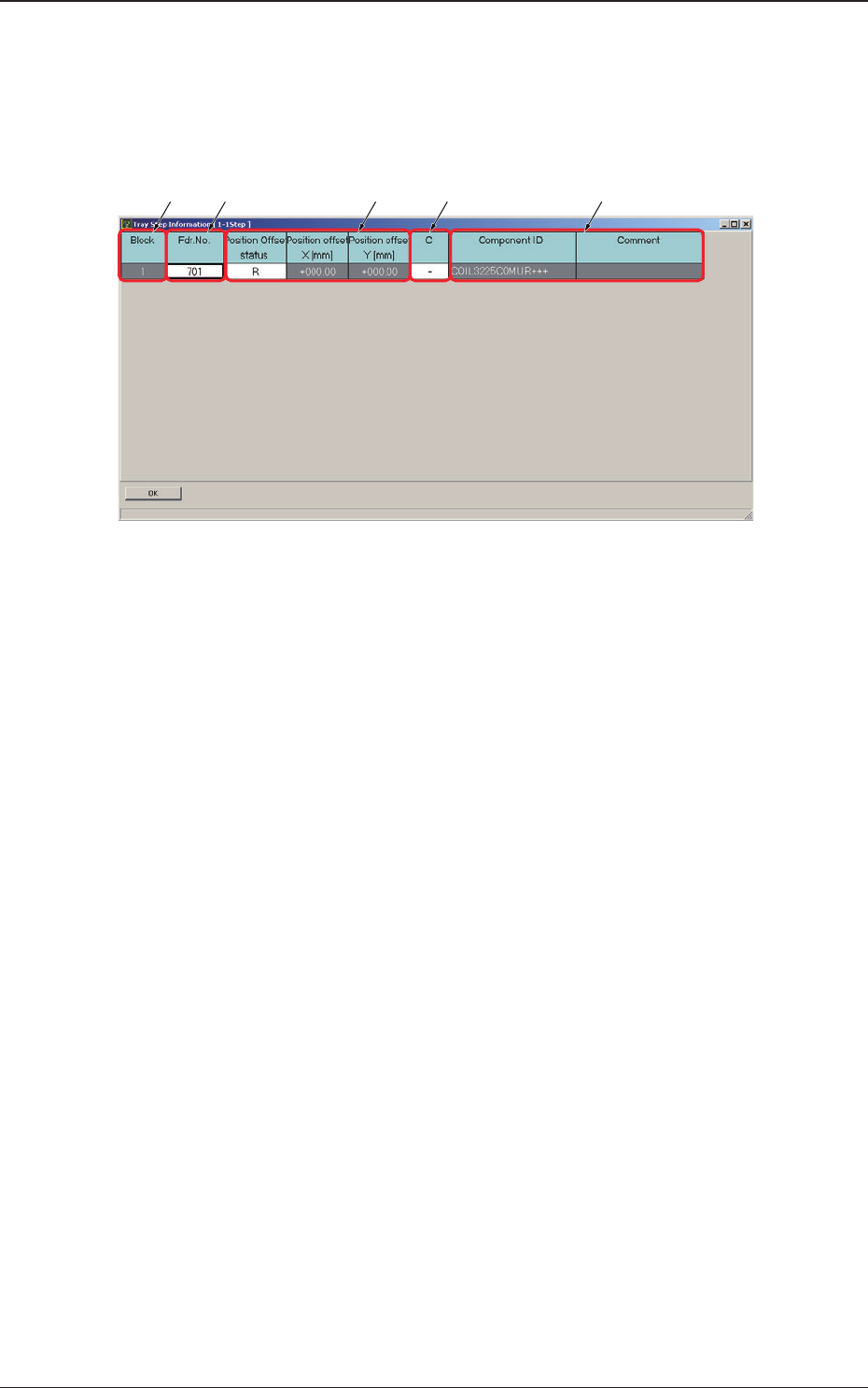
2.1.2 Editing of Tray Step Information
When a step No. is selected in the "Tray Step" edit window (Fig. C5-1), the
"Tray Step Information" window appears, enabling the operator to edit the
tray step information.
[1] [2] [4][3] [5]
Fig. C6 "Tray Step Information [1-15 Step]" Window
[1] Block
Shown
are the block Nos.
[2] Fdr. No.
Displayed are the Nos. of the feeders arranged in each block.
[3] Position Offset status
Select "R", "L", or "Free Position" as Reference Point X for the block.
Position offset X [mm], Y [mm]
Enter the reference coordinates of the tray viewed from the pallet
reference position of each block.
[4] C
The
control commands can be selected.
[5] Component ID and Comment
Displayed are the component IDs entered in the "Tray" edit window and
the comments entered in the component library data.
2.1 Description of Pattern Program
0804-003
3-10
AJK-MLT-ID
3. Component Library
3.1 Carrier Data
This is a tab sheet which corresponds to all component shapes -
"Cylindrical", "Square", "Deform", "IC (Simple)", "IC (Complex)",
"Connector (Simple)", "Connector (Complex)", "Other Leaded (Simple)",
"Other Leaded (Complex)", and "BGA/CSP".
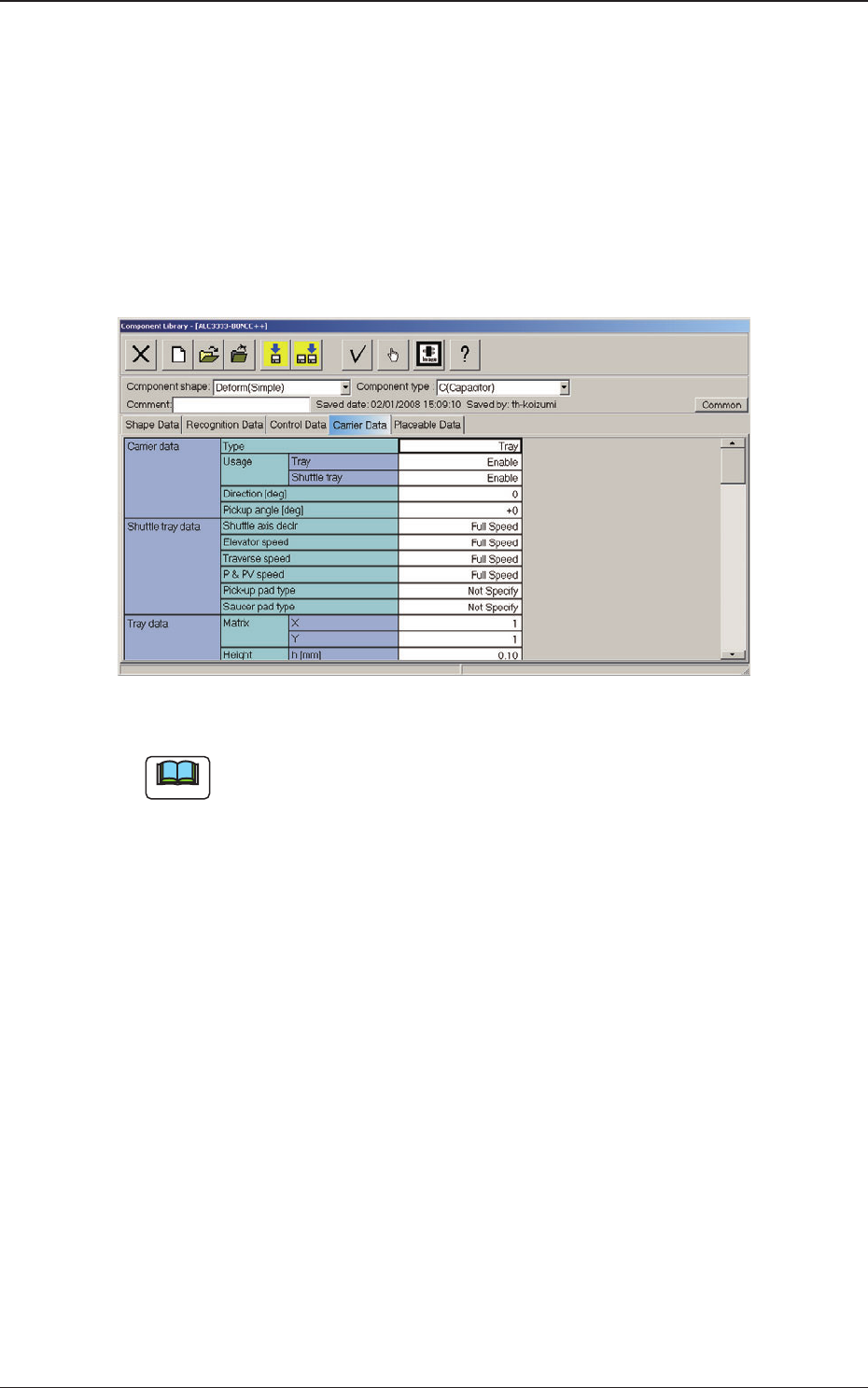
When the "Carrier Data" tab is pressed, the "Carrier Data" tab sheet appears.
Fig. C7 "Carrier Data" Tab Sheet (Type: Tray Selected)
Note
Refer to "2.3 (A03) Carrier Data" in "Chapter 2" of the instruction manual
"Component Library" for details of each data.
Set "Tray" in the "Type" text box of the label "Carrier data" and enter
parameters in the other text boxes of the label "Carrier data" and in the text
boxes of the label "Tray data".
3. Component Library
0804-003
3-11
AJK-MLT-ID
4. System Setting
4.1 Offset Data
4.1.1 Feeder (B) Offset
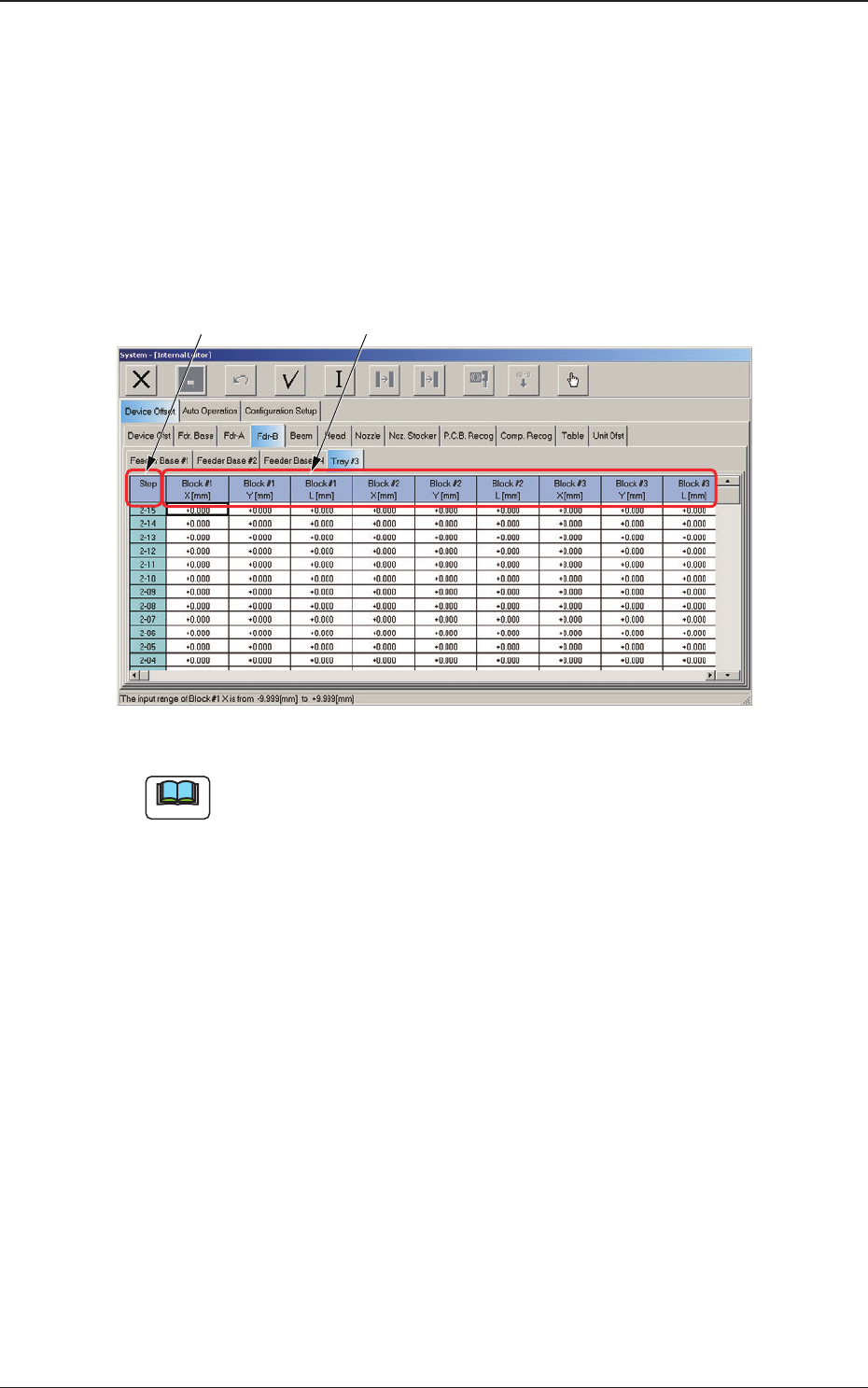
Open the "System" window (main menu).
When the "Fdr-B" subtab is pressed in the "Device Offset" tab sheet and the
"Tray #3" subtab is further pressed, the following tab sheet appears.
[1] [2]
Fig. C8 "Tray #3" Subtab Sheet (Multi-Layer Tray Feeder #3 Used)
Note
The displayed subtab sheet will look different, depending on which option
is selected.
[1] Tray Step
Shown are the tray step Nos.
[2] Block #1 through #9
X [mm] (Horizontal) and Y [mm] (Vertical)
The set parameters are used to correct the variation in the X and Y
directions of each block of steps.
The values based on the placement reference coordinates system must
be entered in these text boxes.
Enter the positional deviations from the pickup position for each
individual pallets, including the traverse drawout position (multi-layer
tray offset), such that components can be picked up at their centers.
L [mm]
(Height)
The set parameters are used to correct the variations in the pickup
height of the individual blocks of each step.
These parameters are reected on the descending stroke of the head
required to pick up a component.
4. System Setting
0804-003