OM-1273-004_w.pdf - 第75页
2-10 AJK-ML T-ID 2.3.1 Alternate Mode The corresponding window makes it possible to set parameters for the magazine alternate mode. [1] [2] [3] [4] Fig. B5-2 "Altn Mode" Window (Multi-Layer T ray Feeder #3 Used…
2-9
AJK-MLT-ID
2.3 Operation
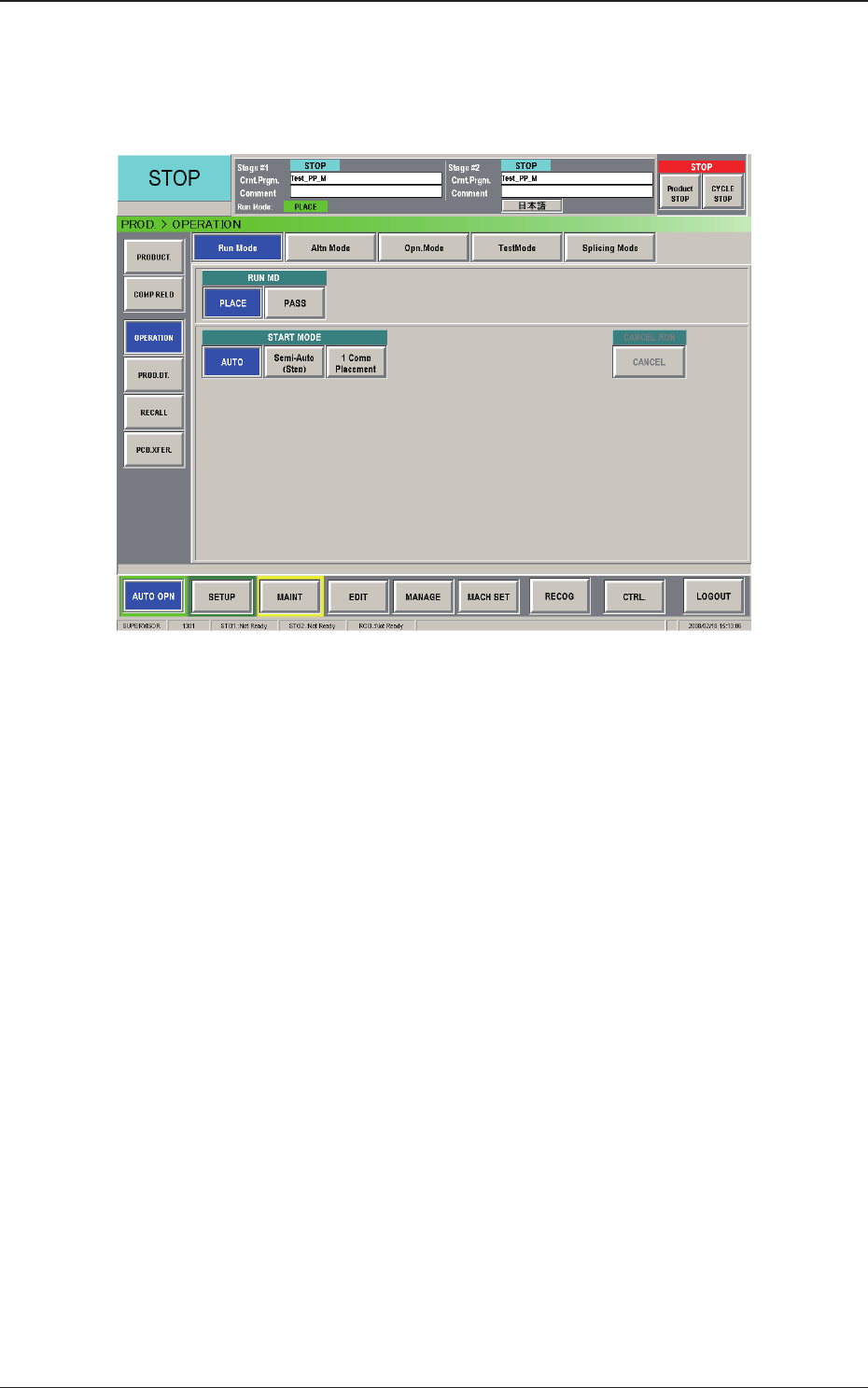
When the [OPERATION] button on the "AUTO OPN" submenu bar is
pressed, the "OPERATION" window appears.
Fig. B5-1 "OPERATION" Window
The "OPERATION" window is composed of the "Run Mode", "Altn Mode",
"Opn. Mode", "Test Mode", and "Splicing Mode" windows.
2.3 Operation
0804-003
2-10
AJK-MLT-ID
2.3.1 Alternate Mode
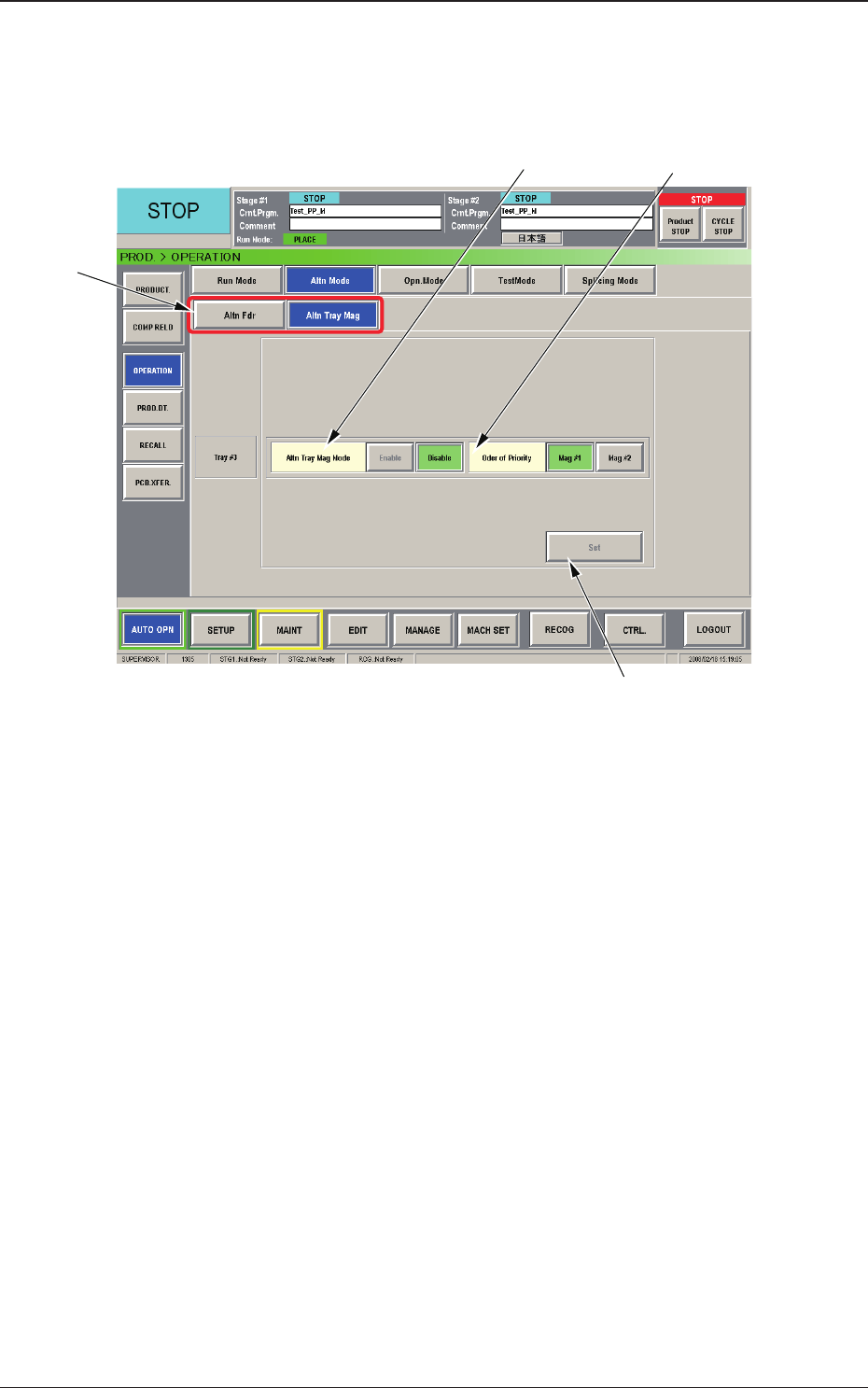
The corresponding window makes it possible to set parameters for the
magazine alternate mode.
[1]
[2]
[3]
[4]
Fig. B5-2 "Altn Mode" Window (Multi-Layer Tray Feeder #3 Used)
[1] Selection Buttons
[Altn Fdr] Button :
When pressed, this button opens the "Altn
Fdr" window.
[Altn Tray Mag] Button :
When pressed, this button opens the "Altn
Tray Mag" window.
[2] Altn Tray Mag Mode
[Enable] Button :
When selected, this button validates the magazine
alternate mode.
[Disable] Button :
When selected, this button invalidates the magazine
alternate mode.
[3] Order of Priority
[Mag #1] Button
: When this button is pressed, the components in
Magazine #1 are used prior to the others.
[Mag #2] Button :
When this button is pressed, the components in
Magazine #2 are used prior to the others.
[4] [Set] Button
When pressed, this button reects the items selected in [2] and [3] on
the
machine.
2.3 Operation
0804-003
2-11
AJK-MLT-ID
2.3.2 Operation Mode
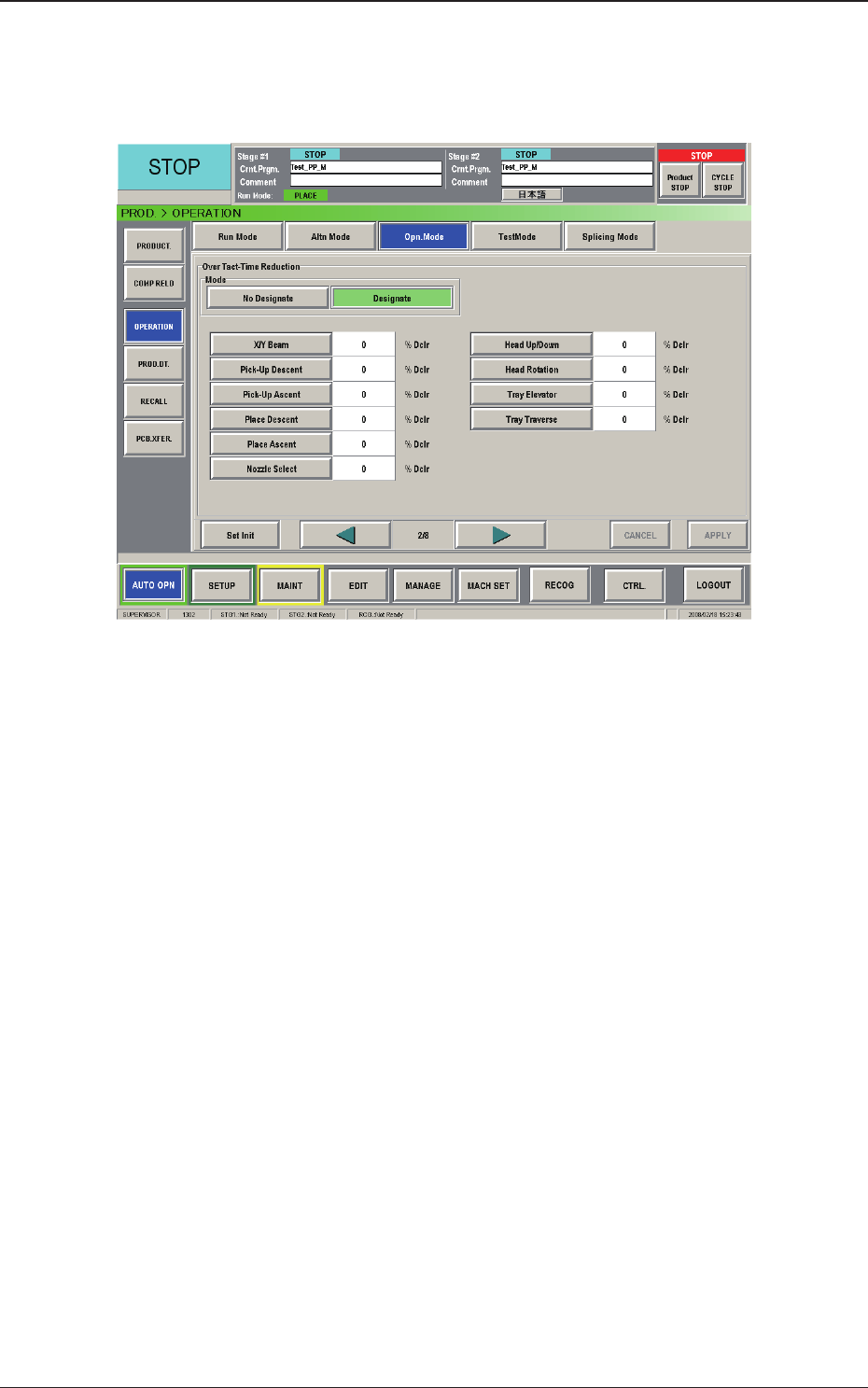
The corresponding window makes it possible to set the reduction rate of the
running speeds for the tray elevator and traverse.
Fig. B5-3 "Opn. Mode" Window (2/4)
When the multi-layer tray feeder is connected, the following items are
added.
[Tray
Elevator] Button :
This button can be used to set the rate of the
elevator speed reduction.
[Tray Traverse] Button :
This button can be used to set the rate of the
traverse speed reduction.
2.3 Operation
0804-003