00196378-0102_UM X-Feeder_EN.pdf - 第48页
Operating Tape Feeder Modules Setting Up the Feeder Module Inserting / Removing the Spacer (Ta pe Support) 48 User Manual X Feeder Modules SIPLACE Family Removing the Spacer NOTICE! The lock me chanism prevents the space…
Operating Tape Feeder Modules
Inserting / Removing the Spacer (Tape Support) Setting Up the Feeder Module
User Manual X Feeder Modules SIPLACE Family 47
4.2 Setting Up the Feeder Module
4.2.1 Inserting / Removing the Spacer (Tape Support)
4.2.1.1 Spacer on 2x8 mm Feeder Modules
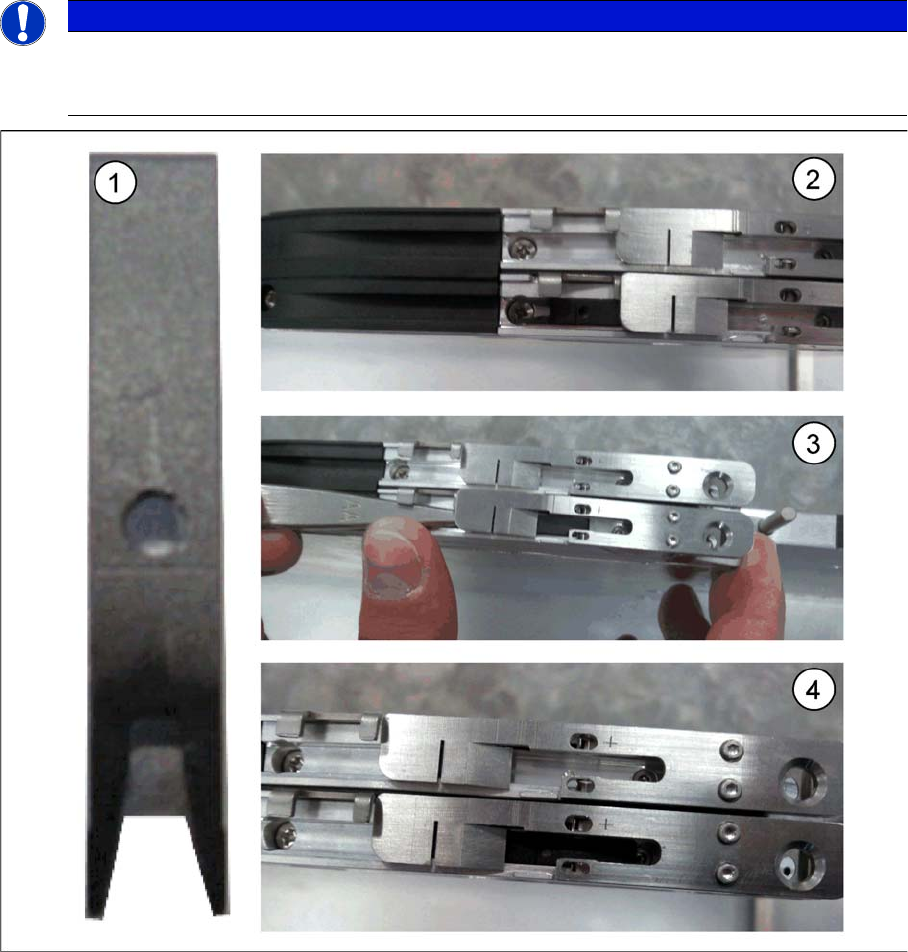
Inserting the Spacer
►(1) X feeder spacer
►(2) Open the pickup window and insert the spacer into the track.
►(3) Push the spacer forward under the pickup window.
►(4) The pin on the rear side of the spacer must sit in the centering hole in the track channel.
NOTICE
A spacer (tape support only for paper tapes) should be installed if components of size 0402, or
smaller, are set up. The spacer should also be used if the components in a paper tape are pro-
grammed to use non-contact pickup.
Operating Tape Feeder Modules
Setting Up the Feeder Module Inserting / Removing the Spacer (Tape Support)
48 User Manual X Feeder Modules SIPLACE Family
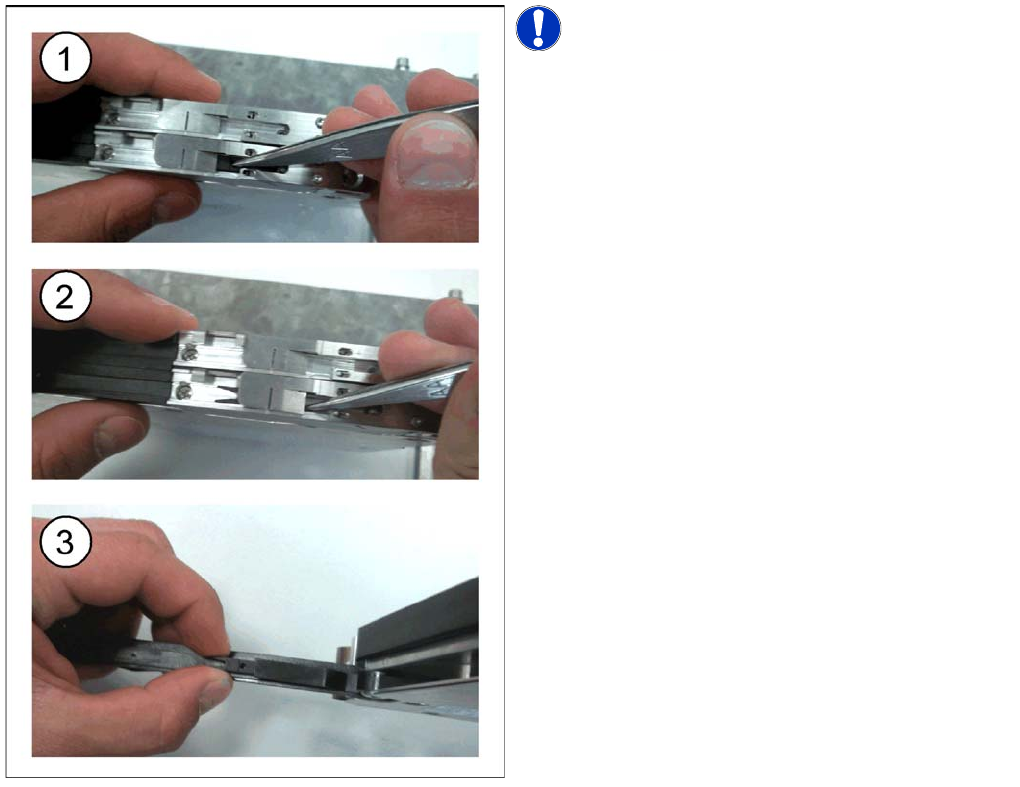
Removing the Spacer
NOTICE! The lock mechanism prevents the
spacer from moving.
►(1) Open the pickup window and lift the spacer out of
the centering holes using tweezers or a screwdriver.
►(2) Push the spacer backwards.
►(3) If the spacer is not needed you can store it in the
foil removal flap.
Operating Tape Feeder Modules
Inserting / Removing the Spacer (Tape Support) Setting Up the Feeder Module
User Manual X Feeder Modules SIPLACE Family 49
4.2.1.2 Spacer on 8 mm Feeder Modules
The spacer (tap support for paper tapes only) should be installed in the following cases:
▪ If components of size 0402 or smaller are set up on the feeder.
▪ If non-contact pickup is enabled for paper tapes, which means that the component is sucked in with-
out being touched.
An installed spacer must be removed for processing all other tape materials.
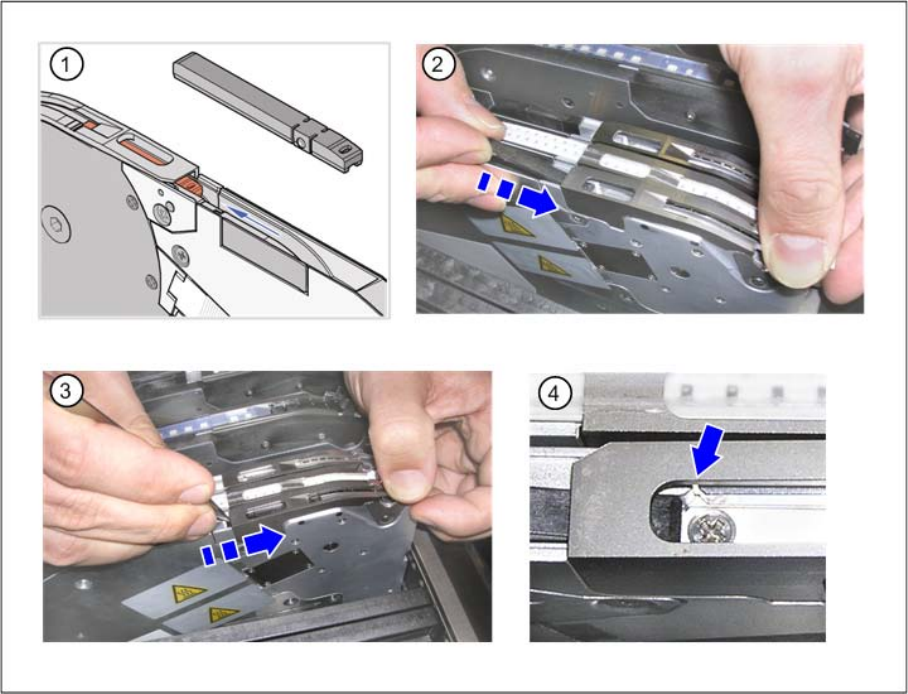
Inserting the spacer
Figure (1) shows a spacer for X feeder modules.
To insert the spacer, proceed as follows:
►(2) Open the pickup window and insert the spacer into the track.
►(3) Push the spacer forward under the pickup window.
►(4) Make sure that the centering pins on the underside of the spacer are located in the centering holes
of the track channel.