00196378-0102_UM X-Feeder_EN.pdf - 第78页
Operating Tape Feeder Modules Regular Maintenance Regular Main tenance on 8 - 88 mm Feeder Modu les 78 User Manual X Feeder Modules SIPLACE Family
Operating Tape Feeder Modules
Regular Maintenance on 8 - 88 mm Feeder Modules Regular Maintenance
User Manual X Feeder Modules SIPLACE Family 77
4.5.2 Regular Maintenance on 8 - 88 mm Feeder Modules
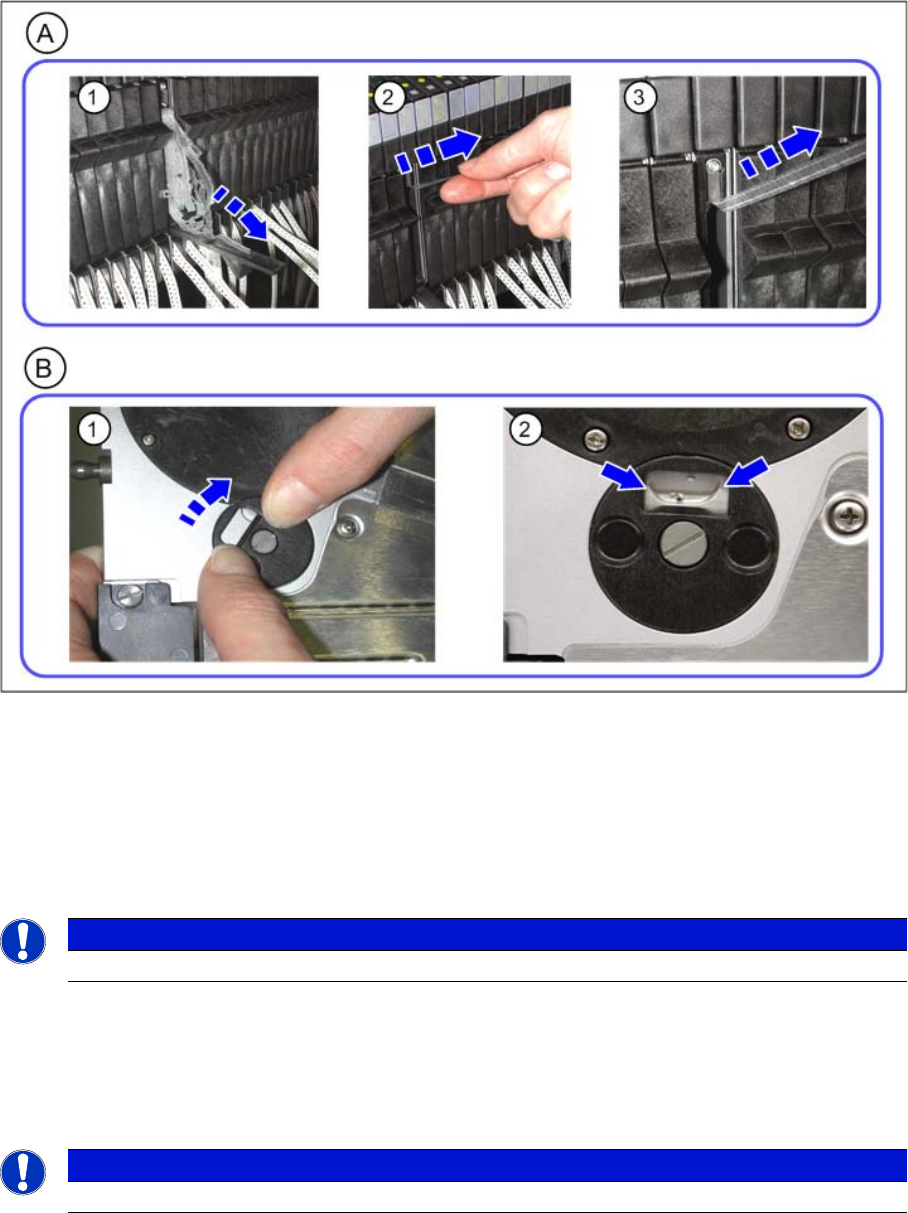
A) Emptying the Foil Container
►(1) Open the foil container flap.
►(2) Pull out the cover foil.
►(3) Cut off the cover foil at the integrated blade.
►Close the foil container flap.
B) Empty Component Disposal
►(1) Open the component disposal.
►(2) Empty the component disposal.
►Close the component disposal.
NOTICE
The foil container should be emptied after each splicing of a new tape.
NOTICE
The component disposal should be emptied once per week.
Operating Tape Feeder Modules
Regular Maintenance Regular Maintenance on 8 - 88 mm Feeder Modules
78 User Manual X Feeder Modules SIPLACE Family
Messages
Module Error: Error Messages Concerning the Control Unit of the Feeder Module Messages for 2x8 mm Feeder Modules
User Manual X Feeder Modules SIPLACE Family 79
5 Messages
5.1 Messages for 2x8 mm Feeder Modules
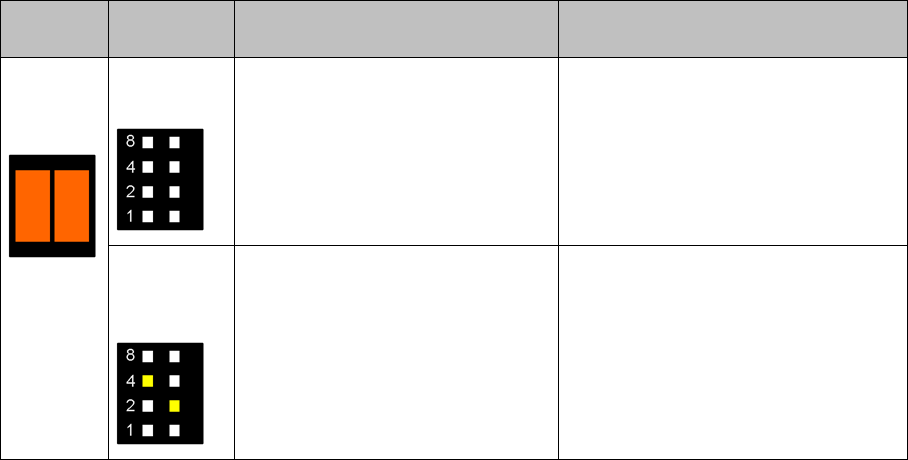
5.1.1 Module Error: Error Messages Concerning the Control Unit of the Feeder Module
Status Dis-
play
Pitch display Cause Solution
Both LEDs
light up or-
ange
All LEDs are
off
24 V supply voltage has not
reached the switching on threshold
after being switched on.
Check the power supply of the FCU
and the EDIF.
One LED per
track lights
up
After the removal handle has been
released, the feeder module has
logged out at the FCU and waits for
being switched off.
Usually this status is only briefly dis-
played when the feeder module is
logging out.
Should this status be displayed for a
longer time, there is a communication
failure between the feeder module and
the FCU. In this case the feeder
module must be unlocked via the GUI.