00196378-0102_UM X-Feeder_EN.pdf - 第83页
Messages Flow Chart: Error Display on the Operator Panel Messages for 2x8 mm Feeder Modules User Manual X Feeder M odules SIPLACE Family 83 5.1.3 Flow Chart: Error Display on the Operator Panel The flow ch art shows t he…
Messages
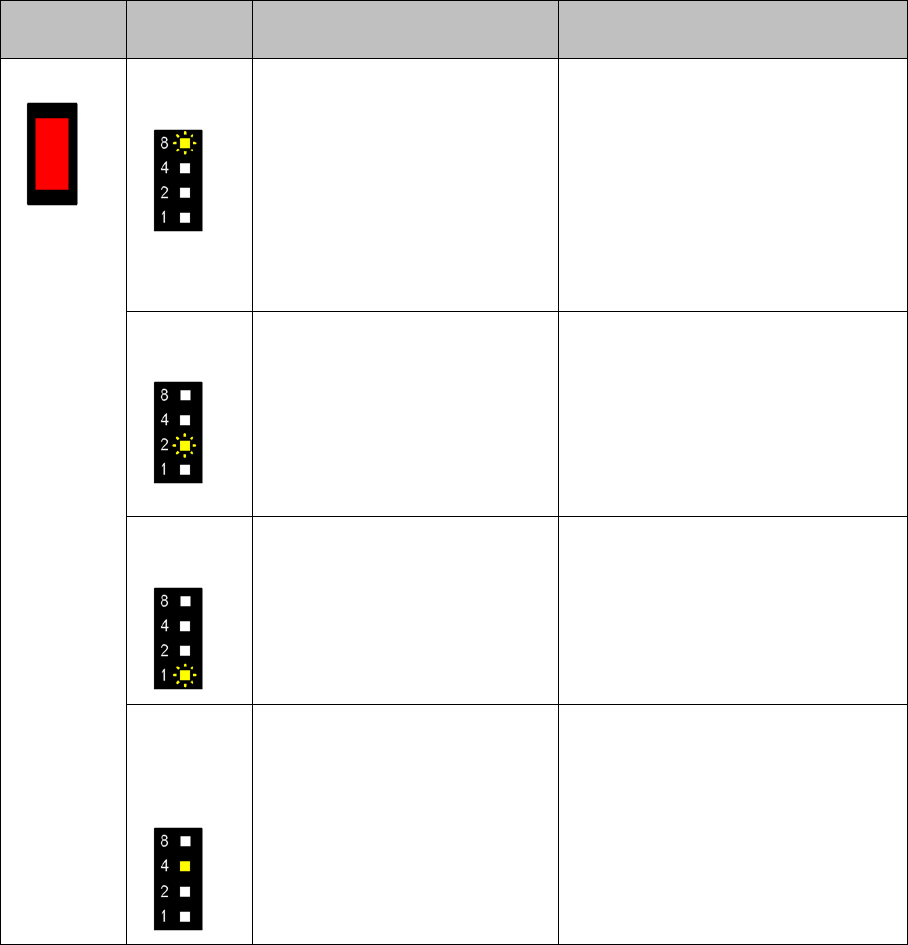
Messages for 2x8 mm Feeder Modules Track and Process Error: Error Messages Concerning One or Both Feeder Mod-
82 User Manual X Feeder Modules SIPLACE Family
Lights up red LED 8 flash-
es slowly
Conveyor error: Tape feeding cy-
cle was not correctly completed
within the prescribed time.
▪ Is the tape reel trapped in the
container?
▪ Is the component trapped in
the pickup area, between the
tape and the component win-
dow?
Once the obstacle has been elimi-
nated, use the FORWARDS and
BACKWARDS buttons to restart the
conveyor.
The feeder module will finish the faulty
feed run and will return to its correct
position.
LED 2 flash-
es slowly
Foil torn: Foil was not tensioned
within the specified time:
▪ The foil is torn.
▪ The foil container is full.
▪ Contaminants or foil residues
prevent pressure of the foil
disposal rolls.
▪ Insert and tighten foil again.
▪ Empty the foil container.
▪ Check the foil disposal rolls for
contamination and clean them, if
necessary.
LED 1 flash-
es slowly
Foil stripper: Foil not pulled off
while tape gets transported. The
cover foil has probably been
trapped under the pickup window
and therefore not stripped off
properly.
Check if the cover foil is jammed under
the pickup window.
One LED
lights up
(current
pitch)
Process error: The station com-
puter sent an error message to
this feeder module track. The
error source is therefore not in the
feeder module but usually in the
placement machine.
The graphical user interface (GUI) of
the placement machine displays a de-
tailed description of the error source.
Status Dis-
play
Pitch display Cause Solution
Messages
Flow Chart: Error Display on the Operator Panel Messages for 2x8 mm Feeder Modules
User Manual X Feeder Modules SIPLACE Family 83
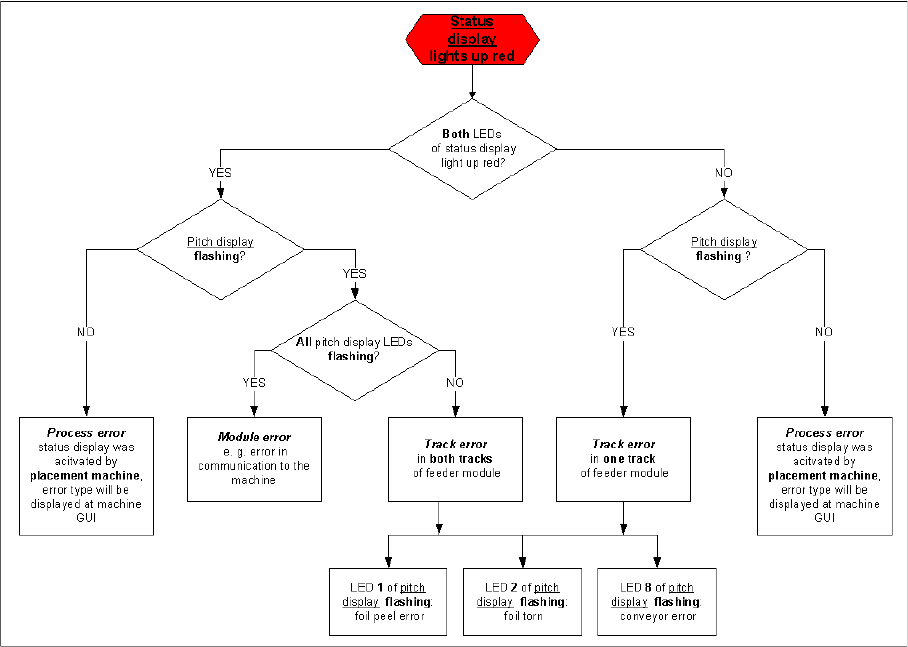
5.1.3 Flow Chart: Error Display on the Operator Panel
The flow chart shows the logic according to which the errors are divided into the individual types. It
should help to identify an error.
Messages
Messages for 8 - 88 mm Feeder Modules Messages Sent by the Feeder Module
84 User Manual X Feeder Modules SIPLACE Family
5.2 Messages for 8 - 88 mm Feeder Modules
5.2.1 Messages Sent by the Feeder Module
5.2.1.1 Introduction
The following LCD and status displays are generated by the feeder module itself. The source of the error
is therefore usually the module state. The following tables show the LCD display text, the color and mode
of the status display, the cause and troubleshooting measures.
5.2.1.2 No Display
5.2.1.3 Initialization
5.2.1.4 Reference o
5.2.1.5 Software Reset
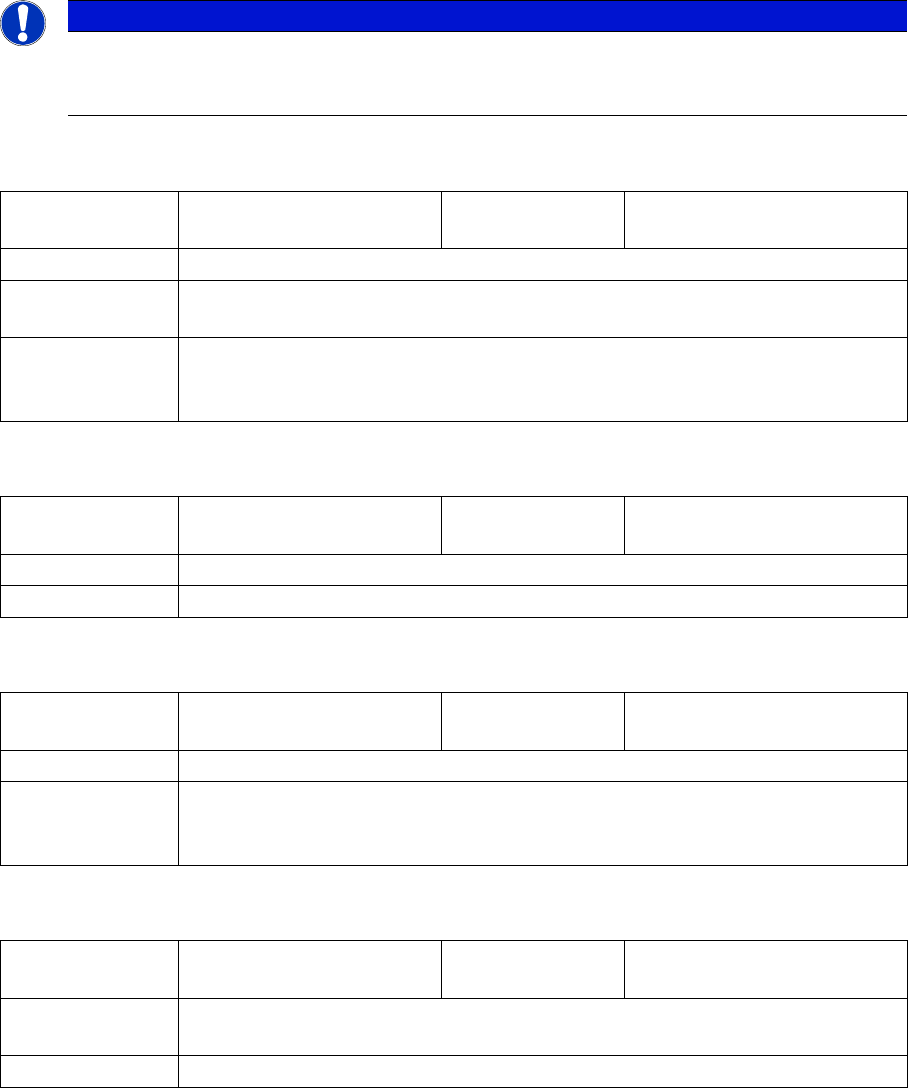
NOTICE
Through the constant further development of the station software, you may find that your feeder
module shows error texts which are not included in this list. In this case, please refer to the
Online Help function in the GUI and the station computer operating manual.
LCD, de:
LCD, en:
Status display: red, flashing rapidly
Cause: The feeder module is unable to start the application.
Solution: Reboot the application software. To do this, place the feeder module on the place-
ment machine and perform a software download in SITEST.
Comments: If the application software is not available or if it is defective, only the basic program
or so-called boot loader will be active. However, the display is unable to access
this and will remain dark.
LCD, de:
LCD, en:
Init Feeder
Init Feeder
Status display: off
Cause: The feeder module software is currently booting.
Solution: Wait (approx. 2 secs.)
LCD, de:
LCD, en:
Referenz o
Reference o
Status display: red
Cause: Tape drive position information is no longer available.
Solution: Remove the component tape (tape can be moved out by pressing the arrow
buttons or pulled out after raising the pickup window). Then perform a reference
run by pressing the "Foil" button.
LCD, de:
LCD, en:
SW Reset
SW Reset
Status display: red, flashing slowly
Cause: The automatic software reset is being performed e.g. after loading new para-
meters.
Solution: Wait (approx. 2 secs.)