OM-1833-001w_SL.pdf - 第39页
2.1 T ape Attachment Procedure 1504-001 2.1 T ape Attachment Procedure Procedure (1) Slide the loading suppressor forward on the lane where the tape is to be set up to prepare for tape insertion. Loading Suppressor Slide…
1504-001
2. Attachment and Detachment of Tape
Notice
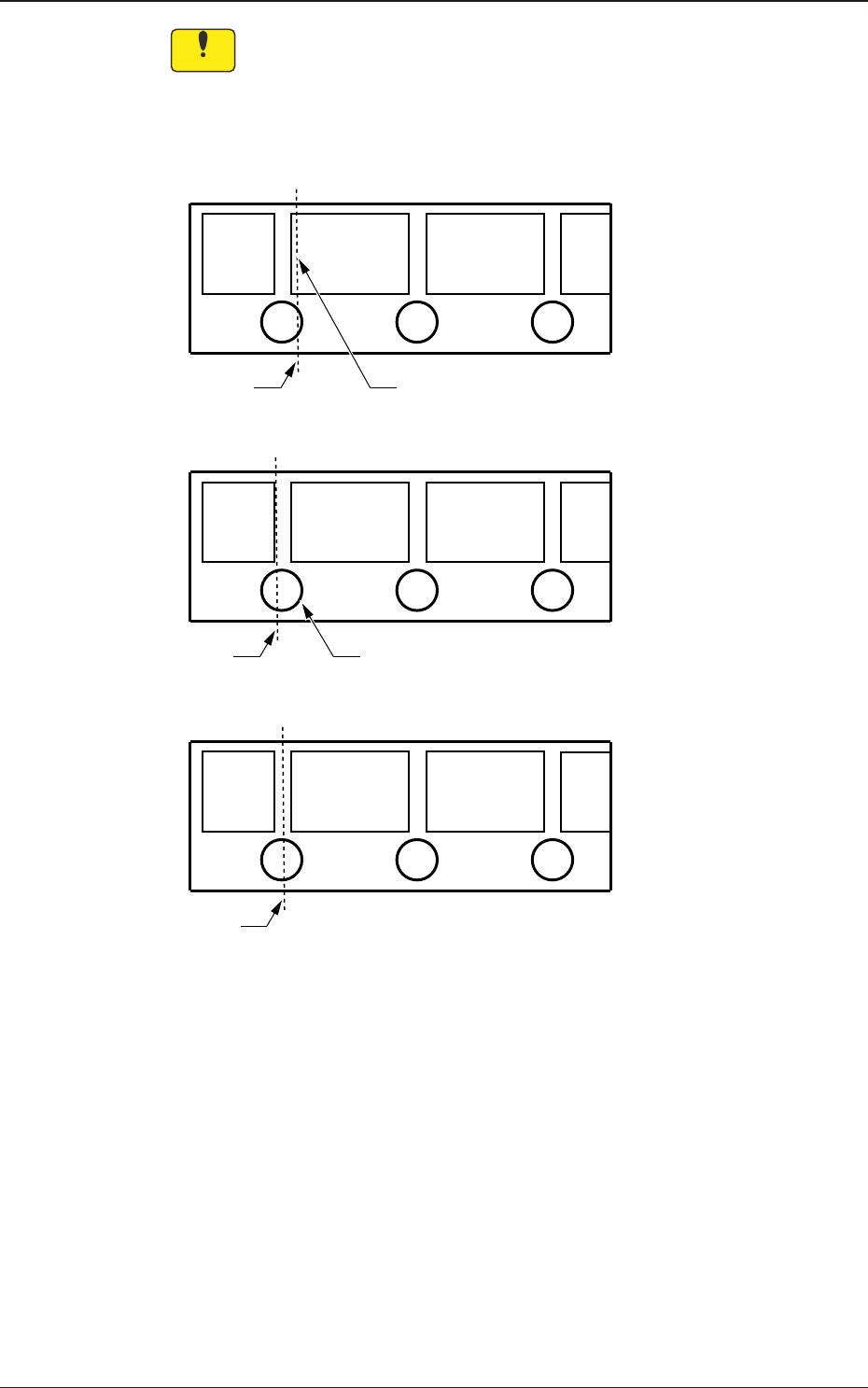
In the case that a pocket is cut when the tape is cut off at a specied
position, cut the tape so that the pocket is not cut. Also, do not cut the
tape at a position where more than half of a perforation is left. When the
tape is cut off where the pocket is cut, or more than half of a perforation
is left, it might cause a malfunction.
Cutting
Position
The pocket is cut.
NG
OK
Cutting
Position
More than half of a perforation is left.
NG
Cutting
Position
Fig. B4
OM-1833
2-2
2.1 Tape Attachment Procedure
1504-001
2.1 Tape Attachment Procedure
Procedure
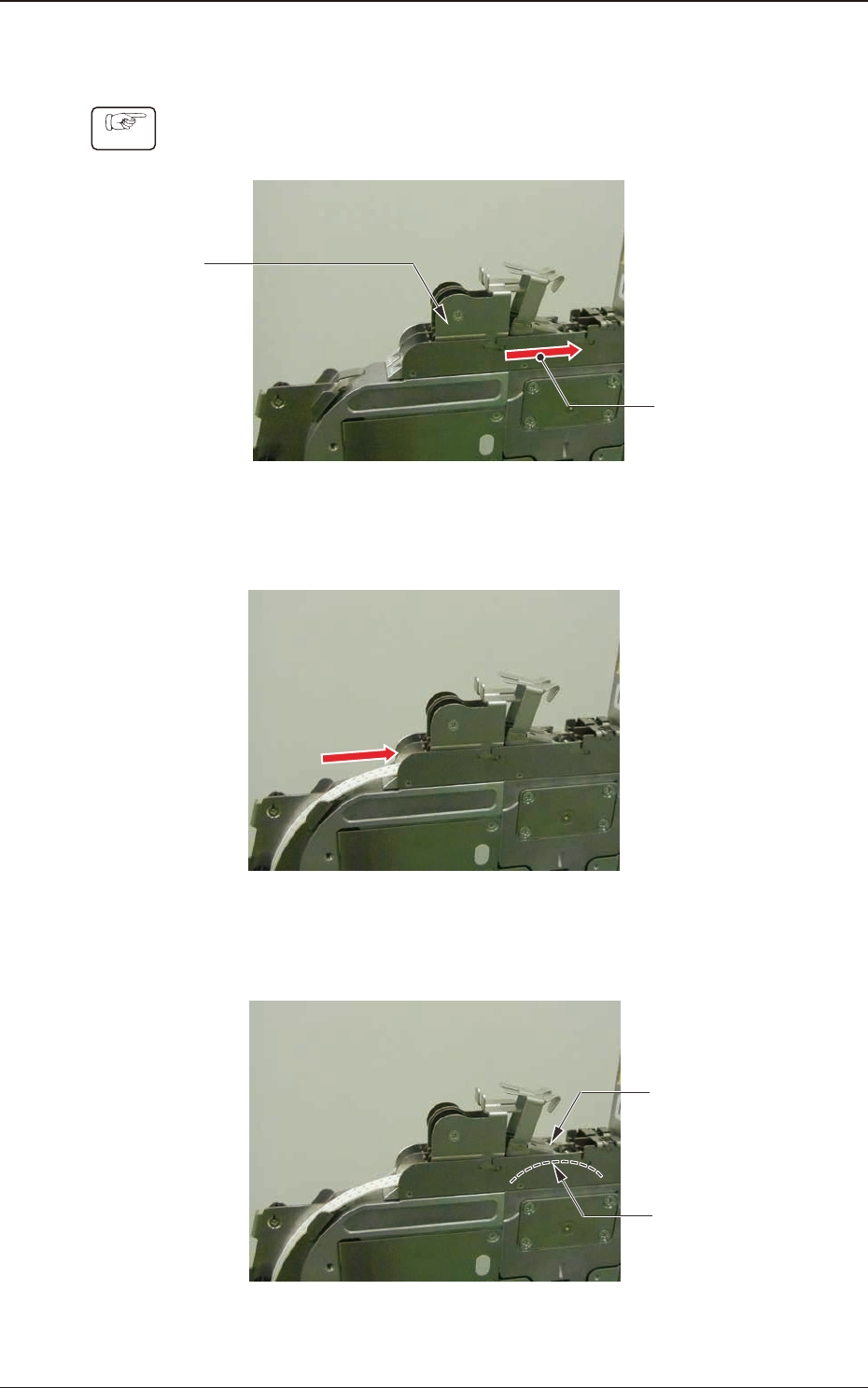
(1) Slide the loading suppressor forward on the lane where the tape is to be set
up to prepare for tape insertion.
Loading
Suppressor
Slide it forward.
Fig. B5
(2) Insert the tape.
Fig. B6
(3) Insert the tape so that the end of the tape contacts the sprocket (3) gear.
Insert the
tape end to
this position.
Sprocket(3)
Fig. B7
OM-1833
2-3
1504-001
2.1 Tape Attachment Procedure
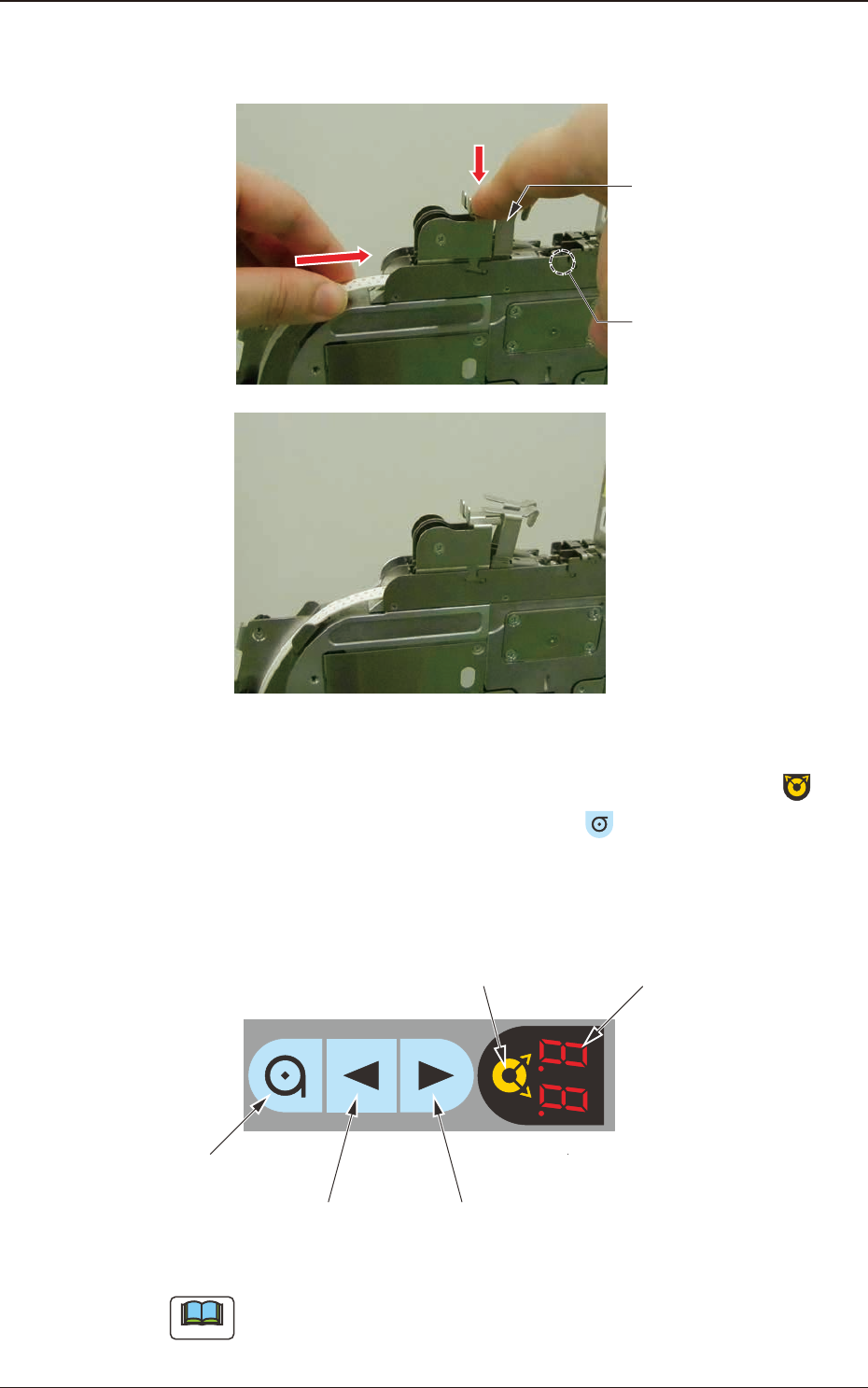
(4) Push down the lever to lift the roller and insert the tape about 10mm, so that
the tape is engaged with the sprocket (3) gear.
Tape setup completed
Roller
Lever
Fig. B8
(5) Perform the tape loading operation. After selecting the lane using the
button on the operation panel, hold down the
button for one second.
(After 1-second pressing and holding-down operation of the button is
detected, the tape loading operation starts and the tape is carried in the
component pick-up position automatically.)
Digital IndicatorLane Selection Button
Forward ButtonBackward Button
Take-up Button
Fig. B9
Note
Start-up Conditions:
The tape detection sensor (2) should be turned ON.
The tape has not been set up.
OM-1833
2-4