00191017-01.pdf - 第166页
6 Product / Package Form User’s Manu al Line Computer UNIX 6.1 Package Form Editor Software Version 403.xx Edition 06/ 97 6 - 6 Title bar The title ba r displ ays the directory in whic h the sele cted p ackage form (or t…
User’s Manual Line Computer UNIX 6 Product / Package Form
Software Version 403.xx Edition 06/97 6.1 Package Form Editor
6 - 5
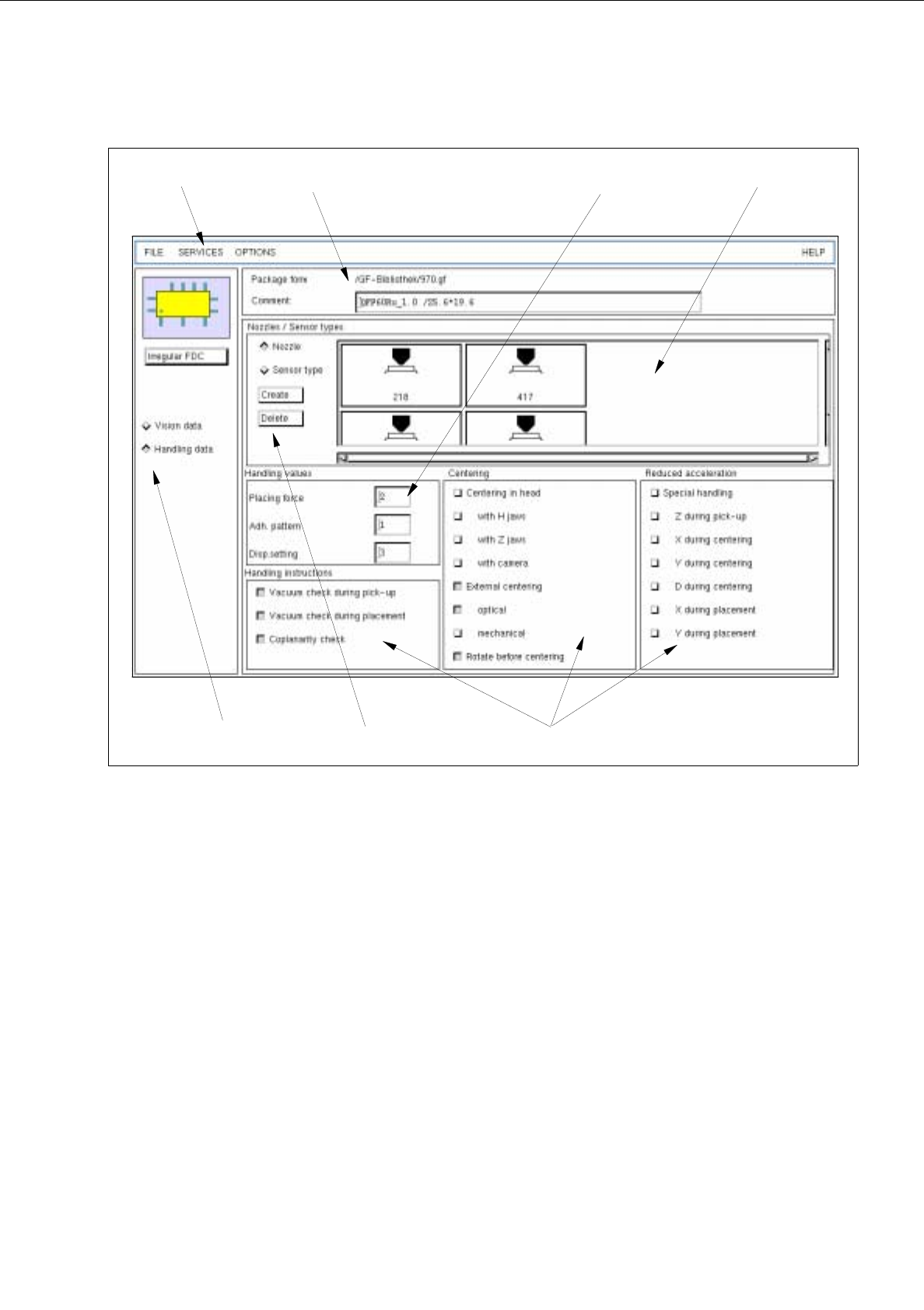
Fig. 6.1.4 Main Window "Package Form Editor (Displaying Handling Data - Irregular FDC)"
The areas of the main window and their functions are explained in the following.
The main window of the Package Form Editor (displaying "Vision data" or "Handling data") is subdivided as
follows:
-
Title bar
-
Menu bar
-
Setting area
-
Selection fields
-
Command area
-
Editing area
-
Display area
selection fields
menu bar
command area
editing area
setting area
display areatitle bar
(write-protected)

6 Product / Package Form User’s Manual Line Computer UNIX
6.1 Package Form Editor Software Version 403.xx Edition 06/97
6 - 6
Title bar
The title bar displays the directory in which the selected package form (or the GF-file) is contained, and the
number of the package form.
In the editing field below the title bar it is possible to enter a comment, e.g. the package form assigned to the
GF-no. (No inverted commas or quotation marks will be accepted. Max. 255 characters may be entered.)
The comment can be modified at any time, i.e. even after the package form has been saved.
Menu bar
The menu bar contains the "FILE", "SERVICES", "OPTIONS" and "HELP" menus.
A complete description of the "SERVICES" menu is contained in section 6.1.2.1.
NOTE
Since the functions and operation of the "FILE", "OPTIONS" and "HELP" menus are similar to those in other
application programs of the line computer, they are described comprehensively in chapt. 2.
Setting Area
The layout of the main window is determined by clicking on the buttons
Vision data
or
Handling data
.
In addition, the package form type (except for the "BGA" type) can still be changed at any time with the aid of
the <Package form type> button (see section 6.1.2.2).
Selection fields
(see section 6.1.2.3 and section )
With the setting
Vision data
the characteristics of the current component type can be selected (see section 6.1.2.3).
With the setting
Handling data
the type of processing appropriate for the current component type can be
defined (see section ).
Command area
The commands that may have been activated in this area, in combination with the settings
FDC
or
BGA
and
Vision data
, enable pin groups and grid groups to be generated or deleted (see section 6.1.2.4). Moreover,
the window for the description of the model data or group data for a selected object (pin, group, ball, grid group)
can be opened. If setting Handling data has been selected, nozzles and sensor types can be generated or
deleted (see section 6.1.2.8).
Editing areas
(see section 6.1.2.5 and section 6.1.2.9)
If the
Vision data
setting has been selected, the dimensions of a package form (including its tolerances) are
defined by entering values in the respective editing fields of the editing areas. Moreover, the "cubic/non-cubic"
feature can be defined for FDCs and BGAs.
If
Handling data
setting has been selected, the placing force, the number of the adhesive pattern (which has
been defined for the current package form) and the adhesive amount to be dispensed can be entered.
NOTE
If the currently selected package form is a standard package form (number range 1 ... 1499), all handling data
can be changed. In the case of the vision data, only
the values for the packaging tolerances can be edited. All
other vision data are write-protected.
Display area
(see section 6.1.2.6)
If the
Vision data
setting has been selected, the current package form is displayed graphically in the display area
of the main window. After each change of the package form data the graphical image is automatically updated.
To change model or group data the respective graphic must be selected (see section 6.1.3.2).
If setting
Handling data
has been selected, all nozzles or sensor types generated are shown in the field "Nozzle
/ Sensor type" depending on the button that has been activated (see Fig. 6.1.4).

User’s Manual Line Computer UNIX 6 Product / Package Form
Software Version 403.xx Edition 06/97 6.1 Package Form Editor
6 - 7
6.1.2.1 SERVICES Menu
The SERVICES menu contains only one option with the following function:
-
Starting the Feeder Editor for the definition of the feeders which are to be used for feeding the
current component (package form).
●
Select menu item SERVICES --> Starting Feeder Editor.
The Feeder Editor is opened (see chapt. 9).
6.1.2.2 Setting Area of Package Form Editor
The appearance (layout) of the main window is set by activating the "Vision data" or "Handling data"
button. The <Name of package form type> button is used for a subsequent change of the package form type.
Setting possibilities for the display in the main window
-
Vision data This button is automatically activated by default when the Package Form
Editor is opened.
With this setting it is possible to edit the package form data that are
required for optical centering using the Vision System.
NOTE If the current package form is a standard package form
(numbers ranging from 1 ... 1499), the word "write-protected" is displayed
below the "Vision data" button. This means that none of the vision data
can be changed.
-
Handling data With this setting all specifications for the processing of the particular
component type are defined.
Changing the package form type
Once defined, FDCs and PDCs can still be changed into PDCs or FDCs, respectively. This is not possible
with BGA and standard package forms.
●
Click on (e.g.) <irregular FDC>.
The dialog box for the selection of the new package form type is opened.