00191017-01.pdf - 第501页
User ’s Manual Line Computer UNIX 17.2 From the P lacement Program to the Assembly Software V ers ion 403.xx Edition 06/97 17.2.1 Overview 17 - 3 The adh esive p attern des cription is disp ensed with . Package Form Edit…
17.2 From the Placement Program to the Assembly User’s Manual Line Computer UNIX
17.2.1 Overview Software Version 403.xx Edition 06/97
17 - 2
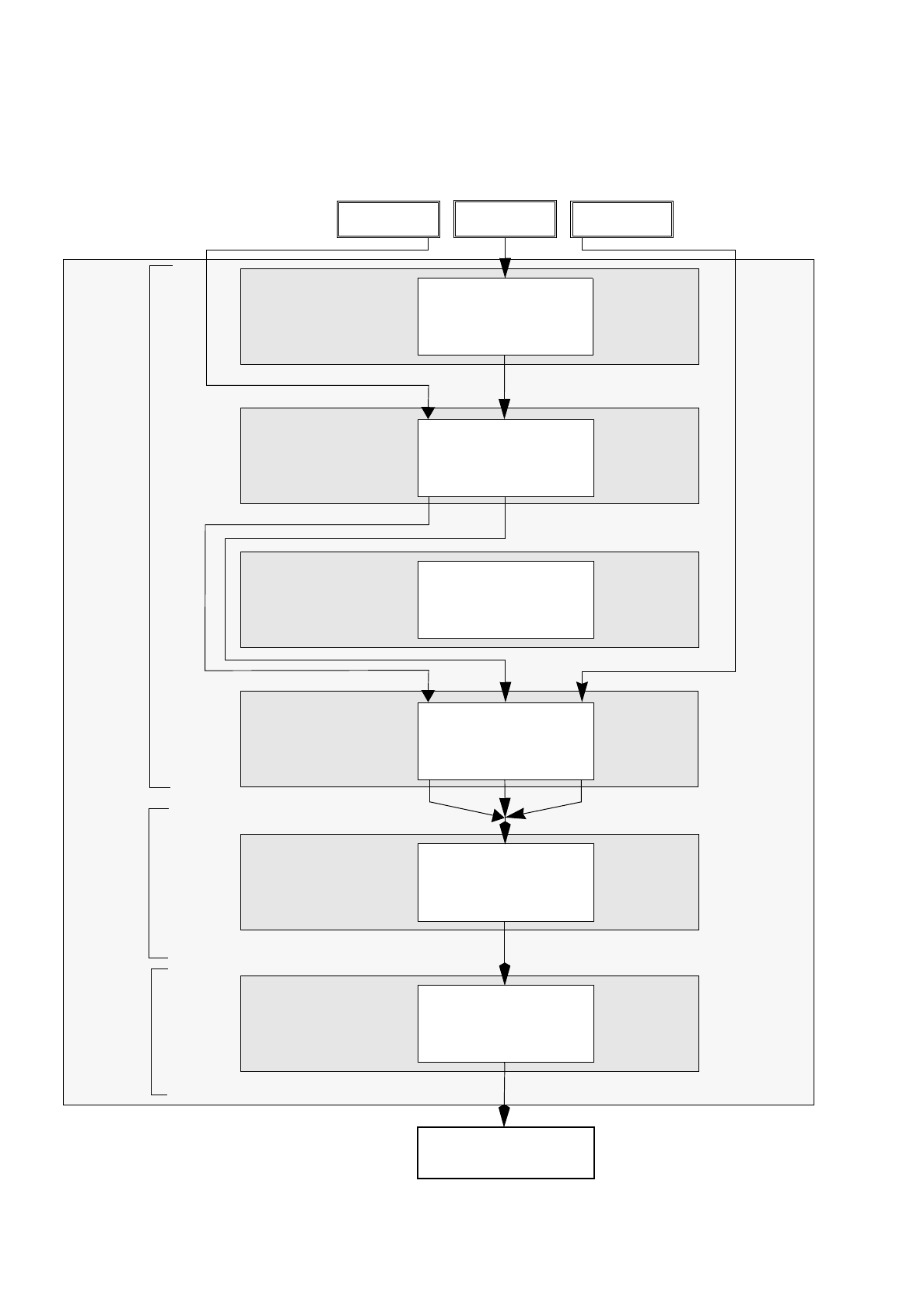
17.2 From the Placement Program to the Assembly
17.2.1 Overview
Set-up generation
Section 17.2.6
Line Control
Section 17.2.7
Component
description
Section 17.2.3
Package form (GF)
description
Section 17.2.2
PCB
description
Section 17.2.5
Adhesive pattern
description
Section 17.2.4
PCB 1 PCB 3
Assembly
Creation of a placement program
Generation of a
Scheduling a job
Package Form Editor
Desktop
Component Editor
Adhesive Pattern
Editor
PCB Editor
Optimization dialog
Job Control
PCB 2
set-up
User’s Manual Line Computer UNIX 17.2 From the Placement Program to the Assembly
Software Version 403.xx Edition 06/97 17.2.1 Overview
17 - 3
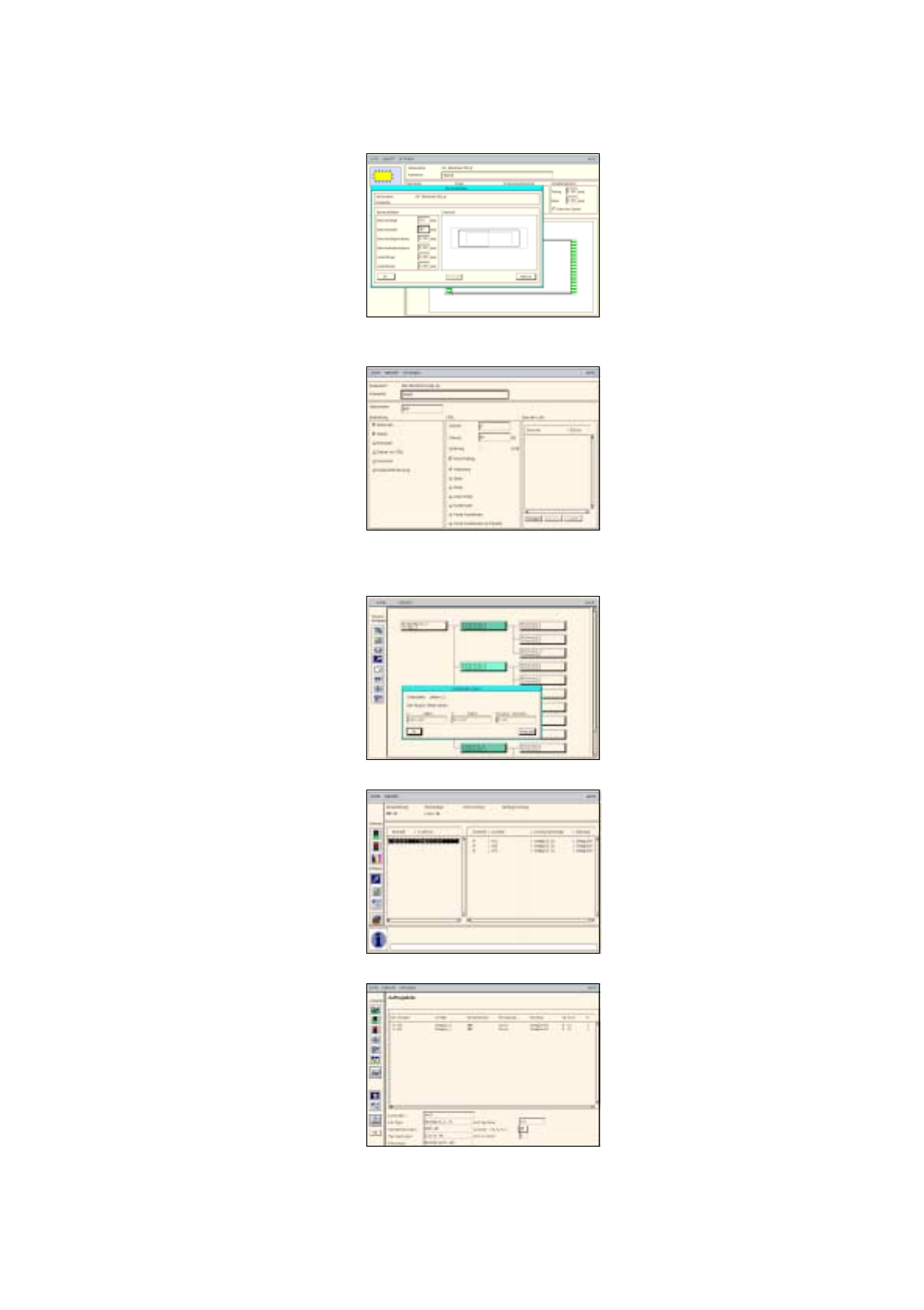
The adhesive pattern description is dispensed with.
Package Form Editor
Component Editor
PCB Editor
Optimization Dialog
Job Control
Adhesive Pattern Editor
17.2 From the Placement Program to the Assembly User’s Manual Line Computer UNIX
17.2.2 Flowchart Package Form Description Software Version 403.xx Edition 06/97
17 - 4
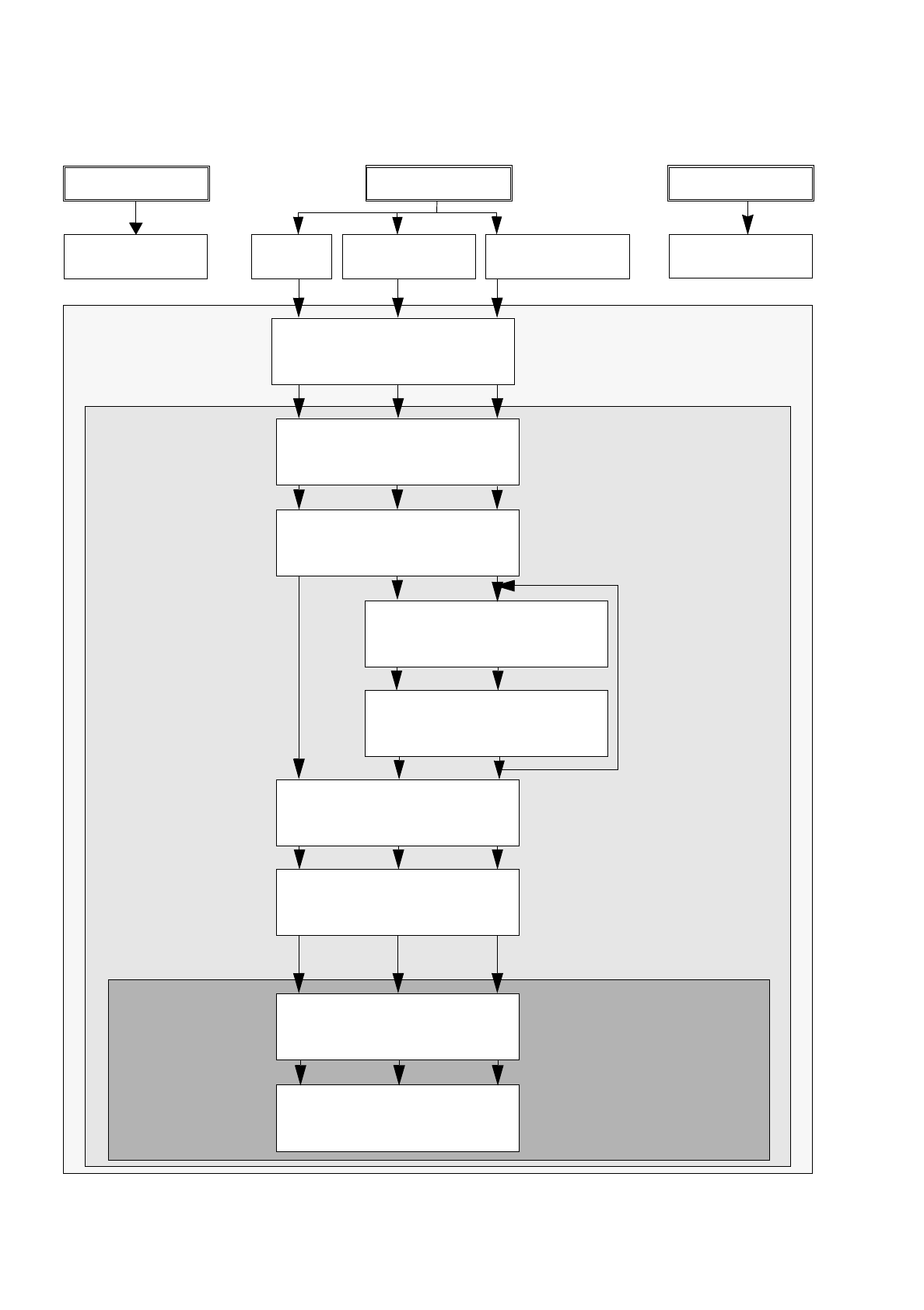
17.2.2 Flowchart Package Form Description
Open
Package Form Editor
S.17-
22
17-
24
17-
28
PDC
GF 1501
FDC regular
GF 1502
FDC irregular
GF 1503
Define package form type
S.17-
22
17-
24
17-
28
Enter package form
dimensions
S.17-
22
17-
24
17-
28
Create pin group
S.17-
24
17-
28
Define pin model
S.17-
26
17-
28
Enter handling data
S.17-
22
17-
26
17-
30
Save package form data
S.17-
22
17-
26
17-
32
Allocate package form
to a feeder
S.17-
22
17-
26
17-
32
Save allocation
S.17-
24
17-
26
17-
32
repeat for each pin
group, here: 2x
Package Form
Feeder Editor
Desktop
Editor
No Package form
PCB 1 PCB 2 PCB 3
description
No Package form
description