00191017-01.pdf - 第454页
14 Control / Control Modules User’s Manual Line Computer UNIX 14.5 Set-Up Modification Generator Software Version 403.xx Edition 06/97 14 - 54
User’s Manual Line Computer UNIX 14 Control / Control Modules
Software Version 403.xx Edition 06/97 14.5 Set-Up Modification Generator
14 - 53
●
Click on button
Set-up not modified
.
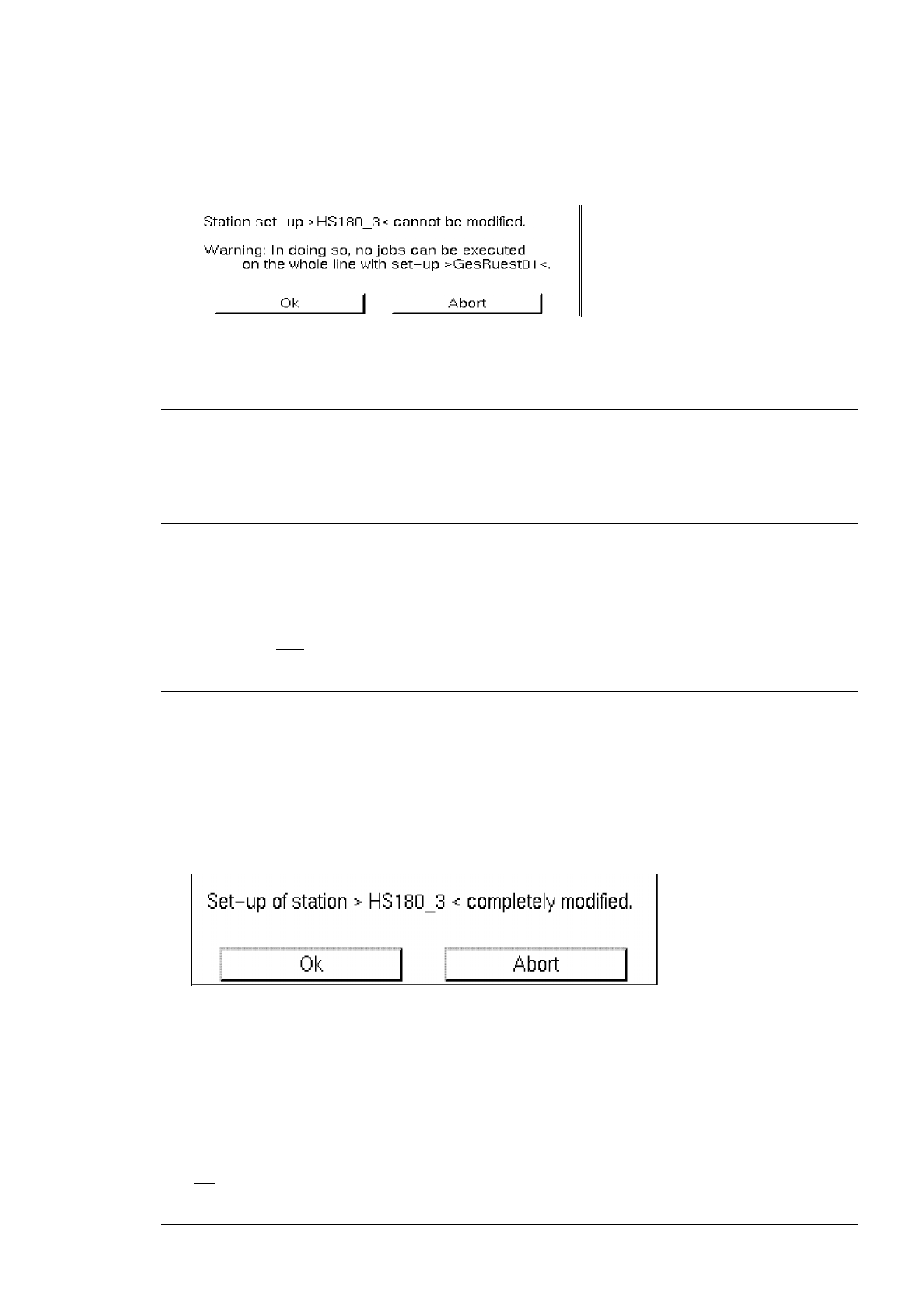
A dialog box containing the following warning message is displayed:
●
Confirm the dialog box with
Ok
.
NOTE
If the set-up of only one station of the subline could not be changed over, it is not possible to produce
any PCB type on the entire subline for which the follow-up set-up displayed has been specified in the
job data for the production of this PCB type.
-
Set-up modified
NOTE
This button can only
be selected when the Set-Up Modification Generator was opened by a station
controller (initated by a requesting program).
This enables the operator to confirm the physical set-up changeover of a station.
This button is clicked on whenever a station selected from the selection field "Stations" has been reset
in accordance with the corresponding changeover instructions.
●
Click on button
Set-up modified
.
If no station was selected, a corresponding prompt requesting the selection of a station is dis-
played, otherwise the following dialog box is opened:
●
Confirm the dialog box with
Ok
.
The dialog box is closed and the station where set-up changeover has been completed (confir-
med) is no longer displayed in the selection field "Stations".
NOTE
When the set-up of all
stations of the subline has been changed over and when the completed chan-
geover has been confirmed for each station, the Set-Up Modification Generator is automatically closed.
It is not
possible to prematurely close the Set-Up Modification Generator via the menu using menu
option
Quit
!

14 Control / Control Modules User’s Manual Line Computer UNIX
14.5 Set-Up Modification Generator Software Version 403.xx Edition 06/97
14 - 54

User’s Manual Line Computer UNIX
Software Version 403.xx Edition 06/97
15 - I
Contents
Page
Control / Error Message System
15.1 Error Message System. . . . . . . . . . . . . . . . . . . . . . . . . . . . . . . . . . . . . . . . . . . . . . . . . . . . 15 - 1
15.1.1 Opening the "Error Message System" Display Window . . . . . . . . . . . . . . . . . . . . . . . . . . . . 15 - 2
15.1.2 Display Window "Error Message System" . . . . . . . . . . . . . . . . . . . . . . . . . . . . . . . . . . . . . .15 - 2