444CEMM2(CM201).pdf - 第12页
Page 2-12 Machine Parameter 2-1-15 Pick-up Position Pickup position offset The pickup position for each feeder table is displayed. This works as the default of the pickup position learning. 2-1-16 Status Indicator Lit, B…
Page 2-11
MACHINE PARAMETER
2
2
2
Machine Parameter
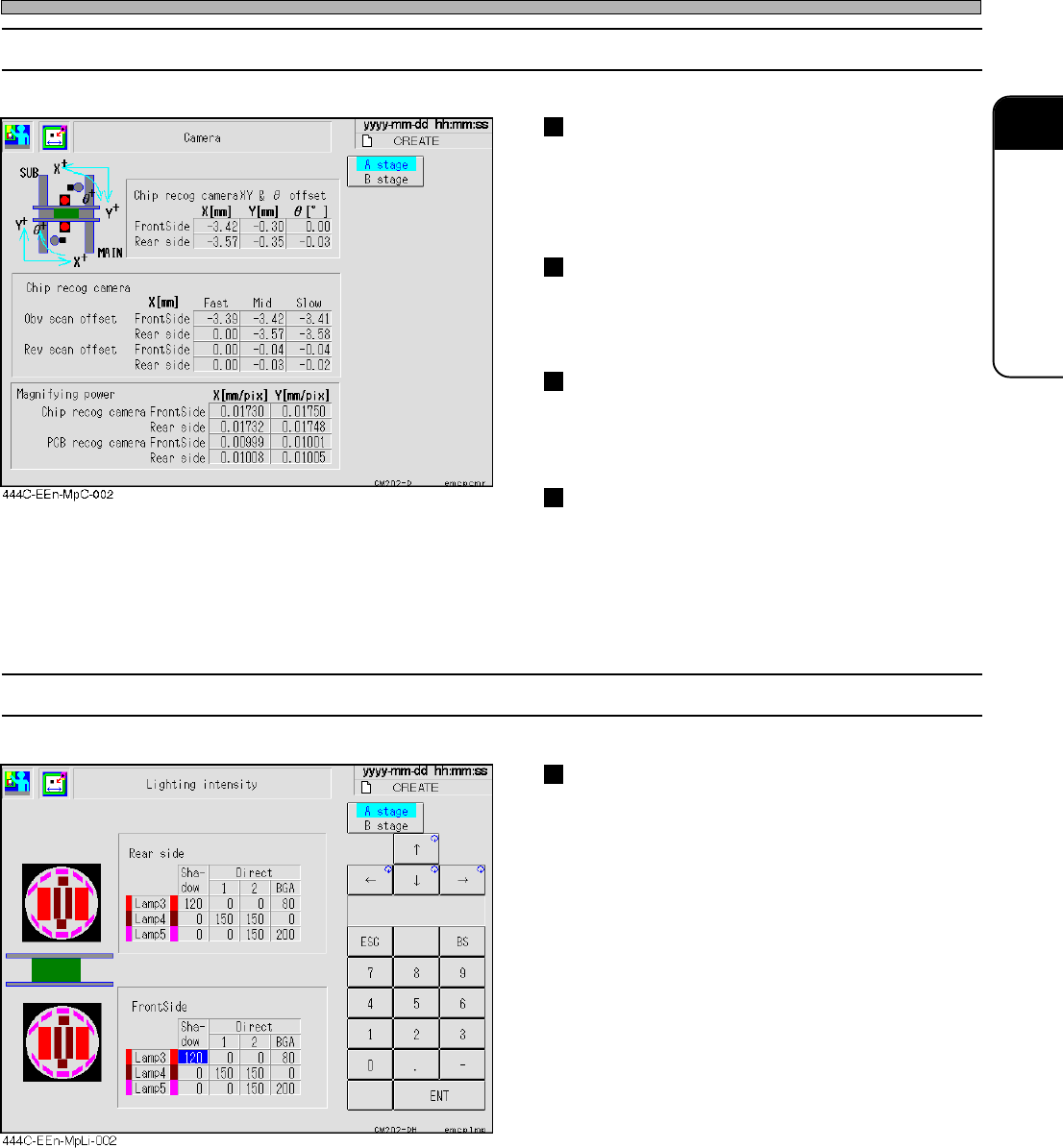
2-1-13 Camera
Chip recognition camera XY
θθ
θθ
θ
offset
This displays the position and inclination of the
chip recognition camera.
Use this for calibrating the chip recognition
position and calculating the chip recognition.
Chip recognition camera magnification
This displays the pixel rate of the chip recogni-
tion camera.
Use this for calculating the chip recognition.
Board recognition camera magnification
This displays the pixel rate of the board
recognition camera.
Use this for calculating the board recognition.
Chip recognition camera reverse scan
offset
This is the offset for the chip recognition
reverse scanning.
Use this for calculating the chip recognition in
the reverse scanning.
2-1-14 Light Quantity
Light quantity offset
This displays the increase and decrease of the
light for each recognition type.
Use this to decide the light quantity for the chip
recognition.
444C-E-MMA02-A01-04
Page 2-12
Machine Parameter
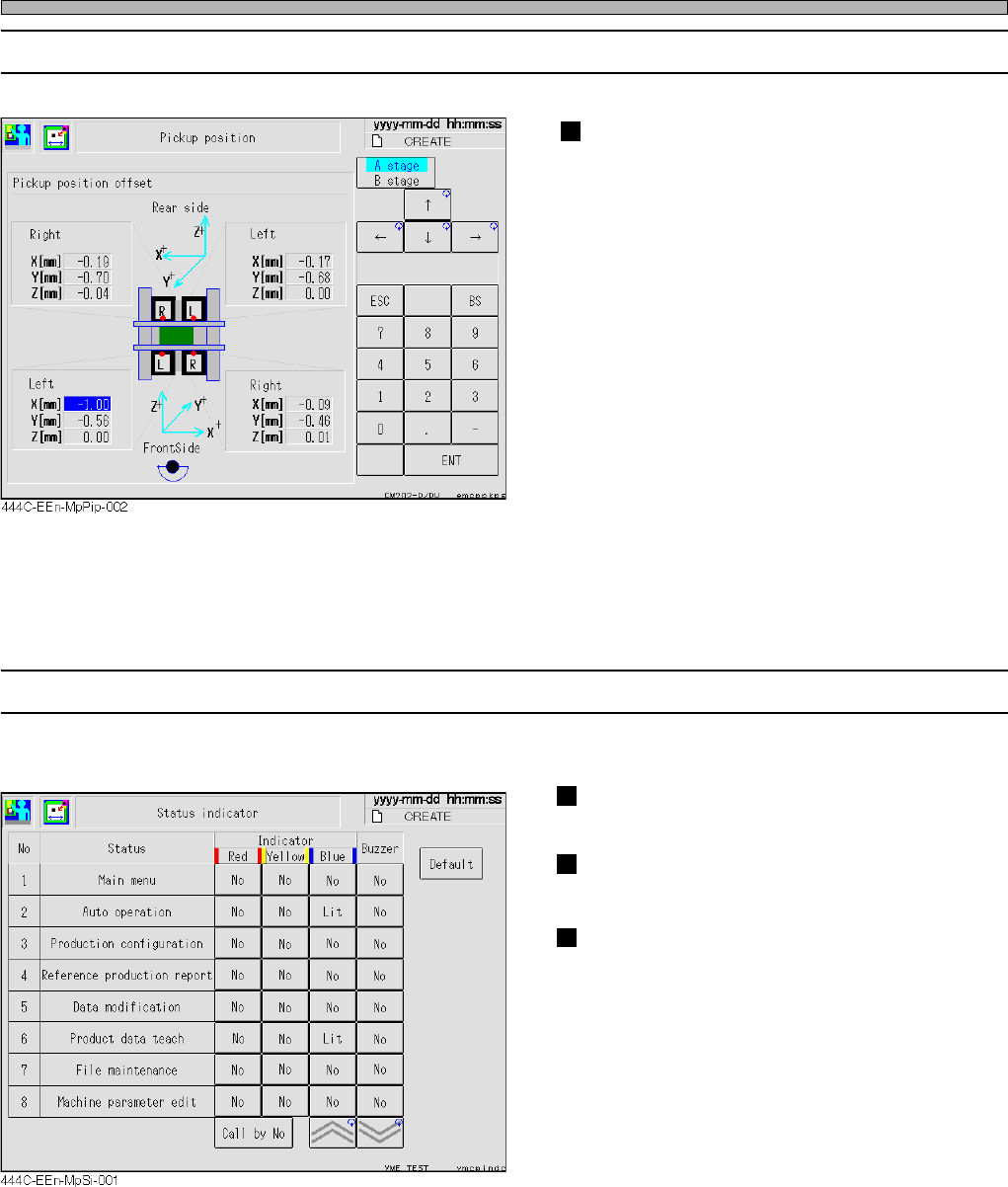
2-1-15 Pick-up Position
Pickup position offset
The pickup position for each feeder table is
displayed.
This works as the default of the pickup position
learning.
2-1-16 Status Indicator
Lit, Blink, No and Buzzer of indicator at each “Status” can be set.
Indicator
No, Lit and Blink change in this order.
Buzzer
Buzz, Blink, and No change in turn.
Default
Pressing this initiates all of setting to our
standard.
444C-E-MMA02-A01-03
Page 2-13
MACHINE PARAMETER
2
2
2
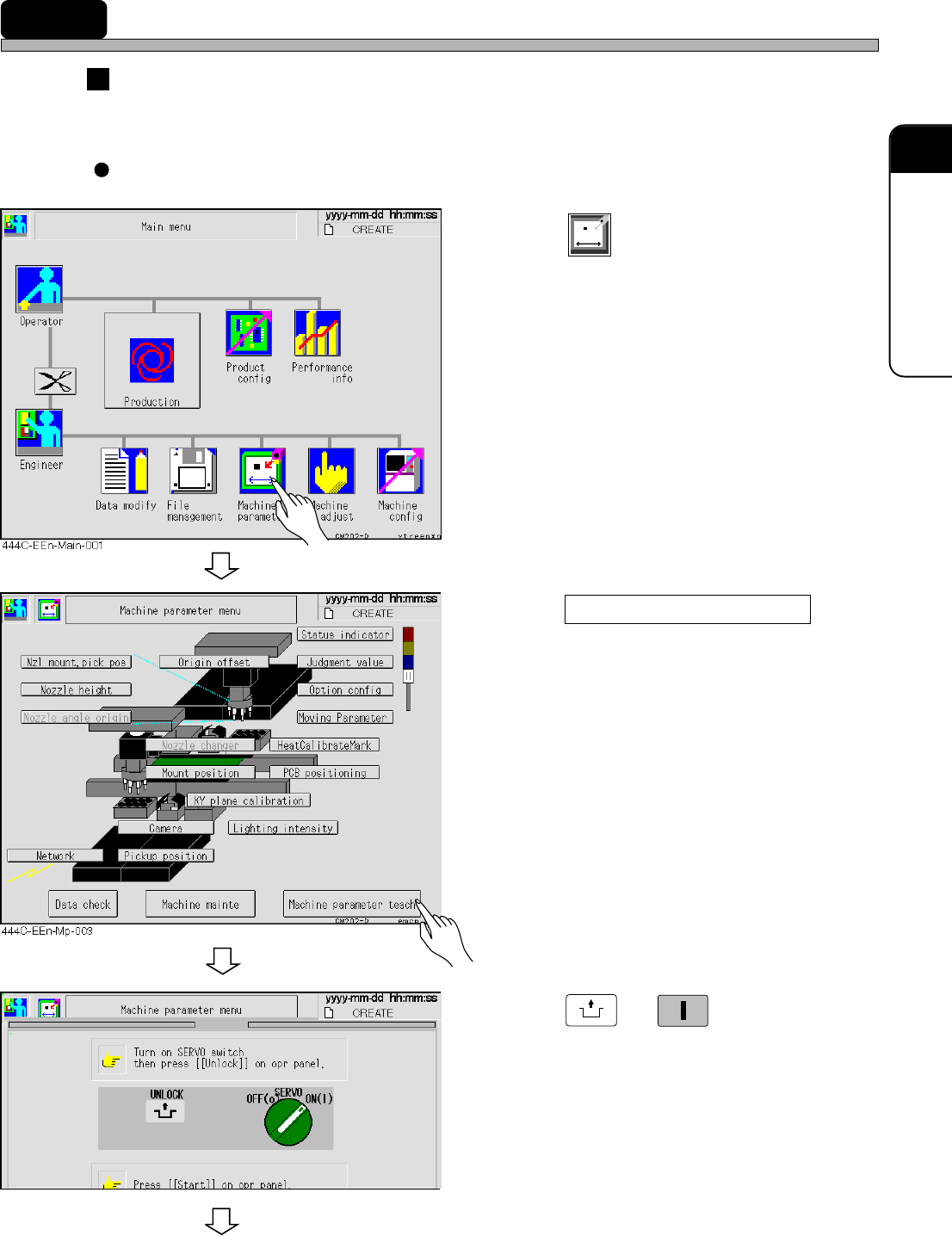
2-2 Procedures of Machine Parameter Teaching
Preparing for the machine parameter teaching
Before starting the machine parameter teaching, load the data of the XY plane calibration jig to the
machine at “File Operation.”
Each of “Machine Parameter Teaching” screen can be opened by the following steps.
1. Press
Machine
parameter
.
• The “Machine Parameter Menu” screen
appears.
2. Press Machine parameter teach .
3. Press
UNLOCK
→→
→→
→
START
.
• The “Machine prmtr teach menu” screen
appears.
To the next page
444C-E-MMA02-A02-03
433C-EEn-Mp-002