444CEMM2(CM201).pdf - 第7页
Page 2-7 MACHINE P ARAMETER 2 2 2 444C-E-MMA02-A01-06 2-1-7 Nozzle Changer Nozzle changer position offset The nozzle changer (option) position is dis- played. Use this for moving the head in the nozzle exchange. Machine …
Page 2-6
444C-E-MMA02-A01-06
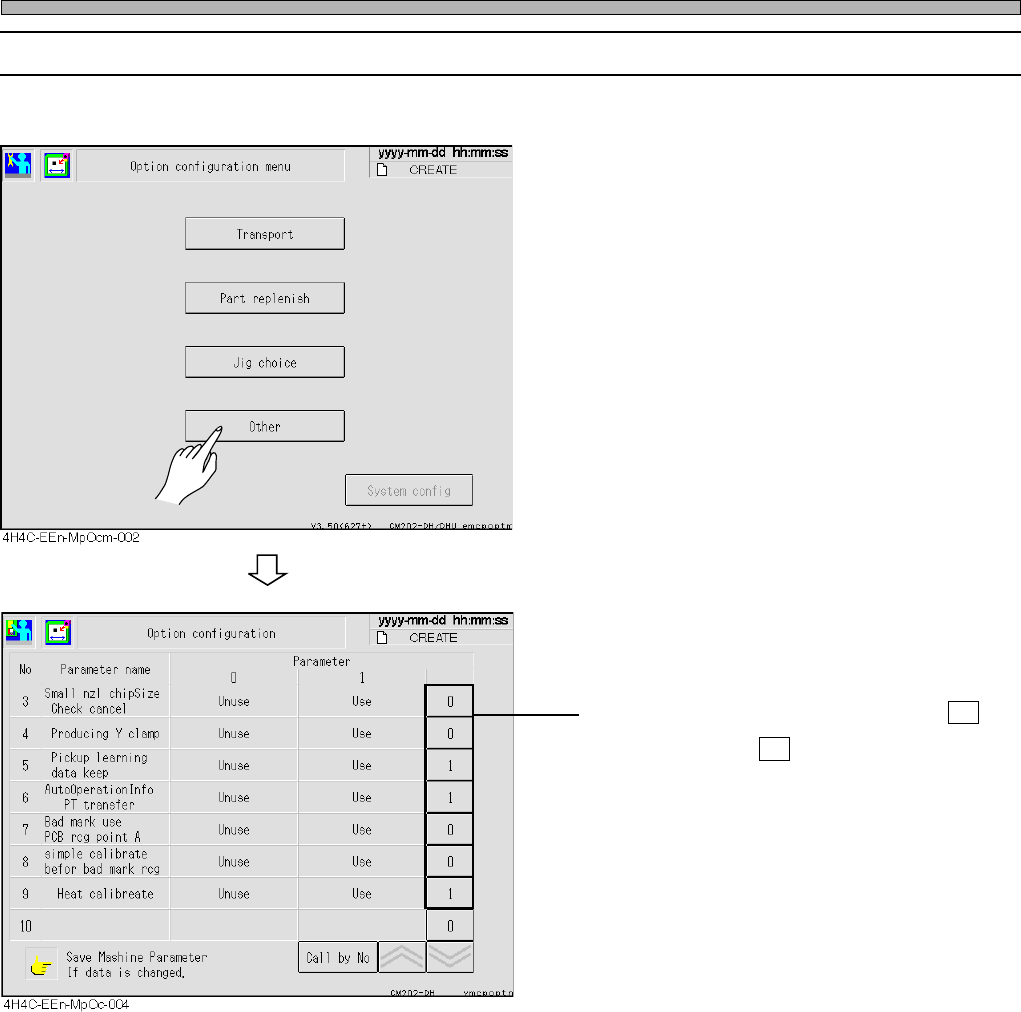
2-1-5 Optional Setting
Optional settings are displayed.
∗ To enable the setting, set the switch to 1 .
To disable, set to 0 .
Machine Parameter
Page 2-7
MACHINE PARAMETER
2
2
2
444C-E-MMA02-A01-06
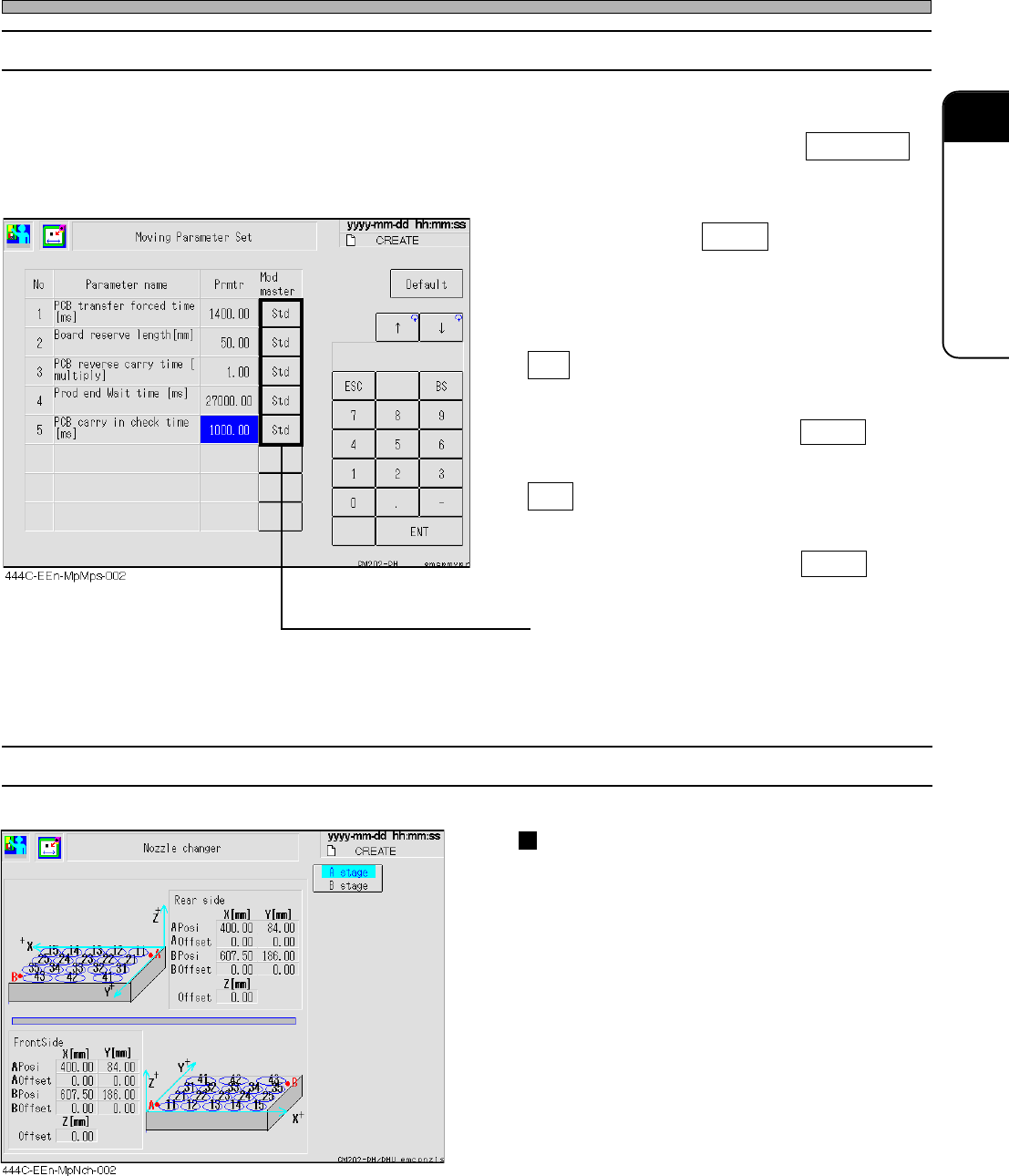
2-1-7 Nozzle Changer
Nozzle changer position offset
The nozzle changer (option) position is dis-
played.
Use this for moving the head in the nozzle
exchange.
Machine Parameter
2-1-6 Moving Parameter Setting
Basically, this parameter does not need to be changed. Even if the value is changed for the motion
check, it will return to the former value after the machine is restarted.
If it needs to be changed after the motion check, change “Std” to “Spcl” by pressing Mod master .
Then the changed value will be maintained even if the power is off.
• Move a cursor to the field to change, and input
the data. Pressing Default returns the data to
the default one.
∗ This can be used only when “Mad master” item
is “Std”.
Std
Even if the data is changed while “Std” is set,
the data returns to the standard value after the
machine is restarted. Pressing Default also
returns the data to the standard value.
Spcl
If “Spcl” is set after the data is changed, the
changed value is maintained even after the
machine is restarted. Pressing Default does
not return the data to the standard value.
∗ Every pressing the “Mod master” button of the
master change will toggle between Std and
Spcl .
Page 2-8
Machine Parameter
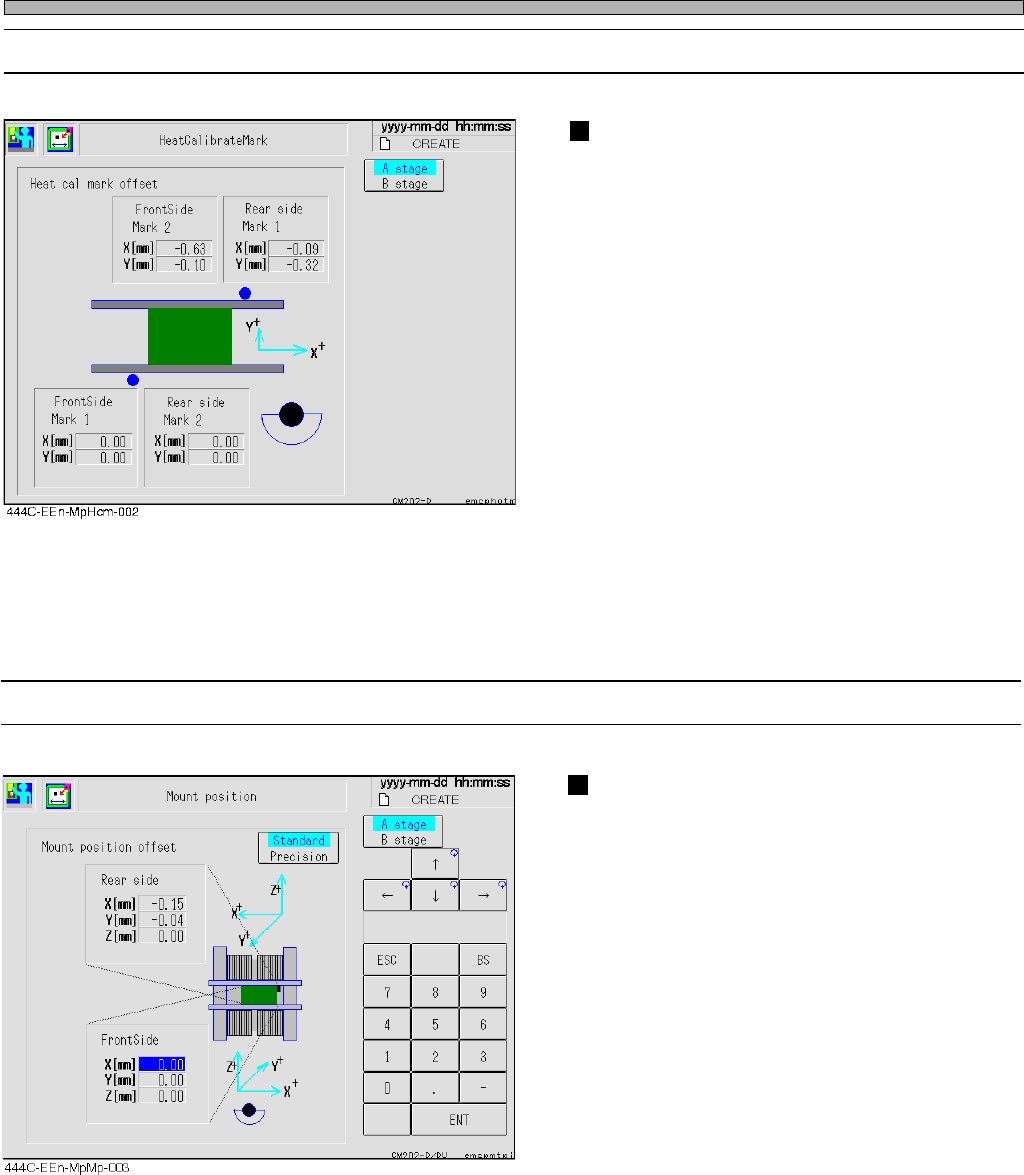
2-1-8 Heat Calibration Mark
Heat calibration mark offset
The position of the heat calibration mark is
displayed.
Use this for calculation of the heat calibration.
444C-E-MMA02-A01-05
2-1-9 Mount Position
Mount position offset
Use this for the whole offset of the mount
position.