444CEMM2(CM201).pdf - 第58页
Page 3-18 Check and Solutions 444C-E-MMA03-A03-04 3-2-8 Nozzle Setting Error If a setting error occurs in the nozzle checking operation prior to automatic operation, check it. 1 . Checking the details of nozzle checking …
Page 3-17
3
SOLUTIONS FOR ERROR
3
3
444C-E-MMA03-A03-03
Check and Solutions
444C-EEn-MaIc-003
444C-EEn-MaIc-004
444C-EEn-Ma-001
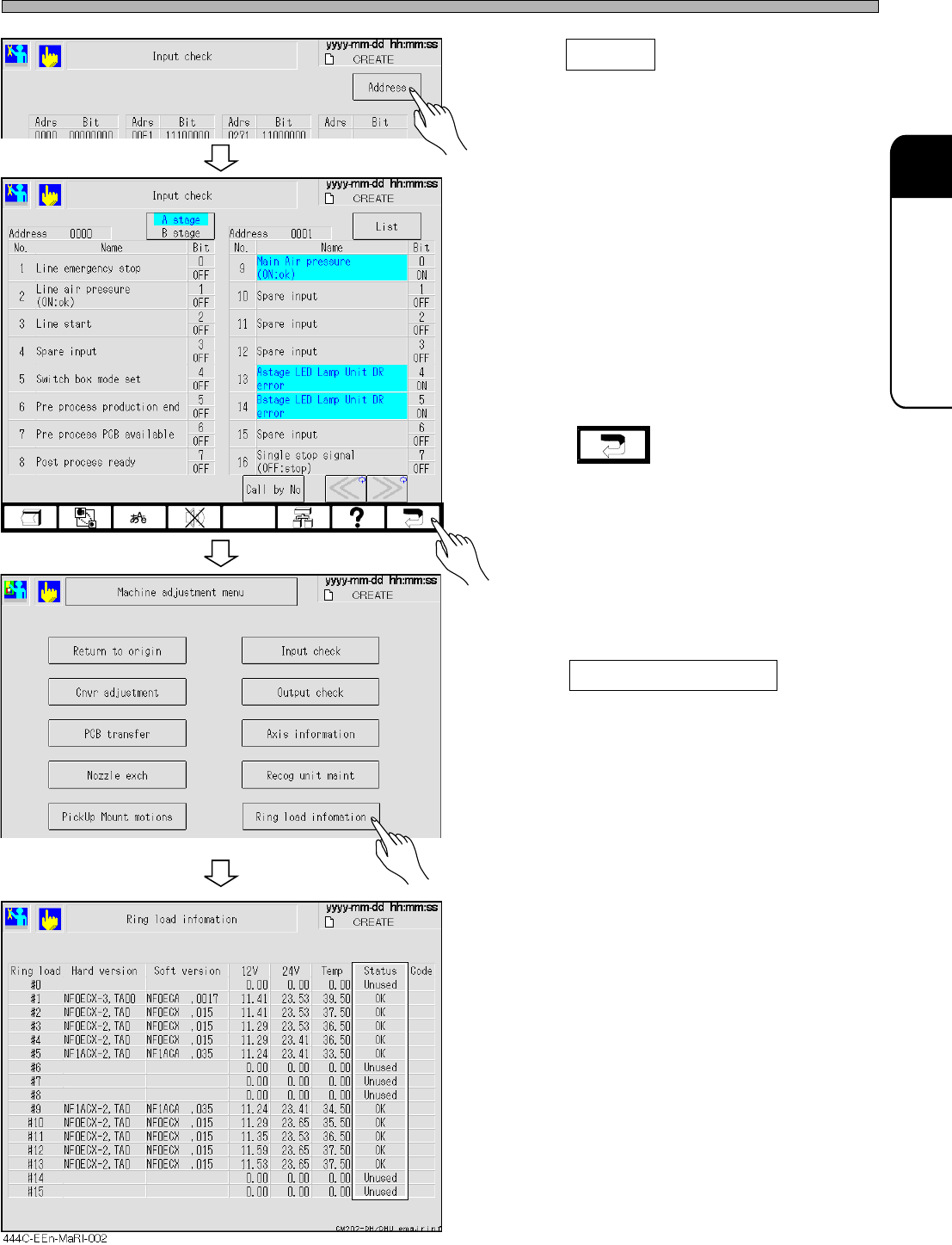
5. Press Address .
6. Check the signals.
∗ Turn ON and OFF the sensors to check
whether the signals of the errors have been
received.
7. Press .
• The screen returns to the machine adjustment
menu.
8. Press Ring load information .
9. Check the status.
∗ Check whether the status of the ring load in
use are not NG.
• In case of NG, the communication error in the
board, disconnection of the connector, or
contact failure is conceivable.
∗ If you cannot recover from NG in spite of the
power restarting, there is a possibility of board
breakage or contact failure; therefore, contact
us.
• If no NG has occurred, check the CPU inter-
lock version from the machine information in
the machine parameter screen and contact us.
Page 3-18
Check and Solutions
444C-E-MMA03-A03-04
3-2-8 Nozzle Setting Error
If a setting error occurs in the nozzle checking operation prior to automatic operation, check it.
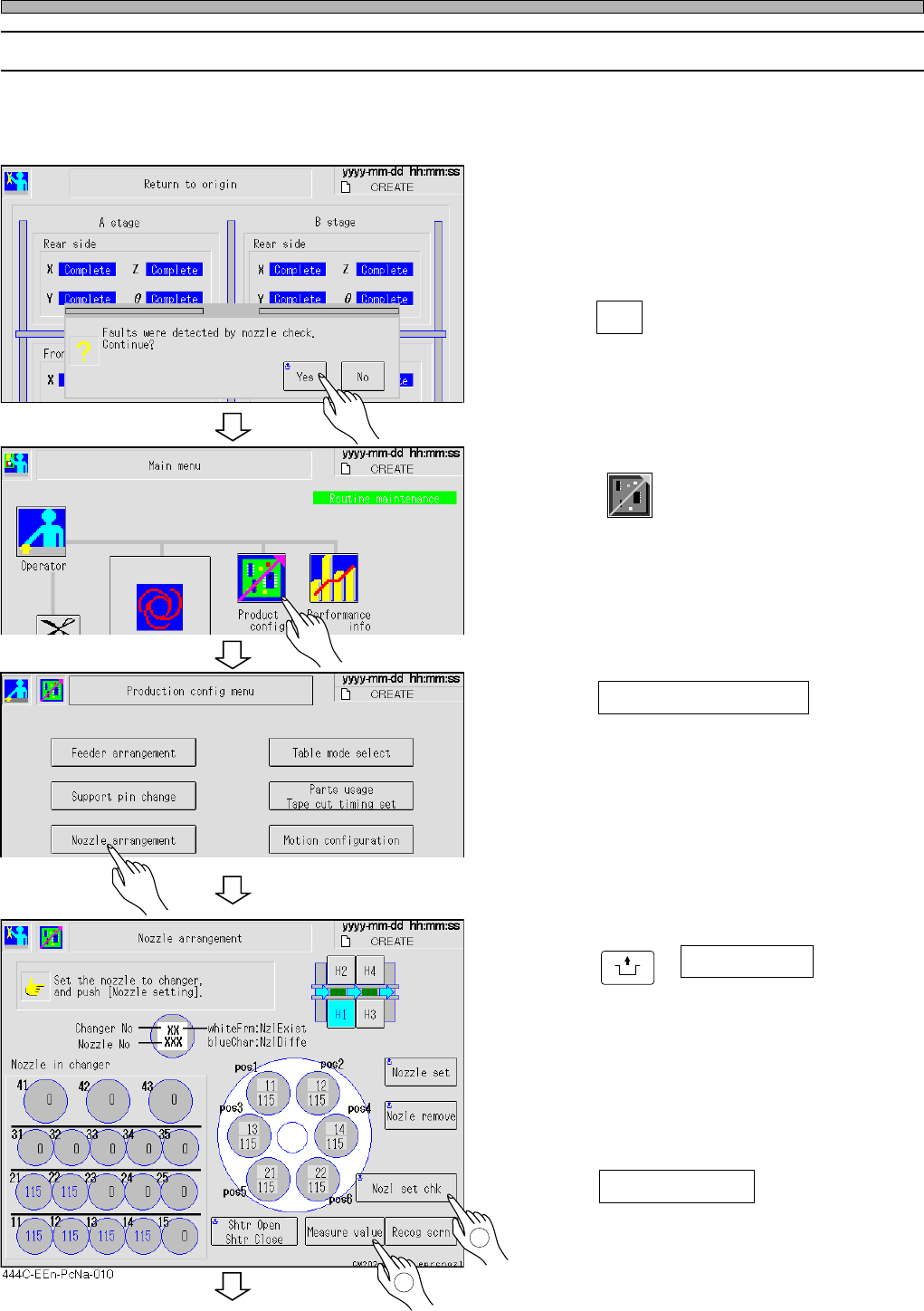
1. Checking the details of nozzle checking operation error (With the nozzle changer)
• To solve the error occurred in the nozzle
checking operation in starting production, use
the following procedure.
1. Press Yes .
• The screen returns to the main menu.
2. Press
Product
config
.
3. Press Nozzle arrangement .
4. Check the nozzles.
• Check whether the nozzles that are actually set
are the same as the ones to be used.
5. Press
UNLOCK
+ Nozl set chk .
• Recheck whether the registered and the set
nozzles are the same.
∗ If there is no error, go to step 11.
If there is an error, perform steps 6 to 9.
6. Press Measure value .
To the next page
444C-EEn-Ro-003
444C-EEn-Main-004
444C-EOp-Pc-003
1
2
Page 3-19
3
SOLUTIONS FOR ERROR
3
3
Check and Solutions
444C-E-MMA03-A03-03
To the next page
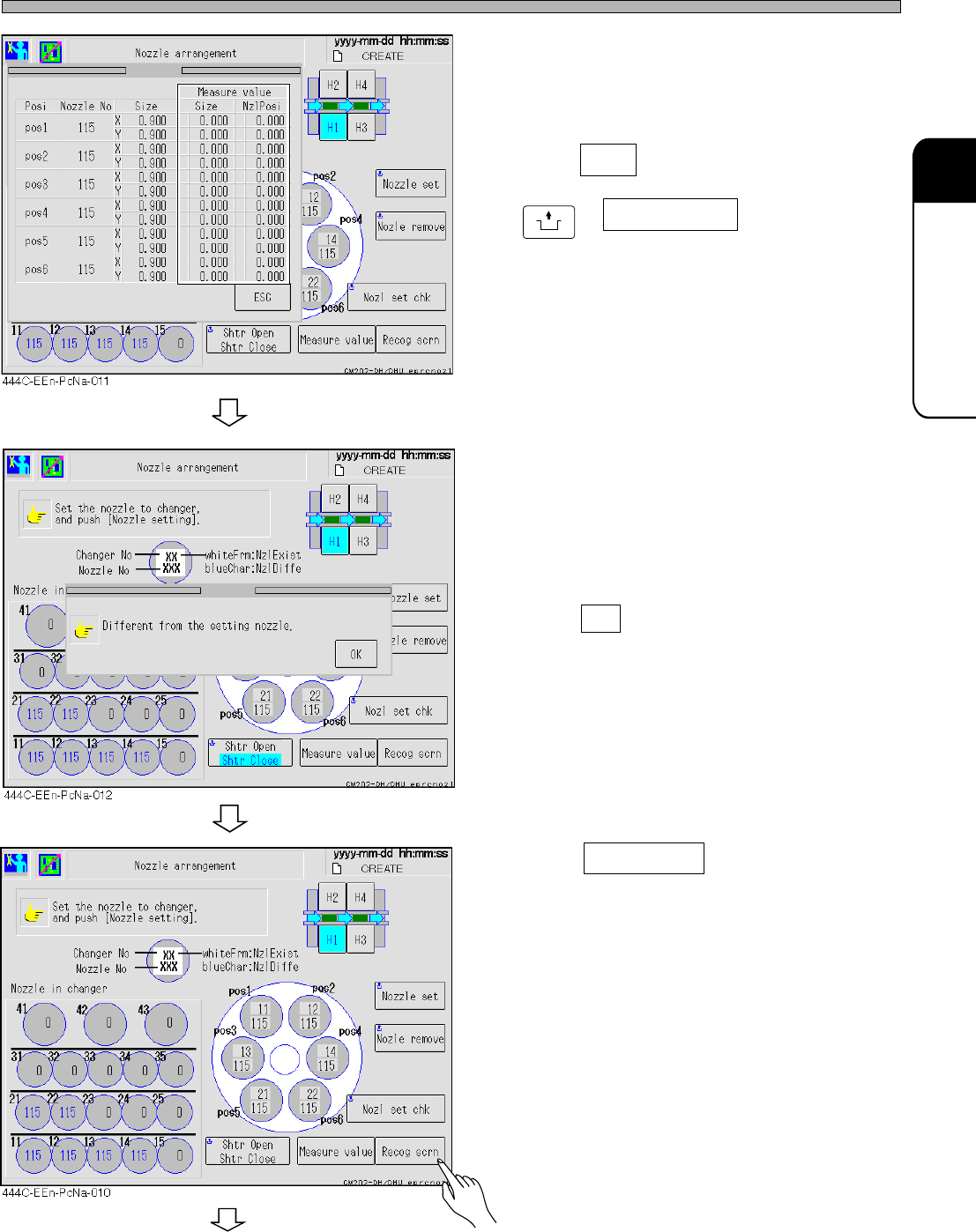
• Check the sizes of the registered and the
measured nozzles at the screen.
7. Press ESC and then
UNLOCK
+ Nozl set chk .
• If some nozzles have not been set or if the
registered nozzle size is different from the
measured one, an error occurs and the mes-
sage appears.
• Press OK .
8. Press Recog scrn .
• The whole and the individual nozzle recogni-
tion image can be checked.
[Possible factors]
• Nozzle setting mistake
• Foreign bodies on the nozzle tip
• Chipped nozzle tip
• Deformation of the nozzle
• Contamination of the reflector
• Contamination of the LED cover
• Contamination of the camera lens
[Solutions]
• Cleaning the nozzle, reflector, camera lens,
and cover lens
• Replacing the nozzle