444CEMM2(CM201).pdf - 第39页
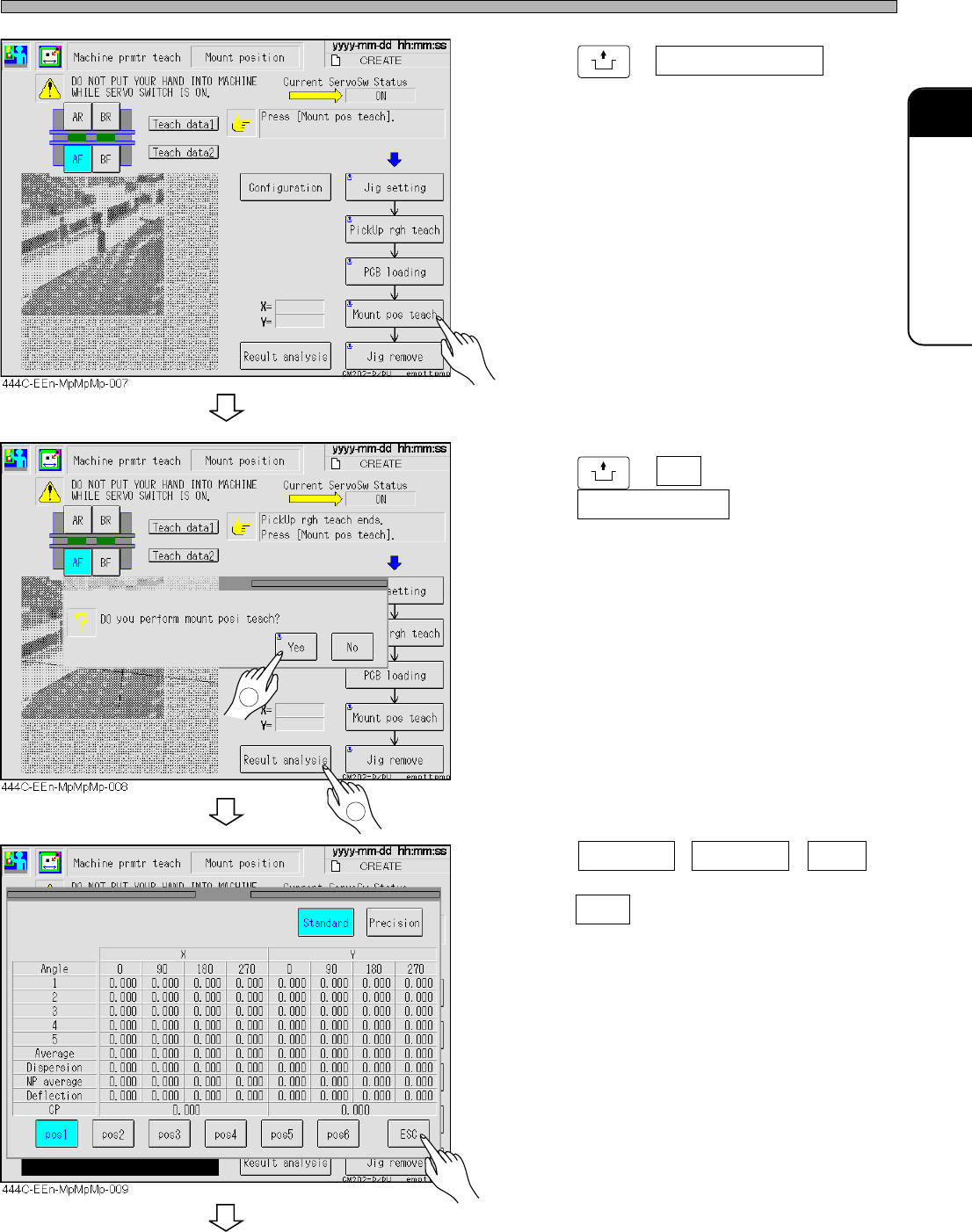
Page 2-39 MACHINE P ARAMETER 2 2 2 Procedures of Machine Parameter T eaching 444C-E-MMA02-A04-01 18. Press UNLOCK + Mount pos teach . 19. Press UNLOCK + Ye s ; after completion, press Result analysis . 20. Press Standard…
Page 2-38
Procedures of Machine Parameter Teaching
444C-E-MMA02-A04-01
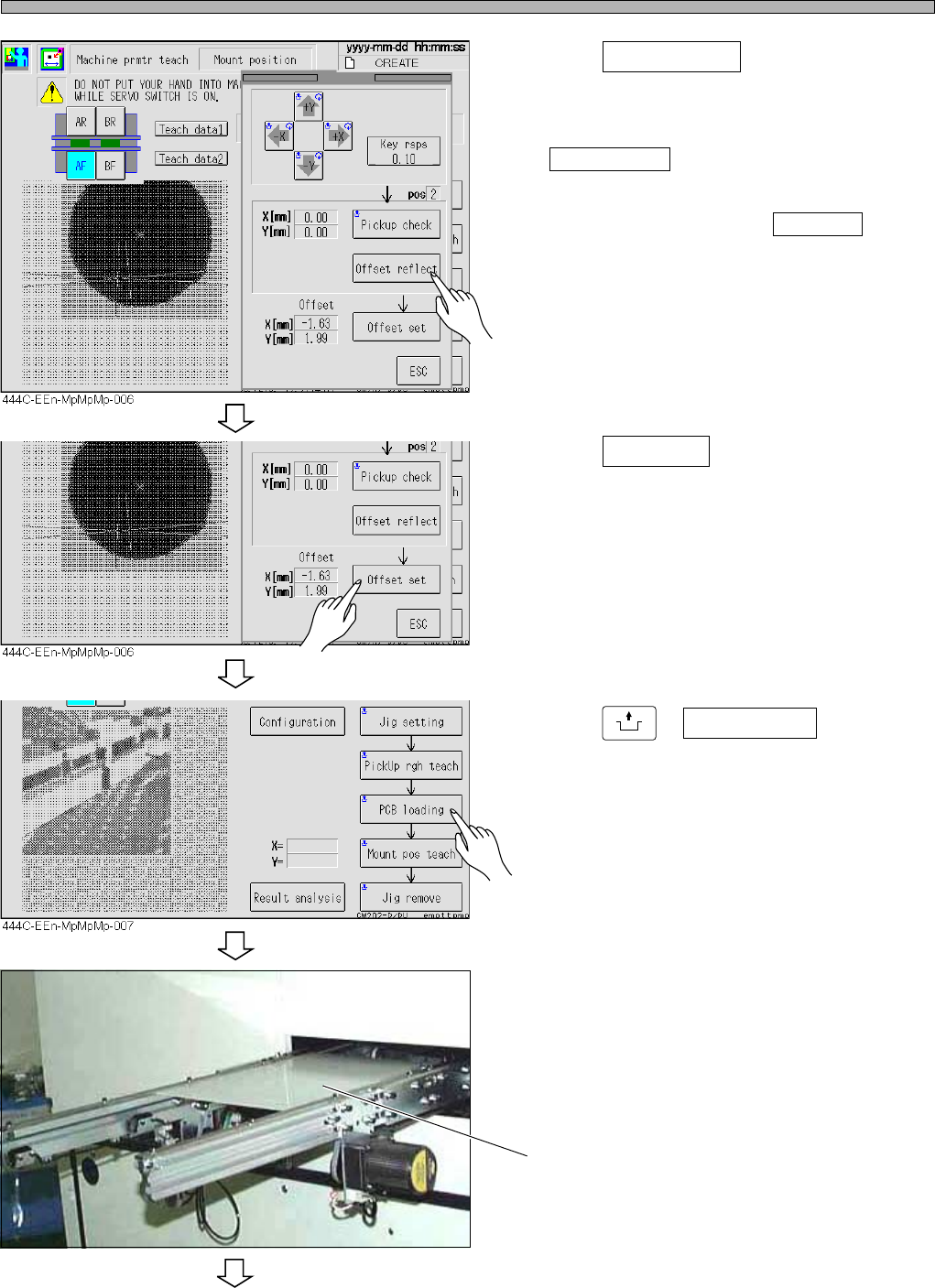
13. Press Offset reflect , then return to
step 11.
• The values in the X and the Y field at the left of
Pickup check change to 0.
∗ If you frequently achieve success without
pressing arrow keys, press Offset set to
register.
14. Press Offset set .
• pos2 is indicated.
15. Return to step 11, and complete the
teaching up to pos6.
16. Press
UNLOCK
+ PCB loading .
17. Place the white acrylic plate whose
top on which a double-faced tape is
affixed, onto the conveyor entrance.
• Peel the paper off the double-faced tape.
444C-479P
White acrylic plate
To the next page
Page 2-39
MACHINE PARAMETER
2
2
2
Procedures of Machine Parameter Teaching
444C-E-MMA02-A04-01
18. Press
UNLOCK
+ Mount pos teach .
19. Press
UNLOCK
+ Yes ; after completion,
press Result analysis .
20. Press Standard , Precision , pos2 ,
and the others to check, and then
press ESC .
To the next page
2
1
Page 2-40
444C-EEn-MpMpMp-010
Procedures of Machine Parameter Teaching
444C-E-MMA02-A04-01
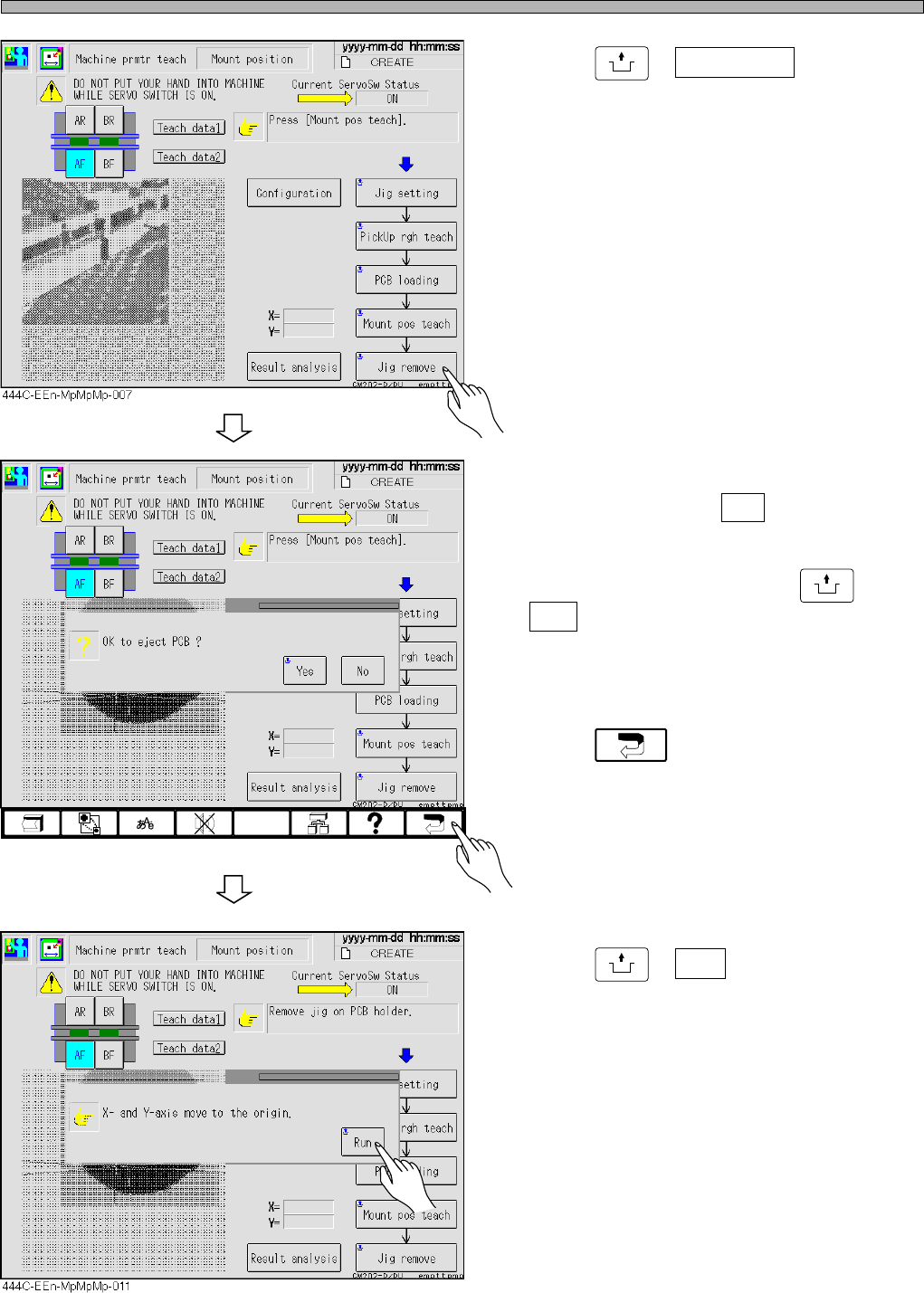
21. Press
UNLOCK
+ Jig remove .
• A message appears.
22. If you perform the teaching on the
other stage, press No ; then return to
step 2. When the teaching on all the
stages is complete, press
UNLOCK
+
Yes .
• Detach the illumination, which has been put on
the support blocks, and the 1005R feeder.
23. Press .
24. Press
UNLOCK
+ Run .